Labor Day Appliances SaleEnds 9/16. Limited quantities. No rainchecks.Shop now

Skip to contentGo to Product Search
Main Content

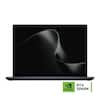
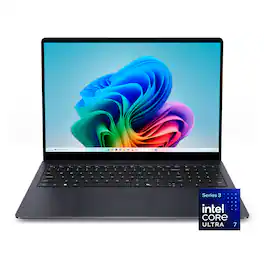
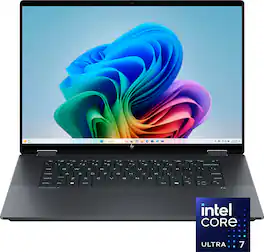
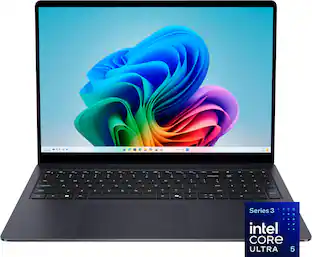
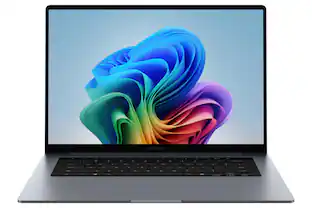
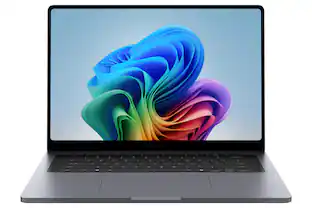
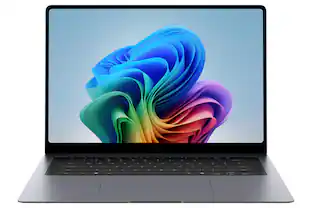
Dell - 16S - 16" 2K Touchscreen Laptop - Intel Core Ultra 7 355 2026 - 16GB Memory - 512GB Storage - Copilot+ PC - Celestial Blue

Model: LDS16260-7779BLU-PUS
SKU: 6679152
Sold byBest Buy

Customers are saying

Customers frequently mention that the device boasts impressive build quality and a highly responsive touchscreen. While users appreciate the long-lasting battery life, some note that the unit is not easily portable. Additionally, there is feedback suggesting that the internal storage capacity is somewhat modest.

Generated by AI based on customer reviews.
See it in-store: Roseville has a demo model on display.

Highlights

Features
  • Sleek build. Uncompromising power

    Featuring Series 3 Intel Core Ultra processors with built‑in AI that accelerates creative work, smooths gaming, streaming, and multitasking.

  • FHD+ Touch that pops

    A bright spacious 16 inch FHD+ touch display with 400 nits delivers clear visuals even in well-lit environments—ideal for video calls, streaming, and intuitive touch-driven productivity plus, durable Gorilla Glass protection.

  • Designed with purpose

    A seamless fusion of innovation, durability and meticulously crafted design with thoughtfully engineered features to elevate the way you work, create and live.

  • Solid style

    Sturdy, stylish three-piece aluminium chassis with polished accents for a bold dual finish design.

  • 15.3 mm slim profile

    For an ultra-portable, carry anywhere device.

See all features
Specifications
  • Screen Type
    WVA
    Screen Size
    16 inches
    Screen Resolution
    1920 x 1200 (Full HD+)
    Touch Screen
    Yes
    Refresh Rate
    60Hz
Sponsored

Reviews

Rating 4.8 out of 5 stars with 36 reviews

5 star rating. 27 reviews4 star rating. 9 reviews
100% would recommend to a friend
Customers are sayingCustomers frequently mention that the device boasts impressive build quality and a highly responsive touchscreen. While users appreciate the long-lasting battery life, some note that the unit is not easily portable. Additionally, there is feedback suggesting that the internal storage capacity is somewhat modest.
This summary was generated by AI based on customer reviews.
  • Build Quality (13)
  • Portability (9)
  • Battery Life (5)
  • Touchscreen Responsiveness (4)
  • Storage Capacity (5)

Customer Images

    The vast majority of our reviews come from verified purchases. Reviews from customers may include My Best Buy members, employees, and Tech Insider Network members (as tagged). Select reviewers may receive discounted products, promotional considerations or entries into drawings for honest, helpful reviews.

    • Rated 4 out of 5 stars

      A Lot of Laptop Without Feeling Like One

      I've used quite a few Dell laptops over the years, and overall I'm pretty impressed with the 16S. I wanted something with a larger screen that I could actually get work done on without immediately feeling like I needed to connect an external monitor, but I also didn't want a massive laptop that was a pain to carry around. This strikes a really good balance between the two. The 16" 2K display is probably my favorite part. There's noticeably more usable space than you get on a typical 13" or 14" laptop, and the higher resolution makes text and everything else look extremely sharp. I tend to have multiple browser windows open alongside Outlook, Teams, Excel and other applications, so the extra screen real estate is genuinely useful. The touchscreen is also responsive. I'm still primarily a mouse/trackpad person, but I find myself reaching up to scroll through pages or quickly tap something more often than I expected.
 Performance has been excellent. The Core Ultra 7 and 16GB of memory have had no problem keeping up with normal work, even when I have an unreasonable number of Chrome tabs open along with several other programs. Everything feels quick and responsive, waking from sleep is almost instant, and I haven't noticed any significant slowdown when multitasking. The 512GB SSD is one of my bigger complaints. It's enough for what I'm using it for since most of my files live in the cloud, but with the rest of the specs on this machine I really would have expected at least a 1TB SSD. Storage is expensive right now but 512GB just feels a little out of place on a laptop with a Core Ultra 7, 16GB of memory and a 2K display.
 I really like the overall design. The Celestial Blue is much more subtle in person than the name makes it sound, and the aluminum case gives the laptop a much more premium feel than a typical plastic chassis. That aluminum does come with a downside though: keep a microfiber cloth nearby. This thing collects fingerprints and smudges like crazy, and they're especially noticeable on the finish. It can go from looking brand new to looking like it needs to be cleaned after about five minutes of handling it.
 There's also one small fit-and-finish issue that I can't unsee now that I've noticed it. The punchout for the webcam isn't perfectly centered over the actual camera lens. It doesn't seem to affect the camera at all, but on a laptop that otherwise looks and feels this polished, it's a weird little quality control detail. Most people probably won't notice it, but once you do…
 The keyboard has been great to type on. There's enough room that it doesn't feel cramped, which is something I really appreciate on a laptop I'm actually going to work from for several hours. The trackpad is large and accurate, and the larger case gives you enough room to comfortably rest your hands without everything feeling squeezed together.
 Despite the large screen, it also doesn't feel like you're carrying around an old-school 16" desktop replacement. It's wildly thin and portable enough that I don't mind throwing it in a bag. That's probably one of the biggest strengths of this laptop… you get the workspace of a larger machine without giving up too much portability.
 The Copilot+ features weren't really the reason I chose this laptop, but I do like having the newer hardware as Windows continues adding more AI functionality. I'd rather have that capability built in now than buy something that's already a generation behind.
 Overall, the Dell 16S is a really good laptop with a few annoyances. The 2K touchscreen is excellent, performance is strong, the aluminum chassis feels premium, and I really like having a 16" display in something that's still reasonably portable. I just wish Dell had included a 1TB SSD, found a finish that didn't show every fingerprint, and paid a little more attention to that webcam cutout.
 None of those would keep me from recommending it but they're worth knowing about. If you want a larger laptop for productivity without carrying around something that feels like a brick, the 16S gets a lot right.

      Posted by KenE

    • Rated 4 out of 5 stars

      Large touchscreen w Smooth Quickness

      TLDR: A 1920X1600 HD resolution 16” LED touchscreen, Intel Core Ultra7 335 CPU with 16Gb of LPDDR5 (soldered) RAM, 512GB of PCIe SSD storage with CoPilot+ weighing a scant 4 lbs, charged with USB-C, illuminated numeric keyboard and large haptic touchpad. An aluminum chassis, 16 inch touchscreen Windows 11 computer laptop, with illuminated keyboard, Intel Core Ultra7 2335 CPU running at 4.7 GHz speed, and sufficient RAM and storage to make it desirable. DELL Model 16S DS16260 per the BIOS screen in the computer . I found it on the DELL website. I know it works fast and smoothly. The blue is a very dark blue. Arrives with Windows 11 Home, an Intel Core7 Series 3, 16GB of soldered LPDDR5 RAM and SSD storage of SanDisk M.2 512 GB size. Graphics are processed by Intel Graphics with 64MB of VRAM. Some of this info is from the BIOS screens. About 30 updates were installed for the first two hours, on and off, that I used the computer. After all the updates installed the performance is very stable and smooth. I know the computer is fast, runs silently, will open many tabs on Edge browser with no sweat, tests out with good audio volume, very good video playback on You Tube and sites such as Pluto, Netflix, Prime Video for existing accounts, and also fires up Google Sheets and Docs quickly. The onboard video is handled by Intel Graphics GPU inherent on the motherboard. I used it for some test Google Voice calls and no one said I sounded bad and everyone I called sounded clear also. I set it to recognize my face instead of my typing in the system password and that works even in low lighting using it in my bedroom in the evening. I used CoPilot + to gather up information on search topics and the dedicated key worked every time. I also used it to summarize a web page or an email exchange being I am on two boards where at times others send too many almost useless emails so CoPilot+ is a big time saver for me in going through the emails. The touchscreen is very smooth and responsive and I am one of the constant users of any touchscreen computer so I appreciate a touchscreen more than a laptop without such a screen. The color quality is good albeit it is not an OLED but very much usable since it produces a very clear and sharp image both on videos, on spreadsheets or word processing, or news web sites for reading. Yes I like to read my news stories. It produces very clear audio from the small internal speakers. The analog audio output jack works fine to some 3way computer speakers I still have. The power adapter is a 65 watt adapter terminated in a USB-C plug on a approximately 5 foot long power cord (not chord) which also is good to charge up my smartphone, my home wireless doorbell, and other items such as headphones, power batteries, and many other items now using USB-C for charging. Dell does not supply a protective padded sleeve in the box, but should (look at the firm starting with A and ending with R Mr. Dell.) The keyboard is easy to use and is illuminated for use later at night and it has a regular numeric keypad on the right being that it is a wider chassis due to the 16” screen. Very nice. I got into the BIOS settings and adjusted the keyboard lighting to stay on for 5 minutes from the too short 1 minute. Other settings including always on are available. One setting in the BIOS seems to allow powering on when the lid is opened but I have to try that again to see if it will do that. I like that feature that some Windows laptops (and most Chromebooks) have. I also engaged the BIOS setting so the battery only charges to 80% to prolong it’s liffe several years by not stressing it to charge to 100%. Read about this if you are not familiar. I tested it with two large monitors using a USB-C to HDMI adapter plugged into one of the USB-C ports and yes it does provide DisplayPort functionality with audio and video to enable multiple external monitors. I also plugged it via USB-C cable into a Samsung SmartMonitor and the video image instantly appeared on the Samsung and the DELL laptop started charging also. Dell says the chassis is aluminum, I may at some point open up the bottom to explore but not until the warranty has expired. The warranty is 1 year. It weighs just below 4 pounds US I like it and will use it often.

      Posted by AtrixNY

    • Rated 5 out of 5 stars

      Big Screen, Fast Storage for Everyday Performance

      I have really enjoyed using this Dell 16-inch touchscreen laptop. The large display is the first thing I noticed. The 16-inch screen gives me plenty of room for web browsing, spreadsheets, documents, streaming video, and working with several windows at once. The higher-resolution 16:10 display also provides more vertical space than a typical widescreen laptop, which means less scrolling when reading websites or working in Microsoft Office. Text looks sharp, colors are clear, and the touchscreen is responsive and convenient when scrolling through long pages or quickly selecting something on the screen. Inside, this model has an Intel Core Ultra 7 355 processor, 16GB of memory, a 512GB SanDisk NVMe solid-state drive, Intel integrated graphics, and Wi-Fi 7. That is a well-balanced configuration for business work, school, home use, video meetings, and everyday multitasking. I ran the complete PassMark PerformanceTest 11.1 benchmark to see how the laptop performs beyond normal day-to-day use – see attached photo. It received an overall PassMark Rating of 5,837.6, placing it in the 63rd percentile. In simple terms, it performed better than approximately 63 percent of the computers included in PassMark’s comparison results. That is a solid score for a thin everyday laptop that relies on integrated graphics rather than a large dedicated gaming graphics card. The CPU Mark score was 18,426.8, which placed the processor in the 64th percentile. That matches my experience with the computer. Windows feels responsive, programs open quickly, and it handles multiple browser tabs and applications without feeling sluggish. This should be more than enough processor power for Microsoft Office, remote work, photo organization, light content creation, and most general home or business tasks. The strongest benchmark result came from the storage. The Disk Mark score was 39,566.5, placing it in the 93rd percentile. That is excellent and helps explain why the laptop boots quickly and feels responsive when opening programs, loading files, and installing updates. A fast processor is useful, but a fast solid-state drive is often what makes a computer feel fast during normal use, and this Dell performs very well in that area. The Memory Mark score was 3,151.7, landing in the 71st percentile. The included 16GB of RAM provides enough capacity for regular multitasking, including running Office programs, video calls, cloud applications, and many browser tabs at the same time. Heavy video editing, large engineering projects, or virtual machines may benefit from more memory, but 16GB is a good amount for the type of work most people will perform on this laptop. The 2D Graphics Mark score was 785.2, placing it in the 62nd percentile. That is good performance for Windows, websites, presentations, video playback, and standard productivity applications. The 3D Graphics Mark score was 4,618.7, which placed it in the 37th percentile. This is the one benchmark area that was below average, but that is not surprising because this model uses Intel integrated graphics. It can handle casual games and lighter graphics work, but this would not be my first choice for serious gaming, advanced 3D design, or heavy video effects. Overall, this Dell provides a strong combination of screen size, speed, and everyday usability. The large touchscreen makes it especially comfortable for productivity, while the fast SSD and Core Ultra 7 processor keep everything moving smoothly. The benchmark results confirm what I have experienced: strong storage performance, good processor and memory performance, and graphics that are better suited to everyday work than demanding gaming. For someone who wants a spacious screen, responsive Windows performance, modern wireless technology, and enough power for years of general use, this Dell 16-inch laptop is an excellent choice.

      Posted by TechMatcher

    • Rated 5 out of 5 stars

      Lots of features on this one

      I had another 16” Dell laptop that was on its way out, so I was happy to try this 16” Dell laptop out. This laptop works very similarly to my old one, but weighs less, which is great. This laptop has a full sized keyboard, with the 10-key numeric keypad to the right. The touch pad is slightly towards the left instead of being centered to the keyboard due to the 10-key. This is throwing me off, but I’m getting used to it. My worst problem is that I keep hitting the num lock button instead of backspace. The keyboard is backlit, and that can be toggled off or on with a touch of a button (F6). I don’t think I’ve had this style of keyboard in a very long time, but hopefully I can take advantage of the 10-key at some point when I get used to the keyboard. I forget about the 10-key and just peck out the numbers above the keyboard, then remember once I’m halfway through my task. Oops! The included system memory is 16GB, with total storage capacity of 512 GB. This is considered an average amount of storage, and I’m an average user, so it’s probably going to be fine for me. I don’t game or do anything super creative on this computer. The physical recognition for Windows Hello to log in to this computer is face recognition or by PIN code, there is no fingerprint reader, which I have become fond of on one of my other laptops. So far the face recognition is working well. Sometimes the PIN code is faster on some of my laptops than the facial recognition. The case of this laptop measures 14”W x 10”L, and the diagonal screen measurement is 16”. I weighed it out at 4.08 lbs.The color is a matte dark navy blue, which is very pretty. The battery life as a new laptop is excellent. Hopefully that is the case for years to come, but with my old Dell it isn’t. This laptop has a touchscreen, which is a nice perk, but I don’t tend to use the feature very much. This laptop is a decent general use laptop that should serve the average user well. I like having a larger 16” screen like this for my main laptop because it’s just easier to see what I’m working on.

      Posted by DeeGore

    • Rated 4 out of 5 stars

      A Solid Choice for Home and Office Work

      At home, or in the office, most people will never push the Dell – DS16260 hard enough to demonstrate the full power it has available. With a respectable (but not “Gaming Fast) 16” Touch FHD+ display with Webcam and microphone, it’s certainly capable of running Accounting, Engineering or Architectural Design Programs like Excel, SolidWorks or Revit. This computer will give you years of use. If the Feature details below are too technical, you can just be sure they are VERY impressive especially for a laptop. Features: - Intel Core Ultra 7, Series 3, 1.7 Gigahertz - - 16” Touch Display, 1920x1200 (2K), (Full HD+) 60 Hz - - Built-in microphone, and Web-cam - - Backlit Keyboard with Alpha-Numeric Keypad for Mathematical Entries - - 16 Gb of System LPDDR5X RAM (expandable to 32 GB) - - 512GB, PCle, SSD Storage RAM - - Wireless WiFi 7 (BE Standard) + Bluetooth - - Audio; Dolby Atomos Core with “Smart-Amplifie” Ports: - 1 x HDMI 2.1 - 2 Thunderbolt-4 Display Ports - 2 USB 3.2, Type-A Ports - Charges through the standard USB Type A ports rather than a proprietary dedicated port. PROS: - The built-in alphanumeric keypad on the right side of the keyboard makes this an excellent choice for traveling accountants. - Considering its computing power, this laptop is very light at 3.99 pounds. It’s an excellent choice if you’re going to be carrying through a lot of airports and stowing it in overhead compartments. - The touchscreen makes it a good tablet-device too. CONS: - RAM is not upgradable. - Because I travel on business a lot, I turn the laptop on when I have even a short time to do some work between flights. For some reason Dell chose on this DS-1626 not to include a camera good enough to RELIABLY enable Windows-Hello FACIAL recognition in LOW-LIGHT situations. This means that instead of coming to life as soon as you open the laptop and show it your face, you have to go through the tedious manual password typing startup or fumbling for the fingerprint reader. - I knocked one star off, because I’m disappointed by the lack of visual contrast between the keys and the letters printed on them. Instead of being bright-white letters on black keys, the lettering is more of light gray on “not quite black” keys. I’m often using my laptop in dim lighting. The backlighting for the keys is not always switched on. I have a feeling this lack of contrast was decided by a fashion designer instead of an engineer. I consider laptops to be a tool, not a fashion statement. Conclusion: Again, this laptop is not designed for AAA gaming performance, but if you just type emails and cruise the internet, or work with accounting or graphic applications like Excel, SolidWorks Engineering, Revit or Photoshop that don’t require blazing response times, then this one deserves your serious consideration.

      Posted by Daddio

    Compare similar products

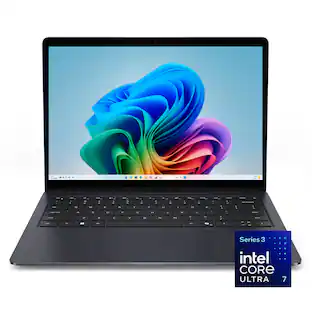
    Dell - 16S - 16" 2K Touchscreen Laptop - Intel Core Ultra 7 355 2026 - 16GB Memory - 512GB Storage - Copilot+ PC - Celestial Blue
    Dell - 16S - 16" 2K Touchscreen Laptop - Intel Core Ultra 7 355 2026 - 16GB Memory - 512GB Storage - Copilot+ PC - Celestial Blue
    4.8(36)

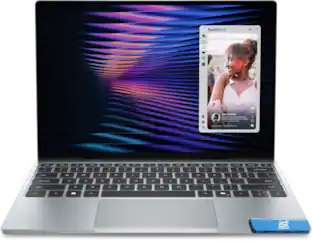
    Designed for Visionaries. Built for Performance. A sleek stylishly engineered 16 inch laptop with smooth AI experiences and accelerated creative workflows ideal for those who demand high performance.
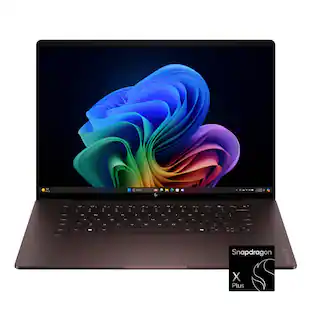
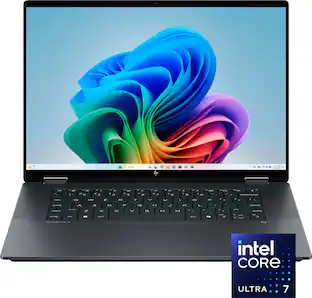
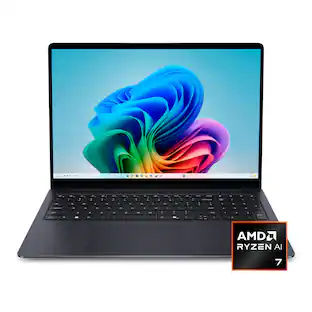
    HP - OmniBook 3 16" 2K Touchscreen Laptop - Intel Core Ultra 7 (2025) - 16GB Memory - 512GB SSD - Mica Silver

    Built for everyday reliability. Simplify your day with the HP OmniBook 3. Enjoy smooth performance, a spacious 16 inch 2K display, all-day battery life, and a GaN power adapter that charges more efficiently. Packed with multiple ports that help you stay connected and get more done, wherever your day takes you.

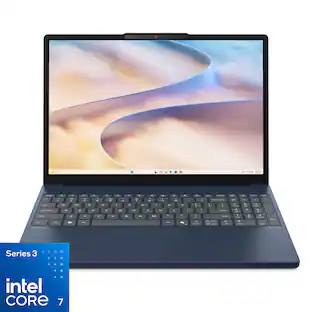
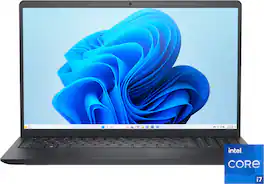
    Dell - 15.6" 2K Touchscreen Laptop - Intel 13th Generation Core i7 1355U 2023 - 16GB Memory - 512 GB Storage - Carbon Black

    Effortlessly chic. Always efficient. A 15-inch laptop with a built-in HD camera, enlarged ergonomic keyboard and Intel processors.
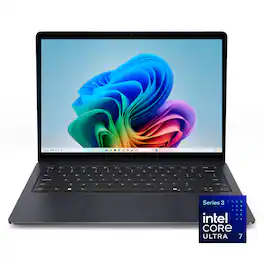
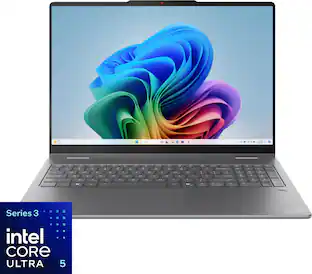
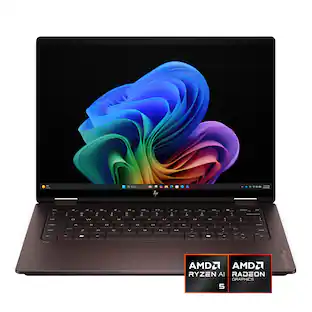
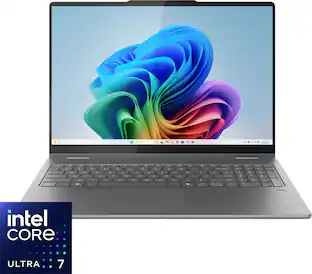
    Lenovo - Yoga 7i 2-in-1 14" 2K OLED Touchscreen Laptop - Core Ultra 5 Processor 322 2026- 16GB Memory - 512GB SSD - Copilot+ PC - Luna Grey
    4.8(44)

    Create anywhere with the Yoga 7i 2-in-1. Its 360° design, touchscreen, and optional Yoga Pen let you sketch, edit, or present like a pro. Powered by Intel Core Ultra Processor and a 40+ TOPS NPU, this Copilot+ PC balances power and efficiency. The 14" OLED display with 60Hz refresh and Dolby Vision delivers stunning visuals.

    Pros for Dell - 16S - 16" 2K Touchscreen Laptop - Intel Core Ultra 7 355 2026 - 16GB Memory - 512GB Storage - Copilot+ PC - Celestial Blue
    Portability, Battery Life, Build Quality, Touchscreen ResponsivenessOverall Performance, Portability, Processor Speed, Battery Life, Screen SizeOverall Performance, Battery Life, Screen Size, Touchscreen Functionality, SpeedOverall Performance, Portability, Battery Life, Processor Speed, OLED Quality
    Cons for Dell - 16S - 16" 2K Touchscreen Laptop - Intel Core Ultra 7 355 2026 - 16GB Memory - 512GB Storage - Copilot+ PC - Celestial Blue
    Storage CapacityKeyboard BacklightingHeat DissipationThere were no cons for this product

    Specs

    Questions & Answers
    • How to turn off computer

      Method 1: Start Menu Click the Windows (Start) button on the taskbar. Click the Power icon (⏻). Select Shut down. Method 2: Keyboard Shortcut Press Alt + F4 while on the desktop (minimize or close any open windows first). In the "Shut Down Windows" dialog, select Shut down. Click OK or press Enter. Method 3: Power Button Press the laptop's power button once briefly.

      Answered by YourDellTeam
      YourDellTeam response
    • Can the ram be upgraded

      No, the laptop uses onboard memory soldered to the Motherboard which cannot be upgraded.

      Answered by YourDellTeam
      YourDellTeam response
    • Can the memory be expanded to aTB?

      If you are referring to the storage space (SSD), the laptop does support Up to 2 TB via PCIe NVMe Gen4 x4 M.2 2230 solid-state drive. If you are referring to Memory (RAM) the laptop supports Maximum memory configuration of 32 GB.

      Answered by YourDellTeam
      YourDellTeam response
    • Can I get it in 11 pro

      We recommend you get in touch with the sales team to assist you with the available configurations off the same model.

      Answered by YourDellTeam
      YourDellTeam response
    • What is the expected battery life on a charge? I see no specs for that.

      The laptop uses a 3-cell battery. The battery life depends upon the applications, services running and it varies from one device to another.

      Answered by YourDellTeam
      YourDellTeam response
    Ask a question
    No content

    Customers often buy these together

    Sponsored

    Finance Options

    My Best Buy® Credit Card
    Choose a benefit:Or
    Lease to own

    Special Offers

    Top Offers
    Included with Purchase