Dell - DW316 8x Slim External USB DVD±RW/CD-RW Drive - Black - Open Box - Fair
- Works like new.
- May have larger dents or scratches.
- May be missing parts, accessories, or packaging.
More Buying Options
Related Item

About This Item
About Open Box
Reviews
Rating 4.6 out of 5 stars with 5909 reviews
- Ease of use (2194)
- Overall Performance (886)
- USB (470)
- Size (448)
- Price (434)
- Noise Level (100)
- Software (37)
Customer Images
The vast majority of our reviews come from verified purchases. Reviews from customers may include My Best Buy members, employees, and Tech Insider Network members (as tagged). Select reviewers may receive discounted products, promotional considerations or entries into drawings for honest, helpful reviews.
Compare similar products

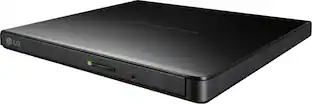
Burn DVDs and CDs with this Dell USB DVD/RW drive. Plug it into your computer's USB port to play and burn discs or to load new software onto the hard drive. This slim Dell USB DVD/RW drive fits into a tote bag, and it draws power directly from the computer's USB port for hassle-free operation.

Store and play files on disk with this portable LG external DVD writer. Its 8x DVD and 24x CD write speeds let you produce optical copies efficiently, and its silent play technology optimizes read speed while reducing noise. This slim LG external DVD writer supports M-DISC formats for high-quality data storage.

Disc Drive For PS5 Digital Edition Consoles (model group – slim)* Discover Games and Movies on Blu-ray Disc. Add a disc drive to your PlayStation5 Digital Edition console. Play PS5 games and a vast back catalog of supported PS4 titles on Blu-ray Disc. Enjoy watching movies and shows on 4K Ultra HD Blu-ray Discs, Blu-ray Discs, and DVDs. *This product is only for PS5 Digital Edition consoles (CFI-2000 model group – slim). Drive will play 4K Ultra HD Blu-ray discs, Blu-ray discs, and DVDs. Internet connection required to pair Disc Drive and PS5 console upon setup.

The ASUS Portable External DVD Burner (SDRW-08D2S-U/B) in sleek black offers versatile compatibility with both Mac and Windows via USB 2.0. It supports a wide range of disc formats, including DVD±R, DVD±RW, CD-R, and CD-RW, with impressive burning speeds of up to 8x for DVDs and 24x for CDs. Enhanced security features include disc encryption, password protection, and hidden-file functionality. The user-friendly Drag and Burn interface simplifies the burning process to just three easy steps. Included software features CyberLink Power2Go 7 and E-Green for added convenience.
| Pros for Dell - DW316 8x Slim External USB DVD±RW/CD-RW Drive - Black | |||
|---|---|---|---|
| Ease of use, Overall Performance, USB, Size, Price | Ease of use, Price, USB, Size, Performance | Overall Performance, Installation, Functionality, Disc Drive, Noise Level | Ease of use, Overall Performance, Price, USB, Speed |
| Cons for Dell - DW316 8x Slim External USB DVD±RW/CD-RW Drive - Black | |||
| Software, Noise Level | Software | Price, Availability, Size | Software, Cord Length |
Specs
Explore tech essentials Sponsored
 $30.99The price was $32.99
 $669.99The price was $679.99
 $1,864.99The price was $1,899.99
 $382.99The price was $399.99