Dell - S3225QS 31.5" VA LED 4K UHD 120Hz 8ms FreeSync Premium Monitor with HDR (HDMI, DisplayPort) - Ash White

Key Accessories:
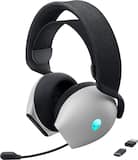
- Alienware - AW725H Tri Mode Wireless Over-the-Ear Gaming Headset for PC, Xbox X|S, Xbox One, PS5, PS4, Switch and Mobile - Lunar Light$149.99
More Buying Options from Best Buy and Marketplace sellers
Related Item

Highlights
- Key Specs
- Refresh Rate: 120Hz (The number of frames per second the device can produce natively without enhancement. Higher rates help produce smooth, seamless pictures.)
- Maximum Resolution: 3840 x 2160 (Maximum resolution refers to the highest number of pixels that a screen can process and display. Higher resolution signals produce more detailed images.)
- Response Time: 8 milliseconds (The speed at which pixels can change colors is called response time. It is measured in milliseconds (ms).)
- Panel Type: VA (Technology that affects response time and image quality.)
- Synchronization Technology: FreeSync Premium (AMD Adaptive Sync) (Generally, these technologies allow syncing between a computer/console game's frame rate and the device's refresh rate for a smoother display without tearing.)
- Screen Size: 31.5 inches (Size of the screen, measured diagonally from corner to corner.)
- Display Connector(s): 1 x DisplayPort 1.4, 2 x HDMI 2.1 (The number and type of connectors used to connect to an external display.)
- General
- Brand: Dell
- Model Number: S3225QS
- Product Name: S3225QS 31.5" VA LED 4K UHD 120Hz 8ms FreeSync Premium Monitor with HDR (HDMI, DisplayPort)
- Color: Ash White
- Operating System Compatibility: Windows, Apple iOS
- Display
- Refresh Rate: 120Hz (The number of frames per second the device can produce natively without enhancement. Higher rates help produce smooth, seamless pictures.)
- Maximum Resolution: 3840 x 2160 (Maximum resolution refers to the highest number of pixels that a screen can process and display. Higher resolution signals produce more detailed images.)
- Contrast Ratio: 3000:1 (Measured difference between a displayed image's brightest whites and darkest blacks. The larger the first number, the more detail and color that can be displayed.)
- Response Time: 8 milliseconds (The speed at which pixels can change colors is called response time. It is measured in milliseconds (ms).)
- Display Type: LED
- Panel Type: VA (Technology that affects response time and image quality.)
- Synchronization Technology: FreeSync Premium (AMD Adaptive Sync) (Generally, these technologies allow syncing between a computer/console game's frame rate and the device's refresh rate for a smoother display without tearing.)
- Aspect Ratio: 16:9 (The measurement of the width of a screen compared to the height of a screen, expressed as a ratio.)
- Curved Screen: false
- Pixel Density: 139 pixels per inch (The number of pixels present per inch on the device's display. Higher pixel density improves the clarity and sharpness of the displayed image.)
- Brightness: 300 candela per square meter (A measure of the total light output.)
- Screen Size: 31.5 inches (Size of the screen, measured diagonally from corner to corner.)
- High Dynamic Range (HDR): true (An HDR-compatible 4K TV or other HDR-compatible product displays HDR video content when it's available from sources like 4K Ultra HD Blu-ray Discs and 4K streaming services.)
- High Dynamic Range Format: HDR 10 (There are a few HDR formats that tell the TV or other HDR-compatible product how to best utilize its capabilities to display HDR content. HDR technology can support one or multiple formats, each with various benefits to picture quality.)
- Horizontal Viewing Angle: 178 degrees (The maximum angle at which the display can be viewed with acceptable visual performance from either side.)
- Vertical Viewing Angle: 178 degrees (The maximum angle at which the display can be viewed with acceptable visual performance from above or below.)
- Touch Screen: false (Touch-screen devices make navigating more intuitive. Using a touch-screen display, you can do things such as tap to select, hold and drag to move items, swipe to scroll, and pinch to zoom.)
- On-Screen Display Languages: English, Spanish, French, German, Brazilian Portuguese, Russian, Simplified Chinese, or Japanese (The available language options for displayed text.)
- Display Surface: Anti-glare, 3H hardness
- Color Gamut (Standard RGB): 99 percent
- Connectivity
- Number of DisplayPort Inputs (Total): 1
- Number of HDMI Inputs (Total): 2
- Display Connector(s): 1 x DisplayPort 1.4, 2 x HDMI 2.1 (The number and type of connectors used to connect to an external display.)
- Headphone Jack: false (The device features an interface that allows for the connection of headphones.)
- Compatibility
- Wall Mountable: true (The product is able to be secured to a wall. Some products are designed ready to mount, while others may require additional hardware/accessories for installation.)
- VESA Wall Mount Standard: 100mm x 100mm (VESA wall mount standards refer to the spacing of screw holes built into a TV in order to fit with standard TV wall mounts. These standards are implemented into most TVs and monitors.)
- Features
- Tiltable: true
- Adjustable Stand Height: true
- Anti-Glare: true (Product has features, such as a matte finish, that reduce the likelihood for screen glare.)
- Eye Relief Features: Anti-glare, Low blue light
- Built-In Webcam: false
- Integrated Speaker(s): true
- Dimensions
- Product Height With Stand: 21.49 inches
- Product Height Without Stand: 16.25 inches
- Product Width: 28.05 inches (The out of box width of the item. Width is measured as the horizontal distance from one side of the item to the other as it would be primarily used or placed.)
- Product Depth (With Stand): 8.73 inches
- Product Depth Without Stand: 2.42 inches
- Product Weight: 19.33 pounds (The out of box weight of the item.)
- Stand Included: true
- Stand Width: 10.2 inches (The horizontal measurement of the stand/base, or the distance from the outside of one leg to the outside of the opposite leg, as it is attached to the product.)
- Power
- Power Consumption: 32 watts
- Power Saving/Off Mode: 0.3 watts (This mode will turn the display and/or the device off, or into a standby mode, after a preset length of time with no activity to conserve power.)
- Certifications Listings & Approvals
- ENERGY STAR Certified: true (Devices carrying the ENERGY STAR service mark, such as computer products and peripherals, kitchen appliances, and other products, generally use 20% to 30% less energy than required by federal standards.)
- EPEAT Qualified: false (The Electronic Product Environmental Assessment Tool (EPEAT) was designed to provide an environmental assessment tool for purchasers. In order to qualify for EPEAT, a product must meet all 23 required criteria.)
- Warranty
- Warranty - Parts: 3-Year Advanced Exchange Service and Premium Panel Exchange
- Warranty - Labor: 3-Year Advanced Exchange Service and Premium Panel Exchange
- Other
- UPC: 884116485131
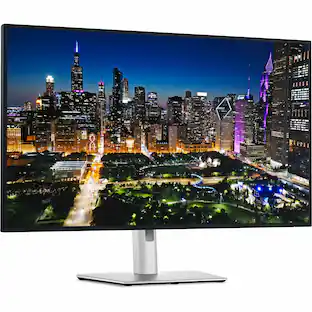
Dell 32 Plus 4K Monitor - S3225QS. Whether you're watching movies or playing games, enjoy an immersive viewing experience with improved eye comfort on a 4-star certified monitor.
- Improved ComfortView Plus: Reduces harmful blue light emissions to ≤35%, for all-day comfort without sacrificing color accuracy.
- Refresh rate: A smooth, tear-free experience with AMD FreeSync Premium (refresh rate up to 120Hz) and an ultra-low 0.03ms response time create a captivating experience for work and play*.
- Vivid colors: Immerse yourself in 4K visuals with a VA panel. Enjoy true-to-life colors with 99% sRGB and 95% DCI-P3 coverage. The 1500:1 contrast ratio and HDR readiness deliver excellent depth and detail.
- Re-engineered sound quality: Enjoy more detailed sound with spacious audio featuring greater output power, deeper frequency response and more decibel range than the previous generation.
- Ultra-thin bezel: Designed with a sleek, modern aesthetic and an ash white finish, this display features ultra-thin bezels for a refined, minimalist design.
Whats Included
- Monitor
- Side I/O-Cover
- Stand Riser
- Stand Base
- Power Cable
Product Manuals
Disclaimers
- AMD, AMD Arrow logo, AMD Athlon, QuantiSpeed, AMD PowerNow! And combinations thereof are trademarks of Advanced Micro Devices, Inc.
Q: Does the monitor have a headphone jack?
A: No, the monitor does not have a headphone jack.
A: Yes, this monitor is HDR ready.
Q: What is the response time of the S3225QS monitor?
A: The response time is 8 milliseconds.
Q: What type of panel does this monitor use?
A: This monitor uses a VA panel.
Q: What is the contrast ratio of this Dell monitor?
A: The contrast ratio of this monitor is 3000:1.
Q: How does the ComfortView Plus feature benefit users?
A: ComfortView Plus reduces harmful blue light emissions to ≤35%, providing all-day comfort without compromising color accuracy.
Q: Does this monitor have built-in speakers?
A: Yes, this monitor has integrated speakers.
Q: Does this monitor swivel into vertical viewing mode?
A: No it's only horizontal while on the provided stand. It can be vertical if connected to a monitor mount
Compare similar products

Dell 32 Plus 4K Monitor - S3225QS. Whether you're watching movies or playing games, enjoy an immersive viewing experience with improved eye comfort on a 4-star certified monitor.
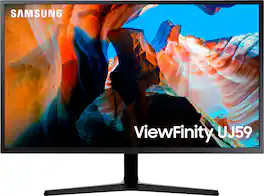
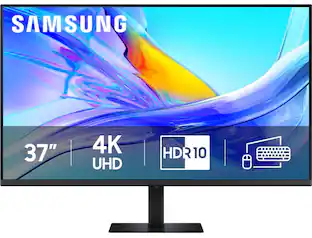
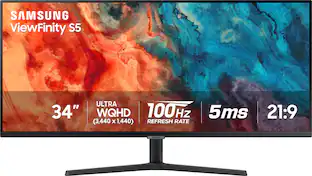
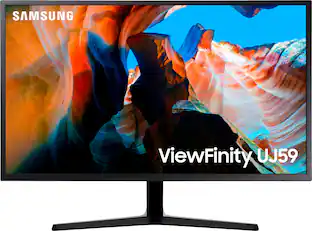
Enjoy enhanced viewing with this 32-inch Samsung monitor. The widescreen display lets you browse multiple windows and applications comfortably, and the upscaling technology boosts the clarity of lower resolutions to match UHD-level picture quality. This Samsung monitor uses AMD FreeSync technology to maintain a consistent refresh rate for smooth visual performance. Supporting a billion shades of color, the UJ59 delivers incredibly vivid and realistic images. Its greater accuracy means colors appear more natural and true to life, making the UJ59 ideal for photo, video and graphics applications.
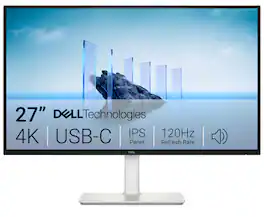
Dell 27 Plus 4K USB-C Monitor - S2725QC. Whether you're watching movies or playing games, enjoy an immersive viewing experience with improved eye comfort on a 4-star certified monitor*.
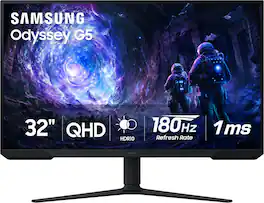
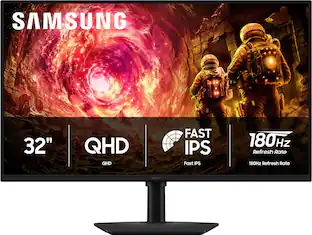
Samsung’s 32” Odyssey G5 G51F Gaming Monitor boasts incredibly detailed, pin-sharp images with QHD resolution (2560x1440). HDR10 provides brighter highlights, improved contrast and color accuracy, making every scene feel more vivid and realistic. 180Hz Refresh Rate and near-instant 1ms Response Time (MPRT) captures all your moves with reduced lag for ultra-smooth gameplay. AMD FreeSync Premium Pro reduces choppiness, screen lag, and image tears. Black Equalizer allows you to adjust dark areas in games, so you can locate opponents hiding in the deepest shadows. Virtual Aim Point allows you to hit your marks with next-level accuracy, giving you the optimal aim with crosshairs on the screen. Auto Source Switch+ instantly switches to a new source signal when connected devices are turned on, without having to use multiple inputs. Ergonomic stand makes it simple to tilt and adjust the monitor for total gaming comfort.
| Pros for Dell - S3225QS 31.5" VA LED 4K UHD 120Hz 8ms FreeSync Premium Monitor with HDR (HDMI, DisplayPort) - Ash White | |||
|---|---|---|---|
| Refresh Rate, Screen Size, Port Count, Resolution, Sound Quality | Screen Size, Resolution, Overall Performance, Price, Ease of use | Refresh Rate, Port Count, Image Quality, Connectivity, Setup Ease | Overall Performance, Screen Size, Refresh Rate, Resolution |
| Cons for Dell - S3225QS 31.5" VA LED 4K UHD 120Hz 8ms FreeSync Premium Monitor with HDR (HDMI, DisplayPort) - Ash White | |||
| Viewing Angle, Black Levels, Connectivity | Speakers, Viewing Angle, Refresh Rate, Stand | Volume Control | Speakers, Connectivity, Black Levels, HDR Performance |
Specs
Reviews
Rating 4.6 out of 5 stars with 69 reviews
- Sound Quality (36)
- Refresh Rate (18)
- Screen Size (8)
- Port Count (6)
- Resolution (6)
- Viewing Angle (4)
- Black Levels (3)
- Connectivity (3)
Customer Images
The vast majority of our reviews come from verified purchases. Reviews from customers may include My Best Buy members, employees, and Tech Insider Network members (as tagged). Select reviewers may receive discounted products, promotional considerations or entries into drawings for honest, helpful reviews.
Customers often buy these together
Computer Keyboards
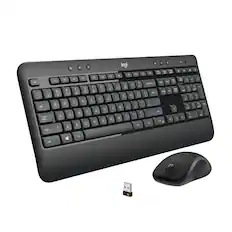
Logitech - MK540 Full-size Advanced Wireless Membrane Keyboard and Mouse Combo for PC - Black
$49.99The price was $59.99![esc ~ ! 1 tab caps lock shift ctrl F2 Fl # 2 3 Q W A S Z start opt L F3 $ 4 E D X alt cmd3 ) FS F4 A % 5 6 R T F G V C logi 44 HI & F9 FID FB F7 F6 * ) - - & 0 8 9 7 O P U I Y K L H J > < N M 1 B PM + = { [ : I ; ? I alt cmd D 2 4 300 3 1 F12 . * page I insert home up clear backspace 8 9 + 7 page A pg up end down home } I delete ] / 6 4 5 4 enter 2 3 enter 1 dn Pg end shift = 0 del ins etrl fn opt](https://pisces.bbystatic.com/image2/BestBuy_US/images/products/6539/6539505_sd.jpg;maxHeight=232;maxWidth=233?format=webp)
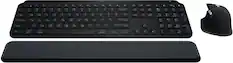
Logitech - MX Keys S Universal Full-size Wireless Scissor Keyboard for PC and Mac with Backlit keys - Black
Top Deal$119.99The price was $129.99

![Sure, here is the corrected and grouped text:
```
ESC F1 F2 F3 F4 F5 F6 F7 F8 F9 F10 F11 F12 1 2 3 logitech - - 1 2 # $ 4 % 5 6 & 7 8 9 0 - - back insert home page up num lock clear / . tab Q W E R T Y U I O P { [ } ] / delete end page down 7 home 8 A 9 P9 up + caps lock A S D F G H J K L : ; a enter 4 5 6 shift Z X C V B N M < > ? shift 1 end 2 3 pg dn enter ctrl fn start alt opt alt crnd x alt cmd x fn ctrl alt opt 0 ins del 1 logitech
```](https://pisces.bbystatic.com/image2/BestBuy_US/images/products/5761/5761911_sd.jpg;maxHeight=232;maxWidth=233?format=webp)
![The text on the image reads:
888 DD DI DD 4 DSC i F2 F3 4 FS T6 ET 1. 1N IN F.. 11 1.. 114 1n F1 F12 118 in9 - a ee 1 8F 2 3 $ 4 % 5 A 6 & 7 . 8 I 9 I 0 ee I + = delete fn home page up clear - / + tab Q W E R T Y U I 0 P { [ ] ] | I delete end page down 7 8 9 ee caps lock A S D F G H J K L : I - return 4 5 6 + shift Z X C V N M < F > ? / shift a 1 2 3 control option 2 command 3 command option control Y - 0 enter
After grouping and correcting the text, it reads:
888 DD DI DD 4 DSC i F2 F3 4 FS T6 ET 1. 1N IN F.. 11 1.. 114 1n F1 F12 118 in9 - a ee 1 8F 2 3 $ 4 % 5 A 6 & 7 . 8 I 9 I 0 ee I + = delete fn home page up clear - / + tab Q W E R T Y U I 0 P { [ ] ] | I delete end page down 7 8 9 ee caps lock A S D F G H J K L : I - return 4 5 6 + shift Z X C V N M < F > ? / shift a 1 2 3 control option 2 command 3 command option control Y - 0 enter](https://pisces.bbystatic.com/image2/BestBuy_US/images/products/f4059d3a-0c2a-46ef-bcfd-4e11b9b26d5d.jpg;maxHeight=232;maxWidth=233?format=webp)
Monitor Stands
More recommended items
 Monitor and Video Cables
 Mice
Mice Web Cameras
 Cables and Adapters
More to consider
 $279.99The price was $369.99
 Top Deal$229.99The price was $329.99
 $789.99The price was $1,049.99
 $499.99The price was $599.99
 $309.00The price was $329.99

Explore tech essentials Sponsored
 $299.99The price was $399.99
- $279.99The price was $369.99
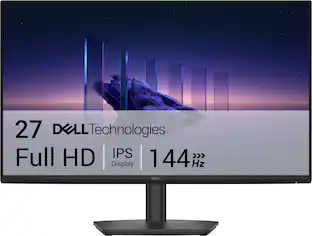 $109.99The price was $139.99
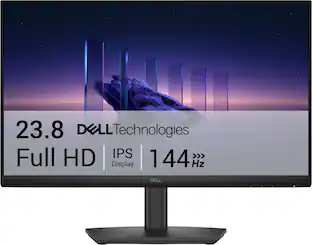

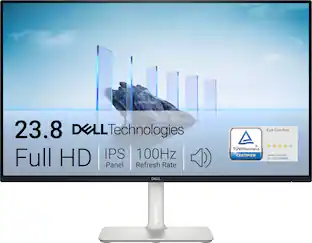

Discover related products
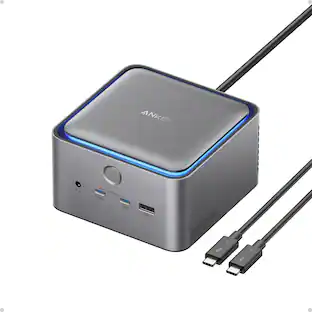 $339.98The price was $399.99
 $649.99The price was $669.99
 $11.99The price was $14.99







Keep exploring
 $194.49The price was $226.99
 $159.99The price was $179.99
 $1,129.99The price was $1,186.18
 $191.99The price was $199.99