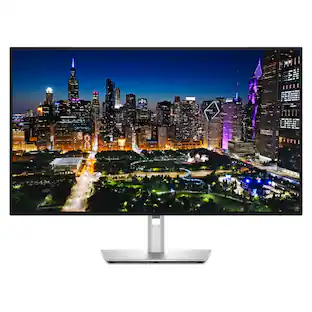
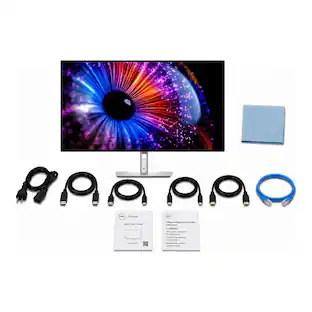
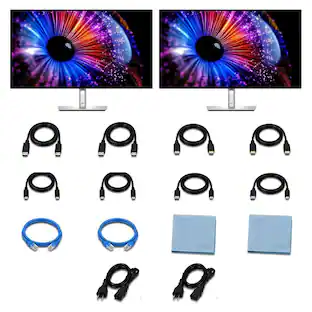
Bundle - Dell - UltraSharp U2724DE 27" Class WQHD LED Monitor - Thunderbolt 4
Reviews coming soon
About this product
Optimize your workflow with the Dell UltraSharp U2724DE, a 27-inch WQHD (2560 x 1440) IPS monitor designed for creators and professionals. The 120 Hz panel and 5–8 ms response times deliver smooth motion, while 1.07 billion color support, 100% sRGB, 98% DCI-P3 and 100% BT.709 coverage provide reliable color accuracy. The monitor includes a Thunderbolt 4 hub with up to 40 Gb/s data and 90W power delivery, dual Thunderbolt 4 ports for daisy-chaining, dual DisplayPort and one HDMI input, plus USB-A and USB-C for peripherals. Built-in KVM and Auto KVM let you control two PCs with one keyboard and mouse, and PiP/PbP modes enable simultaneous viewing of multiple inputs. ComfortView Plus and an ambient light sensor reduce blue light and adjust brightness and color temperature for extended comfort. Manage and calibrate colors with Dell Color Management (Calman Verified) and organize your workspace with Dell Display Manager features such as Easy Arrange and profile memory.
Highlights
Features
27" WQHD IPS Display, 120 Hz
27-inch IPS WQHD (2560 x 1440) display with 120 Hz refresh rate and 178° wide viewing angles for sharp, smooth visuals in creative work and light gaming.
Thunderbolt 4 Hub with Power Delivery
Built-in Thunderbolt 4 hub supports up to 40 Gb/s data/video and up to 90W power delivery, plus a second Thunderbolt 4 port for daisy-chaining additional devices.
Professional Color and Contrast
Accurate color performance with support for 1.07 billion colors, 2000:1 contrast ratio, 350 nits brightness, and wide gamut coverage—100% sRGB, 98% DCI-P3, 100% BT.709.
KVM and Multi-Input Productivity
KVM and Auto KVM let you control two connected PCs with a single keyboard and mouse, while PiP and PbP modes display multiple inputs simultaneously for efficient multitasking.
Thunderbolt 4 Hub and Daisy-Chain
ComfortView Plus reduces blue light while preserving color accuracy, and an ambient light sensor auto-adjusts brightness and color temperature for comfortable viewing.
Specifications
- Refresh Rate120HzMaximum Resolution2560 x 1440Response Time5.0 millisecondsPanel TypeIPSScreen Size27.0 inches
Reviews
This product doesn't have any reviews yet.

Compare similar products
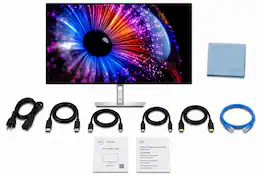
Optimize your workflow with the Dell UltraSharp U2724DE, a 27-inch WQHD (2560 x 1440) IPS monitor designed for creators and professionals. The 120 Hz panel and 5–8 ms response times deliver smooth motion, while 1.07 billion color support, 100% sRGB, 98% DCI-P3 and 100% BT.709 coverage provide reliable color accuracy. The monitor includes a Thunderbolt 4 hub with up to 40 Gb/s data and 90W power delivery, dual Thunderbolt 4 ports for daisy-chaining, dual DisplayPort and one HDMI input, plus USB-A and USB-C for peripherals. Built-in KVM and Auto KVM let you control two PCs with one keyboard and mouse, and PiP/PbP modes enable simultaneous viewing of multiple inputs. ComfortView Plus and an ambient light sensor reduce blue light and adjust brightness and color temperature for extended comfort. Manage and calibrate colors with Dell Color Management (Calman Verified) and organize your workspace with Dell Display Manager features such as Easy Arrange and profile memory.
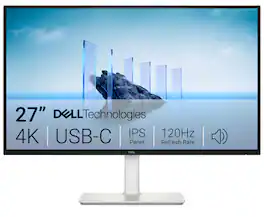
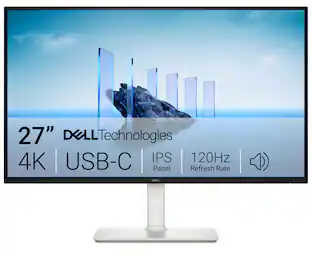
Dell 27 Plus 4K USB-C Monitor - S2725QC. Whether you're watching movies or playing games, enjoy an immersive viewing experience with improved eye comfort on a 4-star certified monitor*.

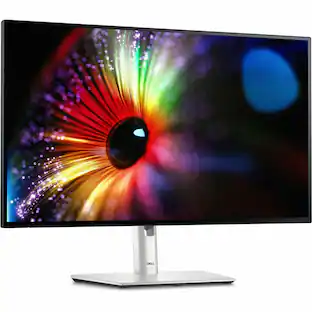
New level of visual comfort with the Dell UltraSharp 27 Monitor. Protect your eyes from harmful blue light emission without sacrificing color with improved ComfortView Plus that reduces harmful blue light to less than 35%. Combined with 120Hz refresh rate and ambient light sensing, it achieves 5 star certification from TUV Rheinland for all-day eye comfort. Experience deeper blacks with 2000:1 contrast ratio on an IPS Black panel. See vibrant colors with 98% DCI-P3, 98% Display P3, 100% sRGB and 100% BT.709 color space and easily calibrate your colors with Dell Color Management software. Stay connected with extensive connectivity options, including DP1.4, HDMI (HDCP 1.4)(Supports up to QHD 2560 x 1440 120Hz TMDS, VRR as per specified in HDMI2.1) and USB-C upstream ports. Connect to even more devices with additional 3 x USB-A and 1 x USB-C downstream ports. Quick access ports located at the bottom of the panel enable quick connection and charging of your accessories and mobile devices.

The Dell UltraSharp 27 4K Monitor U2725QE is a 27-inch professional display designed to deliver exceptional visual clarity, productivity, and workspace efficiency. Featuring 4K resolution, it provides enhanced detail and screen space for content creation, data analysis, multitasking, and professional applications. As part of Dell's UltraSharp portfolio, the U2725QE is designed for users who require a high-performance display for demanding workflows and precision-focused tasks. Its professional design and productivity-oriented features make it an ideal choice for business professionals, creators, and hybrid work environments seeking a premium viewing experience.
| Pros for Bundle - Dell - UltraSharp U2724DE 27" Class WQHD LED Monitor - Thunderbolt 4 | |||
|---|---|---|---|
| There were no pros for this product— | Image Quality, Connectivity, Refresh Rate, Port Count, Adjustability | Overall Performance | There were no pros for this product— |
| Cons for Bundle - Dell - UltraSharp U2724DE 27" Class WQHD LED Monitor - Thunderbolt 4 | |||
| There were no cons for this product— | Volume Control | There were no cons for this product— | There were no cons for this product— |
Specs
Be the first to ask a question.
We’ll try to get your question answered within 24 hours by a Best Buy customer or brand representative.
Customers often buy these together
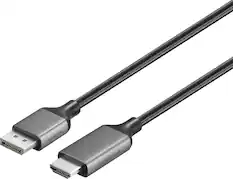
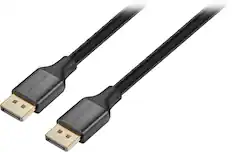
Monitor and Video Cables
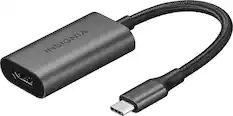
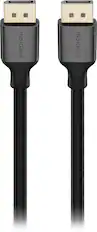
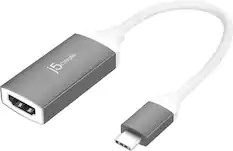

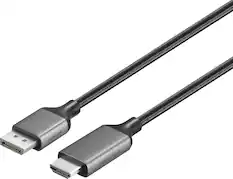





More to consider
 $419.00The price was $449.00
 $714.95The price was $819.95
 Top Deal$779.99The price was $999.99
 $729.00The price was $814.99
 $329.99The price was $379.99

Explore tech essentials Sponsored
 $162.99The price was $199.99
Keep exploring
 $479.99The price was $549.99
 $229.99The price was $294.99
 $755.99The price was $971.99
 $419.99The price was $453.31
 $700.99The price was $979.32
 $189.99The price was $199.99