Labor Day Appliances SaleEnds 9/16. Limited quantities. No rainchecks.Shop now

Skip to contentGo to Product Search
Main Content

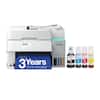
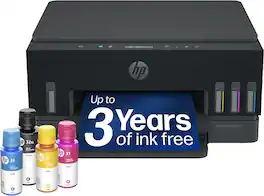
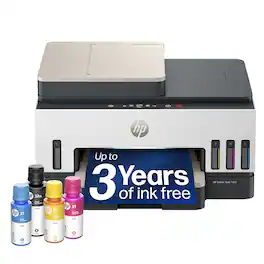
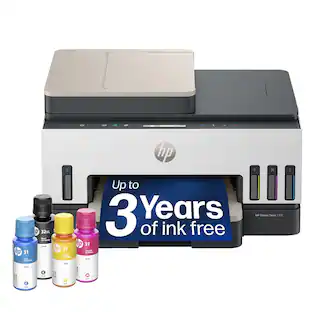
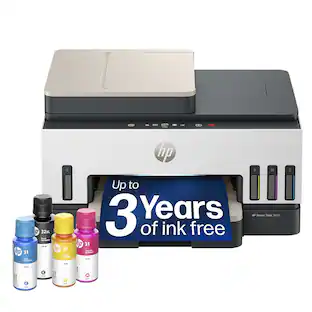
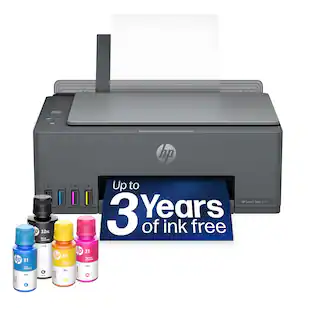
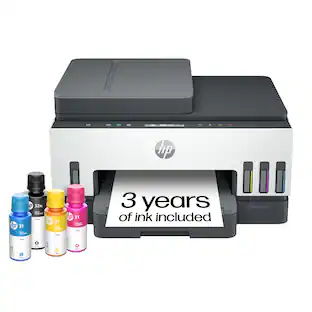
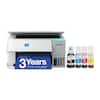
HP - Smart Tank 6003 Wireless All-in-One AI-Enabled Cartridge-Free Supertank Inkjet Printer with 3 Years of Ink Included¹ - Basalt

Model: D35XXA#B1H
SKU: 6678559
Sold byBest Buy

About this product

From America's most trusted printer brand², the HP Smart Tank 6003 is a smart, connected and refillable tank printer that makes printing seamless for the whole family with its high capacity and wireless connectivity. Create everyday color documents at a low cost with 3 years of Original HP Ink included in the box¹. It's AI-enabled³ to intuitively adapt to your workflow, with wireless and security features that keep your multifunction printer up to date and secure.

Features
  • The last printer you'll ever need

    Set it up once and print with confidence; no complicated maintenance, just easy, reliable printing you can count on

  • Ink for years, not months

    Up to 3 years of ink included¹; get thousands of pages of cartridge-free printing—more pages, less hassle

  • Optimize print formatting with HP AI³

    Print web pages and emails with precision—no wasted pages or awkward layouts; HP AI easily removes unwanted content, so your prints are just the way you want

  • Innovation you can trust

    Cartridge-free printing that keeps you printing longer with fewer interruptions, powered by the trusted HP innovation you rely on today

  • Mess-free refill

    Replenish ink with HP's easy-access, mess-free refill system; simply plug the ink bottles into this cartridge-free ink tank and let them drain—no squeezing, no spilling

  • Best print quality, period

    Sharper text, richer colors—only with HP Smart Tank⁵

  • Key features

    Print, copy and scan, plus borderless prints, mobile and wireless printing

  • Fully loaded with savings

    Best for low-cost, high-volume printing—3 years of Original HP Ink included¹; get up to 8,000 color pages or 6,000 black pages right out of the box⁴.

See all features
Specifications
  • Networking
    Wired, Wireless
    ENERGY STAR Certified
    Yes
    Printer Type
    All In One
    ISO Color Print Speed
    7 pages per minute
    Output Tray Capacity
    100
    Touch Screen
    No
Sponsored

Reviews

Rating 4.6 out of 5 stars with 73 reviews

96% would recommend to a friend

Customer Images

The vast majority of our reviews come from verified purchases. Reviews from customers may include My Best Buy members, employees, and Tech Insider Network members (as tagged). Select reviewers may receive discounted products, promotional considerations or entries into drawings for honest, helpful reviews.

  • Rated 5 out of 5 stars

    Efficient, Economical and Multifunctional Printer!

    I have been using an HP Tank model for almost 4 years and when HP advertises this as a 3 year ink, they are not exaggerating. Mine easily lasted nearly 4 years with almost every week printing for assignments and projects. And when I needed another printer the HP Smart tank series was my go-to choice. I find this most economical in terms of ink replenishment for a high quantity printing needs. And the best part of a tank series is that, even when unused for a couple of months during summer, the ink never dries and it prints as good as new. Not once I had to mess around with the print heads. This is also a key advantage of a tank series. HP advertises 8000 color pages which means per page printing cost is less than 4 cents which includes the printer cost. And beyond that, it’s even much cheaper, making it one of the most economical models. Coming to the quality of printing, this does an outstanding job. There are various modes that we can print, and choosing Best quality for photos produces a crisp and clear prints. Obviously it would consume more ink, but the low cost printing makes this much affordable. The speed of the printing is very good. It can print 12 pages per minute in monochrome and 7 in color. The setup was simple. The LCD screen pretty much guides the setup process like refill the ink, install the cartridges, paper alignment etc. Connect the printer using HP Smart App for wireless printing. This can print double sided. Needless to say, this has scan and copy options as well. The 6000 series printer does not have an automatic document feeder. For someone who needs to a lot of scanning, getting the 7000 series with ADF would be a worthwhile choice. Although I miss the touch screen of the 7000 series, the LCD screen does the job and for the price difference, this printer is a no-brainer. This printer is a perfect choice for home use especially with a higher demand for printing. Having experienced the convenience of a HP Smart tank printer, I would recommend a HP smart tank series over inkjet printer on any given day.

    This review is from HP - Smart Tank 6003 Wireless All-in-One AI-Enabled Cartridge-Free Supertank Inkjet Printer with 3 Years of Ink Included¹ - White

    Posted by Kalai

  • Rated 4 out of 5 stars

    Great quality, even better value.

    The HP 6003 series Smart Tank printer has many great features but is not without faults. The best part about the Smart Tank printers is the fact that you don’t have to keep spending a fortune on ink cartridges every month. In fact, the bottles included in the box contain 3 years’ worth of ink, this not only saves a ton of money but it also saves time. The design of the printer looks very elegant, with a champagne color mixed with white and black. Setting up the printer can be a hit or a miss depending on the circumstances. For me, it took me three times to get it connected to my network, meaning I had to reset it 3 different times. For some reason, the printer did not want to complete the connection, it would just freeze with a spinning loop then give me an error. After it finally got it connected to the internet (after the 3rd try), the setup menu walks you through the ink installation process, this is incredibly easy to do. The print quality of the printer is amazing, the colors come out very vibrant and detailed. Images look bright and detailed, while text looks crystal clear and easy to read. I am extremely impressed with the print quality. This printer also has a built-in scanner which takes great quality scans as well. This printer is completely wireless, so you can print from your phone, tablet, mac/pc. The biggest complaint I have about the printer is the print speed; it does take a while to print, especially if you’re trying to print multiple documents. To my surprise, pictures don’t take that long to print through. Overall, I really like the HP 6003 Smart Tank printer. The inktank alone is reason enough to buy this printer, saving you hundreds of dollars in ink cartridges, and the refills are still a great value. Not to mention, the print quality is amazing. I would highly recommend this to anyone looking for a new printer.

    This review is from HP - Smart Tank 6003 Wireless All-in-One AI-Enabled Cartridge-Free Supertank Inkjet Printer with 3 Years of Ink Included¹ - White

    Posted by Ace254687

  • Rated 5 out of 5 stars

    Very Nice Home Printer / Scanner / Copier

    PRODUCT HP Smart Tank 6003 Very Nice Home Printer / Scanner / Copier QUICK REVIEW A very nice home printer with TANK style ink that should last for years. Same Print Quality as higher end printers, without a document feeder. So if you don’t need a document feeder, then I would strongly suggest the 6003 Smart Tank Printer. REVIEW The HP Smart Tank 6003 has great print and copy / scanning quality. It is much less expensive than its peers because it does not had an ADF (Automatic Document feeder). In general it is same print and scan quality and it even does Duplex (2 sided) printing. SETUP The setup is very easy just go to 123.hp.com, enter the model number and follow the step. It even lights up the printer in various places to show you where to install ink, paper and so on. The printer takes a full bottle of ink, then you should be set for years. On some other brands of printers you end up with messy partially used bottles of ink laying around. OVERALL USE The printing is quick enough for personal use, and for double sided printing it works well. The scanning is quick and high quality. It was hard to tell the difference between the original and the copy it is very good. The print quality is on par with other high-end printers. It is near photo quality. RECOMMENDATION If you don’t need ADF capabilities but want great quality prints / scans / and copies, I would consider the 6003.

    This review is from HP - Smart Tank 6003 Wireless All-in-One AI-Enabled Cartridge-Free Supertank Inkjet Printer with 3 Years of Ink Included¹ - White

    Posted by TheOffice1234

  • Rated 5 out of 5 stars

    Huge Ink Tanks, Fast Printing Great Photo results!

    Unpacking and Setup - I unpacked, de-taped and installed the accessories as indicated by the setup card. After loading the ink and powering up, the printer went through an initial priming process before the replacable print heads were installed. Overall setup time was about 10 minutes. Initial setup on our wireless network was done with the HP setup app for windows - this was issue free and joined the printer to our wifi network in under 3 minutes. I ran a few test prints and checked that I could "find" the printer from a mac and another windows PC on the network. That worked as expected. Everyday Use - Spending a little more upfront for our household's printer for a tank setup is well worth it. We occasionally print full color photos at 8.5 x 11 or 5 x 7 and enjoy printing in full color on heavier stock quite often for projects. I have used this to print on sticker paper, photo paper, 40lb bond inkjet paper and have had no issues with loading or jamming. The color output is well matched and produces excellent photo prints. Speed - I checked the advertised print speeds 12ppm black / 7ppm color average - That is similar to what you would expect on most better modern inkjets. In human terms, that means it runs pages out quickly - even for 20-30 page jobs with no lags or delays. Jobs start almost instantly and there is almost no "warm up" time from deep sleep mode. The printer also correctly awakens from sleep when on the wireless network for every print - this is in contrast to two prior tank based inkjets we have used where you often have to "wake up" the printer by touching a button on it to actually print a job (neither of which were HP). Scanning - Single page scanner can copy, scan photos or whatever you would like to put on the tray. The windows Scan app detects the scanner natively and the scanner can be used without any additional software that needs to be installed. 1200 x 1200 DPI scans are enough for archival photo scans. I scanned a number of old photos with a very clean result, no abberation or blurring. Replacement Supplies - Color and Black ink set refills from HP are inexpensive and print head replacement totals up for color plus black around $60.00 at the time of this review. What I love: Fast to start prints, wakes from sleep and easy setup ! HUGE ink tanks and inexpensive supplies

    This review is from HP - Smart Tank 6003 Wireless All-in-One AI-Enabled Cartridge-Free Supertank Inkjet Printer with 3 Years of Ink Included¹ - White

    Posted by James K

  • Rated 4 out of 5 stars

    Cheap Ink Is the Point. It Delivers.

    I got this to get out from under cartridge prices. That's the entire reason ink tank printers exist, and on that core job, this one pays off exactly as advertised. Using HP's own ink, I'm running about a penny a page. Advertised third-party ink is $0.003. Put that next to what a set of cartridges costs and the math stops being close. I mainly use this for printing programs, flyers, and other 20-30 page jobs for a non-profit I’m involved in. It’s nice and quiet for the times I need to print for home as well. It’s small and quiet, so I can put it on a shelf when not using it. The print quality holds up its end. Pages come out bright and vibrant. This isn't the washed-out look you might brace for from a budget-ink machine. Color work looks good enough that I'm not saving it for somewhere else. Speed is decent. Color was measured at 8 pages per minute for a mixed graphics flyer with lots of color. Double sided was closer to 4 pages / minute as the machine needs to wait for ink to dry. A few things I appreciate day to day. Automatic duplex printing is built in, so two-sided documents happen without me thinking about it. Great for programs! And the ink status is genuinely clear — you can see where you stand at a glance rather than getting a vague warning and then a dead page mid-job. On a tank printer that matters more than it sounds, because you're topping off rather than swapping a cartridge, and you want lead time. There’s a few minor nit picks, but they’re worth sharing: Setup requires you to create an HP account. Allegedly, it’s not required as there are instructions for setting it up “manually”. However, I could not figure them out based on the pictures alone. They really, really push you to use the app or their site. Once there, you can’t proceed without having an account. Then, you’re signing up with HP to get a printer you already paid for onto your own network. It's one hoop, but it's the kind of hoop that shouldn't be there. Paper handling is where this shows its price. The tray holds 100 sheets, which is fine for household volume and annoying the moment you have a real job to run — you'll be refilling. There's also no bypass tray, so heavier stock, card, or anything thicker than plain paper has nowhere to go. If you print on anything other than standard paper with any regularity, this will frustrate you. The scanner is flatbed only, with no automatic document feeder. Scanning one page is easy. Scanning twenty means lifting the lid twenty times. If you scan multi-page documents or double sided pages as part of your routine, that's the deal-breaker in this box. Bottom Line: If your reason for buying is cheap ink, this delivers on it about as directly as any printer I've used — a penny a page with HP ink, a fraction of that with third-party, bright output, and duplex printing thrown in. It's a strong fit for a household or small organization that prints plain paper documents and photos and scans a page here and there.

    This review is from HP - Smart Tank 6003 Wireless All-in-One AI-Enabled Cartridge-Free Supertank Inkjet Printer with 3 Years of Ink Included¹ - White

    Posted by Dan0Sterling

Compare similar products

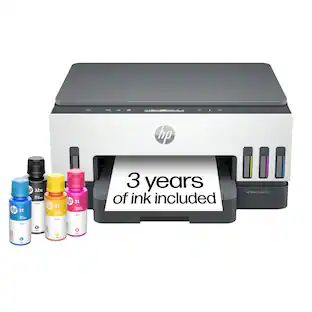
HP - Smart Tank 6003 Wireless All-in-One AI-Enabled Cartridge-Free Supertank Inkjet Printer with 3 Years of Ink Included¹ - Basalt
4.6(73)

From America's most trusted printer brand², the HP Smart Tank 6003 is a smart, connected and refillable tank printer that makes printing seamless for the whole family with its high capacity and wireless connectivity. Create everyday color documents at a low cost with 3 years of Original HP Ink included in the box¹. It's AI-enabled³ to intuitively adapt to your workflow, with wireless and security features that keep your multifunction printer up to date and secure.
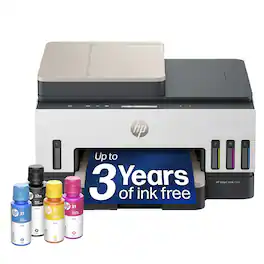
HP - Smart Tank 7603 Wireless All-in-One AI-Enabled Cartridge-Free Supertank Inkjet Printer w/ Fax and 3 Yrs of Ink Included¹ - Basalt

From America's most trusted printer brand², the HP Smart Tank 7603 is a smart, connected and refillable tank printer that makes printing seamless for your home and small business with its high capacity, wireless connectivity and Ethernet networking. Create everyday color documents at a low cost with 3 years of Original HP Ink included in the box¹. It's AI-enabled³ to intuitively adapt to your workflow, with wireless and security features that keep your multifunction printer up to date and secure.
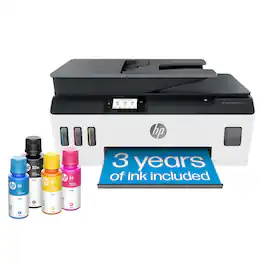
HP - Smart Tank 7303 Wireless All-in-One AI-Enabled Cartridge-Free Supertank Inkjet Printer with 3 Years of Ink Included¹ - White
4.7(32)

From America's most trusted printer brand², the HP Smart Tank 7303 is a smart, connected and refillable tank printer that makes printing seamless for your home and small business with its high capacity, wireless connectivity and Ethernet networking. Create everyday color documents at a low cost with 3 years of Original HP Ink included in the box¹. It's AI-enabled³ to intuitively adapt to your workflow, with wireless and security features that keep your multifunction printer up to date and secure.

HP - Smart Tank 5001 Wireless All-in-One AI-Enabled Cartridge-Free Supertank Inkjet Printer with 3 Years of Ink Included¹ - Basalt

From America's most trusted printer brand², the HP Smart Tank 5001 is a smart, connected and refillable tank printer that makes printing seamless for your home with its high capacity and wireless connectivity. Create everyday color documents at a low cost with 3 years of Original HP Ink included in the box¹. It's AI-enabled³ to intuitively adapt to your workflow, with wireless and security features that keep your multifunction printer up to date and secure.

Pros for HP - Smart Tank 6003 Wireless All-in-One AI-Enabled Cartridge-Free Supertank Inkjet Printer with 3 Years of Ink Included¹ - Basalt
There were no pros for this productThere were no pros for this productPrint Quality, Connectivity, Design, Overall Performance, Noise LevelPrint Quality, Overall Performance, Connectivity, Design
Cons for HP - Smart Tank 6003 Wireless All-in-One AI-Enabled Cartridge-Free Supertank Inkjet Printer with 3 Years of Ink Included¹ - Basalt
There were no cons for this productThere were no cons for this productSetup ProcessThere were no cons for this product

Specs

Questions & Answers
  • Is there an ethernet connection?

    No, this printer does not include an Ethernet port. It supports Wi‑Fi, Wi‑Fi Direct, and USB connectivity for connecting to your devices.

    Answered by HP Team
    HP Team response
  • How do you add picture paper?

    To print on photo paper, load the photo paper into the input tray and then select the appropriate photo paper type and size in the print settings before printing. This printer supports a variety of HP photo paper sizes for photo printing.

    Answered by HP Team
    HP Team response
  • Can generic ink be used?

    From what I have read regarding generic ink... yes you can use generic ink - however, if you experience issues such as leaking ink or smearing HP will not honor the warranty. I have decided to use HP inks as the cost difference is not that great.

    Answered by CharlessS
  • In the reviews I consistently read that while this printer is excellent after set-up, getting it set-up is very difficult for customers and Geek Squad alike. Has that now been improved?

    I was able to set up the new printer within 30 minutes following the enclosed instructions and on-line prompts.

    Answered by CharlessS
  • How can I sign up for the 3 years of ink?

Ask a question
No content

Customers often buy these together

Sponsored

Finance Options

My Best Buy® Credit Card
Choose a benefit:Or
Buy Now, Pay Later
Lease to own

Special Offers

Top Offers