Everything for Back to School — and then someShop now

Skip to contentGo to Product Search
Main Content

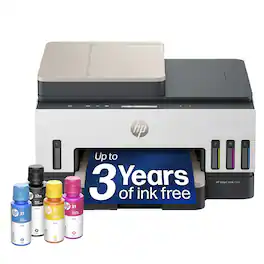
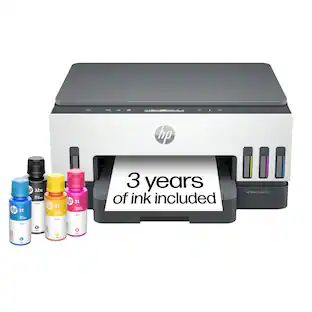
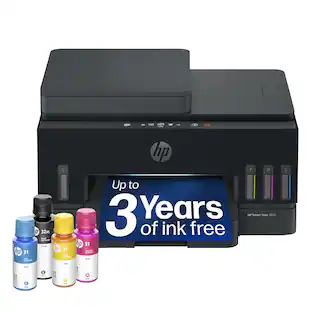
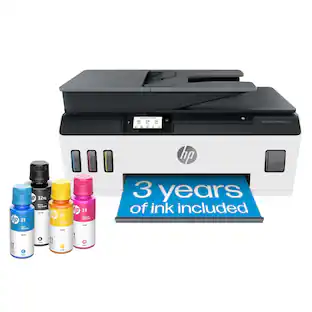
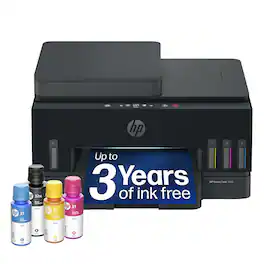
HP - Smart Tank 7303 Wireless All-in-One AI-Enabled Cartridge-Free Supertank Inkjet Printer with 3 Years of Ink Included¹ - White

Model: 9B5D0A#B1H
SKU: 6678560
Sold byBest Buy

About this product

From America's most trusted printer brand², the HP Smart Tank 7303 is a smart, connected and refillable tank printer that makes printing seamless for your home and small business with its high capacity, wireless connectivity and Ethernet networking. Create everyday color documents at a low cost with 3 years of Original HP Ink included in the box¹. It's AI-enabled³ to intuitively adapt to your workflow, with wireless and security features that keep your multifunction printer up to date and secure.
Features
  • The last printer you'll ever need

    Set it up once and print with confidence; no complicated maintenance, just easy, reliable printing you can count on

  • Ink for years, not months

    Up to 3 years of ink included¹; get thousands of pages of cartridge-free printing—more pages, less hassle

  • Optimize print formatting with HP AI³

    Print web pages and emails with precision—no wasted pages or awkward layouts; HP AI easily removes unwanted content, so your prints are just the way you want

  • Innovation you can trust

    Cartridge-free printing that keeps you printing longer with fewer interruptions, powered by the trusted HP innovation you rely on today

  • Mess-free refill

    Replenish ink with HP's easy-access, mess-free refill system; simply plug the ink bottles into this cartridge-free ink tank and let them drain—no squeezing, no spilling

  • Best print quality, period

    Sharper text, richer colors—only with HP Smart Tank⁵

  • Key features

    Print, copy and scan, auto document feeder, plus borderless prints, mobile and wireless printing

  • Fully loaded with savings

    Best for low-cost, high-volume printing—3 years of Original HP Ink included¹; get up to 8,000 color pages or 6,000 black pages right out of the box⁴.

See all features
Specifications
  • Networking
    Wired, Wireless
    ENERGY STAR Certified
    Yes
    Printer Type
    All In One
    ISO Color Print Speed
    9 pages per minute
    Output Tray Capacity
    100
    Touch Screen
    No
Sponsored

Reviews

Rating 4.7 out of 5 stars with 26 reviews

88% would recommend to a friend

Customer Images

The vast majority of our reviews come from verified purchases. Reviews from customers may include My Best Buy members, employees, and Tech Insider Network members (as tagged). Select reviewers may receive discounted products, promotional considerations or entries into drawings for honest, helpful reviews.

  • Rated 5 out of 5 stars

    Finally, an HP Printer I Liked

    I’ve been wanting to try out a tankless printer, the idea of filling up the printer via bottle of ink sounds better than fighting with finding an “official” cartridge that works for your printer. HP hasn’t been on my list of suggested printers for many years due to issues with subscriptions and getting ink, but with a Tankless printer I thought I could give them a go. I decided to pick up the HP Smart Tank 7303 All-In-One Printer as my first tankless trial. Pros: - Easy guided setup via the HP App. - Easy to refill ink via bottles. - Compact with small footprint. Cons: - None Setup: HP knows how to package their printers, the outside of my box looked like it had taken quite a beating, but the printer and accessories were completely untouched. There are multiple cardboard spacers and light blue tapes holding the printer components in place that must be removed prior to use. Included in the box is the Smart Tank 7303 All-In-One Printer, 4 bottles of Ink, 2 Printer heads, and a power cable. The Printer weighs about 17lbs, with a fully expanded footprint of 17.8in by 17.3in by 9.8in. Both the front and top paper trays have paper catches that flip out if needed. I used my phone to perform the initial setup, as I intend to have this printer setup for the wireless network mainly. Initial Setup was an easy guided process, though I did have to restart the printer after turning it on for the first time for the HP app to find it on the initial setup. Otherwise, the app guides you through the setup from removing the temporary spacers to filling the Ink, overall, the setup was very painless, I was done in less than 30 minutes. Adding the printer to additional devices was just as simple. On a mobile device, using the HP app, adding the printer via the “+” sign at the top of the app screen and selecting “Add an existing printer”, then following the guided setup. On a PC, it was even easier using just the built-in Windows “Add Printer”, if your device is on the same wireless network. I had no issues connecting additional devices after the initial setup. Software: The HP app is easy to navigate, with the printer setup right on the home page when you open the app. As mentioned, the initial guided setup was very easy with clear step by step visual instructions. After the initial setup, the App provides details about the printer such as status and ink levels right from the home page. Clicking on the Printer provides access to additional options like Scanning and Printing, with specific options for each. Connectivity: The Smart Tank 7303 Printer supports Wireless and Wired connections; I was able to test each with no noticeable issues. For Wired connection, both USB and Ethernet are available. Cables are not included. For Wireless, Wi-Fi 2.4GHz and 5GHz connectivity are supported along with Wi-Fi direct, in the case where you want to directly connect to the printer wirelessly. Printing & Scanning: The HP Smart Tank 7303 prints great, both in black & white and color. I was most impressed with the color photo printing, as even printing on standard paper, the image came out clearly, and the picture did not smear. I’m looking forward to trying out some photo papers I’ve got coming. Speed wise, the printer can do up to 15 pages per minute in black & white, and 9 pages per minute in color. This is plenty good for a home inkjet-style printer. Scanning as well worked great; I liked that I could scan the documents directly to my phone when using the HP app. This was convenient for printing, signing, and scanning documents to send, as everything could be done from my phone without the need for a PC. Ink: HP includes 4 bottles of ink with the Printer, enough to fully fill all the tanks. HP makes the claim that it is “3 years’ worth” of ink, but your results will vary based on your usage. The good news is that at least if there is any ink inside the tanks, it won’t dry out within those 3 years as each tank is sealed from the air which keeps the ink fresh. No more going to print to only find out that your ink cartridge has dried out. Filling the tanks is easy, just open internal compartment of the printer, the lid under the scanning deck to expose both the ink wells and printer heads. Then flip up the little cap of the corresponding ink tank you want to fill: Black, Teal, Yellow, Magenta. Under the clear caps is a little punch that you align the ink bottles onto and push down; they will slowly drain while the ink well on the front of the printer fills up. If you follow the guided setup in the HP app it will walk you through the steps to fill the ink and install the ink heads. Similarly, the ink jet heads can be easily replaced by releasing them and snapping in a new one. Even better, I was able to find 3rd party ink available that likely work for this HP printer! Unlike cartridge systems that can check if you’re using official ink, the smart tank doesn’t seem to have any system for verifying the type of ink being used. But caution should be taken when using 3rd Party Ink, as quality can become an issue which could lead to lower quality prints and clogged heads, which would require replacement. Conclusion: For an HP Printer, I’m very impressed. I had no issues getting the printer setup and printing works great. The color photo printing is very impressive; I’ve got some photo paper on the way to test out more. The fact you don’t have to use only HP Ink puts the Smart Tank 7303 on my list of recommended printers, the first HP printer in a long time.

    Posted by BradfordBT

  • Rated 5 out of 5 stars

    HP SmartTank 7303: Ink that lasts

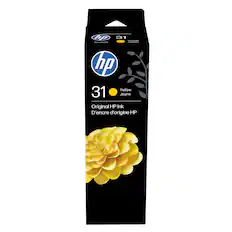
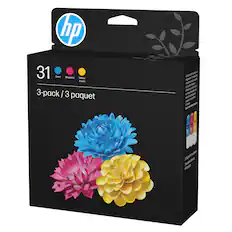
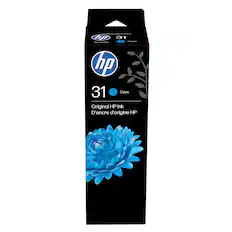
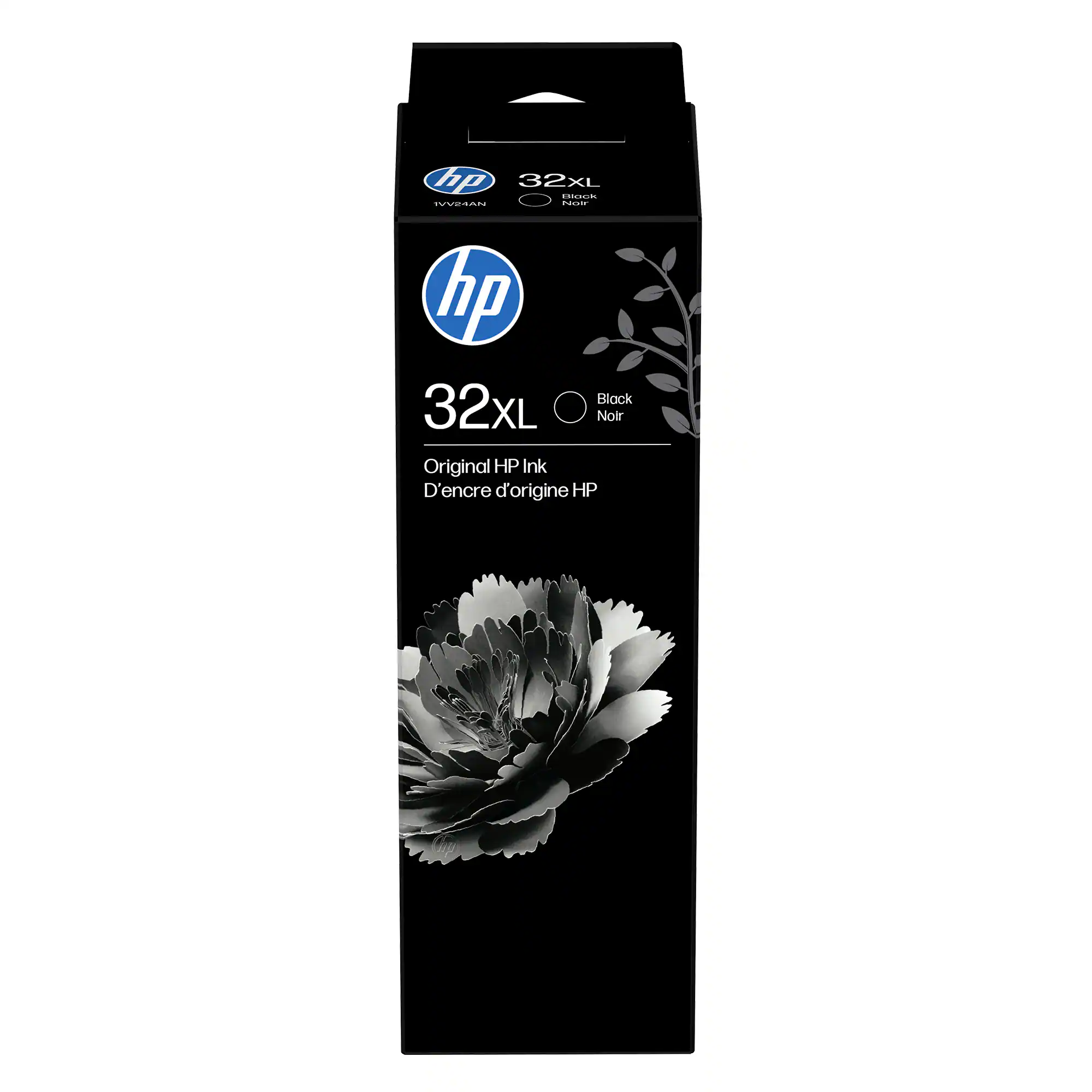
    - Introduction - I've gone through a lot of printers over the years, and the thing that can be frustrating is the ink. You buy the printer, then you keep buying cartridges, and they're never cheap and constantly running out. The HP Smart Tank 7303 handles that differently. Instead of cartridges it uses refillable tanks built into the front, and it comes with enough ink in the box to last a long time before you have to refill. It prints, scans, and copies, and it's aimed at a household that runs through a good amount of prints. In my household, it's work and productivity, school projects, personal documents for my family, and printing our family photos. Here's what I think. - Unboxing - The HP Smart Tank 7303 comes with the printer and the ink to get started. The color ink is the HP 31 set in yellow, magenta, and cyan, and the black is an HP 32XL bottle. There's no USB cable in the box, so if you want to plug straight into a computer instead of going wireless, you'll need your own. You can setup through the app on your phone (easiest) or on the computer. I was able to add through the HP app, setup my wireless connection, and I was printing fairly quick. Using the app on your phone is great for printing photos directly from your albums. - Design and Build - The footprint is about average for personal printers. It sits easily on a desk or a shelf. The body is white with a darker top. Up top there's an automatic document feeder, so you can insert a stack of pages in to scan or copy without feeding them one at a time. The control panel runs across the front and has a 2.8-inch LCD along with physical buttons. Having both the screen and real buttons makes it easy navigate and find what you need. The power button is on the left, and there's a Wi-Fi light that glows blue when it's connected. The part I like most is the ink setup. The tanks sit on the front right behind clear windows, so you can look at the printer and see how much ink is left. The ink bottles fit perfectly into each reservoir so you can't mix them up. It's actual ink in a liquid bottle that you can just attach and fill. The output tray pulls out from the front. - Setup/Performance - The two things that stand out most on this printer are how long the ink lasts and how much paper the tray holds. On the ink, if you print around 240 pages a month with a normal variety of prints, you're looking at roughly three years before you'd need to refill. Photos will use it up faster since they take more ink, but even then you still get a good number of prints out of it. On paper, the tray holds 250 sheets, which is about half a ream of copy paper, so you're not refilling it constantly. Setup was fast. I added the printer through the HP Smart app on my phone, and once that was done it showed up on my computer too. The phone walks you through finding the printer and getting it on your wireless, and the whole thing was easy. Print quality is very good. An 8.5 by 11" letter size page printed out quickly. Quality is great for basic light coverage prints all the way to full color glossy photos. The 7303 handles duplex printing easily so you don't have to manually flip it. The ADF is great for multi-part documents. Scanning is also a breeze. I've had a lot of frustration in the past getting the documents sent to my email, and this is intuitive and actually works well. It's also very quick. - Software - The HP Smart app is a big part of what makes this printer standout, and it does more than printing. It works as a central hub for everything, so you can print, scan, and copy straight from your phone or your computer. Scanning from the app is flexible, and you can save what you scan in a range of formats, from PDF and JPG and PNG to a searchable PDF or even an editable Word or plain text file. There's a large library of templates and projects you can print from, shortcuts for the things you do over and over, and access to the printer's status and diagnostics along with its warranty info. Color prints at 9ppm and B&W 15ppm. Those are just numbers but based on my printing from word documents to full page photos, this printer is fast. - Pros and Cons - - Pros - * Refillable tanks instead of cartridges, with levels you can see at a glance * Ink that lasts a long time, around three years at about 240 pages a month * Very good print quality, good enough to frame * Setup is simple, and can be completed on your phone * 250-sheet tray large capacity tray * HP app is really good * Screen and physical buttons together make it easy to navigate * Prints, scans, and copies, with an automatic document feeder and two-sided printing - Suggestions/Needs Improvement - * No USB cable in the box The HP Smart Tank 7303 does what I want a home all-in-one to do and has a ton of ink that will last you a while, even with heavy use. The tanks mean I'm not constantly buying cartridges, the included ink is set to last years, and the paper tray goes a long way between refilling the paper. Setup was quick, the print quality is good enough to frame, and the app makes the whole thing easy to run from my phone or computer. If you print a decent amount at home and you're tired of buying cartridges, this is an easy one to recommend, for printing, scanning, and copying. It's also quick with great quality.

    Posted by NanoEthan

  • Rated 5 out of 5 stars

    Very happy with this Printer!

    I have been using this HP Smart Tank 7303 All-in-One Printer for the last 2 weeks and it's honestly exceeded my expectations. It has been one of the easiest and user-friendly printer I have used at home. I mainly used it to print important documents, regular scanning, making copies, and printing family photos and it handled all tasks with ease. The setup was much easier than I expected and filling the ink tanks was simple because the bottles were made to fit perfectly. The process was clean and effortless. Another step was to connect the printer to my home network which took only a few minutes and once it was connected everyone could print from their phones or devices without needing cables. Not to mention the quality of the prints that are picture perfect. The black text comes out looking sharp and easy to read even on normal paper. Color prints are bright and look clean without fading. I, myself, printed a couple photos and they came out looking nice and pleasant. They are perfect for family photos, albums, school projects, or crafts. One thing I liked was the automatic double sided printing. I don't print lots of documents but not having to flip through the pages manually saves both time and effort. The paper tray holds plenty of papers so I don't need to constantly refill it. The scanning is made simple as I can scan multiple pages using the automatic document feeder and it works smoothly without getting stuck. The scanned files come out looking clear and easy to read. Making the copies is straightforward as well. Another great feature of this printer is how quiet it is. It also prints fast so I'm never left waiting for long. My favorite part is the ink tank system. After two weeks of regular use, the ink levels have pretty much stayed the same. If you print often for work, school, or home this saves a lot of money compared to replacing the traditional ink cartridges all the time. I like that it works with all kinds of paper sizes. Printing the standard documents or envelopes works great as well as the greeting cards and borderless photos without the need to change too many settings. Just a couple of things to note is that the display screen is basic so I had to rely on a laptop or phone for most settings. Second, this is slightly larger than a compact printer so more space is needed on the desk. Overall, after using this printer, I am very happy with it. It prints clear, sharp, and easy to read documents. The ink tanks give peace of mind because of how long it lasts and printing is relatively fast. If you're looking for a dependable printer with great quality then I think this an excellent choice with a great value.

    Posted by Sac22

  • Rated 4 out of 5 stars

    A Printer For Those Looking to Save Money on Ink

    After using the HP Smart Tank 7303 All-in-One Printer for a while, I've found it to be a good option for anyone who wants to keep printing costs down. It offers printing, scanning, and copying, includes an automatic document feeder, supports wireless connectivity, and allows you to print directly from your phone using the HP Smart app. The unboxing process took longer than I expected because HP uses a surprising amount of protective tape throughout the printer to keep everything secure during shipping. There are pieces of tape on nearly every moving part, both inside and outside the printer. Before powering it on, take your time and make sure you've removed every piece. The main selling points of this printer is the Smart Tank ink system. Instead of replacing expensive cartridges, you refill the tanks using ink bottles. HP claims the included ink can last up to three years if you're printing around 200 pages per month, which could save a lot of money over time. The refill bottles are designed to be mess-free, and while they do a pretty good job, I still managed to get a little ink on my hands during the initial fill. Fortunately, it washed off easily, so it wasn't a major issue. My biggest piece of advice for anyone buying this printer is to also purchase a USB-A to USB-B printer cable. If your internet goes down or you're trying to connect in an environment with complicated network authentication, having the cable can save you a lot of frustration. In my situation, our office Wi-Fi requires users to authenticate through a web browser before devices are allowed internet access. Since the printer can't complete that browser based login, I couldn't get it connected wirelessly. Thankfully, I had an extra USB-A to USB-B cable lying around. Once I connected the printer directly to my laptop, I was able to complete the setup through the HP Smart app without any problems. It's something many people won't need, but if you ever run into networking issues, you'll be glad you have one. Another thing worth mentioning is that some desktop features require creating an HP account before they'll work inside the HP Smart software. It only takes a few minutes, but it's something to be aware of before purchasing. The good news is that HP also offers the HP Smart app for both Android and iPhone, allowing you to print documents and photos directly from your phone, scan documents, and manage the printer without having to sit at your computer. When it comes to actual performance, the printer does an Ok job. HP rates it at approximately 15 pages per minute in black and 9 pages per minute in color. It's not the fastest printer on the market, but I think those speeds are fine for the average household or small office. Black text comes out sharp and easy to read, while color documents and graphics look good. The scanner also performs well. It captures full color documents clearly, and the 35-sheet automatic document feeder makes scanning or copying multiple page documents much easier than having to place every page individually on the flatbed. If you regularly scan paperwork, invoices, or contracts, the feeder is a feature you'll appreciate. The only limitation I noticed is that if you're scanning something that's printed edge to edge, the scanner doesn't capture all the way to the edges, leaving a slight border around the scan. Paper capacity is another area where this printer performs well. The main tray can hold up to 250 sheets of paper, so I don't have to constantly refill it, while the output tray can hold up to 100 printed sheets before needing to be emptied. Those capacities are more than enough for my everyday printing needs. One area where I think HP could have done much better is the printer's user interface. For a printer at this price point, I really expected some type of color touchscreen display. Instead, you're given a handful of buttons with indicator lights that aren't particularly intuitive. They don't do a great job of explaining what each button does at first glance, and I found myself avoiding the controls altogether. I ended up doing nearly everything through either the HP Smart app or my computer's print menu because it's simply much easier. A touchscreen would have made changing settings, configuring Wi-Fi, scanning, and managing the printer much more user friendly. Pros Ink costs with the Smart Tank refill system Prints, scans, copies, and includes a 35-sheet automatic document feeder Good print quality for both black-and-white and color documents Mobile printing with the HP Smart app Scanner produces clear, full-color scans Cons Setup can be difficult on Wi-Fi networks requiring browser-based authentication Strongly recommend having a USB-A to USB-B printer cable available as a backup Some desktop features require creating an HP account No touchscreen display Button-based interface isn't very intuitive Print speeds are adequate but not particularly fast Overall, I think the HP Smart Tank 7303 is a good all-in-one printer for anyone who prints on a regular basis and wants to save money on ink over the long term. It's a reliable printer that produces quality prints, handles everyday scanning and copying with ease, and should require far fewer ink refills than traditional cartridge-based printers.

    Posted by Ian L

  • Rated 5 out of 5 stars

    Excellent and Reliable All-in-One Printer!

    I have been using the HP Smart Tank 7303 All-in-One Printer for more than a week, and it has proven to be an excellent choice for everyday printing needs. The standout feature is its refillable ink tank system, which significantly reduces printing costs compared to traditional cartridge-based printers. The included ink lasts a long time, making it a cost-effective option for families, students, remote workers, and small offices. The printer offers a complete set of productivity features, including printing, scanning, copying, automatic duplex printing, wireless connectivity, and a 35-sheet automatic document feeder. Print quality is consistently impressive with sharp black-and-white documents and vibrant, detailed color prints that are suitable for presentations, school projects, and occasional photo printing. I particularly impressed with the automatic duplex printing which helps save paper and the automatic document feeder, which makes scanning or copying multi-page documents quick and convenient. Wireless setup through the HP Smart app was straightforward and printing from both my laptop and smartphone has been seamless and reliable. The printer is also compact enough for a home office setup, and its touchscreen interface is intuitive and easy to navigate. Routine maintenance has been minimal, and overall performance has been amazing. The initial setup process does require some patience, especially when filling the ink tanks and aligning the printheads. However, this is a one-time task, and the long-term benefits far outweigh the initial effort. Overall, the HP Smart Tank 7303 delivers an excellent combination of high-quality printing, low operating costs, and practical productivity features. If anyone is looking for a reliable all-in-one printer that offers significant savings on ink without compromising performance, this model is an outstanding choice.

    Posted by Selva

Compare similar products

HP - Smart Tank 7303 Wireless All-in-One AI-Enabled Cartridge-Free Supertank Inkjet Printer with 3 Years of Ink Included¹ - White
4.7(26)

From America's most trusted printer brand², the HP Smart Tank 7303 is a smart, connected and refillable tank printer that makes printing seamless for your home and small business with its high capacity, wireless connectivity and Ethernet networking. Create everyday color documents at a low cost with 3 years of Original HP Ink included in the box¹. It's AI-enabled³ to intuitively adapt to your workflow, with wireless and security features that keep your multifunction printer up to date and secure.
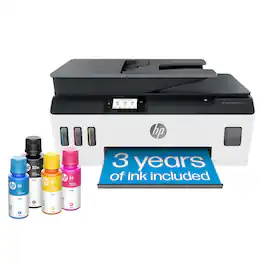
HP - Smart Tank 7602 Wireless AI-Enabled All-in-One Cartridge-Free Supertank Inkjet Printer with 3 Years of Ink Included¹ - Dark Surf Blue

From America's most trusted printer brand², the HP Smart Tank 7602 is a smart, connected and refillable tank printer that makes printing seamless for your home and small business with its high capacity, wireless connectivity and Ethernet networking. Create everyday color documents at a low cost with 3 years of Original HP Ink included in the box¹. It's AI-enabled³ to intuitively adapt to your workflow, with wireless and security features that keep your multifunction printer up to date and secure.

HP - Smart Tank Plus 651 Wireless All-in-One Cartridge-Free Supertank Inkjet Printer with 3 Years of Ink Included¹ - White

Whether you are a teacher or student, get back-to-school ready for the classroom with this HP Smart Tank wireless all-in-one printer! This high-quality ink tank printer with an automatic document feeder plus fax delivers up to 2 years of ink in bottles included in the box¹. Get faster connections with dual-band Wi-Fi, and easy mobile printing with HP Smart app.

HP - Smart Tank 7603 Wireless All-in-One AI-Enabled Cartridge-Free Supertank Inkjet Printer w/ Fax and 3 Yrs of Ink Included¹ - Basalt
4.8(4)

From America's most trusted printer brand², the HP Smart Tank 7603 is a smart, connected and refillable tank printer that makes printing seamless for your home and small business with its high capacity, wireless connectivity and Ethernet networking. Create everyday color documents at a low cost with 3 years of Original HP Ink included in the box¹. It's AI-enabled³ to intuitively adapt to your workflow, with wireless and security features that keep your multifunction printer up to date and secure.

Pros for HP - Smart Tank 7303 Wireless All-in-One AI-Enabled Cartridge-Free Supertank Inkjet Printer with 3 Years of Ink Included¹ - White
There were no pros for this productThere were no pros for this productPrint Quality, Ease of use, Overall Performance, Setup, ConnectivityThere were no pros for this product

Specs

Be the first to ask a question.

We’ll try to get your question answered within 24 hours by a Best Buy customer or brand representative.

No content

Customers often buy these together

Sponsored
Ask BlueAI

Finance Options

My Best Buy® Credit Card
Choose a benefit:Or
Buy Now, Pay Later
Lease to own

Special Offers

Top Offers

Finance Options

My Best Buy® Credit Card
Choose a benefit:Or
Buy Now, Pay Later
Lease to own

Special Offers

Top Offers