Everything for Back to School — and then someShop now

Skip to contentGo to Product Search
Main Content

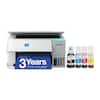
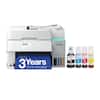
HP - Smart Tank 6003 Wireless All-in-One AI-Enabled Cartridge-Free Supertank Inkjet Printer with 3 Years of Ink Included¹ - White

Model: 9B5C8A#B1H
SKU: 6678564
Sold byBest Buy

Customers are saying

Customers appreciate the high print quality provided by this device. Users have noted that the printer consistently produces excellent copies directly from their computers.

Generated by AI based on customer reviews.
See it in-store: Roseville has a demo model on display.
Features
  • The last printer you'll ever need

    Set it up once and print with confidence; no complicated maintenance, just easy, reliable printing you can count on

  • Ink for years, not months

    Up to 3 years of ink included¹; get thousands of pages of cartridge-free printing—more pages, less hassle

  • Optimize print formatting with HP AI³

    Print web pages and emails with precision—no wasted pages or awkward layouts; HP AI easily removes unwanted content, so your prints are just the way you want

  • Innovation you can trust

    Cartridge-free printing that keeps you printing longer with fewer interruptions, powered by the trusted HP innovation you rely on today

  • Mess-free refill

    Replenish ink with HP's easy-access, mess-free refill system; simply plug the ink bottles into this cartridge-free ink tank and let them drain—no squeezing, no spilling

  • Best print quality, period

    Sharper text, richer colors—only with HP Smart Tank⁵

  • Key features

    Print, copy and scan, plus borderless prints, mobile and wireless printing

  • Fully loaded with savings

    Best for low-cost, high-volume printing—3 years of Original HP Ink included¹; get up to 8,000 color pages or 6,000 black pages right out of the box⁴.


See all features
Specifications
  • Networking
    Wired, Wireless
    ENERGY STAR Certified
    Yes
    Printer Type
    All In One
    ISO Color Print Speed
    7 pages per minute
    Output Tray Capacity
    100
    Touch Screen
    No
Sponsored

Reviews

Rating 4.6 out of 5 stars with 31 reviews

94% would recommend to a friend
Customers are sayingCustomers appreciate the high print quality provided by this device. Users have noted that the printer consistently produces excellent copies directly from their computers.
This summary was generated by AI based on customer reviews.
  • Print Quality (5)

Customer Images

The vast majority of our reviews come from verified purchases. Reviews from customers may include My Best Buy members, employees, and Tech Insider Network members (as tagged). Select reviewers may receive discounted products, promotional considerations or entries into drawings for honest, helpful reviews.

  • Rated 5 out of 5 stars

    Great innovative all-in-one cartridge free inkjet

    This The HP Smart Tank 6003 Wireless All-in-One Ai-Enabled Cartridge-Free Supertank inkjet printer with 3 years of Ink Included has everything I want from an all-in-one device. It copies, scans, prints, and faxes via the HP application. This is a device that you will want in your home, home office, small office, dorm, crafting area, students room, and so many other places. What is in the box? The HP Smart Tank 6003 Wireless All-in-One Ai-Enabled Cartridge-Free Supertank inkjet printer, power cord, color print head, black print head, 3 years of ink in bottles of black, yellow, magenta, and cyan, User Manual, Reference Guide Setup: Setup was not hard, but it took a few minutes. The thing to remember is to take off all the protective shipping materials and tape first. Plug in the device and then turn it on. In the User Manual there is a QR code to scan to download the HP App to your Smartphone, either from the Play Store for Android or the App Store for iOS. Once downloaded, the instructions on the app and in the User Manual will walk you through everything. On this printer, it has no ink cartridges. The tanks need filled with the bottles of ink. No need to worry though, it is not messy. HP has made the task easy and mess free! The HP app shows how to do each step from connecting to wireless to aligning and printing a test page at the end of setup. It is not hard in the least. This printer is Energy Star Certified. Details: There are two ways to connect to this printer wirelessly: Wi-Fi or Bluetooth. To use a wired connection requires a USB-B cable, which is not included. It holds 150 sheets of paper and can print 7 pages per minute in color. If you are printing photos or higher quality photos and images, the print speed may vary. The printer has a duplexer, so you can easily print on both sides of the paper without having to manually switch the piece of paper over. The scanner is a flatbed scanner and works great for scanning and copying. The paper chosen will help decide how vibrant the colors are when printed. This ink is bold and vibrant, but if printed on bright white paper that is a higher quality like the HP Premium 32 pounds Bright White 100 Brightness, the color will be the best, vs a paper that is a 94 brightness. It prints great and I am extremely impressed. The print resolution is: 1200 x 1200 in black and 4800 x 1200 in color. It copies in 600 x 600 for both black and color. The scanning resolution is up to 1200 x 1200. It supports duplex printing, but not duplex scanning. The paper types supported are a full list of inkjet type papers: plain paper, HP Photo Paper, HP Matte Brochure or Professional Paper, HP Glossy Brochure or Professional Paper, other matte and glossy photo and brochure papers. Paper sizes supported are Letter, Legal, Envelope, and an array of other sizes. The display screen is 2 inches and is not a touchscreen. HP App: The HP App is the gateway to goodness with this printer. Everything is in this application to setup, print, scan, copy, create with Printables, share, fax, email what you scan, and set up Remote printing. I like that I can use Printables to make my grandchildren things like coloring pages, award certificates, school practice worksheets, word puzzles, planner pages, calendar pages, greeting cards, and the possibilities are endless. The printer is not that big or heavy, which is fantastic for me. I like that I can pick it up and move it without having to ask anyone for help. The footprint is not that bad for an all-in-one. It is 7.82” H x 16.83” W x 14.33” D. It weighs 14.07 pounds. Summary. I think this HP Smart Tank 6003 Wireless All-in-One Ai-Enabled Cartridge Free Supertank Inkjet Printer with 3 years of ink included in White, is an excellent choice and I highly recommend it.

    Posted by MoniMouse

  • Rated 5 out of 5 stars

    Great everyday printer

    This is my second inkjet that has refillable tanks. This one is a little different as it still has a cartridge that the tanks send ink into for printing. My other one does not have this and I'm not sure if that's a good or bad thing. I'm thinking that this is probably a good thing just in case the print head gets clogged you can just swap it out for a new cartridge. I did not see anything about expire dates so I do not think HP can stop printing if your ink expires. Setup was pretty straight forward but I used the HP app since it was already installed on my HP desktop. The computer found the printer on my wifi, added it to the computer, and I was ready to print, copy, etc. I followed the instructions to add the print cartridge and fill the tanks with ink. The process took about 5 minutes. The screen on the printer is small and shows essential information, I'm thinking HP is assuming you will use the controls in the HP software on your computer. The printer has a couple of buttons on top for wifi (solid blue means connected), information button, a paper eject button, cancel, color copy (green button), black and white copy, and power. I thought one would be to scan to a PC, but that is not the case and you can only do a print copy. If you want to do a scan you have to open the HP software and go through the steps. This printer prints color or black and white pretty quickly. The output looks great for my needs of general office printing. I did a test print of a photo on regular paper, and it looks pretty good, but I would buy a dedicated photo printer if you planning to print lots of pictures. This works fine for a quick print where super high quality is not needed. When using the scanner, I notice that it's a little slower than my other scanner. Its not painfully slow, but if I was scanning a lot of papers I would look at something that has an auto feeder on top as this one you have to manually change out the page. The HP software app however allows for you to create a PDF with multiple pages of scans. So even though you are limited to one page at a time the software does allow for multiple documents to be scanned as one large PDF. There are other features that are built into the app such as free printables like calendars, birthday photo props, etc. So great for a family with kids that can print out, cut out, color, and be creative. I have not played with to many other features as I purpose have this for scanning and printing basic documents. This so far has been a good little printer that works every time without issue. I'm glad HP is offering refillable ink tanks instead having to buy a cartridge that dries up or worse expires. My other tankless scanner printer has been going strong for over year, and I do not see why this HP wouldn't be able to last a long time!

    Posted by apalmo

  • Rated 5 out of 5 stars

    An ideal home and small office printer!

    We homeschool and run a small business on a budget and, up until this point, have gone back and forth between a black laser printer and a color inkjet. During the school year I print a large quantity of black-and-white documents for my children, and when business is booming I print a lot in color. A multi-color laser printer was too expensive to maintain, and the supplies were costly. As more and more manufacturers lock you into proprietary inkjet cartridges, the options were to buy the expensive OEM cartridges or roll the dice on generic ones that wouldn’t always work. And more often than not when they do, the quality is poor. And no matter which cartridge was used, the print volume was limited, which increased the expense. I had apprehensions about tank printers in general. I know it’s a great idea, but I was always waiting for the other shoe to drop, and I could discover the gimmick behind them since the profit point is generally the cost of the cartridges. Plus I was concerned about spillage and the print head life. I was pleasantly surprised to find the ink bottles have a stopper on them and fit into a receptacle to fill the tanks. Inserting the bottles pops the stopper out, and the tank fills with no chance of spilling. There are external view windows to confirm the ink supply, and you can track that via the app. Genuine HP ink is available at a very reasonable price, as well as generic options. Standard printer ink cartridges for most printers supply enough ink at 5% coverage for about 300 black-and-white pages and 200 color. This tank printer is estimated to be able to print 8,800 color pages in standard mode and 9,600 pages in draft. The black cartridge is estimated to print 6,000 pages in standard mode and 7,600 in draft. A refill of all inks costs less than the price of a color and black-and-white cartridge in my search for pricing. The print heads are stated to last for “the life of the printer," which we all know may vary. And will all inkjet printers, my assumption is that based on usage or non-usage they could dry up and clog. If that does happen, the cost to replace one is about the cost of one ink cartridge. If the printer is used regularly, this should not occur. The print speed is good for both color and black and white, and the duplex function works great. There are controls directly on the printer for basic functions, and just about option and functions are also available through the HP app. While the printer takes up very little space, it still allows for a paper tray that holds at least 3x as much as my last printer and you don’t need to open a drawer to see if you’re running low on paper.

    Posted by IndyTechGuy

  • Rated 4 out of 5 stars

    Cheap Ink Is the Point. It Delivers.

    I got this to get out from under cartridge prices. That's the entire reason ink tank printers exist, and on that core job, this one pays off exactly as advertised. Using HP's own ink, I'm running about a penny a page. Advertised third-party ink is $0.003. Put that next to what a set of cartridges costs and the math stops being close. I mainly use this for printing programs, flyers, and other 20-30 page jobs for a non-profit I’m involved in. It’s nice and quiet for the times I need to print for home as well. It’s small and quiet, so I can put it on a shelf when not using it. The print quality holds up its end. Pages come out bright and vibrant. This isn't the washed-out look you might brace for from a budget-ink machine. Color work looks good enough that I'm not saving it for somewhere else. Speed is decent. Color was measured at 8 pages per minute for a mixed graphics flyer with lots of color. Double sided was closer to 4 pages / minute as the machine needs to wait for ink to dry. A few things I appreciate day to day. Automatic duplex printing is built in, so two-sided documents happen without me thinking about it. Great for programs! And the ink status is genuinely clear — you can see where you stand at a glance rather than getting a vague warning and then a dead page mid-job. On a tank printer that matters more than it sounds, because you're topping off rather than swapping a cartridge, and you want lead time. There’s a few minor nit picks, but they’re worth sharing: Setup requires you to create an HP account. Allegedly, it’s not required as there are instructions for setting it up “manually”. However, I could not figure them out based on the pictures alone. They really, really push you to use the app or their site. Once there, you can’t proceed without having an account. Then, you’re signing up with HP to get a printer you already paid for onto your own network. It's one hoop, but it's the kind of hoop that shouldn't be there. Paper handling is where this shows its price. The tray holds 100 sheets, which is fine for household volume and annoying the moment you have a real job to run — you'll be refilling. There's also no bypass tray, so heavier stock, card, or anything thicker than plain paper has nowhere to go. If you print on anything other than standard paper with any regularity, this will frustrate you. The scanner is flatbed only, with no automatic document feeder. Scanning one page is easy. Scanning twenty means lifting the lid twenty times. If you scan multi-page documents or double sided pages as part of your routine, that's the deal-breaker in this box. Bottom Line: If your reason for buying is cheap ink, this delivers on it about as directly as any printer I've used — a penny a page with HP ink, a fraction of that with third-party, bright output, and duplex printing thrown in. It's a strong fit for a household or small organization that prints plain paper documents and photos and scans a page here and there.

    Posted by Dan0Sterling

  • Rated 5 out of 5 stars

    This Printer is all Business!

    The Short: Amazing ink tank design, cleaver filling bottles, great printing app (using apple iOS) and excellent printing. Everything done wirelessly. My review: School is back in session. We currently have a B&W laser printer at the house. We need to step it up to a color printer to illustrate color graphs and pictures for the kids upcoming school work. We used to have those cartridge type bubble jet printer that always had dried out ink tanks when homework was due the next day. Enter this new HP 6003 cartridge free printer. At first thought was great, how much ink will I spill filling up these ink tanks. Boy was I wrong; filling the tanks with ink is worry and drip free! Unboxing: HP had a nice plastic bag with handles making pulling out the printer from the box a cinch. A lot of sustainable and recyclable packaging (minus the Styrofoam). Unboxing was effortless. Setup: I used the HP app to do the initial setup of ink and wifi. I did use the included manual to fill gaps that I missed in the app setup. The ink bottles were huge and have lot of printing capacity. Unscrew the ink cap, push down bottle onto the tank fill top, watch ink drain into the tank. Remove and continue to tanks are full and ink bottles are empty. (Don’t shake the ink or you get bubbles!!!) No spills and no mess. Next I connected the printer to my local wifi. Just like that I was setup and ready to print. Printing: I printed some pictures from my iphone 16. Super easy and print looked real good. The test print with text was crisp and colors solid. Scanning: Scanning was easy. I used the HP app on my iphone 16 and scanned some pictures I had. Image was transferred immediately to my phone. Perfect scanning. Printer Design: Printer design is solid. The color I have reminds me of the 1990s but if fits in. Power: I wasn’t sure if the printer has a sleep function or needs it. Not sure how much power it consumes while idle. I honestly just unplug it when I don’t use it. Ink Tanks: The ink tanks have a air tight seal on them. Hopefully this mean the tanks won’t dry out when not in use like ink cartridges. Credit HP for a great design on these tanks.

    Posted by sundevilchemist

Compare similar products

HP - Smart Tank 6003 Wireless All-in-One AI-Enabled Cartridge-Free Supertank Inkjet Printer with 3 Years of Ink Included¹ - White
4.6(31)

From America's most trusted printer brand², the HP Smart Tank 6003 is a smart, connected and refillable tank printer that makes printing seamless for the whole family with its high capacity and wireless connectivity. Create everyday color documents at a low cost with 3 years of Original HP Ink included in the box¹. It's AI-enabled³ to intuitively adapt to your workflow, with wireless and security features that keep your multifunction printer up to date and secure.

HP - Smart Tank Plus 651 Wireless All-in-One Cartridge-Free Supertank Inkjet Printer with 3 Years of Ink Included¹ - White

Whether you are a teacher or student, get back-to-school ready for the classroom with this HP Smart Tank wireless all-in-one printer! This high-quality ink tank printer with an automatic document feeder plus fax delivers up to 2 years of ink in bottles included in the box¹. Get faster connections with dual-band Wi-Fi, and easy mobile printing with HP Smart app.

HP - Smart Tank 5001 Wireless All-in-One AI-Enabled Cartridge-Free Supertank Inkjet Printer with 3 Years of Ink Included¹ - Basalt
4.5(33)

From America's most trusted printer brand², the HP Smart Tank 5001 is a smart, connected and refillable tank printer that makes printing seamless for your home with its high capacity and wireless connectivity. Create everyday color documents at a low cost with 3 years of Original HP Ink included in the box¹. It's AI-enabled³ to intuitively adapt to your workflow, with wireless and security features that keep your multifunction printer up to date and secure.

HP - Smart Tank 5101 Wireless AI-Enabled All-in-One Cartridge-Free Supertank Inkjet Printer with 3 Years of Ink Included¹ - White

From America's most trusted printer brand², the HP Smart Tank 5101 Printer is a smart, connected and refillable tank printer that makes printing seamless for your home with its high capacity and wireless connectivity. Create everyday color documents at a low cost with 3 years of Original HP Ink included in the box¹. This Smart Tank printer is an inkjet perfect for high-volume printing. It's also AI-enabled³ to intuitively adapt to your workflow, with wireless and security features that keep your multifunction printer up to date and secure.

Pros for HP - Smart Tank 6003 Wireless All-in-One AI-Enabled Cartridge-Free Supertank Inkjet Printer with 3 Years of Ink Included¹ - White
Print QualityPrint Quality, Ease of use, Overall Performance, Setup, ConnectivityPrint Quality, Ease of SetupPrint Quality, Ease of use, Overall Performance, Setup, Size
Cons for HP - Smart Tank 6003 Wireless All-in-One AI-Enabled Cartridge-Free Supertank Inkjet Printer with 3 Years of Ink Included¹ - White
There were no cons for this productThere were no cons for this productThere were no cons for this productConnectivity

Specs

Questions & Answers
  • In the reviews I consistently read that while this printer is excellent after set-up, getting it set-up is very difficult for customers and Geek Squad alike. Has that now been improved?

    Hi. I can assure you that the printer was not difficult to setup. It was a little intimidating at first glance because I never seen this type of. Here is what I did. I elected to use the HP app setup to fill the ink tanks, install the printer heads (b&W, color), and setup on my home wifi network. After unboxing I removed all the tape and packaging. (1) filled black tank. flipped open the black tank cover, opened the cap to the ink bottle, inverted and pushed the ink bottle into the tank. Watched the ink empty into the tank. Removed the ink bottle (no spill no mess). Close to the cap to the ink tank. (2) same thing above but for each color (3) installed the print headers (it was just like installing bubble jet in cartridges. Make sure you hear the click to ensure they are seated correctly. I am going to say I purposely didn't seat the black printer head correctly to see what error I was given. On the app it said to check if seated properly. Took out print head and snapped it back in place properly and was good from there. (oh if you can't get the print head to slide to middle, open and close the printer to reset it, that is something not said in the app but said in the printed instructions). (4) the app will find wifi ssid. connect to yours and now you are ready to print (5) okay well you have to print a test page so the printer can do what it needs to do. You should be ready.

    Answered by sundevilchemist
No content

Customers often buy these together

Sponsored

Finance Options

My Best Buy® Credit Card
Choose a benefit:Or
Buy Now, Pay Later
Lease to own

Special Offers

Top Offers

Finance Options

My Best Buy® Credit Card
Choose a benefit:Or
Buy Now, Pay Later
Lease to own

Special Offers

Top Offers