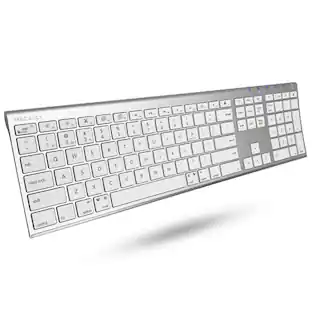
Insignia™ - 22-Key Bluetooth Scissor Switch Number Keypad for Windows, macOS, ChromeOS, iPadOS and Android - Black

Key Accessories:
- Insignia™ - Bluetooth 3-Button Mouse - Wireless - Black$19.99
Related Item

Specifications
- Lighting TypeNoneForm FactorFull-sizeConnection TypeWireless
- Key Specs
- Lighting Type: None
- Form Factor: Full-size (The size, arrangement, and physical configuration of the product.)
- Connection Type: Wireless
- General
- Brand: Insignia™
- Model Number: NS-PK3KANB24
- Product Name: 22-Key Bluetooth Scissor Switch Number Keypad for Windows, macOS, ChromeOS, iPadOS and Android
- Color: Black
- Features
- Lighting Type: None
- Numeric Keypad: true
- Keyboard Type: Keypad
- Palm Rest: false
- Functions
- Form Factor: Full-size (The size, arrangement, and physical configuration of the product.)
- Number Of Keys: 22
- Adjustable Tilt Function: false
- Connectivity
- Connection Type: Wireless
- Wireless Connectivity: Bluetooth (The manner in which a device sends data to another device over a short distance without the use of wires or cables.)
- Maximum Wireless Range: 32.81 feet
- Compatibility
- Operating System Compatibility: Windows, Mac, Chrome, Apple iPadOS, Android
- System Requirements: Windows 11, Windows 10, macOS 10.12 through 11.4, ChromeOS 89, iPadOS 14.4.2 or Android 6 (The software that a product must have for it to be able to integrate with another product.)
- Power
- Rechargeable Battery: false
- Battery Size: AAA (The battery size required for operation.)
- Number of Batteries Required: 1
- Battery Chemistry: Alkaline
- Batteries Included: true (Indicates whether the product comes with the required batteries for its operation.)
- On/Off Switch: true
- Dimensions
- Product Height: 0.73 inches (The out of box height of the item. Height is measured as the vertical distance from the bottom of the item to the top as it would be primarily used or placed.)
- Product Width: 3.51 inches (The out of box width of the item. Width is measured as the horizontal distance from one side of the item to the other as it would be primarily used or placed.)
- Product Depth: 5.19 inches (The out of box depth of the item. Depth is measured as the distance from the front of the item to the back as it would be primarily used or placed.)
- Product Weight: 0.203 ounces (The out of box weight of the item.)
- Warranty
- Warranty - Parts: 1 year limited
- Warranty - Labor: 1 year limited
- Other
- UPC: 600603321825
Enter numbers with greater speed and accuracy using the NS-PK3KANB24 Insignia 22-Key Bluetooth Scissor Switch Number Keypad for Windows, macOS, ChromeOS, iPadOS and Android. The keypad connects to your computer or tablet wirelessly with an easy Bluetooth connection. Its slim, inclined design makes it comfortable to use, and it offers a smooth typing experience with quiet scissor switch technology. The compact size lets you carry it everywhere. An LED shows the keypad’s status and when functions are enabled. Finish your work faster with this Insignia keypad.
- Works with Windows, macOS, ChromeOS, iPadOS and Android: Connect your keypad to a computer or tablet running Windows 11, Windows 10, macOS 10.12 through 11.4, ChromeOS 89, iPadOS 14.4.2 or Android 6.
- Essential keys: This numeric keypad has 22 keys, including numbers, symbols and special functions.
- Scissor switch technology: Provides a quieter typing experience.
- Bluetooth connection: Provides wireless connectivity from up to 32.81 ft (10 m) away.
- LED indicators: Show when specific functions are on or when the keypad is receiving power.
- Battery powered: Uses one AAA battery (included).
Whats Included
- Insignia 22-Key Bluetooth Scissor Switch Number Keypad for Windows, macOS, ChromeOS, iPadOS and Android
- AAA battery
- Quick Setup Guide
Q: How far away can I use this keypad from my device?
A: This keypad provides wireless connectivity from up to 32.81 ft (10 m) away.
Q: What type of switch technology does this keypad use?
A: This keypad uses scissor switch technology for a quieter typing experience.
Q: What kind of battery does this keypad use?
A: This keypad uses one AAA battery, which is included.
Q: Is this keypad compatible with a Chromebook?
A: Yes, this keypad is compatible with ChromeOS 89.
Q: How many keys does this Insignia keypad have?
A: This Insignia keypad has 22 keys for numbers, symbols, and special functions.
Q: Does this keypad have a number lock function?
A: Yes, the keypad has LED indicators to show when specific functions, like number lock, are on.
A: This keypad needs nothing plugged in. It's via Bluetooth. It's the first time I ever set up a Bluetooth device and it's great! No ports needed! Very easy to use.
Q: Is this compatible with the new MacBook Neo?
A: Hello, thank you for the question. Yes, the Insignia 22 Key Bluetooth Scissor Switch Number Keypad is compatible with the new MacBook Neo because it supports macOS and connects through standard Bluetooth. You can pair it in your Mac Bluetooth settings and begin using it right away. Poojitha | Insignia
Compare similar products

Enter numbers with greater speed and accuracy using the NS-PK3KANB24 Insignia 22-Key Bluetooth Scissor Switch Number Keypad for Windows, macOS, ChromeOS, iPadOS and Android. The keypad connects to your computer or tablet wirelessly with an easy Bluetooth connection. Its slim, inclined design makes it comfortable to use, and it offers a smooth typing experience with quiet scissor switch technology. The compact size lets you carry it everywhere. An LED shows the keypad’s status and when functions are enabled. Finish your work faster with this Insignia keypad.
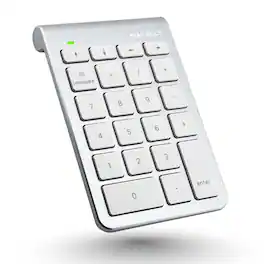
Enhance your productivity with the Macally BTNUMKEY22, a 22-key numeric keypad designed for professionals who require efficient number entry in spreadsheets, accounting software, calculators, and more. Whether you're working on a laptop, iPad, or Bluetooth notebook, this numpad keyboard offers seamless performance and compatibility. EASY TO USE: The Macally BTNUMKEY22 pairs effortlessly with your device—no software needed! Simply connect via Bluetooth, and you're ready to start entering numbers with precision and speed. ADDITIONAL KEYS FOR ENHANCED PRODUCTIVITY: Equipped with (4) Arrow Keys (up, down, left, and right) and (5) Function Keys (Add, Subtract, Multiply, Divide, Equals), along with (13) Standard Keys (Numbers 0-9, Decimal, Clear & Enter), this number keyboard is designed to meet all your number entry needs. Whether you need a 10 key USB keypad or a wireless 10 key for laptop, this device has you covered. LONG BATTERY LIFE: With a remarkable 400 hours of non-stop usage and no automatic sleep mode, you can rely on the Macally BTNUMKEY22 for long-lasting performance. UNIVERSAL COMPATIBILITY: The Macally BTNUMKEY22 is compatible with Mac OS X v10.6 or later and any Bluetooth-enabled Apple device, including iMac, Mac Pro, Mac Mini, MacBook laptops, iPad, and iPhone models. This makes it an ideal keypad for iPad and a versatile tool for all your Apple devices. COMPACT & ERGONOMIC DESIGN: Measuring just 132 (H) x 90 (W) x 17 (D) inches and weighing only 104 grams (0.2 pounds), this numpad is easy to carry and fits perfectly alongside your computer input devices. The slightly tilted and sloped design ensures a comfortable hand placement, reducing strain during long typing sessions.
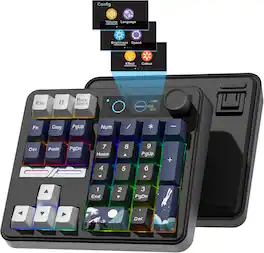
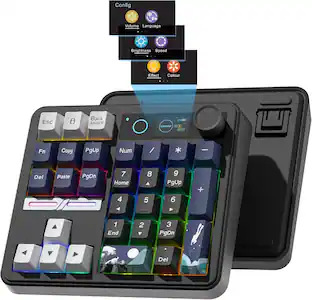
Wireless Gaming Mechanical Numpad,30-key Numeric, Backlit Creamy Keyboard

Adesso Wireless Spill Resistant 18-Key Numeric Keypad - Wireless Connectivity - RF - 30 ft - 2.40 GHz - USB Interface - 18 Key(s) - Windows 10, Windows 8, Windows 7 - English (US) - Computer - PC - Membrane Keyswitch - AAA Battery Size Supported - Black
| Pros for Insignia™ - 22-Key Bluetooth Scissor Switch Number Keypad for Windows, macOS, ChromeOS, iPadOS and Android - Black | |||
|---|---|---|---|
| Ease of use, Connectivity, Overall Performance, Size, Numeric Keypad | There were no pros for this product— | There were no pros for this product— | There were no pros for this product— |
| Cons for Insignia™ - 22-Key Bluetooth Scissor Switch Number Keypad for Windows, macOS, ChromeOS, iPadOS and Android - Black | |||
| Lag | There were no cons for this product— | There were no cons for this product— | There were no cons for this product— |
Specs
Reviews
Rating 4.6 out of 5 stars with 269 reviews
- Ease of use (68)
- Connectivity (50)
- Overall Performance (47)
- Size (23)
- Numeric Keypad (10)
- Lag (7)
Customer Images
The vast majority of our reviews come from verified purchases. Reviews from customers may include My Best Buy members, employees, and Tech Insider Network members (as tagged). Select reviewers may receive discounted products, promotional considerations or entries into drawings for honest, helpful reviews.
Explore tech essentials Sponsored
 Memorial Day Deal$49.99The price was $59.99