Kensington - K75402US Pro Fit Ergo 18.98 in. x 9.92 in. x 1.5 in. Wireless Keyboard - Gray
Reviews coming soon
About this product
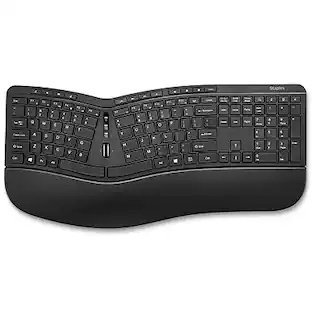
Ergonomist-approved design positions your hand for improved comfort. Split and sloped keyboard with adjustable reverse tilt positions hands, wrists, and forearms for comfort and neutral alignment. Built-in wrist rest supports, cushions, and cradles the wrists. Dual wireless with 128-bit AES encryption security delivers the flexibility of 2.4 GHz and Bluetooth 4.0 LE, with government-grade encryption. Quiet keys means typing is smooth, easy, and non-disruptive. Spill-proof keys make cleanup fast and easy. With a replaceable receiver, if your receiver is ever lost or damaged, simply purchase a new one, pair it with your mouse, and you're all set. Three-mode power-saving switch allows you to toggle between 2.4GHz, Bluetooth, and Off for best battery life. Caps Lock, Numbers Lock, Scroll Lock, and F-Keys are popular features that make typing and navigating easier and more efficient.
Features
Improved Comfort
Ergonomist-approved design positions your hand for improved comfort.
Split and Sloped Keyboard with Adjustable Reverse Tilt
Split and sloped keyboard with adjustable reverse tilt positions hands, wrists, and forearms for comfort and neutral alignment.
Built-In Wrist Rest
Built-in wrist rest supports, cushions, and cradles the wrists.
Dual Wireless with 128-bit AES Encryption Security
Dual wireless with 128-bit AES encryption security delivers the flexibility of 2.4 GHz and Bluetooth 4.0 LE, with government-grade encryption.
Quiet Keys
Quiet keys means typing is smooth, easy, and non-disruptive.
Specifications
- Form FactorErgonomicConnection TypeWireless
Reviews
This product doesn't have any reviews yet.



Compare similar products
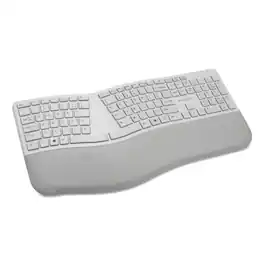
Ergonomist-approved design positions your hand for improved comfort. Split and sloped keyboard with adjustable reverse tilt positions hands, wrists, and forearms for comfort and neutral alignment. Built-in wrist rest supports, cushions, and cradles the wrists. Dual wireless with 128-bit AES encryption security delivers the flexibility of 2.4 GHz and Bluetooth 4.0 LE, with government-grade encryption. Quiet keys means typing is smooth, easy, and non-disruptive. Spill-proof keys make cleanup fast and easy. With a replaceable receiver, if your receiver is ever lost or damaged, simply purchase a new one, pair it with your mouse, and you're all set. Three-mode power-saving switch allows you to toggle between 2.4GHz, Bluetooth, and Off for best battery life. Caps Lock, Numbers Lock, Scroll Lock, and F-Keys are popular features that make typing and navigating easier and more efficient.
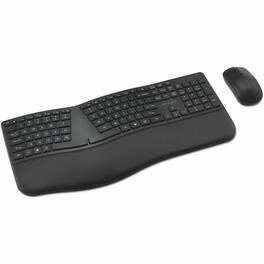
Many professionals experience discomfort and inefficiency when relying on standard keyboards and mice. Many lack ergonomic support, require manual device switching, and use disposable batteries. The Pro Fit Ergo KM680 EQ Rechargeable Desktop Set is designed for comfort and productivity, catering to multitaskers who work across multiple devices. Easily connect and switch between up to three devices, enjoy all-day comfort with a full-size split keyboard, enhance productivity with programmable mouse buttons, and minimize interruptions in your workflow with long-lasting rechargeable batteries. Partially made from recycled materials, this set offers comfort, versatility, and convenience.

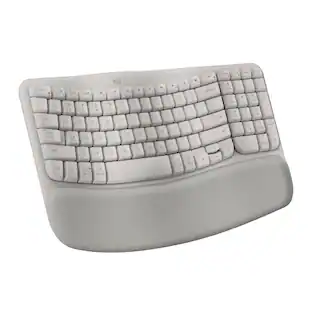
Logitech Wave Keys Wireless Ergonomic Keyboard with Cushioned Palm Rest, Comfortable Natural Typing, Easy-Switch, Bluetooth, Logi Bolt Receiver, for Multi-OS, Windows/Mac - Graphite

Caps Lock, Numbers Lock, Scroll Lock, and F-Keys-Popular features that make typing and navigating easier and more efficient.With its split and sloped keyboard with adjustable reverse tilt and built-in wrist rest, the ergonomist-approved Pro Fit Ergo Wireless Keyboard positions your hands for improved comfort. Features include dual wireless (2.4 GHz and Bluetooth 4.0 LE) with 128-bit AES encryption security; quiet typing; spill-proof keys; F-keys for shortcuts; caps lock, numbers lock, and scroll lock; a three-mode power-saving switch; and a replaceable receiver. In the event the receiver is lost or damaged, simply purchase a new one, pair it with your mouse, and you're all set.
Specs
Be the first to ask a question.
We’ll try to get your question answered within 24 hours by a Best Buy customer or brand representative.
Customers often buy these together

Logitech - MK270 Full-size Wireless Membrane Keyboard and Mouse Bundle for PC - Black
Holiday Deal$19.99The price was $29.99
Logitech - MK540 Full-size Advanced Wireless Membrane Keyboard and Mouse Combo for PC - Black
$49.99The price was $59.99
Razer - Huntsman Mini 60% Wired Optical Clicky Switch Gaming Keyboard with Chroma RGB Backlighting - Black
$69.00The price was $119.99



More to consider
Logitech ERGO K860 Ergonomic Full-size Wireless Scissor Keyboard for Windows and Mac with Palm Rest
Holiday Deal$119.99The price was $149.99Kensington K72403USA Pro Fit Comfort Wireless Desktop Set with 2.4 GHz Frequency/30 ft. Wireless Range
$67.80The price was $68.91





Explore tech essentials Sponsored
Logitech MK540 Full-size Advanced Wireless Membrane Keyboard and Mouse Combo for PC
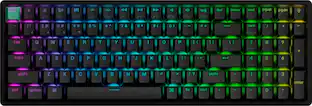
$49.99The price was $59.99ASUS ROG Strix Scope II 96 96% Wireless Mechanical Gaming Keyboard with Hot-Swappable ROG NX Snow Switches
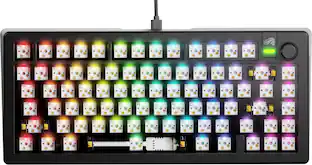
$124.99The price was $179.99Glorious GMMK 3 PRO 75% Barebones Wired Mechanical Linear Switch Gaming Keyboard with Hot-swappable Switches
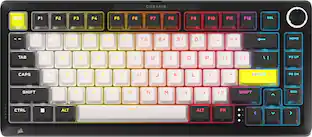
Clearance$96.99The price was $239.99CORSAIR MAKR PRO 75 Hall Effect DIY keyboard - full aluminum build, gasket mounting, and 8kHz polling
$179.99The price was $249.99
Keep exploring
GravaStar Mercury K98 Pro 98% Wireless Gaming Keyboard – Tri-Mode, Gasket Mount, Hot-Swap, RGB, Numpad
$259.95The price was $359.95GravaStar Mercury V75 Wireless Hall Effect Gaming Keyboard, 75% Layout, 8000Hz Polling, Dynamic RGB
$189.95The price was $259.95