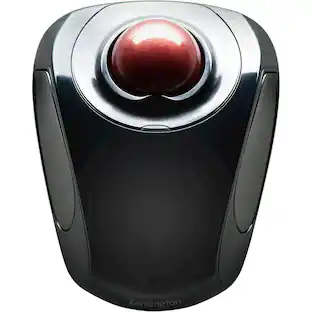
Kensington - Orbit Wireless Trackball with Scroll Ring - Optical - Wireless - Bluetooth/Radio Frequency - 2.40 GHz - Wired - Black
Reviews coming soon
About this product
The Kensington trackball legacy continues with the latest addition to the patented Orbit Trackball with Scroll Ring - the Orbit Wireless Trackball with Scroll Ring. You asked for wireless, and we delivered, with the same great features that have made the Orbit Trackball with Scroll Ring so popular, including a patented scroll ring that allows you to scroll up & down pages with ease; customizable buttons; dual wireless connectivity offering the flexibility of 2.4 GHz and Bluetooth (3.0 and LE), with 128-bit AES government-grade encryption security; four DPI settings (400, 800, 1,200, or 1,600) that let you easily adjust the cursor speed to fit your needs; a detachable wrist rest; ambidextrous design; and plug-and-play ease for Mac or PC More from the Manufacturer
Color
BlackFeatures
Kensington Orbit Wireless Trackball with Scroll Ring - Black
The Kensington trackball legacy continues with the latest addition to the patented Orbit Trackball with Scroll Ring - the Orbit Wireless Trackball with Scroll Ring. You asked for wireless, and we delivered, with the same great features that have made the Orbit Trackball with Scroll Ring so popular, including a patented scroll ring that allows you to scroll up & down pages with ease; customizable buttons; dual wireless connectivity
Scroll Ring Navigation
Intuitive scroll ring allows seamless vertical scrolling without lifting your hand, ideal for document-heavy workflows and web navigation.
Precision Optical Tracking
40mm trackball paired with optical tracking ensures smooth, accurate cursor control across multiple surface types.
Reliable Wireless Connectivity
2.4GHz wireless connection with AES encryption provides secure, interference-free performance in professional settings.
Compact Footprint
Space-saving design fits easily into crowded workstations, reducing desk clutter while maintaining full functionality.
Specifications
- Number of Buttons (Total)2Connection TypeWired
Reviews
This product doesn't have any reviews yet.





Compare similar products

The Kensington trackball legacy continues with the latest addition to the patented Orbit Trackball with Scroll Ring - the Orbit Wireless Trackball with Scroll Ring. You asked for wireless, and we delivered, with the same great features that have made the Orbit Trackball with Scroll Ring so popular, including a patented scroll ring that allows you to scroll up & down pages with ease; customizable buttons; dual wireless connectivity offering the flexibility of 2.4 GHz and Bluetooth (3.0 and LE), with 128-bit AES government-grade encryption security; four DPI settings (400, 800, 1,200, or 1,600) that let you easily adjust the cursor speed to fit your needs; a detachable wrist rest; ambidextrous design; and plug-and-play ease for Mac or PC More from the Manufacturer

Tackle complex tasks or browse documents effortlessly with this Orbit wireless mobile trackball. An ergonomic setup and ambidextrous design allow for comfortable use, while the touch operation provides accurate, efficient scrolling. Customize the two buttons using free downloadable software for even greater ease of operation. A wireless USB nano receiver makes it easy to connect this Orbit wireless mobile trackball to a PC or Mac device.
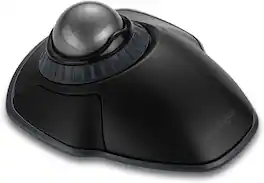
The Kensington Orbit Wireless Trackball with Scroll Ring is a stationary pointing device that replaces mouse movement with fingertip control of a 40 millimeter ball, suiting designers, editors and analysts working at crowded desks or on ergonomic keyboard trays. Because the base stays planted, the wrist and forearm remain still while the fingers do the work, which appeals to users managing repetitive strain and to anyone with limited desk clearance. A scroll ring encircles the ball for one-handed vertical navigation through long documents, timelines, code files and web pages, a smoother motion than a notched wheel across page-length travel. Optical tracking reads the ball rather than the desk surface, and pointer resolution steps through 400, 800, 1200 and 1600 dpi so cursor speed can be matched to spreadsheet detail work or wide multi-monitor sweeps. Dual wireless connectivity offers both a 2.4 GHz receiver link and Bluetooth Low Energy, and traffic is protected with 128-bit AES encryption for corporate environments that enforce wireless policy requirements. The ambidextrous layout serves left and right handed users equally, and a detachable wrist rest attaches at the front edge for added support during long sessions. Free KensingtonWorks software assigns functions to the programmable buttons, saving shortcuts for applications such as photo editors and browsers. Finished in space gray, the trackball works with Windows and macOS computers and installs with no drivers required.
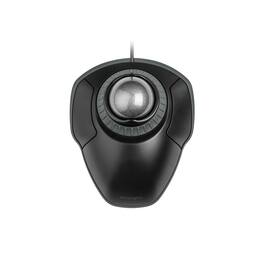
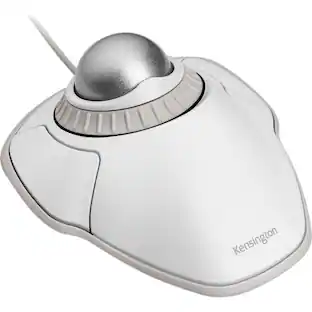
The Kensington Orbit Trackball with Scroll Ring is a wired stationary pointing device for desk users who want to move the cursor from one spot instead of sweeping a mouse across a pad. A 40 mm space gray ball sits at the center of the housing and is driven with the fingertips, so the wrist and forearm stay still and no clear tracking surface is needed beside the keyboard. Wrapped around the ball is the scroll ring, a rotating collar that scrolls long documents, spreadsheets, and web pages in either direction with one finger and offers smoother, more gradual control than a stepped wheel. Two buttons flank the ball, and both can be reassigned through the free KensingtonWorks utility so frequent commands sit under the fingers already resting on the device. The shell is symmetrical, giving left and right hand users identical reach to the ball and the same button geometry, and a detachable wrist rest clips to the front edge to lift and cushion the heel of the hand for longer sessions. Optical tracking handles cursor movement without a mechanical roller, and the ball lifts free for periodic cleaning. Connection is plug and play over USB-A with no driver download, and the assembly measures 8.7 by 6 by 1.8 inches or 221 by 152.4 by 45.7 mm with the wrist rest attached. Because the housing stays in one place, the trackball suits narrow desks, height-adjustable desks, and shared benches where there is no clear room to sweep a mouse. Windows, macOS, and Chrome OS are supported, and the trackball is backed by a 5-year limited warranty.
Specs
Be the first to ask a question.
We’ll try to get your question answered within 24 hours by a Best Buy customer or brand representative.
Customers often buy these together
Computer Keyboards


![Esc F1 F2 F3 F4 F5 F6 F7 F8 F9 F10 F11 F12 Print Screen Scroll Lock Pause Break 1 2 3 4 5 6 7 8 9 0 - + = Backspace Insert Home H Page Up A Num Look 1 I Tab Q W E R T Y U I o P { [ } ] I I Delete End IN Page Down 7 Home 8 9 Pg Up Caps A Lock A S D F G H J K L ; : DE g Enter 4 5 6 Shift Z X C V N M < > ? I Shift 1 End 2 3 Pp Dn Enter Ctrl Alt Alt Ctrl 0 Ins Del](https://pisces.bbystatic.com/image2/BestBuy_US/images/products/a588d446-5678-40ae-86b8-1f15e0026e66.jpg;maxHeight=232;maxWidth=233?format=webp)
![esc ~ ! 1 tab caps lock shift ctrl F2 Fl # 2 3 Q W A S Z start opt L F3 $ 4 E D X alt cmd3 ) FS F4 A % 5 6 R T F G V C logi 44 HI & F9 FID FB F7 F6 * ) - - & 0 8 9 7 O P U I Y K L H J > < N M 1 B PM + = { [ : I ; ? I alt cmd D 2 4 300 3 1 F12 . * page I insert home up clear backspace 8 9 + 7 page A pg up end down home } I delete ] / 6 4 5 4 enter 2 3 enter 1 dn Pg end shift = 0 del ins etrl fn opt](https://pisces.bbystatic.com/image2/BestBuy_US/images/products/6539/6539505_sd.jpg;maxHeight=232;maxWidth=233?format=webp)










More to consider
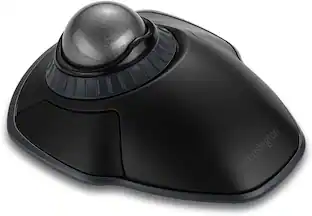
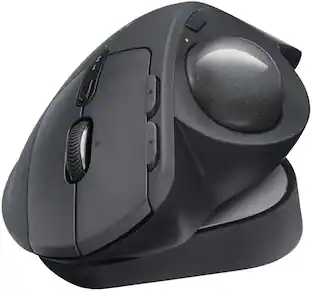
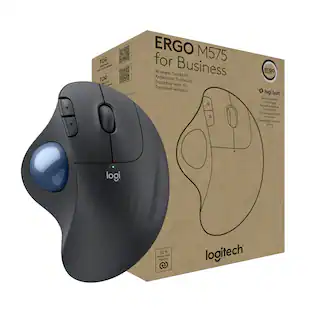
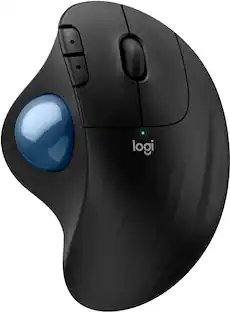
Logitech MX ERGO S PLUS Wireless Ergonomic Trackball Mouse with 6 Programmable Buttons
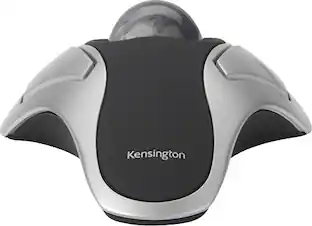
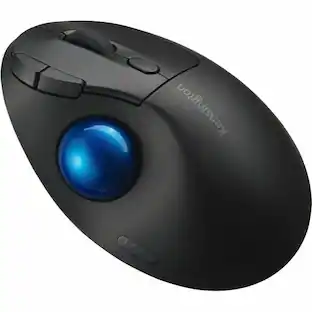
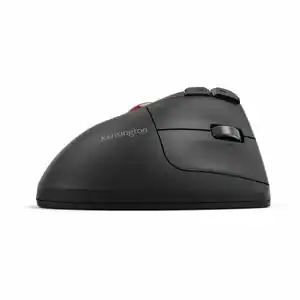
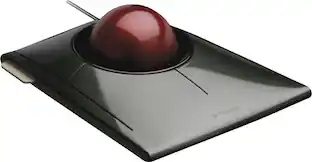
$99.99The price was $119.99Kensington SlimBlade Wired Trackball Ambidextrous Mouse with 4-button design
$109.99The price was $150.09


Explore tech essentials Sponsored
Lofree Flow2 84-Key Low-Profile Triple-Mode Wireless Mechanical Keyboard with Pulse Switches
$151.05The price was $159.00Lofree Flow2 100-Key Low-Profile Triple-Mode Wireless Mechanical Keyboard with Pulse Switches
$160.55The price was $169.00Lofree Flow2 100-Key Low-Profile Triple-Mode Wireless Mechanical Keyboard with Smooth Surfer Switches
$160.55The price was $169.00Lofree Flow2 84-Key Low-Profile Triple-Mode Wireless Mechanical Keyboard with Silent Void Switches
$160.55The price was $169.00