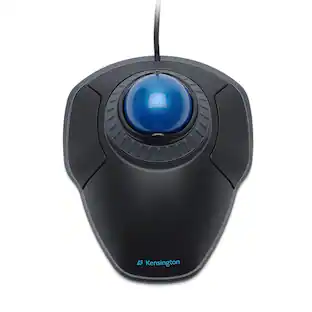
Kensington - Orbit Wireless Laser Trackball Mouse - Black
About this product
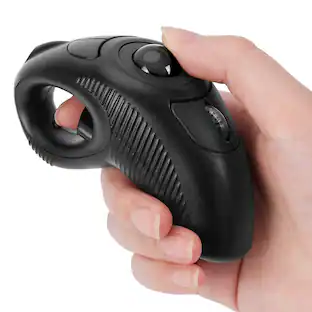
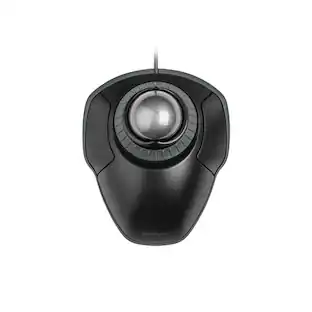
Tackle complex tasks or browse documents effortlessly with this Orbit wireless mobile trackball. An ergonomic setup and ambidextrous design allow for comfortable use, while the touch operation provides accurate, efficient scrolling. Customize the two buttons using free downloadable software for even greater ease of operation. A wireless USB nano receiver makes it easy to connect this Orbit wireless mobile trackball to a PC or Mac device.
2.4GHz wireless connection
This mouse connects to your computer using a wireless USB receiver.
Laser technology
This mouse uses a laser to detect ball movement with accuracy.
Ambidextrous two-button design
Along with a centered compact 32mm ball, it works equally well for either right-handed or left-handed users.
Compatible with most Chromebook, Windows and Mac computers
Works across a wide array of computers.
- Number of Buttons (Total)2
Reviews
Rating 4.4 out of 5 stars with 58 reviews
The vast majority of our reviews come from verified purchases. Reviews from customers may include My Best Buy members, employees, and Tech Insider Network members (as tagged). Select reviewers may receive discounted products, promotional considerations or entries into drawings for honest, helpful reviews.





Compare similar products

Tackle complex tasks or browse documents effortlessly with this Orbit wireless mobile trackball. An ergonomic setup and ambidextrous design allow for comfortable use, while the touch operation provides accurate, efficient scrolling. Customize the two buttons using free downloadable software for even greater ease of operation. A wireless USB nano receiver makes it easy to connect this Orbit wireless mobile trackball to a PC or Mac device.

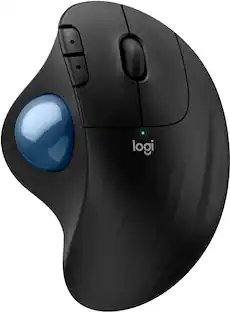
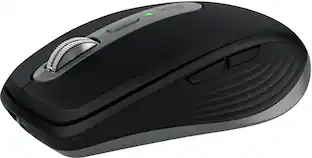
Minimize movement and maximize comfort with the Logitech ERGO M575S wireless trackball mouse. Thumb control lets you move the cursor without moving your arm, while the sculpted ergonomic design fully supports your hand and keeps your forearm in a more natural position. This wireless ergonomic mouse has been developed by Logi Ergo Lab experts, user-tested and certified by ergonomists to give you 25% less muscle strain in your forearm . The smooth and responsive thumb control can be used anywhere – and since it doesn’t need to be moved, the ERGO M575S is perfect for tight setups and busy desks.

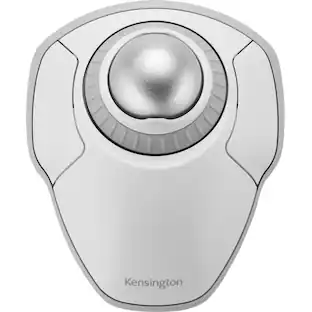
The Kensington Orbit Wireless Trackball with Scroll Ring is a stationary pointing device that replaces mouse movement with fingertip control of a 40 millimeter ball, suiting designers, editors and analysts working at crowded desks or on ergonomic keyboard trays. Because the base stays planted, the wrist and forearm remain still while the fingers do the work, which appeals to users managing repetitive strain and to anyone with limited desk clearance. A scroll ring encircles the ball for one-handed vertical navigation through long documents, timelines, code files and web pages, a smoother motion than a notched wheel across page-length travel. Optical tracking reads the ball rather than the desk surface, and pointer resolution steps through 400, 800, 1200 and 1600 dpi so cursor speed can be matched to spreadsheet detail work or wide multi-monitor sweeps. Dual wireless connectivity offers both a 2.4 GHz receiver link and Bluetooth Low Energy, and traffic is protected with 128-bit AES encryption for corporate environments that enforce wireless policy requirements. The ambidextrous layout serves left and right handed users equally, and a detachable wrist rest attaches at the front edge for added support during long sessions. Free KensingtonWorks software assigns functions to the programmable buttons, saving shortcuts for applications such as photo editors and browsers. Finished in space gray, the trackball works with Windows and macOS computers and installs with no drivers required.

Kensington Orbit Trackball Mouse: This trackball mouse requires minimal wrist movement during use and features an ergonomic, symmetrical design, so you can enjoy lasting comfort while working at your PC or Mac.
| Pros for Kensington - Orbit Wireless Laser Trackball Mouse - Black | |||
|---|---|---|---|
| There were no pros for this product— | Ergonomics, Overall Performance, Ease of Use, Connectivity, Battery Life | There were no pros for this product— | There were no pros for this product— |
| Cons for Kensington - Orbit Wireless Laser Trackball Mouse - Black | |||
| There were no cons for this product— | Button Sensitivity | There were no cons for this product— | There were no cons for this product— |
Specs
Customers ultimately bought
Explore tech essentials Sponsored
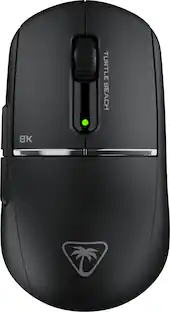
Turtle Beach - Burst II Pro High-Performance Ultra-Lightweight Wireless Optical Esports Gaming Mouse
$99.99The price was $139.99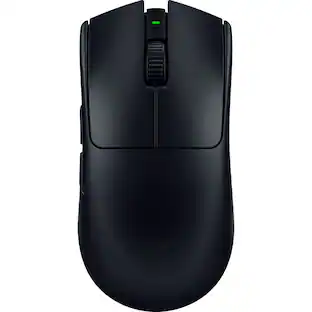 $129.99The price was $159.99
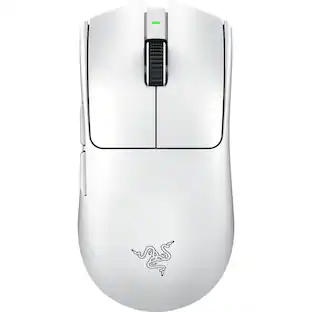 $118.99The price was $159.99

Discover related products
 $12.99The price was $13.99