Kensington - SlimBlade Pro Wireless Trackball, 55mm Ball, Bluetooth & 2.4GHz, Rechargeable, Ambidextrous - K72085WW - Wireless - Gray
Reviews coming soon
About this product
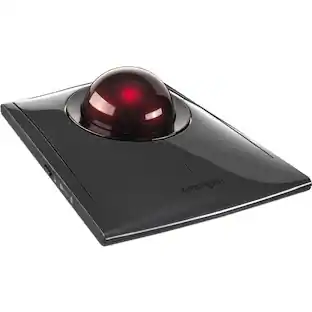
The Kensington SlimBlade Pro Wireless Trackball centers a large 55mm finger-operated ball inside a flat ambidextrous chassis, serving designers, editors, engineers and office professionals who want fine pointer control in a compact footprint. The low-profile body wears a black and gray finish with rubberized side panels and a chrome-tone ring around the ball, and the symmetrical layout lets right-handed and left-handed people work from the same device without adjustment. Twist-to-scroll is the signature feature, since rotating the ball on its vertical axis scrolls documents and web pages with tactile feedback, freeing the top surface from a separate wheel. Dual optical sensors read the ball for tracking and rotation, and four switchable cursor speeds of 400, 800, 1200 and 1600 DPI cover everything from precise photo masking to broad sweeps across dual monitors. Four large top buttons combine into eight assignable actions through free KensingtonWorks software, so shortcuts, gestures and application-specific commands sit within a fingertip's reach. Three connection modes are supported, including wired operation through the braided USB cable, 2.4GHz wireless through the bundled nano receiver and Bluetooth for tablets and laptops, with 128-bit AES encryption securing wireless traffic. The rechargeable battery runs up to 4 months between charges and tops up over USB-C while the trackball remains in service. Plug-and-play setup works with Windows and macOS, and the low 286 gram mass keeps the unit planted on the desk during rapid ball spins.
Features
Ergonomic Low-Profile Design
Ambidextrous shape supports left- and right-handed use, minimizing wrist strain and maximizing comfort during long sessions.
Precision Finger-Controlled Trackball
55mm ball enables accurate cursor movement and control, outperforming thumb-based trackballs in responsiveness and ease of use.
Triple Connection Modes
Supports Bluetooth, 2.4GHz wireless, and wired USB-C connections for versatile deployment across multiple devices and setups.
Dual-Sensor Twist Scrolling
Innovative ball-twist scrolling mechanism allows fluid vertical and horizontal navigation without relying on traditional scroll wheels.
Space-Saving Desktop Footprint
Compact design reduces clutter and fits seamlessly into tight workspaces while maintaining full functionality and control.
Specifications
- Connection TypeWireless
Reviews
This product doesn't have any reviews yet.

- SteelSeries - Rival 3 Gen 2 Wireless Optical Gaming Mouse with Ultra-fast clicks - Wireless - Black$49.99The price was $59.99


Compare similar products
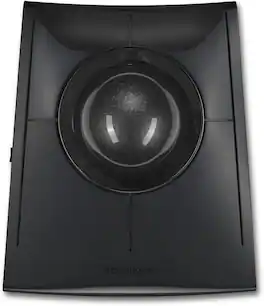
The Kensington SlimBlade Pro Wireless Trackball centers a large 55mm finger-operated ball inside a flat ambidextrous chassis, serving designers, editors, engineers and office professionals who want fine pointer control in a compact footprint. The low-profile body wears a black and gray finish with rubberized side panels and a chrome-tone ring around the ball, and the symmetrical layout lets right-handed and left-handed people work from the same device without adjustment. Twist-to-scroll is the signature feature, since rotating the ball on its vertical axis scrolls documents and web pages with tactile feedback, freeing the top surface from a separate wheel. Dual optical sensors read the ball for tracking and rotation, and four switchable cursor speeds of 400, 800, 1200 and 1600 DPI cover everything from precise photo masking to broad sweeps across dual monitors. Four large top buttons combine into eight assignable actions through free KensingtonWorks software, so shortcuts, gestures and application-specific commands sit within a fingertip's reach. Three connection modes are supported, including wired operation through the braided USB cable, 2.4GHz wireless through the bundled nano receiver and Bluetooth for tablets and laptops, with 128-bit AES encryption securing wireless traffic. The rechargeable battery runs up to 4 months between charges and tops up over USB-C while the trackball remains in service. Plug-and-play setup works with Windows and macOS, and the low 286 gram mass keeps the unit planted on the desk during rapid ball spins.
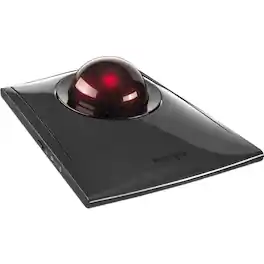
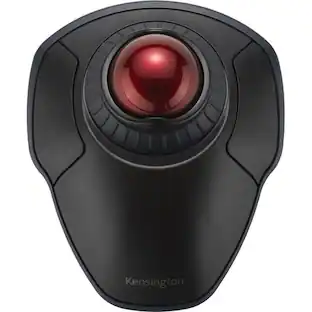
Kensington SlimBlade Pro Trackball - Optical - Cable/Wireless - Bluetooth/Radio Frequency - 2.40 GHz - Rechargeable - USB Type C, USB Type A - Trackball - 8 Programmable Button(s) - Symmetrical

The AbleNet BIGtrack 2 is an adaptive USB trackball mouse designed to improve computer accessibility for individuals with motor skill challenges, limited dexterity, or physical disabilities. Featuring a large 3-inch trackball and oversized left and right click buttons, the BIGtrack 2 allows users to easily control cursor movement using fine or gross motor movements of the hand, arm, or foot. Ideal for classrooms, assistive technology programs, therapy settings, and home use, the BIGtrack 2 includes switch-accessible left and right click inputs, drag lock functionality, and plug-and-play USB connectivity compatible with most Windows, macOS, and tablet devices

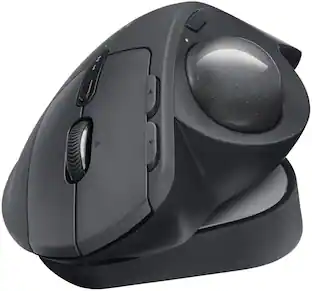
The MX Ergo S Plus is Logitech’s most advanced ergonomic trackball mouse yet, with a 20-degree tilt angle and a 10-degree detachable wedge, and precise thumb control - user-tested and certified by United States Ergonomics. The MX Ergo S wireless ergonomic mouse is sculpted to fit the palm of your hand while keeping it relaxed, and it tilts 20 to 30 degrees for 27% less muscle activity in the forearm, providing elevated comfort throughout your day. Work faster with 6 customizable buttons and a DPI button to effortlessly switch between speed and high-precision tracking. Now with 80% quieter clicks. For even more control that's tailored to your needs, assign time-saving shortcuts and Smart Actions using the Logi Options+ App. Connect your wireless mouse to 2 devices via Bluetooth or the included Logi Bolt receiver and switch between devices with a click of the Easy-Switch button.
| Pros for Kensington - SlimBlade Pro Wireless Trackball, 55mm Ball, Bluetooth & 2.4GHz, Rechargeable, Ambidextrous - K72085WW - Wireless - Gray | |||
|---|---|---|---|
| There were no pros for this product— | There were no pros for this product— | There were no pros for this product— | Ergonomics, Overall Performance, Battery Life, Ease of Use, Connectivity |
| Cons for Kensington - SlimBlade Pro Wireless Trackball, 55mm Ball, Bluetooth & 2.4GHz, Rechargeable, Ambidextrous - K72085WW - Wireless - Gray | |||
| There were no cons for this product— | There were no cons for this product— | There were no cons for this product— | Weight |
Specs
Be the first to ask a question.
We’ll try to get your question answered within 24 hours by a Best Buy customer or brand representative.
Customers often buy these together
Computer Keyboards

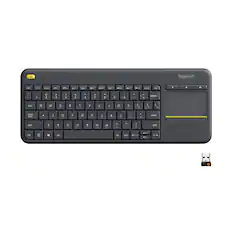
![The text on the image reads:
888 DD DI DD 4 DSC i F2 F3 4 FS T6 ET 1. 1N IN F.. 11 1.. 114 1n F1 F12 118 in9 - a ee 1 8F 2 3 $ 4 % 5 A 6 & 7 . 8 I 9 I 0 ee I + = delete fn home page up clear - / + tab Q W E R T Y U I 0 P { [ ] ] | I delete end page down 7 8 9 ee caps lock A S D F G H J K L : I - return 4 5 6 + shift Z X C V N M < F > ? / shift a 1 2 3 control option 2 command 3 command option control Y - 0 enter
After grouping and correcting the text, it reads:
888 DD DI DD 4 DSC i F2 F3 4 FS T6 ET 1. 1N IN F.. 11 1.. 114 1n F1 F12 118 in9 - a ee 1 8F 2 3 $ 4 % 5 A 6 & 7 . 8 I 9 I 0 ee I + = delete fn home page up clear - / + tab Q W E R T Y U I 0 P { [ ] ] | I delete end page down 7 8 9 ee caps lock A S D F G H J K L : I - return 4 5 6 + shift Z X C V N M < F > ? / shift a 1 2 3 control option 2 command 3 command option control Y - 0 enter](https://pisces.bbystatic.com/image2/BestBuy_US/images/products/f4059d3a-0c2a-46ef-bcfd-4e11b9b26d5d.jpg;maxHeight=232;maxWidth=233?format=webp)

Customers ultimately bought
Razer DeathAdder V3 Lightweight Optical Gaming Mouse with 8K Hz HyperPolling Technology
$59.99The price was $69.99

Explore tech essentials Sponsored
Keep exploring
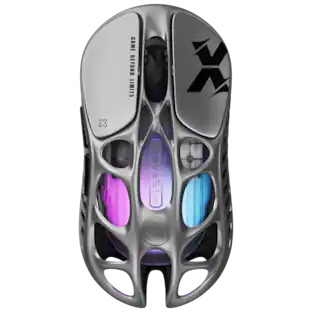
GravaStar Mercury X Wireless Optical Gaming Mouse with 32000 DPI and 49g Magnesium Alloy Frame
$75.95The price was $109.95Acer Wired Gaming Mouse, 12,800 DPI Optical Sensor RGB Ergonomic Mouse with 8 Programmable Buttons, 12 Backlit Modes
Holiday Deal$17.99The price was $21.99ProtoArc EM11 NL Wireless Ergonomic Vertical Mouse, Rechargeable
Holiday Deal$24.99The price was $45.99