Adesso - iMouse T40 - Wireless Programmable Ergonomic Trackball Mouse - Wireless - Black
Reviews coming soon
About this product
iMouse T40 - Wireless Programmable Ergonomic Trackball Mouse
Precise Navigation with Optical Trackball
Large Built-in Trackball with Optical Sensor
Ergonomic Contour Design
Wireless Technology
Built-in 1.5″ (40mm) Trackball with Optical Sensor
Ambidextrous Design
Back/Forward Buttons
Ergonomic Contour Design
Removable Trackball
Programmable Driver
- Connection TypeWireless
Reviews
This product doesn't have any reviews yet.





Compare similar products
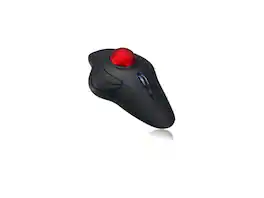
iMouse T40 - Wireless Programmable Ergonomic Trackball Mouse
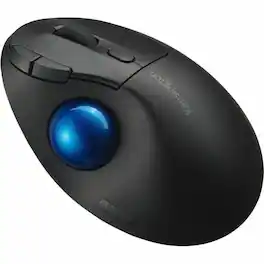
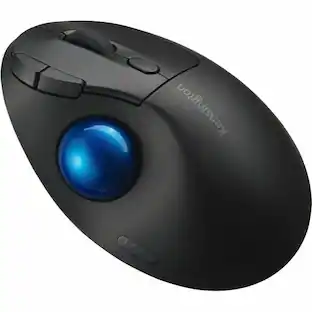
Kensington Pro Fit Ergo TB450 Trackball - Optical - Wireless - Bluetooth - 2.40 GHz - Black - USB 2.0 Type A - 1600 dpi - Trackball, Scroll Wheel - 5 Programmable Button(s) - 1 / Each
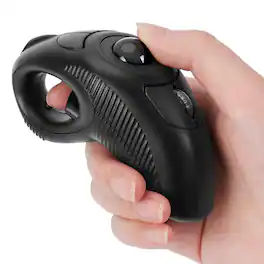
Wireless, Powered by AAA battery (not provided), plug and play, easy to install. Simple to use with either the left or right hand or cradled between the both Press for laser pointer appearance for presentation. Off table and without limits of operational space. Your thumb can easily manage the scrolling function. USB 2.0 interface, plug and play, no software required. Handheld trackball mouse wireless, which can avoid any harm on your wrist and muscle, greatly reducing the chances for Arthritis and CTS suffers. Perfect for both desktops and laptops. Put your thumb on the roller ball and the tip of your index or middle finger on the trigger.

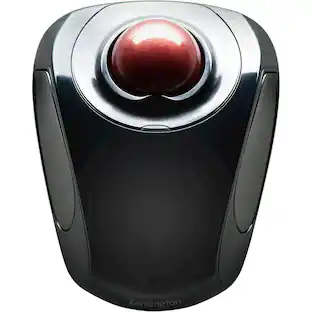
Kensington Orbit Trackball Mouse: This trackball mouse requires minimal wrist movement during use and features an ergonomic, symmetrical design, so you can enjoy lasting comfort while working at your PC or Mac.
Specs
Be the first to ask a question.
We’ll try to get your question answered within 24 hours by a Best Buy customer or brand representative.
Customers often buy these together
Computer Keyboards
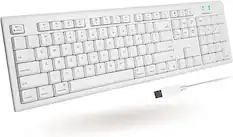

![esc ~ ! 1 tab caps lock shift ctrl F2 Fl # 2 3 Q W A S Z start opt L F3 $ 4 E D X alt cmd3 ) FS F4 A % 5 6 R T F G V C logi 44 HI & F9 FID FB F7 F6 * ) - - & 0 8 9 7 O P U I Y K L H J > < N M 1 B PM + = { [ : I ; ? I alt cmd D 2 4 300 3 1 F12 . * page I insert home up clear backspace 8 9 + 7 page A pg up end down home } I delete ] / 6 4 5 4 enter 2 3 enter 1 dn Pg end shift = 0 del ins etrl fn opt](https://pisces.bbystatic.com/image2/BestBuy_US/images/products/6539/6539505_sd.jpg;maxHeight=232;maxWidth=233?format=webp)
![Esc F1 F2 F3 F4 F5 F6 F7 F8 F9 F10 F11 F12 Print Screen Scroll Lock Pause Break 1 2 3 4 5 6 7 8 9 0 - + = Backspace Insert Home H Page Up A Num Look 1 I Tab Q W E R T Y U I o P { [ } ] I I Delete End IN Page Down 7 Home 8 9 Pg Up Caps A Lock A S D F G H J K L ; : DE g Enter 4 5 6 Shift Z X C V N M < > ? I Shift 1 End 2 3 Pp Dn Enter Ctrl Alt Alt Ctrl 0 Ins Del](https://pisces.bbystatic.com/image2/BestBuy_US/images/products/a588d446-5678-40ae-86b8-1f15e0026e66.jpg;maxHeight=232;maxWidth=233?format=webp)











Customers ultimately bought
 Top Deal$109.99The price was $119.99


Explore tech essentials Sponsored
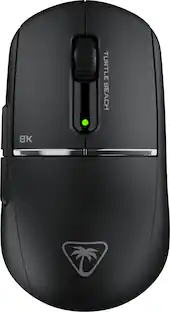
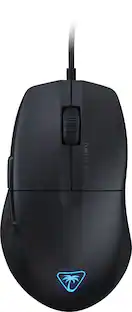
Turtle Beach - Burst II Pro High-Performance Ultra-Lightweight Wireless Optical Esports Gaming Mouse
$99.99The price was $139.99 $126.99The price was $149.99

Keep exploring
 $149.95The price was $215.95
 $79.95The price was $119.95
 $18.99The price was $34.99