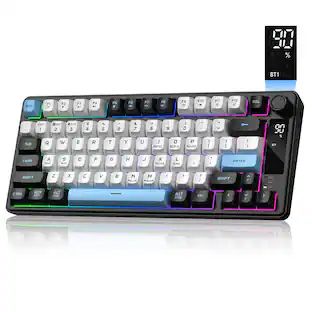
Keychron - K2 Version 3 75% Wireless Mechanical Keyboard for Mac and Windows with QMK Launcher - Black
Reviews coming soon
About this product
Keychron K2 Version 3 is a wireless custom mechanical keyboard. It supports both Bluetooth 5.2 and a wired connection. It allows anyone to master any keys or macro commands on its 75% layout through Keychron Launcher web app. Besides, it has included keycaps for both Windows and macOS, and users can hot-swap with Keychron Super mechanical switch in a breeze (hot-swappable version only).
Key Switch Behavior
LinearFeatures
Compact 75% Mechanical Layout
The K2 Version 3 keeps the function row, arrow keys, and essential navigation keys in a compact 75% layout, saving desk space while keeping everyday productivity within reach.
Bluetooth 5.2 and USB-C Wired Mode
Connect wirelessly to up to 3 devices with Bluetooth 5.2, or use the USB-C wired mode when you want a stable desktop connection for work, study, or gaming.
QMK and Keychron Launcher Customization
Open-source QMK firmware and the Keychron Launcher web app let you remap keys, create macros, set shortcuts, and customize your keyboard directly from a compatible browser.
Cherry Profile Double-Shot PBT Keycaps
Cherry profile double-shot PBT keycaps provide a comfortable fingertip feel, durable legends, and better oil resistance for long-term daily typing.
Mac and Windows Ready
Designed with a Mac layout while remaining fully compatible with Windows and Linux, the K2 Version 3 includes extra keycaps for easy switching between operating systems.
Specifications
- Lighting TypeRGBForm FactorTenkeyless (TKL)Keyboard TechnologyMechanicalKey Switch BehaviorLinearConnection TypeWireless
Reviews
This product doesn't have any reviews yet.

- SteelSeries - Rival 3 Gen 2 Wireless Optical Gaming Mouse with Ultra-fast clicks - Wireless - Black$54.99The price was $59.99




Compare similar products
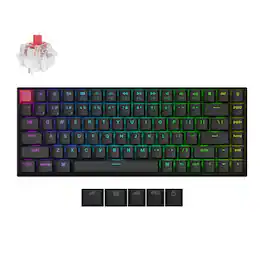
Keychron K2 Version 3 is a wireless custom mechanical keyboard. It supports both Bluetooth 5.2 and a wired connection. It allows anyone to master any keys or macro commands on its 75% layout through Keychron Launcher web app. Besides, it has included keycaps for both Windows and macOS, and users can hot-swap with Keychron Super mechanical switch in a breeze (hot-swappable version only).
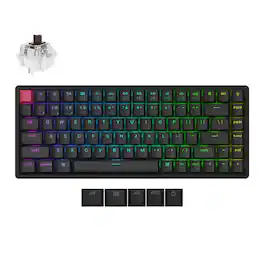
Keychron K2 Version 3 is a wireless custom mechanical keyboard. It supports both Bluetooth 5.2 and a wired connection. It allows anyone to master any keys or macro commands on its 75% layout through Keychron Launcher web app. Besides, it has included keycaps for both Windows and macOS, and users can hot-swap with Keychron Super mechanical switch in a breeze (hot-swappable version only).

The K2 HE is a wireless QMK mechanical keyboard with a 75% layout, equipped with Hall Effect Gateron Double-Rail magnetic switches.
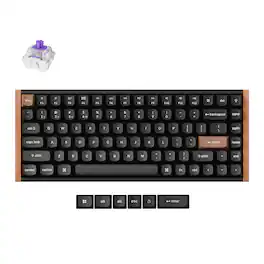
Forever change your gaming and typing experience with the Keychron K2 HE, the only keyboard to win the 2025 CES Innovation Award. Merging the best of traditional mechanical keyboards with advanced magnetic tech, it delivers top-notch performance in a clean, minimalistic design with natural wood accents.
| Pros for Keychron - K2 Version 3 75% Wireless Mechanical Keyboard for Mac and Windows with QMK Launcher - Black | |||
|---|---|---|---|
| There were no pros for this product— | There were no pros for this product— | Sound Quality, Key Feel, Connectivity, RGB Lighting, Size | There were no pros for this product— |
| Cons for Keychron - K2 Version 3 75% Wireless Mechanical Keyboard for Mac and Windows with QMK Launcher - Black | |||
| There were no cons for this product— | There were no cons for this product— | Battery Life, Keycap Design | There were no cons for this product— |
Specs
Be the first to ask a question.
We’ll try to get your question answered within 24 hours by a Best Buy customer or brand representative.
Customers often buy these together



Explore tech essentials Sponsored
Tangem Electra Sea Crypto Hardware Wallet Cards for Bitcoin & Ethereum (3-Pack)
$59.99The price was $69.90Logitech MK540 Full-size Advanced Wireless Membrane Keyboard and Mouse Combo for PC
$49.99The price was $59.99



Keep exploring
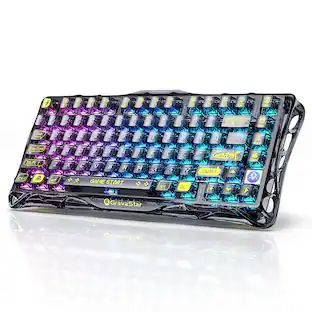
GravaStar Mercury K1 Pro Wireless Mechanical Gaming Keyboard, 75% Layout, RGB Backlit, Hot-Swappable
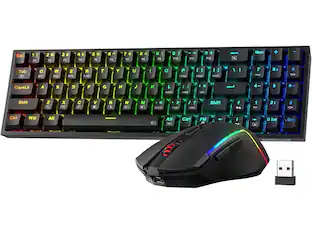
$199.95The price was $259.95REDRAGON S136 75% Tri-Mode Wireless RGB Mech Keyboard & 7200 DPI Mouse Combo, Shared Dongle
Holiday Deal$56.99The price was $64.49Womier DK75 75% Wireless Gaming Membrane Keyboard, RGB Backlit Creamy Keyboard with Media Knob
$38.99The price was $40.00