Keychron - K2 Version 3 75% Wireless Mechanical Keyboard with Aluminum Frame and Hot-Swappable Brown Switches - Black
Reviews coming soon
About this product
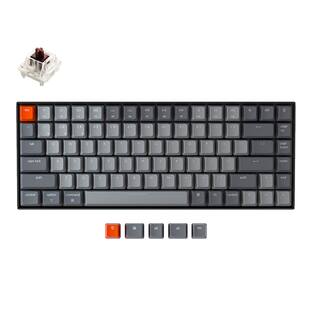
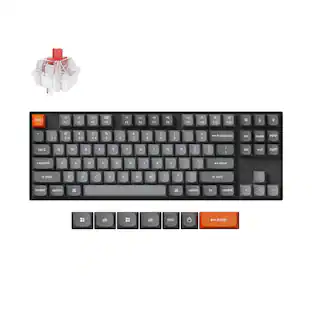
Keychron K2 Version 3 is a wireless custom mechanical keyboard. It supports both Bluetooth 5.2 and a wired connection. It allows anyone to master any keys or macro commands on its 75% layout through Keychron Launcher web app. Besides, it has included keycaps for both Windows and macOS, and users can hot-swap with Keychron Super mechanical switch in a breeze (hot-swappable version only).
Key Switch Behavior
TactileFeatures
Compact 75% Layout for Everyday Use
The K2 Version 3 keeps the function row, arrow keys, and essential navigation keys in a compact 84-key layout, giving you more desk space while staying productive for work, study, and daily typing.
Bluetooth 5.2 and USB-C Wired Connection
Connect wirelessly to up to 3 devices with Bluetooth 5.2, or use the reliable USB-C wired mode when you need a stable desktop setup for long work sessions.
QMK and Launcher Customization
Customize keymaps, shortcuts, and macros through open-source QMK firmware and the Keychron Launcher web app, so you can personalize the keyboard directly from a compatible browser.
Hot-Swappable Brown Mechanical Switches
This hot-swappable version comes with pre-lubed Keychron Super Brown mechanical switches and supports most 3-pin and 5-pin MX-style switches, letting you change the typing feel without soldering.
Double-Shot PBT Keycaps and Mac Layout
Cherry profile double-shot PBT keycaps offer a durable, oil-resistant feel, while included macOS and Windows keycaps make it easy to switch between systems.
Specifications
- Lighting TypeRGBForm FactorTenkeyless (TKL)Keyboard TechnologyMechanicalKey Switch BehaviorTactileConnection TypeWireless
Reviews
This product doesn't have any reviews yet.





Compare similar products
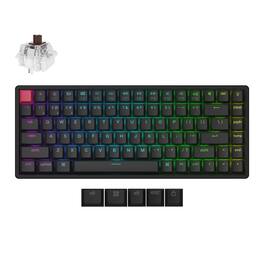
Keychron K2 Version 3 is a wireless custom mechanical keyboard. It supports both Bluetooth 5.2 and a wired connection. It allows anyone to master any keys or macro commands on its 75% layout through Keychron Launcher web app. Besides, it has included keycaps for both Windows and macOS, and users can hot-swap with Keychron Super mechanical switch in a breeze (hot-swappable version only).
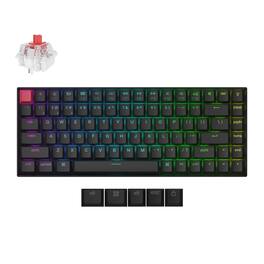
Keychron K2 Version 3 is a wireless custom mechanical keyboard. It supports both Bluetooth 5.2 and a wired connection. It allows anyone to master any keys or macro commands on its 75% layout through Keychron Launcher web app. Besides, it has included keycaps for both Windows and macOS, and users can hot-swap with Keychron Super mechanical switch in a breeze (hot-swappable version only).
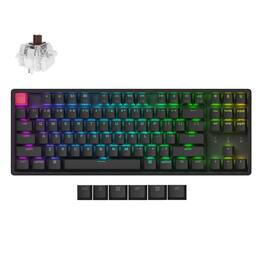
Keychron K8 Version 2 Aluminum Frame brings a more substantial TKL typing experience to Mac, Windows, and Linux desks. This hot-swappable RGB Brown switch version supports Bluetooth 5.2, USB-C wired mode, QMK/Keychron Launcher customization, double-shot PBT keycaps, and a rechargeable 4000 mAh battery.
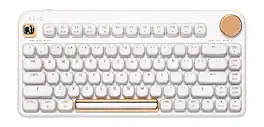
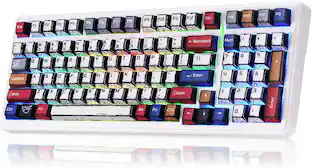
The IZO Collection is a vibrant collection of computer accessories aimed to boost your mood through color. By blending fashion-forward hues with ergonomic round forms, we created refined accessories that draw envious eyes and jealous fingers. By combining unique aesthetics and innovative technology, the IZO keyboard set will not only improve your productivity but also make a style statement for your workspace.
Specs
Be the first to ask a question.
We’ll try to get your question answered within 24 hours by a Best Buy customer or brand representative.
Customers often buy these together
Explore tech essentials Sponsored
HyperX Alloy Rise 75 Wireless Mechanical Gaming Keyboard with RGB Lighting and Hot-Swappable Switches
$149.99The price was $229.99CORSAIR MAKR PRO 75 Hall Effect DIY keyboard - full aluminum build, gasket mounting, and 8kHz polling
$179.99The price was $249.99




Keep exploring
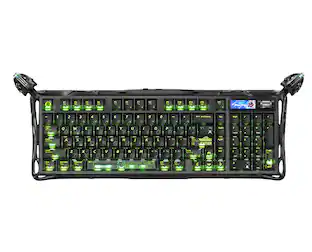
GravaStar Mercury K98 Pro 98% Wireless Gaming Keyboard – Tri-Mode, Gasket Mount, Hot-Swap, RGB, Numpad
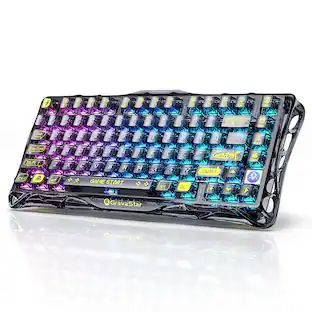
$259.95The price was $359.95GravaStar Mercury V75 Wireless Hall Effect Gaming Keyboard, 75% Layout, 8000Hz Polling, Dynamic RGB
$189.95The price was $259.95