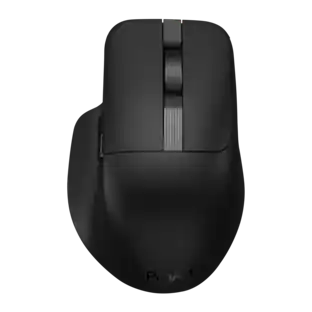
Keychron - M6 Ergonomic Wired & Wireless Laser Mouse w/ Macro Button & Fast-Scrolling Metal Wheel, For Windows PC & Mac - Wired - Black

Key Accessories:
- Keychron - B6 Pro 100% Custom Wireless Keyboard with Progrmmable ZMK Support - Space Gray$38.24The price was $44.99


More Buying Options from Best Buy

Specifications
- Lighting TypeNoneConnection TypeWired, Wireless
- Key Specs
- Lighting Type: None
- Connection Type: Wired, Wireless
- General
- Brand: Keychron
- Model Number: M6S-A1
- Product Name: M6 Ergonomic Wired & Wireless Laser Mouse w/ Macro Button & Fast-Scrolling Metal Wheel, For Windows PC & Mac
- Color: Black
- Features
- Mouse Type: Standard
- Lighting Type: None
- Performance
- Tracking Method: Laser (There are several types of computer mice, optical and laser being among the most common. Optical mice detect less detail and provide more precise and accurate movement. Laser mice detect more detail and can be used on a wider variety of surfaces, but are more sensitive to small movements.)
- Connectivity
- Connection Type: Wired, Wireless
- Wireless Connectivity: Bluetooth, Radio Frequency (RF - 2.4 Ghz/Low Latency) (The manner in which a device sends data to another device over a short distance without the use of wires or cables.)
- Maximum Wireless Range: 10 feet
- Operating System Compatibility: Windows, Mac, Linux, Universal
- Plug and Play Operation: true
- Number of Devices Connectable Simultaneously: 3
- Dimensions
- Product Height: 1.96 inches (The out of box height of the item. Height is measured as the vertical distance from the bottom of the item to the top as it would be primarily used or placed.)
- Product Length: 4.82 inches (The out of box length of the item. Length is measured as the longest dimension of the item.)
- Product Width: 2.96 inches (The out of box width of the item. Width is measured as the horizontal distance from one side of the item to the other as it would be primarily used or placed.)
- Product Weight: 0.18 grams (The out of box weight of the item.)
- Warranty
- Warranty - Parts: 1 year limited
- Warranty - Labor: None
- Other
- UPC: 4894979048257
The Keychron M6 Ergonomic Wireless Mouse offers a high-performance, dual-mode pointing solution that blends wired precision with wireless freedom. Whether you prefer the rock-solid stability of USB-C tethering or the flexibility of 2.4 GHz or Bluetooth connection, the M6 delivers seamless switching to suit your setup. Its PixArt 3395 sensor provides exceptional tracking with high DPI and IPS values, while the ergonomic design—including a thumb-wheel and dual scroll modes—ensures comfort and productivity over long sessions. Fully programmable via companion software, you can tailor buttons, DPI settings and macros to your workflow or gameplay. Lightweight yet robust, the M6 is crafted for those who demand both performance and versatility from their mouse.
- Dual Wired & Wireless Connectivity: Use seamlessly in wired mode via USB-C or go wireless with 2.4 GHz and Bluetooth for flexible setups and devices.
- Premium Sensor & Performance: Equipped with a PixArt 3395 sensor (up to 26,000 DPI and 650 IPS) for accurate tracking whether gaming or working.
- Ergonomic Design with Thumb Wheel & Dual Scroll Modes: Designed for right-hand ergonomics, it features a side thumb-wheel for horizontal scrolling, and a top wheel that toggles between notched and infinite scroll.
- Fully Programmable Macro Button & Software Support: Customize buttons, DPI, profiles and macros with comp-pat software on both Windows and macOS.
- Lightweight yet Durable Build: At ~78 g and featuring Huano micro-switches rated for tens of millions of clicks, it’s built for extended use in both work and play.
Whats Included
- 1x Mouse
- Cable & Adapter 1x, Type-C to Type-C Cable 1x, Type-A to Type-C Adapter 1x, Extension Adapter For Receiver
- Receiver 1x Type-A 2.4 GHz Receiver
Q: How many devices can this mouse connect to simultaneously?
A: This mouse can connect to three devices simultaneously.
Q: Does this mouse have a wired connection?
A: Yes, this mouse can be connected via USB-C in wired mode.
Q: Is this mouse designed for right-handed users?
A: Yes, this mouse is designed for right-hand ergonomics.
Q: What type of micro switches are used in this mouse?
A: This mouse uses All Silent Micro Switches for quiet clicks.
Q: Can I customize the buttons on this mouse?
A: Yes, you can customize the buttons using software.
Q: What kind of sensor does this mouse use?
A: This mouse is equipped with a PixArt 3395 sensor.
Q: Does this mouse have a metal scroll wheel?
A: Yes, this mouse features a magnetic metal scroll wheel.
Q: Does this mouse has silent clicks?
A: Yes, pretty decent.
Compare similar products

The Keychron M6 Ergonomic Wireless Mouse offers a high-performance, dual-mode pointing solution that blends wired precision with wireless freedom. Whether you prefer the rock-solid stability of USB-C tethering or the flexibility of 2.4 GHz or Bluetooth connection, the M6 delivers seamless switching to suit your setup. Its PixArt 3395 sensor provides exceptional tracking with high DPI and IPS values, while the ergonomic design—including a thumb-wheel and dual scroll modes—ensures comfort and productivity over long sessions. Fully programmable via companion software, you can tailor buttons, DPI settings and macros to your workflow or gameplay. Lightweight yet robust, the M6 is crafted for those who demand both performance and versatility from their mouse.

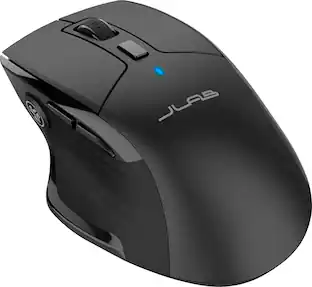
The JBuds Wireless Bluetooth Mouse offers full-sized functionality with a personalized approach. With seven buttons and a comfortable feel, you have everything you need to reach WFH greatness and you can save up to three user profiles. Switching between your favorite functions.


Logitech MX Master 3S Bluetooth Edition – productivity and precision mouse. With Quiet Clicks and 8K DPI any-surface tracking for more feel and performance.
| Pros for Keychron - M6 Ergonomic Wired & Wireless Laser Mouse w/ Macro Button & Fast-Scrolling Metal Wheel, For Windows PC & Mac - Wired - Black | |||
|---|---|---|---|
| Overall Performance, Connectivity, Ergonomics, Weight | Battery Life, Overall Performance, Ergonomics, Connectivity, Ease of use | Ergonomics, Button Functionality, Overall Performance, Battery Life, Haptic Feedback | Ergonomics, Overall Performance, Button Functionality, Connectivity, Battery Life |
| Cons for Keychron - M6 Ergonomic Wired & Wireless Laser Mouse w/ Macro Button & Fast-Scrolling Metal Wheel, For Windows PC & Mac - Wired - Black | |||
| There were no cons for this product— | Click Noise, Scroll Wheel, Lag, Charging | Weight, Size | Weight |
Specs



Reviews
Rating 4.5 out of 5 stars with 27 reviews
Top Mentions
- Weight (6)
- Overall Performance (5)
- Connectivity (3)
- Ergonomics (3)
The vast majority of our reviews come from verified purchases. Reviews from customers may include My Best Buy members, employees, and Tech Insider Network members (as tagged). Select reviewers may receive discounted products, promotional considerations or entries into drawings for honest, helpful reviews.
Explore tech essentials Sponsored
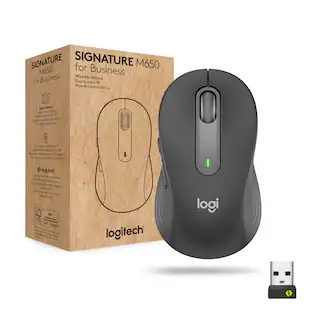 $37.99The price was $39.99
 $37.99The price was $59.99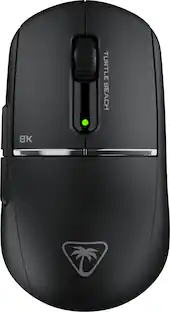
Turtle Beach - Burst II Pro High-Performance Ultra-Lightweight Wireless Optical Esports Gaming Mouse
$69.99The price was $139.99