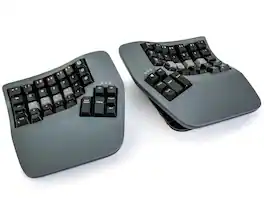
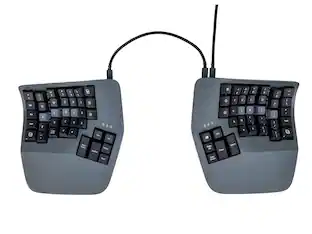
KINESIS - Advantage360 Pro Wireless Split Ergonomic Keyboard KB360-PRO-GBR - Gray
Reviews coming soon
About this product
The Kinesis Advantage360 Pro is the ultimate wireless ergonomic keyboard—combining the legendary 3D contoured design that eliminates wrist pain with Bluetooth multichannel connectivity, hot-swappable mechanical switches, and ZMK open-source firmware for unlimited customization and professional-grade performance.
Wireless Bluetooth Multichannel
Pair up to 3 devices simultaneously and switch between them instantly—perfect for multi-device workflows without cable clutter
Hot-Swappable Switches
Change mechanical switches without soldering—customize typing feel or replace worn switches in seconds
3D Contoured Key Wells
Patented concave design matches natural finger motion, reducing reach and strain by up to 20% compared to flat keyboards
Adjustable Tenting (0-20°)
Built-in adjustable tenting reduces wrist pronation without requiring separate accessories
ZMK Open-Source Firmware
Unlimited customization, advanced macros, and community-driven features beyond traditional keyboard programming
- Form FactorErgonomicConnection TypeWireless
Reviews
This product doesn't have any reviews yet.





Compare similar products
The Kinesis Advantage360 Pro is the ultimate wireless ergonomic keyboard—combining the legendary 3D contoured design that eliminates wrist pain with Bluetooth multichannel connectivity, hot-swappable mechanical switches, and ZMK open-source firmware for unlimited customization and professional-grade performance.
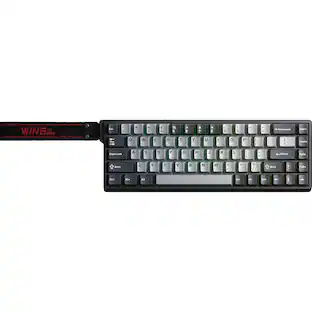
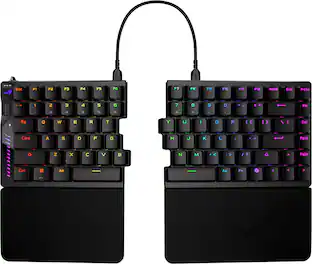
Lenovo Go Wireless Split Keyboard AI - US English - Wireless Connectivity - RF - 2.40 GHz - USB Type A Interface - 88 Key(s) - CoPilot Hot Key(s) - Windows 10, Windows 11 - English (US) - 4Y41R64755

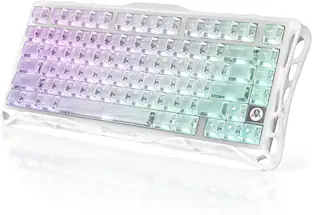
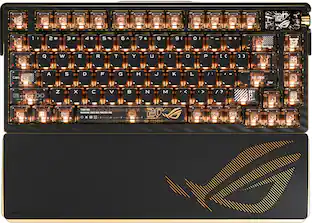
ROG Falcata 75% split gaming keyboard with hot-swappable ROG HFX V2 Magnetic Switches and ROG Hall Sensor; featuring Rapid Trigger toggle, intuitive control and multi-function wheel, tri-mode connectivity with ROG SpeedNova 8K wireless technology, Zone Mode, four-layer dampening and detachable silicone wrist rests.
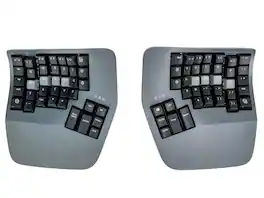
The Kinesis Advantage360 Pro is a fully split ergonomic keyboard designed to maximize comfort and productivity. Its contoured key wells and adjustable separation help reduce wrist strain and promote a natural typing posture. This professional model features wireless connectivity, programmable keys, and mechanical switches for a precise typing experience. Adjustable tenting allows users to customize the keyboard position for optimal ergonomics during extended use. Compatible with multiple operating systems, the Advantage360 Pro is ideal for professionals seeking advanced customization and ergonomic performance.
| Pros for KINESIS - Advantage360 Pro Wireless Split Ergonomic Keyboard KB360-PRO-GBR - Gray | |||
|---|---|---|---|
| There were no pros for this product— | There were no pros for this product— | Build Quality, Ergonomics, Switch Performance, Connectivity, RGB Lighting | There were no pros for this product— |
Specs
Be the first to ask a question.
We’ll try to get your question answered within 24 hours by a Best Buy customer or brand representative.
Customers often buy these together

Logitech - MK270 Full-size Wireless Membrane Keyboard and Mouse Bundle for PC - Black
$26.99The price was $29.99



![Sure, here is the corrected and grouped text from the image:
**Top Row:**
- ESC
- F1
- F2
- F3
- F4
- F5
- F6
- F7
- F8
- F9
- F10
- F11
- F12
- PRTSC
- DEL
**Number Row:**
- 1
- 2
- 3
- 4
- 5
- 6
- 7
- 8
- 9
- 0
- -
- =
- \
**Letter Row:**
- TAB
- Q
- W
- E
- R
- T
- Y
- U
- I
- O
- P
- [
- ]
- \
**Letter Row:**
- CAPS
- A
- S
- D
- F
- G
- H
- J
- K
- L
- ;
- '
**Letter Row:**
- SHIFT
- Z
- X
- C
- V
- B
- N
- M
- ,
- .
- /
**Function Row:**
-](https://pisces.bbystatic.com/image2/BestBuy_US/images/products/9be10b95-8e90-4a5d-b85f-cbc6a7d8e8df.png;maxHeight=232;maxWidth=233?format=webp)



![esc F1 F2 F3 F4 F5 F6 F7 F8 F9 F10 F11 F12 1 2 3 4 5 6 7 8 9 0 - = backspace tab Q W E R T Y U I O P [ ] \ caps lock A S D F G H J K L ; ' shift Z X C V B N M , . / shift ctrl alt logi](https://pisces.bbystatic.com/image2/BestBuy_US/images/products/6411/6411501_sd.jpg;maxHeight=232;maxWidth=233?format=webp)
![esc 1 ! 2 @ 3 # 4 $ 5 % 6 ^ 7 & 8 * 9 ( 0 ) - = | F1 F2 F3 F4 F5 F6 F7 F8 F9 F10 F11 F12 tab Q W E R T Y U I O P [ ] { } | caps A S D F G H J K L : : enter shift Z X C V B N M , < > ? shift ctrl alt fn ctrl](https://pisces.bbystatic.com/image2/BestBuy_US/images/products/bc5bce35-ca08-45da-bcc3-8d6fb215154b.jpg;maxHeight=232;maxWidth=233?format=webp)

![Sure, here is the corrected and grouped text:
```
ESC F1 F2 F3 F4 F5 F6 F7 F8 F9 F10 F11 F12 1 2 3 logitech - - 1 2 # $ 4 % 5 6 & 7 8 9 0 - - back insert home page up num lock clear / . tab Q W E R T Y U I O P { [ } ] / delete end page down 7 home 8 A 9 P9 up + caps lock A S D F G H J K L : ; a enter 4 5 6 shift Z X C V B N M < > ? shift 1 end 2 3 pg dn enter ctrl fn start alt opt alt crnd x alt cmd x fn ctrl alt opt 0 ins del 1 logitech
```](https://pisces.bbystatic.com/image2/BestBuy_US/images/products/5761/5761911_sd.jpg;maxHeight=232;maxWidth=233?format=webp)

![esc ~ ! 1 tab caps lock shift ctrl F2 Fl # 2 3 Q W A S Z start opt L F3 $ 4 E D X alt cmd3 ) FS F4 A % 5 6 R T F G V C logi 44 HI & F9 FID FB F7 F6 * ) - - & 0 8 9 7 O P U I Y K L H J > < N M 1 B PM + = { [ : I ; ? I alt cmd D 2 4 300 3 1 F12 . * page I insert home up clear backspace 8 9 + 7 page A pg up end down home } I delete ] / 6 4 5 4 enter 2 3 enter 1 dn Pg end shift = 0 del ins etrl fn opt](https://pisces.bbystatic.com/image2/BestBuy_US/images/products/6539/6539505_sd.jpg;maxHeight=232;maxWidth=233?format=webp)
![Esc F1 F2 F3 F4 F5 F6 F7 F8 F9 F10 F11 F12 Print Screen Scroll Lock Pause Break 1 2 3 4 5 6 7 8 9 0 - + = Backspace Insert Home H Page Up A Num Look 1 I Tab Q W E R T Y U I o P { [ } ] I I Delete End IN Page Down 7 Home 8 9 Pg Up Caps A Lock A S D F G H J K L ; : DE g Enter 4 5 6 Shift Z X C V N M < > ? I Shift 1 End 2 3 Pp Dn Enter Ctrl Alt Alt Ctrl 0 Ins Del](https://pisces.bbystatic.com/image2/BestBuy_US/images/products/a588d446-5678-40ae-86b8-1f15e0026e66.jpg;maxHeight=232;maxWidth=233?format=webp)
More to consider
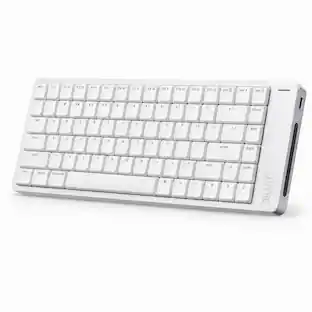 $160.55The price was $169.00
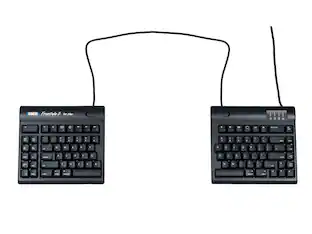 $140.64The price was $163.17
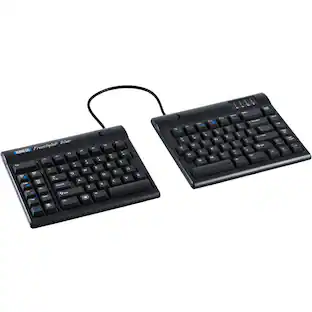 $129.99The price was $145.11
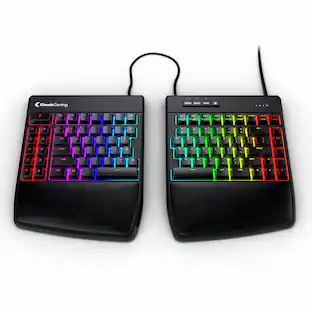 $215.00The price was $219.99
 $161.92The price was $178.40

Explore tech essentials Sponsored
 $179.99The price was $249.99

Keep exploring
 $69.99The price was $99.99
 $199.95The price was $209.95
 $129.95The price was $159.95