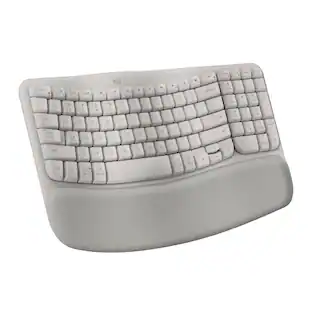
KINESIS - mWave Mechanical Keyboard for PC - Quiet Linear Switch - Wired/Wireless Connectivity - Bluetooth - Compact - 30 - Black
Reviews coming soon
About this product
The classic ""sculpt"" design reimagined for a more discerning typists. As the market leader in computer ergonomics, Kinesis has been designing and building premium-grade ergonomic keyboards for more than 25 years. The all-new Kinesis mWave Mechanical Keyboard features a time-tested design UPGRADED for improved typing feel and ergonomics. Fixed Split Design: Split design positions hands closer to shoulder-width in proper typing form to reduce ulnar deviation. Integrated Tenting: Tenting elevates the thumb side of the hand to reduce forearm pronation caused by flat keyboards. Integrated Palm Support: Velvety smooth, washable palm support promotes neutral typing position to reduce wrist extension. Integrated Palm Support: Velvety smooth, washable palm support promotes neutral typing position to reduce wrist extension. Compact Tenkeyless Layout: Tenkeyless layout with embedded keypad results in a smaller footprint for closer mouse placement. Negative Tilt: For those with sensitive wrists, snap on the magnetic feet for a negative typing angle. Tactile Home Row and Arrows: Find the home row and arrow keys without taking your eyes off the screen thanks to their unique sculpted shape. Available Backlighting: Connect the keyboard via USB to illuminate the key legends for working in low light environments. More from the Manufacturer
Color
BlackFeatures
Kinesis mWave Mechanical Keyboard for PC - Quiet Linear
The classic ""sculpt"" design reimagined for a more discerning typists. As the market leader in computer ergonomics, Kinesis has been designing and building premium-grade ergonomic keyboards for more than 25 years. The all-new Kinesis mWave Mechanical Keyboard features a time-tested design UPGRADED for improved typing feel and ergonomics. Fixed Split Design: Split design positions hands closer to shoulder-width in proper typing form to
Tactile Mechanical Switches
Provides responsive feedback for accurate typing and long-term durability.
Dual Connectivity
Supports both wired USB and wireless Bluetooth connections for flexibility.
Integrated Tenting and Palm Support
Built-in tenting and palm rest help maintain neutral wrist and forearm posture.
Programmable Keys
Customize key functions, macros, and layouts to improve workflow efficiency.
Specifications
- Form FactorFull-sizeKeyboard TechnologyMechanicalKey Switch BehaviorLinearConnection TypeWireless
Reviews
This product doesn't have any reviews yet.


Compare similar products

The classic ""sculpt"" design reimagined for a more discerning typists. As the market leader in computer ergonomics, Kinesis has been designing and building premium-grade ergonomic keyboards for more than 25 years. The all-new Kinesis mWave Mechanical Keyboard features a time-tested design UPGRADED for improved typing feel and ergonomics. Fixed Split Design: Split design positions hands closer to shoulder-width in proper typing form to reduce ulnar deviation. Integrated Tenting: Tenting elevates the thumb side of the hand to reduce forearm pronation caused by flat keyboards. Integrated Palm Support: Velvety smooth, washable palm support promotes neutral typing position to reduce wrist extension. Integrated Palm Support: Velvety smooth, washable palm support promotes neutral typing position to reduce wrist extension. Compact Tenkeyless Layout: Tenkeyless layout with embedded keypad results in a smaller footprint for closer mouse placement. Negative Tilt: For those with sensitive wrists, snap on the magnetic feet for a negative typing angle. Tactile Home Row and Arrows: Find the home row and arrow keys without taking your eyes off the screen thanks to their unique sculpted shape. Available Backlighting: Connect the keyboard via USB to illuminate the key legends for working in low light environments. More from the Manufacturer

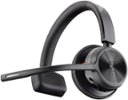
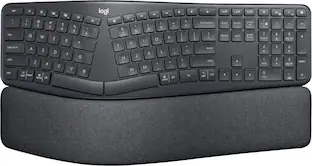
Type more naturally with ERGO K860 – an advanced ergonomic keyboard that promotes a more relaxed typing posture – reducing wrist bending and offering wrist support. A curved keyframe helps reduce wrist strain, while a pillowed wrist rest keeps your forearms elevated to help prevent excessive bending. This Logitech ERGO keyboard features Perfect Stroke keys for quiet performance and responsiveness, and the 2-year battery life offers long-lasting use.

Azio IZO Bluetooth & USB Mechanical Backlight Keyboard, Red switches / PC & Mac

The classic ""sculpt"" design reimagined for a more discerning typists. As the market leader in computer ergonomics, Kinesis has been designing and building premium-grade ergonomic keyboards for more than 25 years. The all-new Kinesis mWave Mechanical Keyboard features a time-tested design UPGRADED for improved typing feel and ergonomics. Fixed Split Design: Split design positions hands closer to shoulder-width in proper typing form to reduce ulnar deviation. Integrated Tenting: Tenting elevates the thumb side of the hand to reduce forearm pronation caused by flat keyboards. Integrated Palm Support: Velvety smooth, washable palm support promotes neutral typing position to reduce wrist extension. Integrated Palm Support: Velvety smooth, washable palm support promotes neutral typing position to reduce wrist extension. Compact Tenkeyless Layout: Tenkeyless layout with embedded keypad results in a smaller footprint for closer mouse placement. Negative Tilt: For those with sensitive wrists, snap on the magnetic feet for a negative typing angle. Tactile Home Row and Arrows: Find the home row and arrow keys without taking your eyes off the screen thanks to their unique sculpted shape. Available Backlighting: Connect the keyboard via USB to illuminate the key legends for working in low light environments.
| Pros for KINESIS - mWave Mechanical Keyboard for PC - Quiet Linear Switch - Wired/Wireless Connectivity - Bluetooth - Compact - 30 - Black | |||
|---|---|---|---|
| There were no pros for this product— | Ergonomics, Wrist Support, Ease of use, Key Feel, Overall Performance | There were no pros for this product— | There were no pros for this product— |
| Cons for KINESIS - mWave Mechanical Keyboard for PC - Quiet Linear Switch - Wired/Wireless Connectivity - Bluetooth - Compact - 30 - Black | |||
| There were no cons for this product— | Price, Size | There were no cons for this product— | There were no cons for this product— |
Specs
Be the first to ask a question.
We’ll try to get your question answered within 24 hours by a Best Buy customer or brand representative.
Customers often buy these together

Razer - Huntsman Mini 60% Wired Optical Clicky Switch Gaming Keyboard with Chroma RGB Backlighting - Black
Holiday Deal$68.99The price was $119.99





More to consider
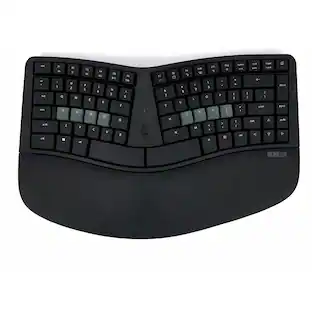
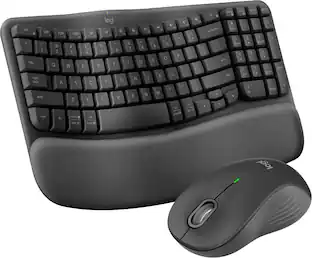
ProtoArc Wireless Ergonomic Keyboard Mouse Combo ,Bluetooth Keyboard & Mouse Combo
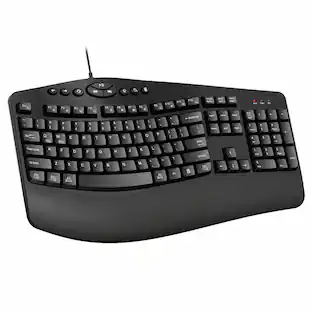
$99.99The price was $109.99Adesso Tru-Form Media WKB-1150CB Ergonomic Wireless Membrane Optical Keyboard and Mouse
$69.74The price was $71.99KINESIS KB800PB-BT Wireless Split Keyboard with Bluetooth Multichannel Technology
$120.00The price was $145.11


Explore tech essentials Sponsored
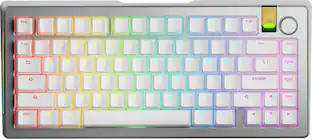
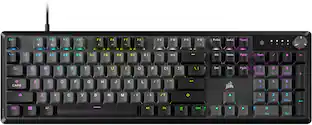
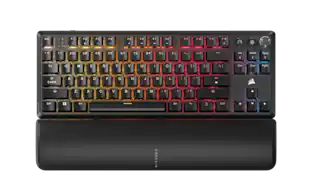
Glorious GMMK 3 PRO 75% Barebones Wired Mechanical Linear Switch Gaming Keyboard with Hot-swappable Switches
Clearance$96.99The price was $239.99Glorious GMMK 3 75% Barebones Wired Mechanical Gaming Keyboard with Modular Gasket System
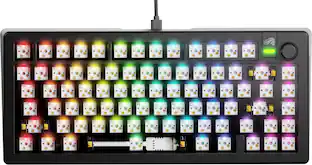
Clearance$73.99The price was $104.99CORSAIR MAKR PRO 75 Hall Effect DIY keyboard - full aluminum build, gasket mounting, and 8kHz polling
$179.99The price was $249.99
Keep exploring
Womier DK75 75% Wireless Gaming Membrane Keyboard, RGB Backlit Creamy Keyboard with Media Knob
$38.99The price was $40.00GravaStar Mercury V60 Pro 60% Hall Effect Magnetic Switch Gaming Keyboard Deluxe Edition Silver Frost
$208.95The price was $219.95Womier VK68 65% Mechanical Keyboard, Wired Backlit Mini Gaming Keyboard for PC Laptop Windows
$24.99The price was $25.99GravaStar Mercury V60 Pro Special Edition 60% Wired Hall Effect Gaming Keyboard
$189.95The price was $199.95REDRAGON S136 75% Tri-Mode Wireless RGB Mech Keyboard & 7200 DPI Mouse Combo, Shared Dongle
$59.99The price was $64.49GravaStar Mercury K98 Pro 98% Wireless Gaming Keyboard – Tri-Mode, Gasket Mount, Hot-Swap, RGB, Numpad
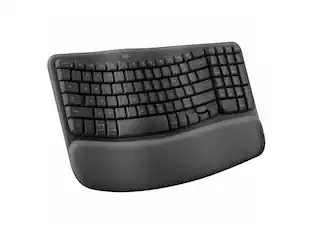
$233.95The price was $259.95Logitech Wave Keys Ergonomic Wireless Membrane Keyboard for Windows/Mac with Integrated Palm Rest
$81.96The price was $99.99