Logitech - M170 Wireless Compact Optical Ambidextrous Mouse - Wireless - Blue
Customers are saying
Customers have good things to say about the overall performance, ease of use, and ergonomic design of this mouse. Users frequently highlight its compact, lightweight build and reliable connectivity as key benefits for their daily tasks. While the vast majority of feedback is positive, a small number of users noted minor concerns regarding click noise, compatibility, or missing components. Overall, the product is highly regarded for its simple setup and efficient functionality.
Color
BluePlug-and-play connection
Connect in 3 seconds to your computer via a strong, reliable USB receiver that plugs into your computer’s USB port.¹
Comfortable and mobile
Comfortable, mobile mouse shape is small enough to toss in a bag and the ambidextrous design guides either hand into a natural position.
Power-saving features
12-month battery life and auto sleep help you go longer between AA battery changes.²
Reliable 2.4 GHz wireless mouse
Reliable, the long-range computer mouse works up to 33 ft away from your computer.
Easy navigation
Thanks to controlled line-by-line scrolling and optical tracking, M170 Logitech Mouse has smooth and accurate cursor control on almost any surface.
Compatibility
Experience seamless compatibility with Windows, macOS, Linux, Chrome OS, ipadOS, and Android operating systems.
Sustainability
Plastic parts in M170 include certified post consumer recycled plastic (minimum 59% for Blue/Gray, Red/Black, Blue/Black).³
¹Tested by Logitech with 50 persons in Switzerland (2022).
²Battery life may vary based on user and computing conditions.
³ Excludes receiver and printed wiring assembly (PWA) plastics, and packaging.
- Lighting TypeNoneMaximum Sensitivity1000 dots per inchNumber of Buttons (Total)3Connection TypeWireless
Reviews
Rating 4.7 out of 5 stars with 2322 reviews
- Overall Performance (1110)
- Ease of Use (464)
- Size (175)
- Ergonomics (158)
- Connectivity (151)
- Compatibility (6)
- Missing Part (5)
- Noise Level (5)
Customer Images
The vast majority of our reviews come from verified purchases. Reviews from customers may include My Best Buy members, employees, and Tech Insider Network members (as tagged). Select reviewers may receive discounted products, promotional considerations or entries into drawings for honest, helpful reviews.





Compare similar products

NOW IS WIRELESS. With Logitech M170 Wireless Mouse, choose the reliability of a cord with the convenience of wireless – and a 33-foot range – thanks to Logitech Advanced 2.4 GHz wireless technology. This affordable mouse works for up to 12 months on a single AA battery. Set up is simple – just plug the tiny wireless receiver into a USB slot. There's no hassle with pairing or software installation, and M170 is compatible with Windows, Mac and Chrome.

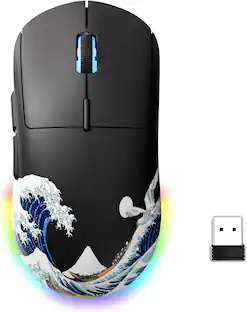
The Design Collection Limited Edition mice mood-boosting designs bring a vibrant new look to your desk setup. Choose between different fun styles. It’s small, comfortable, super responsive, and completely wireless. Get total freedom with 10 m of wireless range, and work worry-free for 12 months on a single pre-installed battery. With smooth, line by line scrolling and precise cursor control for easier navigation at home or at work. The compact design perfectly fit users with smaller hands and kids—making it a great option for homeschooling.

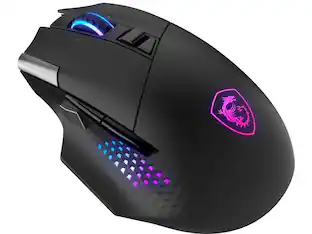
With the Razer Basilisk V3 X HyperSpeed, there are no limits on how you choose to play. Armed with 9 programmable controls, dual-mode wireless connectivity, and customizable Razer Chroma RGB, it is made to answer to only one master—you.
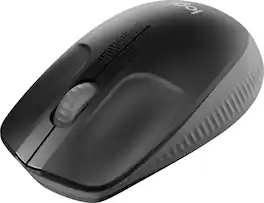
Logitech M190 is a large-size wireless mouse with a comfortable contoured design that follows the natural curve of medium to large hands. You’ll work wirelessly and move freely – from up to 10 meters away – with virtually no delays or dropouts. You’ll get great quality with up to 18-month battery life, precision tracking, and line-by-line scrolling at an affordable price.
| Pros for Logitech - M170 Wireless Compact Optical Ambidextrous Mouse - Wireless - Blue | |||
|---|---|---|---|
| Overall Performance, Size, Connectivity, Ease of Use, Ergonomics | Ease of use, Size, Overall Performance, Price, Design | Overall Performance, Battery Life, Connectivity, Comfort, Weight | Size, Ease of use, Battery Life, Price, Reliability |
| Cons for Logitech - M170 Wireless Compact Optical Ambidextrous Mouse - Wireless - Blue | |||
| Compatibility, Missing Part, Noise Level | Noise, Buttons | Scrolling, Thumb Button, Lag, Size | Clicking |
Specs
Customers often buy these together
Computer Keyboards
![esc ~ ! 1 tab caps lock shift ctrl F2 Fl # 2 3 Q W A S Z start opt L F3 $ 4 E D X alt cmd3 ) FS F4 A % 5 6 R T F G V C logi 44 HI & F9 FID FB F7 F6 * ) - - & 0 8 9 7 O P U I Y K L H J > < N M 1 B PM + = { [ : I ; ? I alt cmd D 2 4 300 3 1 F12 . * page I insert home up clear backspace 8 9 + 7 page A pg up end down home } I delete ] / 6 4 5 4 enter 2 3 enter 1 dn Pg end shift = 0 del ins etrl fn opt](https://pisces.bbystatic.com/image2/BestBuy_US/images/products/6539/6539505_sd.jpg;maxHeight=232;maxWidth=233?format=webp)
Logitech - MX Keys S Universal Full-size Wireless Scissor Keyboard for PC and Mac with Backlit keys - Black
$119.99The price was $129.99

![Esc F1 F2 F3 F4 F5 F6 F7 F8 F9 F10 F11 F12 Print Screen Scroll Lock Pause Break 1 2 3 4 5 6 7 8 9 0 - + = Backspace Insert Home H Page Up A Num Look 1 I Tab Q W E R T Y U I o P { [ } ] I I Delete End IN Page Down 7 Home 8 9 Pg Up Caps A Lock A S D F G H J K L ; : DE g Enter 4 5 6 Shift Z X C V N M < > ? I Shift 1 End 2 3 Pp Dn Enter Ctrl Alt Alt Ctrl 0 Ins Del](https://pisces.bbystatic.com/image2/BestBuy_US/images/products/a588d446-5678-40ae-86b8-1f15e0026e66.jpg;maxHeight=232;maxWidth=233?format=webp)


![The text on the image reads:
888 DD DI DD 4 DSC i F2 F3 4 FS T6 ET 1. 1N IN F.. 11 1.. 114 1n F1 F12 118 in9 - a ee 1 8F 2 3 $ 4 % 5 A 6 & 7 . 8 I 9 I 0 ee I + = delete fn home page up clear - / + tab Q W E R T Y U I 0 P { [ ] ] | I delete end page down 7 8 9 ee caps lock A S D F G H J K L : I - return 4 5 6 + shift Z X C V N M < F > ? / shift a 1 2 3 control option 2 command 3 command option control Y - 0 enter
After grouping and correcting the text, it reads:
888 DD DI DD 4 DSC i F2 F3 4 FS T6 ET 1. 1N IN F.. 11 1.. 114 1n F1 F12 118 in9 - a ee 1 8F 2 3 $ 4 % 5 A 6 & 7 . 8 I 9 I 0 ee I + = delete fn home page up clear - / + tab Q W E R T Y U I 0 P { [ ] ] | I delete end page down 7 8 9 ee caps lock A S D F G H J K L : I - return 4 5 6 + shift Z X C V N M < F > ? / shift a 1 2 3 control option 2 command 3 command option control Y - 0 enter](https://pisces.bbystatic.com/image2/BestBuy_US/images/products/f4059d3a-0c2a-46ef-bcfd-4e11b9b26d5d.jpg;maxHeight=232;maxWidth=233?format=webp)







Customers ultimately bought
 $18.99The price was $22.99


Explore tech essentials Sponsored
 $149.99The price was $159.99




Discover related products
 $12.99The price was $13.99
 $30.99The price was $32.99
 $24.99The price was $27.99
 $18.51The price was $22.89









Keep exploring
 $79.95The price was $109.95
Logitech - B100 Corded Mouse – Wired USB Mouse for Computers and laptops, for Right or Left Hand Use
$12.18The price was $20.06 $99.95The price was $129.95