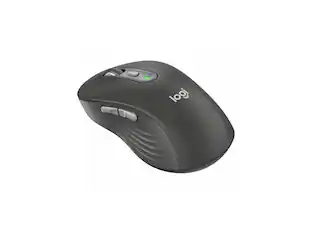
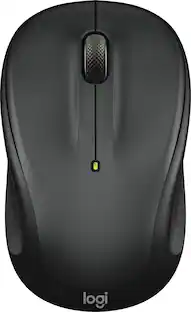
Logitech - M190 Wireless Optical Ambidextrous Mouse - Wireless - Charcoal
Customers are saying
Customers praise the mouse for its comfortable full-sized design, ease of use, and impressive battery life. Users also appreciate the reliable wireless performance, smooth scroll wheel, and consistent tracking capabilities at an affordable price point. While the device is generally well-regarded for its lightweight build, a few users have noted occasional issues with the clicking responsiveness.
Cordless comfort
The mouse is crafted with a contoured, ergonomic shape that follows the natural curve of larger hands and guides fingers into ideal placement with scooped buttons for all-day comfort.
Lag-free wireless connection
Work wirelessly, and move freely from up to 33 ft away with virtually no delays or dropouts. No cable means no clutter on your desk and easy transportation.
High-quality precision
Don’t compromise on quality with work or gaming. Precision tracking, line-by-line scrolling and simple navigation mean you can say goodbye to annoying missed clicks.
Built to last
Designed by the number one world leader in mice and keyboards, the M190 is an everyday laptop and PC computer mouse you can depend on. It’s durable, reliable, and built to last.
Long-lasting battery
Enjoy up to 18 months of worry-free usage thanks to a long-lasting battery, and a mouse that kicks into power saving mode automatically when not in use. AA Battery is included.
More sustainable
Plastic parts in M190 include certified post-consumer recycled plastic (61% for Charcoal).*
Product carbon footprint
The carbon footprint of this product is 4.16 kg CO2e.
*Excludes plastic in printed wiring assembly and packaging.
- Lighting TypeNoneMaximum Sensitivity1000 dots per inchNumber of Buttons (Total)3Connection TypeWireless
Reviews
This product doesn't have any reviews yet.

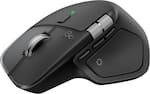
Compare similar products
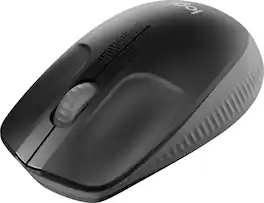
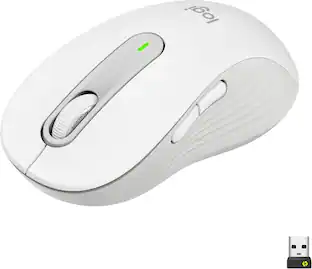
Logitech M190 is a large-size wireless mouse with a comfortable contoured design that follows the natural curve of medium to large hands. You’ll work wirelessly and move freely – from up to 10 meters away – with virtually no delays or dropouts. You’ll get great quality with up to 18-month battery life, precision tracking, and line-by-line scrolling at an affordable price.

The Keychron M6 Ergonomic Wireless Mouse offers a high-performance, dual-mode pointing solution that blends wired precision with wireless freedom. Whether you prefer the rock-solid stability of USB-C tethering or the flexibility of 2.4 GHz or Bluetooth connection, the M6 delivers seamless switching to suit your setup. Its PixArt 3395 sensor provides exceptional tracking with high DPI and IPS values, while the ergonomic design—including a thumb-wheel and dual scroll modes—ensures comfort and productivity over long sessions. Fully programmable via companion software, you can tailor buttons, DPI settings and macros to your workflow or gameplay. Lightweight yet robust, the M6 is crafted for those who demand both performance and versatility from their mouse.
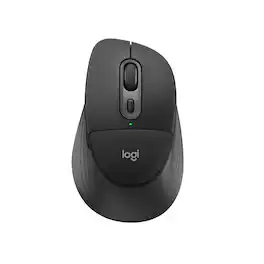
Meet Signature Comfort Plus M850 L, Logitech’s first mouse with a palm cushion for a soft, comfy spot beneath your hand. Designed for right hands, M850 L features cozy side grips and a natural shape for lasting comfort during long days. SmartWheel scrolling lets you move between precise and speedy navigation, while quiet clicks keep your workspace peaceful. Effortlessly switch between up to three devices with Bluetooth pairing and Easy-Switch—no dongle required. Connect wirelessly and seamlessly to Windows, macOS, Chrome OS, Linux, iPadOS, and Android, and enjoy up to 24 months of battery life.

Sculpted by victory. Made for the spotlight. The M75 WIRELESS sports an expertly designed ambidextrous mouse shape, enabling right- and left-handed players to take on the best competition with swagger and style. Weighing just 89g, the M75 WIRELESS is light and fast for the quickest mouse movements, and connects via near-zero lag SLIPSTREAM WIRELESS and Bluetooth. The mouse’s 26K DPI CORSAIR MARKSMAN optical sensor tracks movements with extreme precision, and shots register instantly on optical switches, guaranteed for 100 million clicks. Light up the leaderboard with uniquely styled two-zone RGB, customized in CORSAIR iCUE software. Grasp the M75 and win with flair
| Pros for Logitech - M190 Wireless Optical Ambidextrous Mouse - Wireless - Charcoal | |||
|---|---|---|---|
| Battery Life, Size, Ease of use, Reliability, Price | Weight, Ergonomics, Battery Life, Connectivity, Overall Performance | Noise Level | Weight, Battery Life, Ergonomics, RGB Lighting, Responsiveness |
| Cons for Logitech - M190 Wireless Optical Ambidextrous Mouse - Wireless - Charcoal | |||
| Clicking | There were no cons for this product— | There were no cons for this product— | Side Buttons, Size, Bluetooth Connectivity, Price |
Specs
Customers often buy these together
Computer Keyboards
![esc ~ ! 1 tab caps lock shift ctrl F2 Fl # 2 3 Q W A S Z start opt L F3 $ 4 E D X alt cmd3 ) FS F4 A % 5 6 R T F G V C logi 44 HI & F9 FID FB F7 F6 * ) - - & 0 8 9 7 O P U I Y K L H J > < N M 1 B PM + = { [ : I ; ? I alt cmd D 2 4 300 3 1 F12 . * page I insert home up clear backspace 8 9 + 7 page A pg up end down home } I delete ] / 6 4 5 4 enter 2 3 enter 1 dn Pg end shift = 0 del ins etrl fn opt](https://pisces.bbystatic.com/image2/BestBuy_US/images/products/6539/6539505_sd.jpg;maxHeight=232;maxWidth=233?format=webp)
Logitech - MX Keys S Universal Full-size Wireless Scissor Keyboard for PC and Mac with Backlit keys - Black
Top Deal$119.99The price was $129.99

![Esc F1 F2 F3 F4 F5 F6 F7 F8 F9 F10 F11 F12 Print Screen Scroll Lock Pause Break 1 2 3 4 5 6 7 8 9 0 - + = Backspace Insert Home H Page Up A Num Look 1 I Tab Q W E R T Y U I o P { [ } ] I I Delete End IN Page Down 7 Home 8 9 Pg Up Caps A Lock A S D F G H J K L ; : DE g Enter 4 5 6 Shift Z X C V N M < > ? I Shift 1 End 2 3 Pp Dn Enter Ctrl Alt Alt Ctrl 0 Ins Del](https://pisces.bbystatic.com/image2/BestBuy_US/images/products/a588d446-5678-40ae-86b8-1f15e0026e66.jpg;maxHeight=232;maxWidth=233?format=webp)



![The text on the image reads:
888 DD DI DD 4 DSC i F2 F3 4 FS T6 ET 1. 1N IN F.. 11 1.. 114 1n F1 F12 118 in9 - a ee 1 8F 2 3 $ 4 % 5 A 6 & 7 . 8 I 9 I 0 ee I + = delete fn home page up clear - / + tab Q W E R T Y U I 0 P { [ ] ] | I delete end page down 7 8 9 ee caps lock A S D F G H J K L : I - return 4 5 6 + shift Z X C V N M < F > ? / shift a 1 2 3 control option 2 command 3 command option control Y - 0 enter
After grouping and correcting the text, it reads:
888 DD DI DD 4 DSC i F2 F3 4 FS T6 ET 1. 1N IN F.. 11 1.. 114 1n F1 F12 118 in9 - a ee 1 8F 2 3 $ 4 % 5 A 6 & 7 . 8 I 9 I 0 ee I + = delete fn home page up clear - / + tab Q W E R T Y U I 0 P { [ ] ] | I delete end page down 7 8 9 ee caps lock A S D F G H J K L : I - return 4 5 6 + shift Z X C V N M < F > ? / shift a 1 2 3 control option 2 command 3 command option control Y - 0 enter](https://pisces.bbystatic.com/image2/BestBuy_US/images/products/f4059d3a-0c2a-46ef-bcfd-4e11b9b26d5d.jpg;maxHeight=232;maxWidth=233?format=webp)
Mouse Pads

CORSAIR - MM350 PRO Premium Spill-Proof Cloth Gaming Mouse Pad – Extended XL - Black
Top Deal$29.99The price was $39.99





Customers ultimately bought
 Top Deal$89.99The price was $99.99
Explore tech essentials Sponsored
 $129.99The price was $159.99
 $119.99The price was $159.99
 $126.99The price was $149.99
 Top Deal$49.99The price was $59.99



Discover related products
 $12.99The price was $13.99
 $30.99The price was $32.99
 $24.99The price was $27.99
 $18.51The price was $22.89










Keep exploring
 $119.95The price was $199.95