Logitech - MX Master 2S Bluetooth Wireless Laser Mouse with Hyper-Fast Scrolling - Wireless - Graphite
Customers are saying
Customers love the ergonomic design of this mouse, which users find fits comfortably in their hands during extended use. Many appreciate the efficient side-scrolling wheel for managing large spreadsheets and the reliable overall performance of the device. Additionally, users frequently highlight the impressive battery life and the seamless ability to connect to multiple devices with ease.
Connect up to 3 computers
Logitech Flow allows you to seamlessly control up to three computers with one wireless mouse, and copy-paste text, images and files between them.¹
Precise control
This multi surface mouse uses Darkfield High Precision tracking to give you flawless control virtually anywhere – even on glass with up to 4,000 DPI.²
Quickly charges
Connect the Bluetooth mouse to your computer and get enough power for a full day of use in only 3 minutes; a full charge lasts up to 70 days .³
Speed-adaptive, side-to-side scrolling
Scroll through web pages faster and easier with the speed-adaptive scroll wheel and side-to-side scrolling with a stroke of your thumb. Customizable with Logitech Options+ software.
Finely designed
An ergonomic wireless mouse with a hand-sculpted shape that supports your hand and wrist, plus fine-motion control and well-positioned buttons and wheels.
¹ Requires Logitech Options+ software, available for download at logitech.com/optionsplus (for Mac and Windows only).
² 4mm minimum thickness.
³ Battery life may vary based on user and computing conditions.
- Maximum Sensitivity4000 dots per inchNumber of Buttons (Total)7Connection TypeWireless
Reviews
Rating 4.6 out of 5 stars with 63 reviews
- Ergonomics (13)
- Overall Performance (9)
- Scrolling (9)
- Battery Life (8)
- Connectivity (7)
Customer Images
The vast majority of our reviews come from verified purchases. Reviews from customers may include My Best Buy members, employees, and Tech Insider Network members (as tagged). Select reviewers may receive discounted products, promotional considerations or entries into drawings for honest, helpful reviews.
Compare similar products

The ultimate precision mouse for power users. Harness the power of Logitech Flow and seamlessly move content between three computers. Scroll through documents and web pages faster and easier with the speed-adaptive scroll wheel. Powers up for an entire day in just three minutes. A sculpted, hand-crafted shape ensures comfortable hand and wrist support.

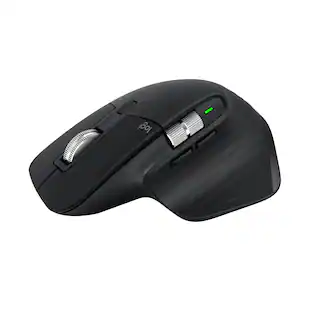
Logitech MX Master 3S Bluetooth Edition – productivity and precision mouse. With Quiet Clicks and 8K DPI any-surface tracking for more feel and performance.

The Logitech MX Master 4 brings immersive control and precision you can feel with haptic feedback. Experience haptic feedback on specific actions, shortcuts, notifications like switching desktops, slider adjustments and more. Customize vibration intensity in Logi Options+. With Actions Ring shortcuts and MX Master 4, save up to 33% of your time by accessing tools and filters at your cursor, reducing repetitive movements by up to 63%. Experience uninterrupted performance with 2X more powerful connectivity, powered by an advanced radio chip, optimized antenna placement, and a new USB-C dongle.

| Pros for Logitech - MX Master 2S Bluetooth Wireless Laser Mouse with Hyper-Fast Scrolling - Wireless - Graphite | |||
|---|---|---|---|
| Ergonomics, Overall Performance, Battery Life, Connectivity, Scrolling | Ergonomics, Overall Performance, Button Functionality, Connectivity, Battery Life | Ergonomics, Overall Performance, Button Functionality, Battery Life, Haptic Feedback | Overall Performance, Connectivity, Battery Life, Portability, Size |
| Cons for Logitech - MX Master 2S Bluetooth Wireless Laser Mouse with Hyper-Fast Scrolling - Wireless - Graphite | |||
| There were no cons for this product— | There were no cons for this product— | Weight, Size | There were no cons for this product— |
Specs
Customers often buy these together
Computer Keyboards
![esc ~ ! 1 tab caps lock shift ctrl F2 Fl # 2 3 Q W A S Z start opt L F3 $ 4 E D X alt cmd3 ) FS F4 A % 5 6 R T F G V C logi 44 HI & F9 FID FB F7 F6 * ) - - & 0 8 9 7 O P U I Y K L H J > < N M 1 B PM + = { [ : I ; ? I alt cmd D 2 4 300 3 1 F12 . * page I insert home up clear backspace 8 9 + 7 page A pg up end down home } I delete ] / 6 4 5 4 enter 2 3 enter 1 dn Pg end shift = 0 del ins etrl fn opt](https://pisces.bbystatic.com/image2/BestBuy_US/images/products/6539/6539505_sd.jpg;maxHeight=232;maxWidth=233?format=webp)
Logitech - MX Keys S Universal Full-size Wireless Scissor Keyboard for PC and Mac with Backlit keys - Black
Top Deal$119.99The price was $129.99

![Esc F1 F2 F3 F4 F5 F6 F7 F8 F9 F10 F11 F12 Print Screen Scroll Lock Pause Break 1 2 3 4 5 6 7 8 9 0 - + = Backspace Insert Home H Page Up A Num Look 1 I Tab Q W E R T Y U I o P { [ } ] I I Delete End IN Page Down 7 Home 8 9 Pg Up Caps A Lock A S D F G H J K L ; : DE g Enter 4 5 6 Shift Z X C V N M < > ? I Shift 1 End 2 3 Pp Dn Enter Ctrl Alt Alt Ctrl 0 Ins Del](https://pisces.bbystatic.com/image2/BestBuy_US/images/products/a588d446-5678-40ae-86b8-1f15e0026e66.jpg;maxHeight=232;maxWidth=233?format=webp)












Customers ultimately bought
 Top Deal$89.99The price was $99.99
 $49.99The price was $59.99
 $77.99The price was $119.99
 $33.99The price was $39.99


Explore tech essentials Sponsored
 Top Deal$127.99The price was $159.99




Discover related products
 $12.99The price was $13.99













Keep exploring
 $149.95The price was $215.95
 $59.99The price was $71.49
 $79.95The price was $109.95