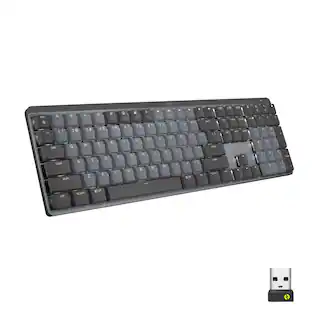
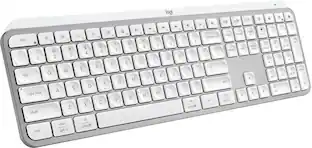
Logitech - MX Mechanical Full size Wireless Mechanical Clicky Switch Keyboard for Windows/macOS with Backlit Keys - Graphite
Customers are saying
Customers often highlight the MX Mechanical Keyboard's high quality material and excellent key feel. The keyboard's connectivity is also appreciated for its convenience. Many users are impressed with the amazing battery life.
Key Switch Behavior
ClickyFluid mechanical typing
MX Mechanical keyboard features Tactile Quiet switches that deliver next-level feel and flow with less noise - Clicky and Linear switches are also available.
Low-profile keys, ergonomic comfort
A keyboard layout designed for effortless precision, with a full-size form factor and low-profile mechanical switches for better ergonomics.
Smart illumination
Backlit keys light up the moment your hands approach the cordless keyboard and automatically adjust to suit changing lighting conditions.
Faster workflow, more customization
Customize Fn keys, assign backlighting effects, enable Flow cross-computer, multi-device control, and more in the improved Logi Options+ .¹
Multi-device, multi-OS keyboard
Pair MX Mechanical wireless keyboard with up to 3 devices on nearly any operating system via Bluetooth Low Energy or included Logi Bolt receiver.²
USB-C quick charging
MX Mechanical keyboard stays powered up to 15 days on a full charge or up to 10 months with the backlighting turned off.³
Sustainable design
Plastic parts in MX Mechanical (Graphite) include 45% certified post-consumer recycled plastic (excludes plastic in printed wiring assembly (PWA), cables, and packaging.).
¹ Requires Logi Options+ software, available for Windows and macOS.
² Not compatible with Logitech Unifying technology.
³ Battery life may vary based on user and computing conditions.
1-month of Adobe Creative Cloud on us (a value of $59.99)*
Pair two of the world’s top creative tools. Buy one MX Mechanical Wireless Keyboard and claim your free 1-month Adobe Creative Cloud membership. *Value calculated based on Adobe Creative Cloud All Apps monthly value of $59.99 valid on Adobe.com on Sept 12, 2024. Terms & Conditions apply.¹ ² ³
¹ Terms and Conditions: Offer starts on October 2024, and expires on October 31st, 2026. Offer available worldwide to customers who purchase the Logitech MX Mechanical Wireless Keyboard who are new or existing Adobe customers. When you purchase an MX Mechanical Wireless Keyboard you receive a complimentary 3-month membership of Adobe Creative Cloud All apps when you go to logi.com/adobe-offer offer page and follow the redemption steps.
² Limit: 1 subscribing customer per product. At the end of the trial period, if you provided a payment method, your subscription would automatically renew, and you will be charged the then-current subscription rate unless you elect to change or cancel your subscription.For Creative Cloud All apps, the current subscription rate is US$89.99/mo or US$659.88/yr (annual, prepaid) (plus applicable taxes/VAT/GST).Cancellations can be made through Customer Support or https://account.adobe.com/plans
³ Valid only for eligible persons who are 18+. Residents or persons in embargoed countries or countries subject to U.S. or local export restrictions are not eligible. Offer and prices are subject to change. Offer may not be assigned, exchanged, sold, transferred, combined, or redeemed for cash or other goods and services not expressly stated here as included. Subject to availability where the recipient resides. Additional terms may apply. VOID WHERE PROHIBITED OR RESTRICTED BY LAW.
⁴ The purchase of an MX Mechanical Wireless Keyboard includes 1 month of Adobe Creative Cloud All Apps membership. Terms and conditions apply.
⁵ Requires Logi Options+ app, available for recent versions of Windows and macOS
⁶ Battery life may vary based on user and computing conditions
- Lighting TypeSingle colorForm FactorFull-sizeKeyboard TechnologyMechanicalKey Switch BehaviorClickyConnection TypeWireless
Reviews
Rating 4.6 out of 5 stars with 49 reviews
- Keyboard Quality (32)
- Battery Life (7)
- Connectivity (5)
- Key Feel (3)
Customer Images
The vast majority of our reviews come from verified purchases. Reviews from customers may include My Best Buy members, employees, and Tech Insider Network members (as tagged). Select reviewers may receive discounted products, promotional considerations or entries into drawings for honest, helpful reviews.

Compare similar products
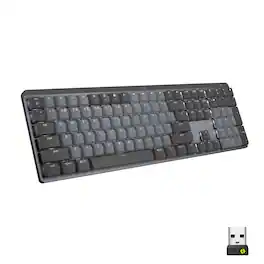
Introducing MX Mechanical - a full-size keyboard with extraordinary feel, precision, and performance. Low-profile mechanical typing delivers satisfying feedback in your choice of key switches – Tactile Quiet, Clicky, or Linear. MX Mechanical is crafted for ergonomic comfort, with smart illumination and easy-switch – allowing you to connect up to 3 devices and stay in your flow for hours.
Introducing MX Mechanical - a full-size keyboard with extraordinary feel, precision, and performance. Low-profile mechanical typing delivers satisfying feedback in your choice of key switches – Tactile Quiet, Clicky, or Linear. MX Mechanical is crafted for ergonomic comfort, with smart illumination and easy-switch – allowing you to connect up to 3 devices and stay in your flow for hours.

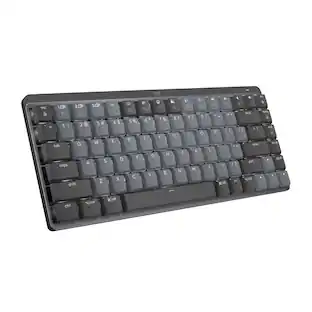
Introducing MX Mechanical Mini- a minimalist keyboard with extraordinary feel, precision, and performance. Low-profile mechanical typing delivers satisfying feedback in your choice of key switches – Tactile Quiet, Clicky, or Linear. MX Mechanical Mini is crafted for ergonomic comfort, with smart illumination and Easy-Switch – allowing you to connect up to 3 devices and stay in your flow for hours.
Introducing MX Mechanical - a full-size keyboard with extraordinary feel, precision, and performance. Low-profile mechanical typing delivers satisfying feedback in your choice of key switches – Tactile Quiet, Clicky, or Linear. MX Mechanical is crafted for ergonomic comfort, with smart illumination and easy-switch – allowing you to connect up to 3 devices and stay in your flow for hours.
| Pros for Logitech - MX Mechanical Full size Wireless Mechanical Clicky Switch Keyboard for Windows/macOS with Backlit Keys - Graphite | |||
|---|---|---|---|
| Keyboard Quality, Battery Life, Connectivity, Key Feel | Keyboard Quality, Battery Life, Key Feel, Connectivity, Ease of use | Keyboard Quality, Battery Life, Key Feel, Ease of use, Size | Keyboard Quality, Key Feel, Wireless |
| Cons for Logitech - MX Mechanical Full size Wireless Mechanical Clicky Switch Keyboard for Windows/macOS with Backlit Keys - Graphite | |||
| There were no cons for this product— | Price, Noise Level, Software | Price, Weight | There were no cons for this product— |
Specs
Customers often buy these together
Mice

Laptop Docking Stations
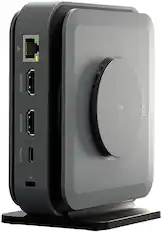
j5create - USB-C Dual 4K HDMI Docking Station with 15W Wireless Charging - Space Gray
$119.99The price was $129.99
Customers ultimately bought
 Labor Day Deal$89.99The price was $99.99
 $118.99The price was $119.99



Explore tech essentials Sponsored
 $129.99The price was $149.99
 $59.99The price was $79.99


Discover related products
 $459.99The price was $487.99
 $13.99The price was $19.99
 $219.00The price was $275.00
 $30.99The price was $32.99










Keep exploring
 $228.99The price was $283.49