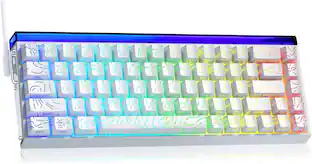
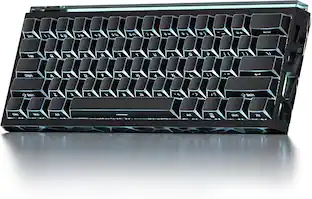
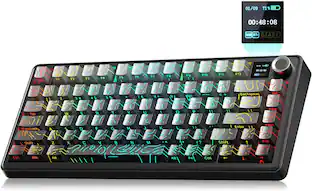
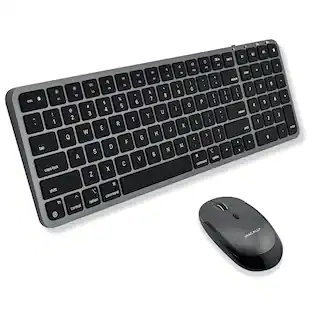
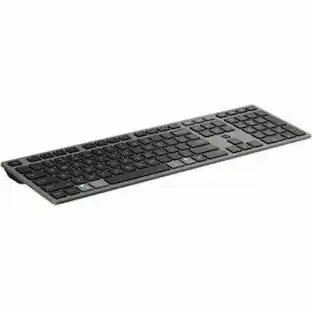
Macally - Bluetooth Keyboard and Mouse | Mac Duo - Scissors Wireless Bluetooth Keyboard - 110 Key - Space Gray - Wireless - Macaron
Reviews coming soon
About this product
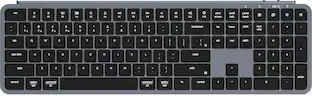
Macally Bluetooth Keyboard and Mouse | Mac Duo - Scissors Wireless Bluetooth Keyboard - 110 Key - Space Gray - Wireless Bluetooth Mouse - 1600 dpi - Space Gray - Compatible with Mac, PC
Streamline Your Workflow
With the ability to pair and switch between three devices, our keyboard and mouse combo enhances productivity, allowing for effortless multitasking and seamless integration with your digital lifestyle.
Precision and Comfort
Featuring 110 scissor switch keys and a silent mouse with 3 DPI modes, this combo offers the ultimate in typing comfort and cursor control, perfect for long work sessions or intense creative projects.
Hassle-Free Rechargeability
Bid farewell to constant battery replacements. Our keyboard and mouse boast built-in rechargeable batteries, ensuring you're always powered up and ready to conquer any task.
𝗦𝗶𝗺𝗽𝗹𝘆 𝗥𝗲𝗰𝗵𝗮𝗿𝗴𝗲
Our bluetooth keyboard and mouse combo for mac feature built-in rechargeable batteries that extends runtime per charge. Charging cable is included. 800mAh for keyboard, 300mAh for mouse.
𝗪𝗵𝗮𝘁 𝗬𝗼𝘂'𝗹𝗹 𝗥𝗲𝗰𝗲𝗶𝘃𝗲
Your satisfaction is our top priority so, along with our mac wireless keyboard and mouse, we also included easy to reach customer service as well as up to 2 years of warranty for mac wireless keyboard and mouse.
- Form FactorFull-sizeConnection TypeWireless
Reviews
This product doesn't have any reviews yet.
Compare similar products
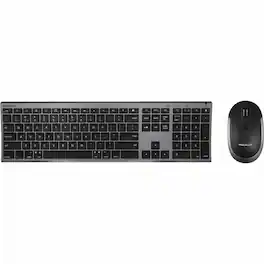
Macally Bluetooth Keyboard and Mouse | Mac Duo - Scissors Wireless Bluetooth Keyboard - 110 Key - Space Gray - Wireless Bluetooth Mouse - 1600 dpi - Space Gray - Compatible with Mac, PC
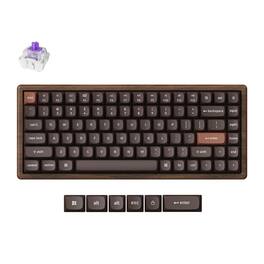
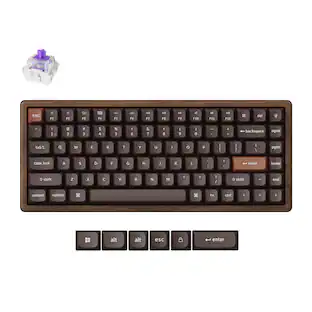
Keychron K2 HE All-Wood Special Edition combines a premium walnut wood frame with CNC-machined aluminum side panels and modern magnetic switch control. This 75% keyboard includes Gateron Double-Rail Magnetic Nebula switches, advanced TMR sensors, adjustable actuation, rapid trigger, dynamic keystrokes, Keychron Launcher customization, 2.4GHz wireless, Bluetooth 5.2, USB-C wired mode, RGB lighting, and a 4000 mAh rechargeable battery.

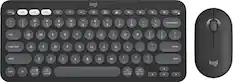
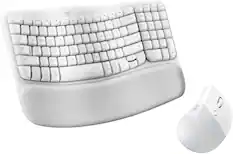
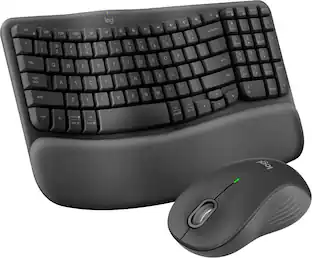
A duo designed for comfier days. Waves Keys for Mac and Lift for Mac are optimized for macOS, and work with iPad. Enjoy familiar, natural typing with a wavy keyframe design and raise your hand into a natural handshake position with Lift for Mac. Relax into focus with quiet typing and clicks, and personalize your experience using the Logi Options+ App.

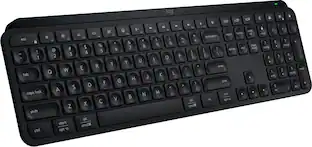
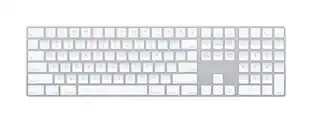
Magic Keyboard with Numeric Keypad features an extended layout, with document navigation controls for quick scrolling and full-size arrow keys for gaming. A scissor mechanism beneath each key allows for increased stability, while optimized key travel and a low profile provide a comfortable and precise typing experience. The numeric keypad is also great for spreadsheets and finance applications. And the built-in, rechargeable battery is incredibly long-lasting, powering your keyboard for about a month or more between charges.
| Pros for Macally - Bluetooth Keyboard and Mouse | Mac Duo - Scissors Wireless Bluetooth Keyboard - 110 Key - Space Gray - Wireless - Macaron | |||
|---|---|---|---|
| There were no pros for this product— | There were no pros for this product— | Overall Performance, Ergonomics, Connectivity | Overall Performance, Numeric Keypad, Battery Life, Ease of use, Wireless |
| Cons for Macally - Bluetooth Keyboard and Mouse | Mac Duo - Scissors Wireless Bluetooth Keyboard - 110 Key - Space Gray - Wireless - Macaron | |||
| There were no cons for this product— | There were no cons for this product— | There were no cons for this product— | Price, Key Travel |
Specs
Be the first to ask a question.
We’ll try to get your question answered within 24 hours by a Best Buy customer or brand representative.
Customers often buy these together
![1 D OS
1 tab caps lock shift
2 Q W E R T Y U I O P
2 A S D F G H J K L
3 Z X C V B N M
4 1 ! 2 @ 3 # 4 $ 5 % 6 ^ 7 & 8 * 9 ( 0 ) - _ + =
5 R T Y U I O P
6 7 8 9 0 - _ + =
7 T Y U I O P
8 U I O P
9 O P
4 4 +i A D
+ delete , - ( - -
9 O { / { I P ] I
O .. return
1 - K L 1 shift A < I M - A x - opt A cmd logi fn ctrl opt DE cmd](https://pisces.bbystatic.com/image2/BestBuy_US/images/products/cc8b5f4f-1257-4ead-bc84-a64e00ed7ff3.jpg;maxHeight=232;maxWidth=233?format=webp)
![The text on the image reads:
"esc FI In - ! 1 tab caps lock shift F2 2 Q A F3 # 3 W S Z F4 $ 4 E D X P F5 % 5 R F C F6 A 6 T G V logi ins F12 FM F0 HI F9 FB F7 + ( ) - = * - & 0 8 9 7 { ] P [ ] I O Y U : I K L ; H J ? > < / M 2 B ctrl alt cmd3 opt page page end down home up del 1 * I back clear 8 9 7 I pg up home / + 5 6 4 enter 2 3 1 dn Pg shift end 0 del ins enter ctrl fn start opt alt cmd3t"
The text is a list of keyboard shortcuts for various functions, such as esc, tab, caps lock, shift, and more. The shortcuts are organized in a way that makes it easy for users to remember and use them while typing.](https://pisces.bbystatic.com/image2/BestBuy_US/images/products/01258616-55c7-44c0-8173-e2f6983190ee.jpg;maxHeight=232;maxWidth=233?format=webp)
![esc F1 F2 F3 F4 F5 F6 F7 F8 F9 F10 F11 F12 1 2 3 4 5 6 7 8 9 0 - = backspace tab Q W E R T Y U I O P [ ] \ caps lock A S D F G H J K L ; ' shift Z X C V B N M , . / shift ctrl alt logi](https://pisces.bbystatic.com/image2/BestBuy_US/images/products/6411/6411501_sd.jpg;maxHeight=232;maxWidth=233?format=webp)
![esc ! i 1 tab caps lock shift F1 2 Q A aas E4 F3 F2 $ % # 4 5 3 E R W F S D X C Z FS A 6 T G V F6 & 7 Y H B 17 * 8 U J N logi HI FI0 P9 FB ) - ( - 9 0 o P I K L > < M I P + = { [ A : I : ? I alt cmd3 2 0 3 10% 1 F12 page home up backspace ins page I delete end down } ] / enter shift ctrl fn opt^= Q I * / clear 8 9 + 7 pg up home 5 6 4 , 4 2 3 enter 1 dn pg end = 0 del ins ctrl start opt alt cmd](https://pisces.bbystatic.com/image2/BestBuy_US/images/products/6571/6571662_sd.jpg;maxHeight=232;maxWidth=233?format=webp)
More to consider
 Top Deal$119.99The price was $129.99
 Top Deal$119.99The price was $129.99

Explore tech essentials Sponsored
- Top Deal$119.99The price was $129.99




Keep exploring
 $199.95The price was $209.95
 $35.99The price was $36.99