MageGee - MK-AXE 34-Key Tri-Mode Mechanical Gaming Keypad with Red Switches and RGB Lighting - Black
Reviews coming soon
About this product
The MK-AXE is a compact 34-key one-handed mechanical gaming keypad designed for PC gaming and shortcut-heavy workflows. Connect by Bluetooth, 2.4GHz wireless, or USB-C wired mode for flexible use with Windows, macOS, and Linux computers. Linear red switches deliver smooth, responsive keystrokes without a tactile bump, while 34-key anti-ghosting supports simultaneous inputs. Adjustable RGB lighting and a multifunction control knob provide quick access to lighting brightness and audio controls. An integrated wrist rest supports a stable hand position during longer sessions.
Features
Tri-Mode Connectivity
Connect by Bluetooth, 2.4GHz wireless, or USB-C wired mode for flexible use with Windows, macOS, and Linux computers.
Linear Red Mechanical Switches
Linear red switches provide smooth, responsive keystrokes with light resistance and no tactile bump, supporting fast and consistent input for gaming and everyday use.
34-Key One-Handed Layout
The compact 34-key layout keeps frequently used gaming keys within reach. Anti-ghosting across all 34 keys helps register simultaneous commands accurately.
Adjustable RGB and Control Knob
Choose static or dynamic RGB effects and adjust brightness, effect speed, and color with keyboard shortcuts. The multifunction knob controls lighting brightness and can switch to volume and mute controls.
Integrated Wrist Rest
The built-in palm rest supports a stable wrist position during longer sessions, while the compact keypad design leaves more desk space for mouse movement.
Specifications
- Form Factor40%Connection TypeWired, Wireless
Reviews
This product doesn't have any reviews yet.


Compare similar products
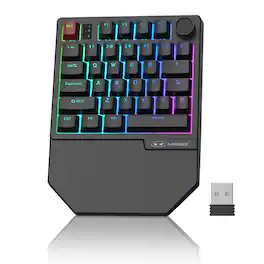
The MK-AXE is a compact 34-key one-handed mechanical gaming keypad designed for PC gaming and shortcut-heavy workflows. Connect by Bluetooth, 2.4GHz wireless, or USB-C wired mode for flexible use with Windows, macOS, and Linux computers. Linear red switches deliver smooth, responsive keystrokes without a tactile bump, while 34-key anti-ghosting supports simultaneous inputs. Adjustable RGB lighting and a multifunction control knob provide quick access to lighting brightness and audio controls. An integrated wrist rest supports a stable hand position during longer sessions.
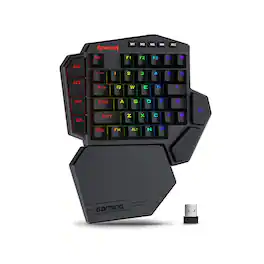
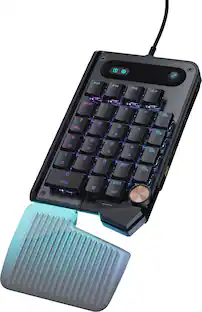
The gaming keypad features 7 programmable macro keys, supporting up to 28 customizable commands across 4 profiles for quick access to complex MMO, MOBA, and gaming keybinds. Bluetooth and 2.4GHz wireless connectivity provide flexible placement without cable clutter, while the built-in battery delivers 15 to 20 hours of continuous play on a single charge. The hot-swappable design supports most 3-pin and 5-pin mechanical switches, with included Red switches rated for up to 50 million keystrokes. A detachable magnetic wrist rest provides added comfort during extended gaming sessions and can be removed for a smaller footprint, while vibrant RGB lighting adds customizable illumination to your gaming setup. Dedicated software lets you record custom macro sequences, assign keybinds, and create personalized RGB lighting effects for a gaming keypad that adapts to your play style.

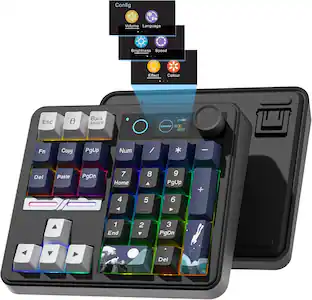
Elevate your gaming experience with the SANOXY One-Hand Keyboard With Backlight 35 Keys Gaming Mechanical Keyboard, designed for enhanced comfort, precision control, and vibrant style. Immerse yourself in a world of enhanced comfort, precision control, and vibrant style with the SANOXY One-Hand Keyboard With Backlight 35 Keys Gaming Mechanical Keyboard. Featuring a compact 35-key layout, this keyboard is ideal for one-handed operation and easy portability, while its ergonomically sculpted design ensures comfort for extended gaming sessions. Customize your gaming experience with the keyboard's customizable RGB backlight, choosing from a variety of lighting effects and adjusting the brightness to suit your preference. Experience the responsiveness and tactile feedback of high-quality mechanical switches, delivering precise control and satisfying keystrokes. This keyboard seamlessly works with various operating systems, including Win 2000, Win XP, Win ME, Vista, Win7, Win8, Androed, Linux, and IOS. Control your multimedia playback with dedicated function keys for music player, volume adjustment, mute, and pause.

One-Handed Gaming Keyboard: Meet EPOMAKER HE30, the ultimate one-handed Hall Effect keyboard featuring left-hand layout. The 36 programmable keys, which allow macros binding or modifiers reassigning via web-based software, come with premium PBT keycaps that resist the "greasy" shine and fading. With adjustable trigger, set your movement keys to 0.1mm instantaneous trigger or configure your "Ultimate" to 3.4mm to eliminate accidental activation.
Specs
Be the first to ask a question.
We’ll try to get your question answered within 24 hours by a Best Buy customer or brand representative.
Customers often buy these together

Razer - Huntsman Mini 60% Wired Optical Clicky Switch Gaming Keyboard with Chroma RGB Backlighting - Black
Holiday Deal$68.99The price was $119.99




More to consider
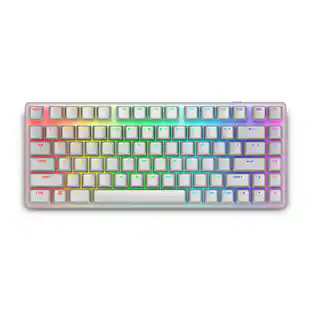
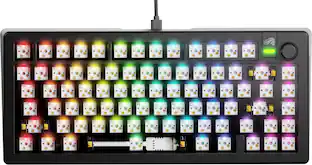
Glorious GMMK 3 PRO 75% Barebones Wired Mechanical Linear Switch Gaming Keyboard with Hot-swappable Switches
Clearance$96.99The price was $239.99

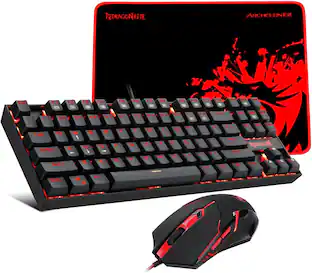


Explore tech essentials Sponsored
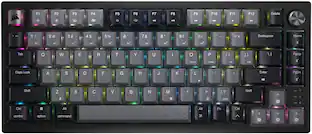
Alienware Pro 75% Wireless Mechanical Gaming Keyboard with RGB Back Lighting
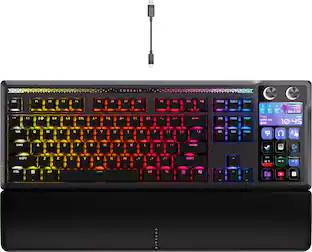
$150.99The price was $199.99CORSAIR GALLEON 100 SD Stream Deck-Integrated Mechanical Gaming Keyboard
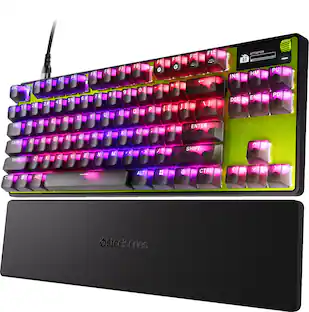
Holiday Deal$299.99The price was $349.99SteelSeries Apex Pro TKL Gen 3 Wired Magnetic Hall-Effect OmniPoint Adjustable Gaming Keyboard with Rapid Tap
$183.99The price was $239.99