Microsoft - Designer Compact Wireless Keyboard - Matte Black
About this product
Optimized for exceptional comfort and a compact, space-friendly work area, Microsoft Designer Compact Keyboard features a smooth, elegant finish and low profile. It delivers optimized key travel and a built-in expressive input (emoji) key,⁴ plus a Screen snipping key to quickly capture, copy, paste, and share.
Features
Windows compatible
For use with your existing computer.
Two colors to match your style
Available in Matte Black and Glacier.
Optimized for exceptional comfort
Microsoft Designer Compact Keyboard delivers optimized key travel and a built-in expressive input (emoji) key,⁴ plus a Screen snipping key to quickly capture, copy, paste, and share.
Expressive input key
Expressive input key for quick access to emojis, symbols and more
Optimized key spacing and key travel
For fast, fluid typing.
Your new go-to wireless keyboard
With its sleek design, premium finish, and low profile angle optimized for more productive typing, you’ll immediately feel at home on this space saving, modern keyboard.
Connect up to three devices
Connect up to three devices and switch seamlessly between them.¹
Sleek, low-profile design complements any workspace.
Compact design saves desktop space and allows for close, comfortable mouse position.
*Sold separately.
¹Smart Switching not available on devices running Windows 10 S.
²Battery life may vary based on user and computer conditions.
³Available colors may vary by market.
⁴Requires Windows 10 with the latest updates.
⁵Requires Mouse and Keyboard Center software installation. PC must meet these requirements to download: Microsoft Windows 10/8.1, 150MB available hard disk space.
You must accept License Terms for software download at microsoft.com/accessories/downloads. Internet is required, and associated charges may apply. Not available on devices running Windows 10 S or Mac OSX.
⁶Pairing functionality requires Windows 10 with the latest updates.
⁷Microsoft’s Limited Warranty is in addition to your consumer law rights.
Specifications
- Lighting TypeNoneForm FactorCompact (60%), Tenkeyless (TKL)Keyboard TechnologyScissorKey Switch BehaviorLinearConnection TypeWireless
Reviews
Rating 4.6 out of 5 stars with 201 reviews
Customer Images
The vast majority of our reviews come from verified purchases. Reviews from customers may include My Best Buy members, employees, and Tech Insider Network members (as tagged). Select reviewers may receive discounted products, promotional considerations or entries into drawings for honest, helpful reviews.





Compare similar products
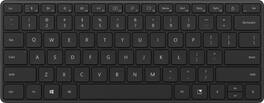
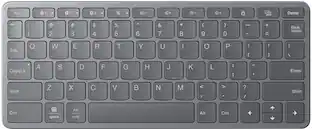
Optimized for exceptional comfort and a compact, space-friendly work area, Microsoft Designer Compact Keyboard features a smooth, elegant finish and low profile. It delivers optimized key travel and a built-in expressive input (emoji) key,⁴ plus a Screen snipping key to quickly capture, copy, paste, and share.

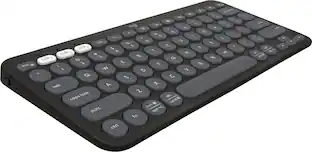
Defy Boring with Pebble Keys 2 K380s minimalist keyboard made with recycled plastic. Its minimalist, streamlined shape and sleek curves make it as iconic as you and super portable. Hop across 3 devices with the Easy-Switch buttons on the Bluetooth keyboard and work faster with the Fn shortcut keys like screen capture, search, and more. Customize the 10 keyboard Fn shortcut keys to work how you want and save time with shortcuts in Logi Options+ App.

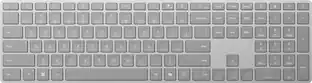
The Copilot¹˒² key on Surface Keyboard brings the power of AI to your fingertips with experiences available on Windows 11. This sleek keyboard offers classic typing, a built-in number pad, and dedicated keys for quick access to Snip & Sketch, Expressive Input, Call Mute,³ and more.

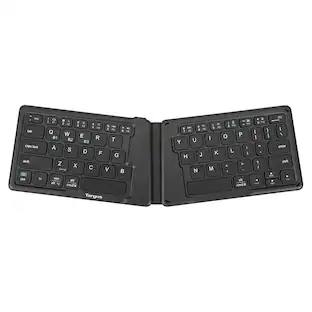
Unfold the power of this lightweight, pocket-sized keyboard with its unique, split, ergonomic design, reliable Bluetooth 5.1 wireless technology, and multi-device connectivity. Powered by a rechargeable 100 mAh battery, you can type for hours at a time. Compatible with most platforms, you’ll be able to write code, send emails, or work on your book from anywhere you want.
| Pros for Microsoft - Designer Compact Wireless Keyboard - Matte Black | |||
|---|---|---|---|
| There were no pros for this product— | Portability, Size, Connectivity, Battery Life, Keyboard Quality | Setup Ease | Portability, Size, Battery Life, Connectivity, Overall Performance |
| Cons for Microsoft - Designer Compact Wireless Keyboard - Matte Black | |||
| There were no cons for this product— | Number Pad | There were no cons for this product— | There were no cons for this product— |
Specs
Questions & Answers
Does it need a usb plugin to connect via Bluetooth?
Answered by MicrosoftOutreachTeamThank you for your question. This keyboard has built-in Bluetooth support and does not require a USB adapter.

can it be connected to surface pro laptops of Micrsoft?
Answered by MicrosoftOutreachTeamYes, it can.
What are the measurements? How wide is it?
Answered by HeyjohnnybIt’s about 11” wide and 4.25” deep. Pic attached.
Hi, Is this keyboard quiet? I'm on the phone a lot and want keyboard that's smooth and quiet. thank you
Answered by KeyboardIt is totally quiet. The material it is made from provides a soft, smooth surface for the mouse.
Will this keyboard work with an android tablet?
Answered by JosephLYes.
Customers often buy these together
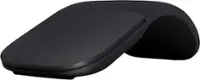
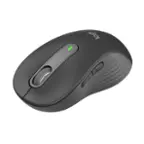
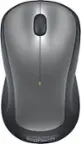
More to consider
Logitech Pebble Keys 2 Slim TKL Wireless Scissor Keyboard for Windows, macOS, iPadOS, Chrome
$37.99The price was $39.99Logitech MX Keys S Universal Full-size Wireless Scissor Keyboard for PC and Mac with Backlit keys
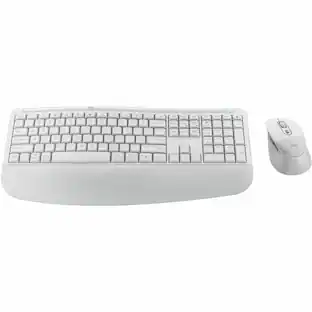
Top Deal$119.99The price was $129.99Logitech MK470 Full-size Wireless Scissor Keyboard and Mouse Bundle for Windows with Quiet clicks
Top Deal$34.99The price was $49.99
Explore tech essentials Sponsored
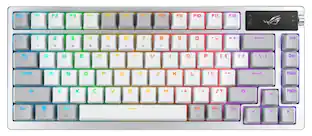
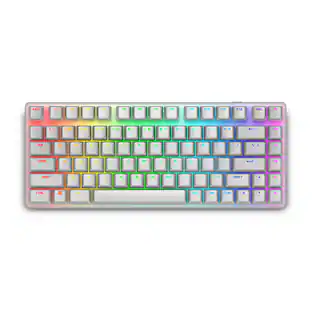
Alienware Pro 75% Wireless Mechanical Gaming Keyboard with RGB Back Lighting
$179.99The price was $199.99

Discover related products
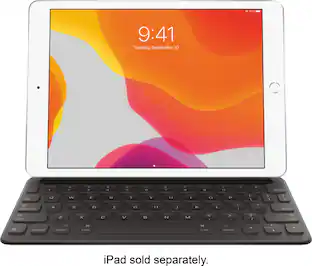
Apple Smart Keyboard for iPad (7th and 8th Gen), iPad Air (3rd Gen) and 10.5-inch iPad Pro
$49.99The price was $159.00Acer USB C Docking Station With 2 HDMI, 9-IN-1 Docking Hub with USB A&C 3.0, SD/Micro SD, 100W Charging
$42.99The price was $47.99Acer USB C to HDMI Cable for Home Office 6.6FT (4K@60Hz), High-Speed Type C to HDMI 2.0 Braided Cord
$12.99The price was $13.99












Keep exploring
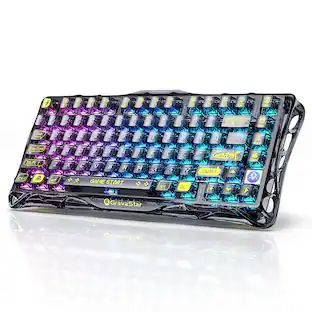
GravaStar Mercury V60 Pro Special Edition 60% Wired Hall Effect Gaming Keyboard
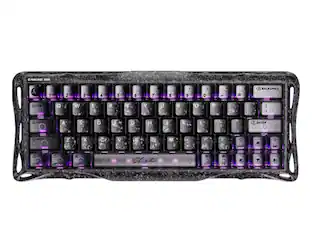
$199.95The price was $299.95Womier VK68 65% Mechanical Keyboard, Wired Backlit Mini Gaming Keyboard for PC Laptop Windows
$23.99The price was $25.99