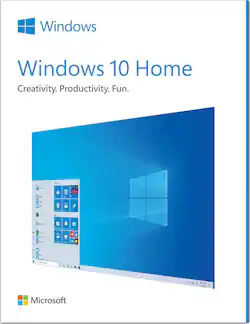
Microsoft - Windows 10 Home - USB Flash Drive - English - Physical - English
- Key Specs
- Number of Devices: 1
- Number of Licenses: 1
- Software Format: Physical (Physical software requires a disc, cartridge, etc. be inserted into the gaming console or computer to download and/or operate the software. Digital software allows for downloading and/or playing the software on the gaming console or computer without a physical disc, cartridge, etc. Physical (Download Code Only) software is purchased in physical form with a code that allows for downloading and/or playing the software on the gaming console or computer without a physical disc, cartridge, etc.)
- General
- Brand: Microsoft
- Model Number: HAJ-00052
- Product Name: Windows 10 Home - USB Flash Drive - English
- Publisher: Microsoft
- Features
- Productivity and User Experience Features: Cortana
- Language(s): English
- Cloud Based Software: true
- Purchase Rights
- Number of Devices: 1
- Number of Licenses: 1
- Compatibility
- Bit Version: 32-bit, 64-bit
- Software Format: Physical (Physical software requires a disc, cartridge, etc. be inserted into the gaming console or computer to download and/or operate the software. Digital software allows for downloading and/or playing the software on the gaming console or computer without a physical disc, cartridge, etc. Physical (Download Code Only) software is purchased in physical form with a code that allows for downloading and/or playing the software on the gaming console or computer without a physical disc, cartridge, etc.)
- Number Of Discs: 1
- Upgrade: false
- Requirements
- System Requirements: DirectX 9 or later with WDDM 1.0 driver 800 x 600 display (The software that a product must have for it to be able to integrate with another product.)
- Download File Size: 2 gigabytes
- Hard Drive Space Required: 20 gigabytes
- Other
- UPC: 889842536423
Windows 10 Home lets you always have the latest features and security. Experience faster start-ups, a familiar yet expanded Start menu, and amazing new ways to get stuff done.
- Free Upgrade to Windows 11¹: Enjoy all the goodness of Windows 10—and if your setup meets the minimum hardware requirement to run Windows 11, you’ll be eligible for a free upgrade.
Q: What's in the box? Is it a DVD or just a downloadable code with a registration key code?
A: You get a USB thumb drive for much faster transfer and less fragile media. Keeps better for longer periods if you're the sort to do clean installs. You also get a paper card with your license key on it. If you're already using WIndows 7 or 8, there's a good chance you won't actually need it and may be able to get away with just upgrading for free using the Windows 10 media creation tool, but that's sorta inconsistent. I've seen it work before, I've seen it not work before. Worked on my desktop, not on my older laptop.
A: Glenn, If you are not running a network with numerous employees you are best to go with the Home version. If you are not an adminstrator you won't know the difference. The Pro version has more security in a business network environment, allowing various access rights to varied employees etc. Hope this helps. You can also google for a pros and cons.
Q: Is this version for 32 bit or 64 bit?
A: Yes, it's 64 bit. And if you already are running the pro version of windows 7, this home version upgrades to windows 10 pro.
A: Box says "Single license".
A: If you want to install Windows 10 on multiple computers, you must purchase a licence for each one. I found this at the Microsoft answers website.
Q: I am running Vista home premium 64 bit. Can I upgrade to windows 10?
A: No you cannot upgrade directly from Windows Vista to Windows 10. If you have a PC that Vista was originally installed on you may want to check your PC specs on the Microsoft website to see if the PC hardware is compatible to run Windows 10. Some PC's need more memory, hard drive space and or a faster processor depending on how old and how good some of the base components are. Software upgrades started with a later release of Windows 8 so Vista is a little too far back.
A: Yes, it will.
A: I just did so on December 14 with no problems. While my CPU is 9 years old, it was top line back then, and still runs the latest games at acceptable frame rates, I have 16 GB of new ram, a new 2-Tbyte hard drive (replacing an old 1-Tbyte drive that had been imaged and backed up before it died) and a new video card, so look at your hardware requirements.
People also viewed
Today's top picks
 Black Friday in July Deal$749.99The price was $1,199.99
 Black Friday in July Deal$199.99The price was $399.99
 Black Friday in July Deal$69.99The price was $129.99
 $249.99The price was $399.99
 Black Friday in July Deal$199.99The price was $249.99
 Black Friday in July Deal$199.00The price was $419.00
 Black Friday in July Deal$169.99The price was $299.99
 Black Friday in July Deal$499.99The price was $999.99