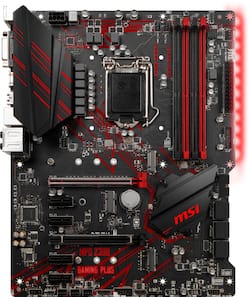
MSI - MPG Z390 GAMING PLUS (Socket LGA1151) USB 3.1 Gen 1 Intel Motherboard with LED Lighting
- Key Specs
- Chipset: Intel Z390
- Form Factor: ATX (The size, arrangement, and physical configuration of the product.)
- Processor Socket: Socket LGA 1151 (Type of pin configuration that connects a CPU to a computer’s motherboard.)
- Number Of Memory Slots: 4
- Maximum Memory Supported: 64 gigabytes
- General
- Brand: MSI
- Model Number: MPG Z390 GAMING PLUS
- Product Name: MPG Z390 GAMING PLUS (Socket LGA1151) USB 3.1 Gen 1 Intel Motherboard with LED Lighting
- Compatibility
- Chipset: Intel Z390
- Form Factor: ATX (The size, arrangement, and physical configuration of the product.)
- Processor Socket: Socket LGA 1151 (Type of pin configuration that connects a CPU to a computer’s motherboard.)
- Processor Compatibility: Intel Celeron, Intel Core i5, Intel Core i3, Intel Core i7
- Connectivity
- Power Connector: 24-pin main power connector, 8-pin ATX12V connector (The configuration of the connector as it connects the motherboard to a power supply unit.)
- Slot
- Number Of Memory Slots: 4
- Dimensions
- Product Length: 9.6 millimeters (The out of box length of the item. Length is measured as the longest dimension of the item.)
- Product Width: 12 millimeters (The out of box width of the item. Width is measured as the horizontal distance from one side of the item to the other as it would be primarily used or placed.)
- Memory
- Maximum Memory Supported: 64 gigabytes
- Memory Slot Type: 288-pin DIMM
- Other
- UPC: 824142169643
Build the ultimate PC with this MSI MPG Z390 Gaming Plus motherboard. Featuring a premium layout and an extended heat sink design, this motherboard supports high-end multi-core processors and keeps them cool for maximum performance. This MSI MPG Z390 Gaming Plus motherboard enhances data performance with two advanced M.2 slots.
- Supports Intel® processors: Including Celeron®, Core™ i5, Core™ i3, Core™ i7, Core™ i9 and Pentium® Gold in an LGA 1151 socket.
- Up to 4400MHz (OC) system speed: With an Intel® Z390 chipset for efficient operation.
- AMD CrossFireX graphics support: Provides ultrarealistic image detail when gaming.
- Four 288-pin DDR4 SDRAM DIMM sockets: Support up to 64GB of system memory.
- Supports Realtek 8-channel audio: For an excellent sonic performance.
- Peripheral interfaces: Include 2 USB 3.1 Gen 1, 1 LAN (Gigabit Ethernet), 2 USB 2.0, 1 PS/2 (mouse/keyboard), 1 DVI-D, 1 HDMI, 1 audio line-out, 1 microphone, 1 audio line-in, and more.
- Expansion capabilities: Include 2 PCI Express 3.0 x16 and 4 PCI Express 3.0 x1.
Whats Included
- MSI MPG Z390 GAMING PLUS
- 2 x Serial ATA cable
- I/O back plate
- Software
Product Manuals
Q: Does this mobo have a WiFi connection or will I need lan
A: This motherboard does not have a Wi-Fi adapter you will need one. This motherboard has a LAN port only. You can add a Wi-Fi adapter via a PCI adapter with antennas or an Integrated CNVi adapter.
A: Yes the MPG Z390 GAMING PLUS motherboard is compatible with the i7 8700K CPU.
Q: What type of tower that will be an ideal choice for this mother board
A: The MPG Z390 GAMING PLUS motherboard should fit within a Mid ATX or Full ATX computer case.
A: Same thing happened to me on one of my old motherboards. Check the CPU chip and make sure it is inserted correctly or firmly. Also make sure no pins are bent on it. If so use jeweler's Tweezers to carefully straighten them. For me 2 pins were bent and I had to lightly press down on my CPU chip. Hope this helps.
Q: I'm new to building PC. Do I need a disk drive to install or anything like or is internet good?
A: It depends on how you are going to install your operating system. If you only have the disc for the OS then yes, you will need the disc drive. But if you have it on a USB flash drive all you have to do is plug the USB in and the motherboard will detect that it has the OS on it and install from there. Drivers and everything else you'll need can be found online through the manufacturers website.
Q: Is my i7-4790k compatible with this motherboard?
A: Put simply, no. The socket type on this motherboard is 1151, while your processor has a 1150 socket type.
A: Overclocking my 9900k to 4.9 easily. Make sure your ram is on msi certified list. I had that problem.
Q: Will this motherboard support my Gtx 1070 video card?
A: Yes, it will support it with no problem.
People also viewed
 $189.99The price was $219.99
 $189.99The price was $289.99
 $189.99The price was $239.99
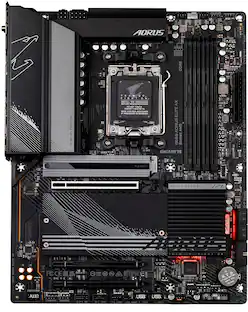 $139.99The price was $229.99
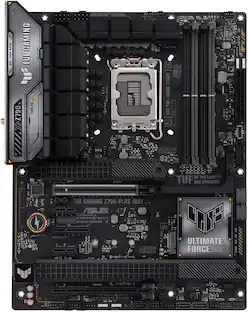 $195.00The price was $249.99
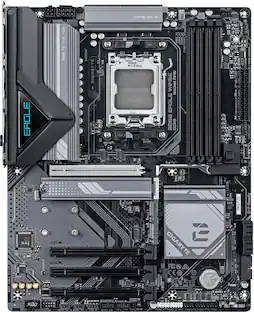 Clearance$80.99The price was $199.99
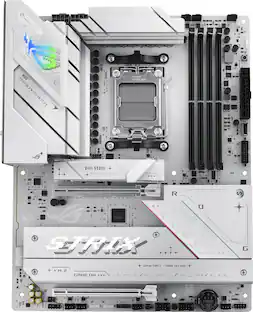 $229.99The price was $289.99
 $139.99The price was $249.99
 $139.99The price was $179.99
 $149.99The price was $189.99
 $209.99The price was $229.99

Today's top picks
 $499.99The price was $749.99
 $199.99The price was $249.99
 $789.99The price was $1,049.99










