Samsung - 32" M80F 4K UHD Smart Monitor with SamsungVision AI, Built In Speakers, USB-C, Ergonomic Stand and SlimFit Camera - Warm White
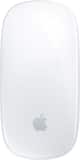
- Apple - Magic Mouse - Multi-Touch Surface (USB-C) - Wireless - White Multi-Touch Surface$79.99

More Buying Options
Related Item

Highlights
- Key Specs
- Refresh Rate: 60Hz (The number of frames per second the device can produce natively without enhancement. Higher rates help produce smooth, seamless pictures.)
- Maximum Resolution: 3840 x 2160 (Maximum resolution refers to the highest number of pixels that a screen can process and display. Higher resolution signals produce more detailed images.)
- Response Time: 4 milliseconds (The speed at which pixels can change colors is called response time. It is measured in milliseconds (ms).)
- Panel Type: VA (Technology that affects response time and image quality.)
- Synchronization Technology: Not Applicable (Generally, these technologies allow syncing between a computer/console game's frame rate and the device's refresh rate for a smoother display without tearing.)
- Screen Size: 32 inches (Size of the screen, measured diagonally from corner to corner.)
- Display Connector(s): 1 x HDMI (The number and type of connectors used to connect to an external display.)
- General
- Brand: Samsung
- Model Number: LS32FM803UNXZA
- Product Name: 32" M80F 4K UHD Smart Monitor with SamsungVision AI, Built In Speakers, USB-C, Ergonomic Stand and SlimFit Camera
- Color: Warm White
- Operating System Compatibility: Windows
- Display
- Refresh Rate: 60Hz (The number of frames per second the device can produce natively without enhancement. Higher rates help produce smooth, seamless pictures.)
- Maximum Resolution: 3840 x 2160 (Maximum resolution refers to the highest number of pixels that a screen can process and display. Higher resolution signals produce more detailed images.)
- Native Resolution: 3840 x 2160 (Native resolution of a screen refers to its single, fixed resolution. Sometimes screens must scale an image up or down in order to fit the native resolution. This can cause a loss of resolution or detail.)
- Contrast Ratio: 3000:1 (Measured difference between a displayed image's brightest whites and darkest blacks. The larger the first number, the more detail and color that can be displayed.)
- Response Time: 4 milliseconds (The speed at which pixels can change colors is called response time. It is measured in milliseconds (ms).)
- Display Type: LED
- Panel Type: VA (Technology that affects response time and image quality.)
- Synchronization Technology: Not Applicable (Generally, these technologies allow syncing between a computer/console game's frame rate and the device's refresh rate for a smoother display without tearing.)
- Aspect Ratio: 16:9 (The measurement of the width of a screen compared to the height of a screen, expressed as a ratio.)
- Curved Screen: false
- Brightness: 400 candela per square meter (A measure of the total light output.)
- Screen Size: 32 inches (Size of the screen, measured diagonally from corner to corner.)
- High Dynamic Range (HDR): true (An HDR-compatible 4K TV or other HDR-compatible product displays HDR video content when it's available from sources like 4K Ultra HD Blu-ray Discs and 4K streaming services.)
- High Dynamic Range Format: HDR 10 (There are a few HDR formats that tell the TV or other HDR-compatible product how to best utilize its capabilities to display HDR content. HDR technology can support one or multiple formats, each with various benefits to picture quality.)
- Horizontal Viewing Angle: 178 degrees (The maximum angle at which the display can be viewed with acceptable visual performance from either side.)
- Vertical Viewing Angle: 178 degrees (The maximum angle at which the display can be viewed with acceptable visual performance from above or below.)
- Touch Screen: false (Touch-screen devices make navigating more intuitive. Using a touch-screen display, you can do things such as tap to select, hold and drag to move items, swipe to scroll, and pinch to zoom.)
- On-Screen Display Languages: English (The available language options for displayed text.)
- Color Gamut (Standard RGB): 99 percent
- Connectivity
- Number of HDMI Inputs (Total): 1
- Display Connector(s): 1 x HDMI (The number and type of connectors used to connect to an external display.)
- Number of USB Ports (Total): 2
- USB Ports: 1 x USB-C (The number and type of USB ports the product has.)
- Headphone Jack: false (The device features an interface that allows for the connection of headphones.)
- Compatibility
- Wall Mountable: true (The product is able to be secured to a wall. Some products are designed ready to mount, while others may require additional hardware/accessories for installation.)
- VESA Wall Mount Standard: 100mm x 100mm (VESA wall mount standards refer to the spacing of screw holes built into a TV in order to fit with standard TV wall mounts. These standards are implemented into most TVs and monitors.)
- Works With: SmartThings (Compatible with or able to be connected to other smart devices or applications.)
- Voice Assistant Built-in: Amazon Alexa (A digital assistant built into the device that uses voice commands to answer questions and control smart devices.)
- Features
- Tiltable: true
- Adjustable Stand Height: true
- Anti-Glare: false (Product has features, such as a matte finish, that reduce the likelihood for screen glare.)
- Built-In Webcam: true
- Integrated Speaker(s): true
- Smart Capable: true (Smart, or smart-capable devices are able to connect directly to your home network in order to stream content from the Internet, run Internet-based apps, or connect to other smart devices.)
- Dimensions
- Product Height With Stand: 24.3 inches
- Product Height Without Stand: 16.7 inches
- Product Width: 28.09 inches (The out of box width of the item. Width is measured as the horizontal distance from one side of the item to the other as it would be primarily used or placed.)
- Product Depth (With Stand): 7.9 inches
- Product Depth Without Stand: 1 inches
- Product Weight: 15.4 pounds (The out of box weight of the item.)
- Stand Included: true
- Cord Length: 59.05 inches
- Power
- Power Consumption: 140 watts
- Certifications Listings & Approvals
- ENERGY STAR Certified: false (Devices carrying the ENERGY STAR service mark, such as computer products and peripherals, kitchen appliances, and other products, generally use 20% to 30% less energy than required by federal standards.)
- EPEAT Qualified: false (The Electronic Product Environmental Assessment Tool (EPEAT) was designed to provide an environmental assessment tool for purchasers. In order to qualify for EPEAT, a product must meet all 23 required criteria.)
- Warranty
- Warranty - Parts: 1 year
- Warranty - Labor: 1 year
- Other
- UPC: 887276990361
Samsung’s 32" M8 Smart Monitor, with the NQM AI Processor and featuring 4K UHD resolution, delivers an AI-powered experience. Smart TV Apps provide instant access to your favorite content. The processor upscales lower-resolution content to 4K, while the AI Picture Optimizer adapts visuals for optimal quality whether you're working, gaming, or watching videos. Knox Security protects your data and enhances the safety of your IoT connections through tightly controlled access. Click-to-Search provides instant content details. Gaming Hub gives access to the biggest games from top streaming partners with no PC or console required. Active Voice Amplifier Pro uses advanced audio processing to ensure dialogue comes through clearly. SmartThings enables control of connected devices, turning your monitor into a central IoT hub. The SlimFit Camera attaches to the monitor and provides clear picture quality. The ergonomically designed stand supports comfortable viewing with height adjustment, tilt, and pivot capabilities. Multiple ports, including USB-C, HDMI, and USB-A, make connectivity simple.
- Smart TV Apps: Stream content directly from your monitor, or tune into Samsung TV Plus to get live TV channels and on-demand content.¹
- 4K AI Upscaling: Unlock the full potential of a 4K screen when streaming content directly on your monitor. Powered by the NQM AI Processor, AI upscaling turns lower resolution content up to nearly 4K, transforming entertainment with new levels of definition.²
- AI Picture Optimizer: Experience optimal picture quality adjusted to your needs. AI Picture Optimizer adapts the visuals to help you work on documents with comfort, get fully immersed in games with deep, rich blacks, and watch videos in vibrant colors.³
- Knox Security: Keep your monitor data safe and confidential with Samsung Knox. Its robust, multi-layered security and tightly controlled access also enhance the security of your IoT connections made through your Smart Monitor. Plus, your Smart Monitor comes with Knox Vault — a built-in hardware chip designed to safeguard sensitive information from physical attacks — adding an extra layer of protection for peace of mind.⁴
- Active Voice Amplifier Pro: Enjoy an unparalleled audio experience with AI technology. Active Voice Amplifier Pro uses advanced audio processing to analyze voices and background sounds in your content and ambient noises around the monitor — delivering every word with crystal clarity.
- Click to Search: Enrich your viewing experience with Click to Search. With just a click, you'll instantly get content recommendations and details on what you're watching — so you can explore actors' biographies, filmographies and more.⁵
- Gaming Hub: Access the ultimate gaming realm. In the Samsung Gaming Hub, you can play the biggest games from top streaming partners, with no PC or console needed. Discover new games or replay old favorites all in one place.⁶
- SlimFit Camera: Seamlessly stay connected with your friends, family and coworkers. SlimFit Camera attaches to your monitor and provides clear picture quality — allowing you to have video calls with ease.
- Ergonomic Design: Elevate your workspace with Smart Monitor, which offers a stylish look and provides comfort. Its adjustable stand lets you effortlessly tilt, pivot, and change the height — so you can view long documents with less scrolling.
- Multiple Ports: Connect your gadgets without any adapters. With USB-C, HDMI and USB-A ports, you can charge your device, transmit data, and make the most out of your multi-screen setup — all at once.
- SmartThings: See your smart home devices in a 3D Map View and manage them with ease. You can also check the energy usage and cost by device, and save money by putting them in energy-saving modes. Simply tap into the all-in-one IoT hub using your mobile phone or voice command — without pausing shows.⁷
- Workspace: Access and control your PC remotely, or work directly on the monitor. Built-in apps like Microsoft 365 let you bypass the PC for a simpler, more streamlined work experience. Plus, with Multi View you can see apps side-by-side and take your productivity to new levels.⁸
- AirPlay: Wirelessly connect Apple devices to your Smart Monitor and view content on a bigger screen. With AirPlay integration, you can easily enjoy media or mirror apps, documents, and websites from an iPhone, iPad or Mac.⁹
- Multi Control: Take multitasking and productivity to the next level. Seamlessly drag and drop documents and images across multiple Samsung devices onto your Smart Monitor for a clearer view and larger workspace — all with a single mouse and keyboard.¹⁰
- Smart TV Apps: Stream content directly from your monitor, or tune into Samsung TV Plus to get live TV channels and on-demand content.¹
- 4K AI Upscaling: Unlock the full potential of a 4K screen when streaming content directly on your monitor. Powered by the NQM AI Processor, AI upscaling turns lower resolution content up to nearly 4K, transforming entertainment with new levels of definition.²
- AI Picture Optimizer: Experience optimal picture quality adjusted to your needs. AI Picture Optimizer adapts the visuals to help you work on documents with comfort, get fully immersed in games with deep, rich blacks, and watch videos in vibrant colors.³
- Knox Security: Keep your monitor data safe and confidential with Samsung Knox. Its robust, multi-layered security and tightly controlled access also enhance the security of your IoT connections made through your Smart Monitor. Plus, your Smart Monitor comes with Knox Vault — a built-in hardware chip designed to safeguard sensitive information from physical attacks — adding an extra layer of protection for peace of mind.⁴
- Active Voice Amplifier Pro: Enjoy an unparalleled audio experience with AI technology. Active Voice Amplifier Pro uses advanced audio processing to analyze voices and background sounds in your content and ambient noises around the monitor — delivering every word with crystal clarity.
- Click to Search: Enrich your viewing experience with Click to Search. With just a click, you'll instantly get content recommendations and details on what you're watching — so you can explore actors' biographies, filmographies and more.⁵
- Gaming Hub: Access the ultimate gaming realm. In the Samsung Gaming Hub, you can play the biggest games from top streaming partners, with no PC or console needed. Discover new games or replay old favorites all in one place.⁶
- SlimFit Camera: Seamlessly stay connected with your friends, family and coworkers. SlimFit Camera attaches to your monitor and provides clear picture quality — allowing you to have video calls with ease.
- Ergonomic Design: Elevate your workspace with Smart Monitor, which offers a stylish look and provides comfort. Its adjustable stand lets you effortlessly tilt, pivot, and change the height — so you can view long documents with less scrolling.
- Multiple Ports: Connect your gadgets without any adapters. With USB-C, HDMI and USB-A ports, you can charge your device, transmit data, and make the most out of your multi-screen setup — all at once.
- SmartThings: See your smart home devices in a 3D Map View and manage them with ease. You can also check the energy usage and cost by device, and save money by putting them in energy-saving modes. Simply tap into the all-in-one IoT hub using your mobile phone or voice command — without pausing shows.⁷
- Workspace: Access and control your PC remotely, or work directly on the monitor. Built-in apps like Microsoft 365 let you bypass the PC for a simpler, more streamlined work experience. Plus, with Multi View you can see apps side-by-side and take your productivity to new levels.⁸
- AirPlay: Wirelessly connect Apple devices to your Smart Monitor and view content on a bigger screen. With AirPlay integration, you can easily enjoy media or mirror apps, documents, and websites from an iPhone, iPad or Mac.⁹
- Multi Control: Take multitasking and productivity to the next level. Seamlessly drag and drop documents and images across multiple Samsung devices onto your Smart Monitor for a clearer view and larger workspace — all with a single mouse and keyboard.¹⁰
Whats Included
- Power Cable
- HDMI Cable
- USB Type-C Cable
- Remote Controller
- Power Cable
- HDMI Cable
- USB Type-C Cable
- Remote Controller
Disclaimers
- ¹Features, services and app availability may vary by country and region. Samsung TV Plus and Universal Guide may not be available in some regions. Some features may require separate subscriptions. The user interface is subject to change without notice. This Smart Monitor does not include a TV tuner, which is not necessary for streaming apps. Internet connection is required. Remote control specifications vary by country and region. Keyboard and mouse control compatibility varies by app.
- ¹Access to the full range of smart features, such as network-based services, applications (including games and streaming services), and smart home functionality, requires a Samsung Account. Without logging in, functionality is limited to external devices, e.g. via HDMI. You can sign up for a free Samsung Account at https://account. samsung.com. Terms and conditions apply.
- ²Viewing experience may vary according to types of content and format. Upscaling may not apply to PC connection and Game Mode. Screen images simulated for illustrative purposes.
- ³Only available when using a PC connection. The supported image quality may differ based on the type of content detected by the function.
- ⁴Samsung Knox safeguards the Smart Monitor and its IoT connections via the SmartThings app. It does not provide direct protection against hacking or physical attacks on IoT devices. Security software updates are guaranteed for at least five years from product launch. Latest software update is required.
- ⁵Feature available in certain regions and models only. Feature will be available on cable, and Samsung TV Plus. Actor details are provided based on the metadata associated with the content you’re watching. This information may not always be complete or correct, so please double-check the actor details.
- ⁶Gaming Hub is available in certain countries only, with app availability differing by country. UI is subject to change without prior notice. Accessing Gaming Hub is free of charge. Subscription may be required to access content offered by game-stream providers on the Gaming Hub. You may need to download apps depending on the game or service. A separate controller may be required depending on the specific game you are playing on the Gaming Hub. Requires internet connection.
- ⁷Technology, functions and features may vary by country, service provider, network environment or product, and are subject to change without notice. Requires Wi-Fi, Bluetooth or other wireless network connection, and devices registered to the SmartThings app. Connected devices are sold separately. For a full compatible device list, please check https:// www.smartthings.com/products.
- ⁸On-screen content simulated for illustrative purposes. Microsoft 365 requires Microsoft account. Some features of Microsoft 365 require subscription. Windows 10 Pro, Mac OS 10.5 or higher, and compatible network settings are required for this feature.
- ⁹AirPlay or mobile mirroring requires iOS 12.3 or later, or macOS 10.14.5 or later, or Android OS 8.0 or later. This function may not be supported depending on the model or geographical area.
- ¹⁰Each device must be registered with a single Samsung Account and connected to the same Wi-Fi network. Multi control requires updated Galaxy phones and tablets with One UI 5.1.1 or above and Galaxy Book series devices released in 2021 or later with Samsung Settings v1.5(Intel) or Samsung Settings v3.3(ARM).
- ¹⁰Some functions(such as Copy & Paste or Drag & Drop) may not be available when using certain device models and apps. Feature availability may vary by region(e.g. not provided in People’s Republic of China). Screen images simulated for illustrative purposes.
- ¹Features, services and app availability may vary by country and region. Samsung TV Plus and Universal Guide may not be available in some regions. Some features may require separate subscriptions. The user interface is subject to change without notice. This Smart Monitor does not include a TV tuner, which is not necessary for streaming apps. Internet connection is required. Remote control specifications vary by country and region. Keyboard and mouse control compatibility varies by app.
- ¹Access to the full range of smart features, such as network-based services, applications (including games and streaming services), and smart home functionality, requires a Samsung Account. Without logging in, functionality is limited to external devices, e.g. via HDMI. You can sign up for a free Samsung Account at https://account. samsung.com. Terms and conditions apply.
- ²Viewing experience may vary according to types of content and format. Upscaling may not apply to PC connection and Game Mode. Screen images simulated for illustrative purposes.
- ³Only available when using a PC connection. The supported image quality may differ based on the type of content detected by the function.
- ⁴Samsung Knox safeguards the Smart Monitor and its IoT connections via the SmartThings app. It does not provide direct protection against hacking or physical attacks on IoT devices. Security software updates are guaranteed for at least five years from product launch. Latest software update is required.
- ⁵Feature available in certain regions and models only. Feature will be available on cable, and Samsung TV Plus. Actor details are provided based on the metadata associated with the content you’re watching. This information may not always be complete or correct, so please double-check the actor details.
- ⁶Gaming Hub is available in certain countries only, with app availability differing by country. UI is subject to change without prior notice. Accessing Gaming Hub is free of charge. Subscription may be required to access content offered by game-stream providers on the Gaming Hub. You may need to download apps depending on the game or service. A separate controller may be required depending on the specific game you are playing on the Gaming Hub. Requires internet connection.
- ⁷Technology, functions and features may vary by country, service provider, network environment or product, and are subject to change without notice. Requires Wi-Fi, Bluetooth or other wireless network connection, and devices registered to the SmartThings app. Connected devices are sold separately. For a full compatible device list, please check https:// www.smartthings.com/products.
- ⁸On-screen content simulated for illustrative purposes. Microsoft 365 requires Microsoft account. Some features of Microsoft 365 require subscription. Windows 10 Pro, Mac OS 10.5 or higher, and compatible network settings are required for this feature.
- ⁹AirPlay or mobile mirroring requires iOS 12.3 or later, or macOS 10.14.5 or later, or Android OS 8.0 or later. This function may not be supported depending on the model or geographical area.
- ¹⁰Each device must be registered with a single Samsung Account and connected to the same Wi-Fi network. Multi control requires updated Galaxy phones and tablets with One UI 5.1.1 or above and Galaxy Book series devices released in 2021 or later with Samsung Settings v1.5(Intel) or Samsung Settings v3.3(ARM).
- ¹⁰Some functions(such as Copy & Paste or Drag & Drop) may not be available when using certain device models and apps. Feature availability may vary by region(e.g. not provided in People’s Republic of China). Screen images simulated for illustrative purposes.
Q: Can I mount this monitor to a wall?
A: Yes, this monitor is wall mountable.
Q: Does this monitor have built in speakers?
A: Yes, this monitor has integrated speakers.
Q: Does this monitor support high dynamic range?
A: Yes, this monitor supports high dynamic range (HDR 10).
Q: Is the stand height adjustable for this monitor?
A: Yes, the stand height is adjustable.
Q: Are there multiple ports available on this monitor?
A: Yes, there are multiple ports including USB-C, HDMI and USB-A ports.
Q: What is the refresh rate for this monitor?
A: The refresh rate of this monitor is 60Hz.
Q: Does this monitor have a built-in webcam?
A: Yes, this monitor has a built-in webcam.
A: Amna: My Contents on your Samsung Smart Monitor will display your favorite photos when the monitor is idle. 1. Open the Smart Monitor Home Menu. Press the Home button on the remote. 2. Go to Settings. Navigate to: Settings → General & Privacy → My Contents 3. Enable “My Contents” 4. Add Your Photos. You can upload photos using one of the following methods: USB Drive plugged into the monitor SmartThings app on your phone (recommended for wireless transfer) 5. Choose the folder or photos you want to appear when idle. 6. After a period of inactivity, your selected photos will appear as the monitor’s screen saver. - Samsung Monitors
Compare similar products
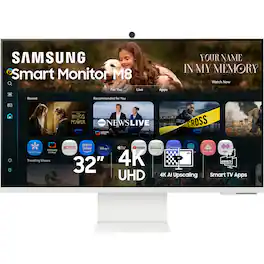
Samsung’s 32" M8 Smart Monitor, with the NQM AI Processor and featuring 4K UHD resolution, delivers an AI-powered experience. Smart TV Apps provide instant access to your favorite content. The processor upscales lower-resolution content to 4K, while the AI Picture Optimizer adapts visuals for optimal quality whether you're working, gaming, or watching videos. Knox Security protects your data and enhances the safety of your IoT connections through tightly controlled access. Click-to-Search provides instant content details. Gaming Hub gives access to the biggest games from top streaming partners with no PC or console required. Active Voice Amplifier Pro uses advanced audio processing to ensure dialogue comes through clearly. SmartThings enables control of connected devices, turning your monitor into a central IoT hub. The SlimFit Camera attaches to the monitor and provides clear picture quality. The ergonomically designed stand supports comfortable viewing with height adjustment, tilt, and pivot capabilities. Multiple ports, including USB-C, HDMI, and USB-A, make connectivity simple.

Samsung's Ultra-WQHD Monitor with a 34" 1000R curved display surrounds you with a 21:9 aspect ratio to maximize your screen's real estate. Featuring Thunderbolt 4 connectivity and multiple ports, you can power your devices while transmitting data. Experience 1 billion vivid colors with HDR10, providing near limitless hues, with darker darks and brighter brights. Built-in speakers minimize connections and free up desk space, while 100Hz refresh rate and AMD FreeSync keep the screen smooth across all applications and diminish screen stuttering and image tearing. With KVM Switch, Easy Setting Box, Picture-By-Picture, and Picture-In-Picture, you can play games while connecting with friends, watching movies, or working on projects. The ergonomically designed height-adjustable monitor creates a customized, comfortable environment in which to work and play, and TÜV-certified technology reduces eye strain.

Samsung’s 32" Smart Monitor M8 (M80D) is an all-in-one streaming TV and desktop monitor powered by AI. Stream content directly from the monitor or tune into live TV channels. Maximize your multitasking using a single mouse and keyboard across devices. 4K UHD resolution & HDR10+ support brings content to life and creates brighter brights and darker darks. AI upscaling transforms lower resolution content to nearly 4K with new levels of definition. Iconic slim-design with height-adjustable stand ensures maximum viewing comfort, and multiple ports, including USB-C, eliminates the need for adapters. Samsung Gaming Hub allows instant gameplay, and AVA Pro allows you to hear every word without distractions. Control with SolarCell Remote and use SmartThings IoT hub as an easy way to manage devices in different rooms

Smart Display. Serious Performance. Seamless Entertainment. Upgrade your desktop with the 27-inch LG UHD 4K Smart Monitor. The UHD (3840 x 2160) IPS display with up to 90% DCI-P3 color coverage and HDR support brings sharp detail and brilliant color to everything from spreadsheets to content streaming, video calls and cloud gaming. With built-in webOS24 and a dedicated remote, you get easy, instant access to your favorite streaming platforms like Netflix, Prime Video, Disney+, and more—plus 300+ free LG Channels. Game directly in the cloud with NVIDIA GeForce NOW, Amazon Luna, or Blacknut¹—no console or PC required. Need to get stuff done? The Switch app makes multitasking easy. Divide the screen into up to six sections, customize layouts, or launch video calls with a hotkey—all while switching effortlessly between your PC and the built-in smart features². Built-in stereo speakers deliver bold, immersive sound. The ergonomic stand tilt adjusts to your ideal viewing angle, while USB Type-C with 65W power delivery, two HDMI ports, and two USB inputs make it easy to connect everything you need. Whether you're working, creating, or kicking back—this monitor does it all.
| Pros for Samsung - 32" M80F 4K UHD Smart Monitor with SamsungVision AI, Built In Speakers, USB-C, Ergonomic Stand and SlimFit Camera - Warm White | |||
|---|---|---|---|
| Speaker Quality | Overall Performance, Screen Size, Connectivity, Design | There were no pros for this product— | Overall Performance |
| Cons for Samsung - 32" M80F 4K UHD Smart Monitor with SamsungVision AI, Built In Speakers, USB-C, Ergonomic Stand and SlimFit Camera - Warm White | |||
| There were no cons for this product— | Port Quality | There were no cons for this product— | There were no cons for this product— |
Specs
Reviews
Customers are saying
Customers have good things to say about the 32" M80F 4K UHD Smart Monitor. Specifically, customers find the stand to be of excellent quality. Overall, customers seem to be satisfied with the display.
- Speaker Quality (5)
Customer Images
The vast majority of our reviews come from verified purchases. Reviews from customers may include My Best Buy members, employees, and Tech Insider Network members (as tagged). Select reviewers may receive discounted products, promotional considerations or entries into drawings for honest, helpful reviews.
- Rated 5 out of 5 stars
Amazing Display!
I love this display! I was worried it wasn’t gonna come with a display cable. It not only came with the HDMI but also a usb-c cable. It’s a super clear image, very easy to set up, it does way more than just display. You can watch movies on it through streaming apps. It’s a matte finish on the display so it’s great for when lights are heavy.
Fabri Posted
- Rated 5 out of 5 stars
Great 32” 4K smart monitor for work and play
I bought the Samsung 32” Smart Monitor M80F for about 400 dollars and have never regretted it. It is one of those rare devices that easily replaces a full‑fledged monitor, a TV, and a streaming box all in one. First of all, as a TV and smart screen, it does not even need a PC: it has a built‑in Smart Hub with apps like YouTube and streaming services, so you can just grab the remote and start watching movies, shows, or videos without turning on a computer. This is a huge advantage for a bedroom or workspace — fewer cables, fewer devices, and even more functionality than a regular TV. Secondly, as a monitor it feels truly premium: 32 inches, 4K resolution, bright and vivid picture, perfectly sharp text, and color reproduction that works great both for productivity and entertainment. For video editing and working with graphics it is especially nice — the screen size and clarity make it easy to keep multiple windows and a timeline open without feeling overwhelmed. What also stands out is convenience: the monitor has its own smart system, a remote, built‑in speakers and camera, plus USB‑C and other ports, so you can connect a laptop with a single cable and get video, charging, and audio at the same time. There are also gaming modes and eye‑comfort features that make long sessions in front of the screen much easier. In the end, the M80F has become the center of my work and entertainment setup: during the day I use it as a work monitor, a screen for games, and a TV for watching content in the evening, without any extra devices or boxes. For 400 dollars it is a truly powerful all‑in‑one solution that upgrades both the workspace and the home “cinema” at the same time.
AlekseiK Posted
- Rated 1 out of 5 stars
Bad camera
Camera didn’t work. I bought this for Zoom meetings. After spending days with it, I’m returning it.
JackS Posted