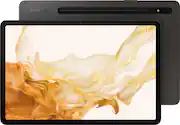
Rating 4.8 out of 5 stars with 140 reviews
4.8- Screen Size (21)
- Speed (18)
- S-Pen (17)
- Ease of use (15)
- Battery Life (11)
Customer Images
The vast majority of our reviews come from verified purchases. Reviews from customers may include My Best Buy members, employees, and Tech Insider Network members (as tagged). Select reviewers may receive discounted products, promotional considerations or entries into drawings for honest, helpful reviews.
- Rated 5 out of 5 stars
GOOD
This tablet works great. The graphics, design quality and battery life are all good. My Dad, sister and I all have one it's that convinent and versatile. I recommend.
Posted by PP26
- Rated 3 out of 5 stars
An Underwhelming Successor to My Galaxy Tab S3
I'm coming from a Galaxy Tab S3, which still works, but is pretty slow by modern standards and hasn't received any security or other updates since March 2020. The Tab S8 is much faster, with no lag in the interface and only minor delays in my most intensive use (loading large construction drawings in Xodo PDF viewer). I could sometimes wait up to 12 seconds for a sheet to load on the Tab S3 that only takes about 4 seconds to load on the Tab S8 (worst case). Other than happily resolving the two issues I had with the Tab S3, the Tab S8 suffers in many other areas by comparison. ■ DISPLAY ■ The display on the Tab S8 doesn't seem to be as nice as the Tab S3 display, especially when viewing it at an angle (e.g. when it's laying flat on a table – see comparison photos). In those cases, the brightness fades sharply and the color distorts. With as much as display technology has improved over the last 5 years, it never crossed my mind that I'd end up with a worse display. The display on the Tab S8 also has a surprising amount of deflection when pressing on it with a finger, and I'm by no means aggressive with it. ■ DESIGN ■ The Tab S8 is noticeably heavier, when I would have preferred it be lighter. I think it's exacerbated because it's taller, so the weight distribution puts more strain on the wrist. It also feels noticeably thicker (despite what the specs say), and I think it's because the Tab S8 has flat edges instead of the beveled ones on the Tab S3. I was happy to see the design go from hard buttons on the front to the digital Android buttons and a fingerprint reader on the side. However, it does pose a new problem that the Tab S3 never had: it is more difficult to get my finger fully over the sensor when the tablet is in a case, so I have a lot more failed unlocks. There are other less important, but still odd and annoying design choices, such as charging the S Pen on the bottom of the device rather than on the left edge. On the left edge, it could remain charged when in the Samsung case. Another minor gripe is that the tablet lays asymmetrically on surfaces due to the protruding camera (but if you use a case this won't be a problem). However, case or no case, if the S Pen is charging on the bottom, it is very awkwardly skewed when using it in the vertical orientation. This problem would also have been resolved by charging on the edge. ■ S PEN ■ The S Pen is a different design from the one included with the Tab S3. I think I like it better. It's a bit slimmer and writes more smoothly. It is round on three sides and flat on the remaining side (so a clipped cylinder). I find it nicer to hold than the ovaloid shape of the Tab S3 S Pen. It feels most natural to me with the flat portion up against my thumb, which puts the button on the back side. It certainly reduces accidental presses like the old one had, but when I need the button, it is slightly more difficult to use. I'm sure I'll get used to it, though. The S Pen on the Tab S8 has to be charged to use the Air Actions and there's no battery indicator in the notification area or elsewhere unless you plug it in, then it briefly pops up the percentage. Fortunately, when it's not charged, it works just like the Tab S3 S Pen (which also works great on this tablet, by the way). Writing and erasing with the button still work great on no charge. I hate the Air Actions and other Bluetooth features anyway and turn them off, so it doesn't affect me either way. ■ SOFTWARE ■ On the whole, the Android software is an improvement over where the Tab S3 left off. There were some quarks to work around, but I mostly got there. A gripe I have is that it doesn't let you put Home Screen icons in the bottom 20% of the screen (other than the dock/navigation bar). This makes it harder to reach with my thumbs as I did before. After an update, it replaced the large navigation buttons with smaller offset ones and a new navigation bar. You can revert to the previous setting by going to Settings > Display > Taskbar (turn off), then Navigation bar > Button position > Center. ■ ACCESSORIES ■ I cringe writing about a required component as an accessory, but this tablet does not include the wall adapter needed to charge it. If you have an existing charger with a USB-C port (not the old USB-A one), or your own USB-C to USB-A cable, then you can use that, but you probably won't get Super Fast Charging. I picked up an Anker Nano II 45 adapter and the Super Fast Charging is great, and really important since the battery capacity of the Tab S8 is so much larger than the Tab S3. I've tried a couple of cases so far and they do not work as well as either of my cases for my Tab S3. Best Buy has a SaharaCase Folio Case that at first glance seems pretty similar to my previous one, only far more costly and not as well thought out. The edges of this case overhang the bezels of the tablet too much, partially obscuring text on the edges and making it difficult to swipe from the edges (to pull up the navigation bar, for instance). Also, the fingerprint reader doesn't work well with this case because the tablet is too far recessed within the case to get a finger fully up against the reader. The magnetic closure is so weak I wondered for a while if there were actually magnets in it. The lid has to be finagled to get it to properly close and magnetize. Cutouts in the cases don't align fully with the Galaxy Tab S8. The tab for the stand is awkward to use. It looks and feels pretty cheap, certainly not worth the $50 selling price. I've also tried Samsung's Official Book Cover case. It has a pleasant, smooth but subtle texture that makes it non-slippery. But it's also a dust magnet, and comes with a very difficult to remove sticker on the inside that leaves a tacky residue (which goes up against the screen when the lid is closed). The magnetic connection of the tablet to the case is very strong, but this case will not offer any fall protection because the magnets wouldn't be strong enough to hold it in place on impact, and the edges of the case barely overhang the edges of the tablet. It is just a very expensive dust jacket to protect the screen from scratches. When the cover is folded back, it's hard to unfold it to close it because it magnetically sticks to the back cover and they're both thin and in the same plane so it's difficult to get a good grip to separate them again. This could have been remedied if they made the top cover slightly wider, which also would have made it easier to open in the first place. The case edges are sharp, so depending on how you're holding it, it can dig into your fingers. The magnetic angle stand is cool and the S Pen holder is very nice now that I know the S Pen doesn't need a charge to write or use the button as an eraser in my programs (the charging is just for Air Actions, which is a feature I find annoying and always turn off right away).
Posted by nrz000
- Rated 5 out of 5 stars
Great android tablet
Nice android tablet with lots of storage and app space on hard drive which is upgradable via sd card. Good resolution on display. Included s- pen is a nice addition.
Posted by Fireguy
- Rated 5 out of 5 stars
My review
Easy to use and really quick with 8 gbs of ram. Really good picture for movies
Posted by Scotty
- Rated 5 out of 5 stars
Got it for my drone display, use it for everything
Fast, big, beautiful display. Spen is just like the one on my 22ultra. 8m very happy with it 128gig wifi only .
Posted by Peepants