TCL - 85" Class QM9K Series 4K UHD HDR QD-Mini LED Smart TV with Google TV (2025)
Customers are saying
Customers highly value the exceptional 4K picture quality and impressive brightness offered by this product. While users are generally pleased with the visual performance, some have noted a distracting humming noise when the brightness is set above 40%. Overall, the display capabilities remain the standout feature for most owners.
Highlights
Features
QD-Mini LED
This premium level Mini LED TV, now with the New TCL Halo Control System, ensures a stunning viewing experience.
TCL Halo Control System
An advanced Technology Suite that includes the New Super High Energy LED Microchip, Condensed Micro Lens, Micro-OD Reduced Optical Distance, High Contrast HVA Panel, Enhanced QLED, Zero Delay Transient Response, Bi-direction 23-bit Backlight Controller, and Dynamic Light Algorithm for Stunning “Halo-Free” Images.
Google Gemini
Powered by Google Gemini for a smarter TV experience with more responsive voice control, contextual search, and seamless AI assistance.
Presence Sensor
The Presence Sensor detects when you are near, allowing the TV to automatically turn on or off and display a screensaver or widgets based on your proximity.
Up to LD6000 Precise Dimming Series
Up to LD6000 Precise Dimming Series provides pure black levels with up to 6000 precisely controlled local dimming zones.
Up to HDR6500 Brightness
Up to HDR6500 Brightness provides a great picture in virtually any room lighting environment. Together with the new Halo control system, the result is high contrast images with dazzling specular highlights for amazing HDR impact.
CrystGlow WHVA Panel
Stunning picture quality from any seat with the anti-reflective edge-to-edge ZeroBorder* panel that’s designed to deliver vibrant colors and crisp detail from every angle.
Enhanced QLED
Rich, vibrant colors covering nearly the entire DCI-P3 color space to bring images to life.
4K UltraHD Resolution
Experience incredible detail with 4X the resolution of 1080p Full HDTVs.
144Hz Native Refresh Rate
Crystal clear motion capability for fast moving action movies, sports, and video games, without image blur.
Game Accelerator 288
Win the game with up to blistering fast 288 VRR, creating lag-free gaming.
TCL AIPQ PRO Processor
Harnessing the power of AI to finely control Picture Clarity, Contrast, Color, Motion, Upscaling, and Backlighting, all dynamically, based on the incoming video signal.
Motion Rate 480 with MEMC Frame Insertion
Combines multiple motion enhancement technologies for best-in-class motion clarity.
Filmmaker Mode
Special Picture Mode that preserves the creative intent of the filmmaker that adjust post-processing features, color, contrast, and brightness.
HDR ULTRA with Dolby Vision IQ, HDR10+, HDR10, & HLG
Enjoy enhanced contrast, accurate colors and fine details utilizing all the most advanced HDR formats.
Audio by Bang & Olufsen
Sound experiences elevated by Bang & Olufsen
Dolby Atmos Audio
Advanced spatial audio processing found in movies, TV shows, and video games.
IMAX Enhanced Certification
Best-in-class certified TVs that meet high requirements for resolution, contrast, brightness, color and sound, ensuring a more immersive cinematic experience.
Auto Game Mode (ALLM) with AMD FreeSync Premium Pro
Automatically enables game mode for the lowest possible input lag and latency for an unmatched gaming performance.
Ultra Slim Design
The QM9K’s stunning picture quality is complemented by the beautiful ultra slim design with integrated cable management and easy access to HDMI and USB ports.
Google TV Smart OS with Hands-Free Voice Control and Backlit Premium Voice Remote
Discover new movies and shows from across your subscriptions and content available to you. Suggestions based on what you’ve watched and what interests you make it easier to find your next favorite, all from your voice or voice remote.
Bluetooth Personal Audio
Pair your favorite Bluetooth headphones to the TV for a private listening experience.
4 HDMI Inputs including one with eARC
Four high-speed HDMI inputs for the best connection to gaming consoles, set-top boxes, AV receiver, and more.
Wi-Fi 6
Advanced Wi-Fi technology optimizing your high-speed internet connection for better streaming quality.
Specifications
- Display TypeLEDResolution4K (2160p)Screen Size Class85 inchesHigh Dynamic Range (HDR)YesHigh Dynamic Range FormatDolby Vision, HDR 10, HDR 10+, Hybrid Log-Gamma (HLG)
Reviews
Rating 4.2 out of 5 stars with 35 reviews
- Picture Quality (22)
- Brightness (8)
- Noise Level (3)
Customer Images
The vast majority of our reviews come from verified purchases. Reviews from customers may include My Best Buy members, employees, and Tech Insider Network members (as tagged). Select reviewers may receive discounted products, promotional considerations or entries into drawings for honest, helpful reviews.

- LG - 65" Class G6 OLED evo AI 4K Smart webOS TV with Reflection-Free Premium and Flush Fit Gallery Design (2026)$2,499.99The price was $3,399.99
Compare similar products

TCL QM9K Series Smart TV is The New, Ultimate Choice TV with Google Gemini to provide a smarter TV experience with more responsive voice control, contextual search, and seamless AI assistance. The Ambient Mode Sensor detects your presence, allowing the TV to automatically turn on or off and display a screensaver or widgets based on how close you are. TCL’s Halo Control System includes the New Super High Energy LED Microchip, Condensed Micro Lens, Micro OD Reduced Optical Distance, CrystGlow WHVA Panel, Enhanced QLED, Zero Delay Transient Response, Bi-direction 23-bit Backlight Controller, and Dynamic Light Algorithm for Stunning “Halo-Free” Images. With up to LD6000 Precise Dimming Series and up to HDR6500 Brightness, you’ll experience pure black levels and a great picture in virtually any room lighting environment. TCL's AIPQ PRO Processor, an advanced processor optimizing each scene provides an unrivaled cinematic experience. 144Hz native panel refresh rate with Motion Rate 480 focuses on best-in-class motion clarity producing smooth video playback. With TCL's Game Accelerator 288 and Auto Game Mode gameplay is blistering fast keeping you ahead of the competition.
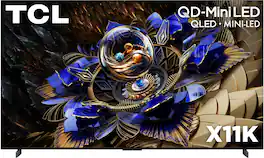
TCL X11K Series Flagship Smart TVs offers the perfect TV for fast action movies, sports, and TV with TCL’s Halo Control System that includes the New Super High Energy LED Microchip, Condensed Micro Lens, Micro OD Reduced Optical Distance, CrystGlow HVA Panel, Enhanced QLED, Zero Delay Transient Response, Bi-direction 16-bit Backlight Controller, and Dynamic Light Algorithm for Stunning “Halo-Free” Images. With Up to LD14000 Precise Dimming Series and HDR 6500 nits peak brightness, you’ll experience pure black levels and a great picture in virtually any room lighting environment. TCL's AIPQ PRO Processor, an advanced processor optimizing each scene with machine learning, provides an unrivaled cinematic experience. 144Hz native panel refresh rate with Motion Rate 480 focuses on best-in-class motion clarity producing smooth video playback. TCL X11K TVs feature Audio by Bang & Olufsen as well as Dolby Atmos and DTS Virtual:X for immersive spatial sound.
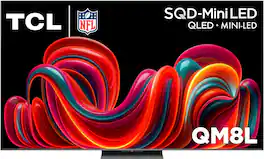
The TCL QM8L Series delivers the ultimate performance for cinematic viewing, fast-action movies, and live sports. Experience an unprecedented visual spectacle with TCL’s Deep Color System, which utilizes Super Quantum Crystals (Super QLED), an UltraColor Filter, and an Advanced Color Purity Algorithm to produce more vivid colors and deeply nuanced shades with exceptional accuracy and realism. Blooming is virtually eliminated by the proprietary TCL Halo Control System, an advanced architecture featuring up to 4,000+ Precise Dimming Zones and 6,000 Peak Nits brightness, guaranteeing pure black levels and a brilliant, "Halo-Free" image in virtually any room lighting environment. This stunning clarity is optimized scene-by-scene by the advanced TSR AI Pro Processor, which uses machine learning to deliver an unrivaled cinematic experience, complemented by a 144Hz native panel refresh rate and Motion Rate 480 for best-in-class motion clarity. Visually, the TV blends seamlessly into any living room, featuring the WHVA 2.0 Ultra Panel with ZeroBorder for wide viewing. Finally, to match the premium picture, the QM8L features Expandable Home Theater with Audio by Bang & Olufsen, an integrated spatial sound system complete with built-in subwoofers, surround channels, and a center channel, providing a truly immersive Dolby Atmos experience.
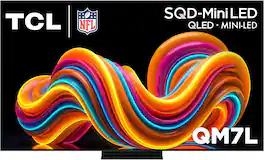
The TCL QM7L Series delivers powerful SQD-Mini LED performance for movies, sports, and gaming. TCL’s Deep Color System with Super Quantum Crystals (Super QLED), UltraColor Filter, and Advanced Color Purity Algorithm produces vivid, accurate color and impressive clarity. With LD2100+ Precise Dimming Series and up to 3,000 Peak Nits, QM7L delivers bold contrast and impactful HDR. The TSR AI Processor optimizes every scene, while a 144Hz native refresh rate with Motion Rate 480 ensures smooth, crisp motion. Built on the anti-reflective HVA 2.0 Pro panel, the experience is completed with Audio by Bang & Olufsen and Dolby Atmos FlexConnect, allowing you to expand your setup with optional subwoofer and satellite speakers for a more immersive, room-filling sound experience.
| Pros for TCL - 85" Class QM9K Series 4K UHD HDR QD-Mini LED Smart TV with Google TV (2025) | |||
|---|---|---|---|
| Picture Quality, Brightness | There were no pros for this product— | Picture Quality, Brightness, Gaming Performance, Cable Management, HDR Quality | Picture Quality, Ease of Setup |
| Cons for TCL - 85" Class QM9K Series 4K UHD HDR QD-Mini LED Smart TV with Google TV (2025) | |||
| Noise Level | There were no cons for this product— | There were no cons for this product— | There were no cons for this product— |
Specs
Questions & Answers
How long is the power cable that is included?
Answered by TCLExpertThe power cable is approximately 58 inches. Hope this helps! Thank you, TCL Customer Support
How many channels audio this model have?
Answered by TCLExpertThe TCL 85" QM9K features an Audio by Bang & Olufsen sound system with a 6.2.2-channel speaker configuration. Thank you, TCL Customer Support
How channel is the audio?
Answered by TCLExpertThe 85QM9K features a built-in Audio by Bang & Olufsen sound system with support for Dolby Atmos. In order for us to better assist, please reach out to us at tclsocial@tcl.com with your contact information and a description of what you need help with. Thank you, TCL Customer Support
What is the refresh rate of this TV?
The refresh rate of this TV is 144Hz.
This question and answer was generated by AI based on customer and product data.Can I control this TV with my voice?
Yes, this TV is voice controlled.
This question and answer was generated by AI based on customer and product data.


Customers often buy these together
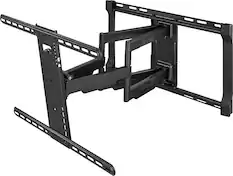
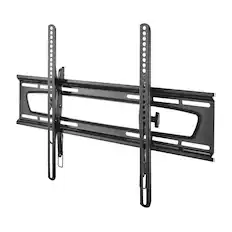
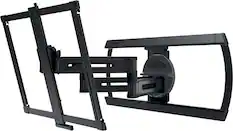
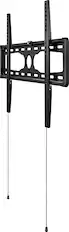
Monitor and Television Mounts
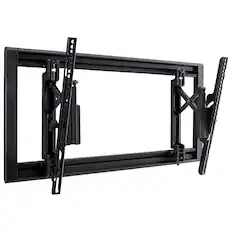
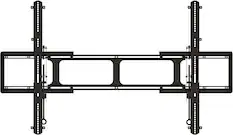
SANUS Elite - Tilting TV Wall Mount for 42”-90” TVs up to 150lbs, 12 deg Tilt w/ 6.8” Extension, DIY TV Mount w/ Included Hardware - Black
Top Deal$144.99The price was $169.99
Soundbars
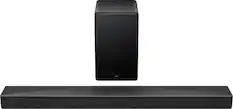
TCL - Q Class Q65H 5.1 Channel Soundbar with Dolby Atmos, Ray Danz Technology, and Wireless Subwoofer - Black
$319.99The price was $399.99


More recommended items
 Speaker Mounts
 Surge Protectors
 Cable Concealers
 Streaming Media Players
More to consider
 Top Deal$3,499.99The price was $5,999.99
 $2,499.99The price was $3,999.99
 $3,042.53The price was $3,999.99
 $2,240.23The price was $2,499.99
 Top Deal$899.99The price was $1,675.99
 $2,499.99The price was $2,799.99
- $1,599.99The price was $2,999.99
 $1,699.99The price was $2,499.99
Elevate your entertainment Sponsored
 $2,499.99The price was $2,999.99
 Top Deal$3,299.99The price was $3,999.99
 Top Deal$849.99The price was $1,287.99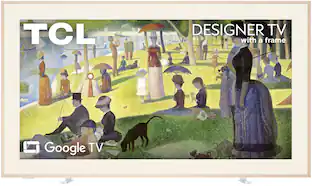
TCL - 75" Class A300L Designer Series 4K QLED TV with Ultra Matte Screen and Flush Wall Mount (2026)
$1,699.99The price was $1,999.99- $2,499.99The price was $2,799.99
 Top Deal$1,599.99The price was $1,999.99
Discover related products
 $169.99The price was $174.99
 $179.99The price was $339.99
Keep exploring
 $2,299.99The price was $2,599.99
 $1,449.99The price was $1,499.99
 $1,499.99The price was $2,349.95
 $1,399.99The price was $1,499.99