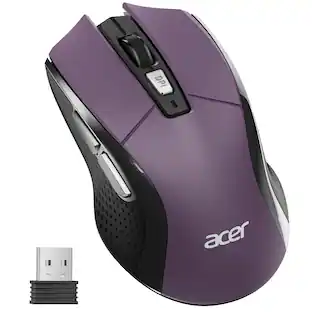
Verbatim - USB-C™ Wireless Blue LED Mouse - Blue LED/Optical - Wireless - Radio Frequency - 2.40 GHz - Wireless - Graphite
Reviews coming soon
About this product
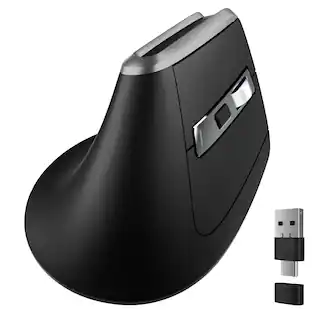
Make your USB-C port work for you with the USB-C Wireless Blue LED Mouse. Ergo-friendly shape and easy grip surface make this mouse easy and comfortable to use all day long. An adjustable dpi button lets you easily switch between 800, 1300 and 1600 dpi while back and forward buttons let you easily navigate between pages in your browser. The 2.4GHz wireless performance allows lag-free cursor movement. Blue LED technology allows you to point and click on more surfaces than other mice - from a glass table to the granite kitchen counter. Mouse connects to the computer via an ultra-small nano receiver that is tiny enough to plug in and leave connected. It features a contoured design that won't get snagged when moving your computer. The USB-C Wireless Blue LED Mouse is compatible with Mac and Windows platforms, including Windows XP, Vista, and Windows 7 and higher; Mac OS X 10.4 and higher; Linux Kernel 2.6 and higher.
Color
GraphiteFeatures
Verbatim USB-C™ Wireless Blue LED Mouse - Graphite
Make your USB-C port work for you with the USB-C Wireless Blue LED Mouse. Ergo-friendly shape and easy grip surface make this mouse easy and comfortable to use all day long. An adjustable dpi button lets you easily switch between 800, 1300 and 1600 dpi while back and forward buttons let you easily navigate between pages in your browser. The 2.4GHz wireless performance allows lag-free cursor movement. Blue LED technology allows you to
USB-C® Compatibility
Easily connect to USB-C® equipped computers and devices with the ultra-small, contoured nano receiver designed for convenience
Ergonomic Design
Use comfortably for hours thanks to the contoured shape and easy-grip surface that supports prolonged use
Adjustable DPI
Switch between 800, 1300, and 1600 DPI settings for precise cursor control tailored to your needs
Navigation Buttons
Navigate web pages effortlessly with side back and forward buttons for quick browsing
Specifications
- Maximum Sensitivity1600 dots per inchNumber of Buttons (Total)6Connection TypeWireless
Reviews
This product doesn't have any reviews yet.
Compare similar products

Make your USB-C port work for you with the USB-C Wireless Blue LED Mouse. Ergo-friendly shape and easy grip surface make this mouse easy and comfortable to use all day long. An adjustable dpi button lets you easily switch between 800, 1300 and 1600 dpi while back and forward buttons let you easily navigate between pages in your browser. The 2.4GHz wireless performance allows lag-free cursor movement. Blue LED technology allows you to point and click on more surfaces than other mice - from a glass table to the granite kitchen counter. Mouse connects to the computer via an ultra-small nano receiver that is tiny enough to plug in and leave connected. It features a contoured design that won't get snagged when moving your computer. The USB-C Wireless Blue LED Mouse is compatible with Mac and Windows platforms, including Windows XP, Vista, and Windows 7 and higher; Mac OS X 10.4 and higher; Linux Kernel 2.6 and higher.
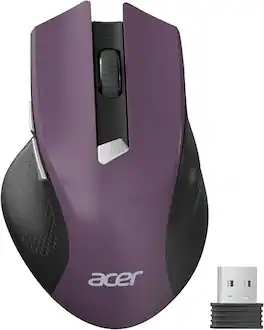
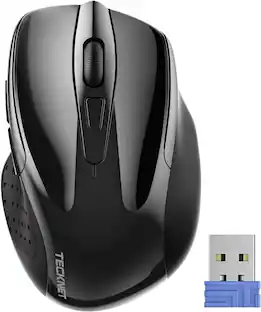
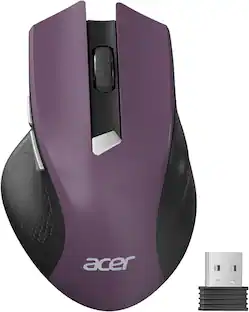
acer Wireless Mouse for Laptop, 2.4GHz Computer Mouse 3 Adjustable DPI Office Cordless USB Mice with USBA Receiver, 6 Buttons, 1600 DPI, Medium to Large Sized Hands Compatible with PC, Laptop, Desktop


The Design Mouse Limited Edition mice mood-boosting designs bring a vibrant new look to your desk setup. Choose between different fun styles. It’s small, comfortable, super responsive, and completely wireless. Get total freedom with 10 m of wireless range, and work worry-free for 12 months on a single pre-installed battery. With smooth, line by line scrolling and precise cursor control for easier navigation at home or at work. The compact design perfectly fits users with smaller hands and kids.
| Pros for Verbatim - USB-C™ Wireless Blue LED Mouse - Blue LED/Optical - Wireless - Radio Frequency - 2.40 GHz - Wireless - Graphite | |||
|---|---|---|---|
| There were no pros for this product— | Overall Performance, Ergonomics, Ease of Use | There were no pros for this product— | Overall Performance |
Specs
Be the first to ask a question.
We’ll try to get your question answered within 24 hours by a Best Buy customer or brand representative.
Customers often buy these together
Computer Keyboards



![The text on the image reads:
888 DD DI DD 4 DSC i F2 F3 4 FS T6 ET 1. 1N IN F.. 11 1.. 114 1n F1 F12 118 in9 - a ee 1 8F 2 3 $ 4 % 5 A 6 & 7 . 8 I 9 I 0 ee I + = delete fn home page up clear - / + tab Q W E R T Y U I 0 P { [ ] ] | I delete end page down 7 8 9 ee caps lock A S D F G H J K L : I - return 4 5 6 + shift Z X C V N M < F > ? / shift a 1 2 3 control option 2 command 3 command option control Y - 0 enter
After grouping and correcting the text, it reads:
888 DD DI DD 4 DSC i F2 F3 4 FS T6 ET 1. 1N IN F.. 11 1.. 114 1n F1 F12 118 in9 - a ee 1 8F 2 3 $ 4 % 5 A 6 & 7 . 8 I 9 I 0 ee I + = delete fn home page up clear - / + tab Q W E R T Y U I 0 P { [ ] ] | I delete end page down 7 8 9 ee caps lock A S D F G H J K L : I - return 4 5 6 + shift Z X C V N M < F > ? / shift a 1 2 3 control option 2 command 3 command option control Y - 0 enter](https://pisces.bbystatic.com/image2/BestBuy_US/images/products/f4059d3a-0c2a-46ef-bcfd-4e11b9b26d5d.jpg;maxHeight=232;maxWidth=233?format=webp)
Mouse Pads




More to consider
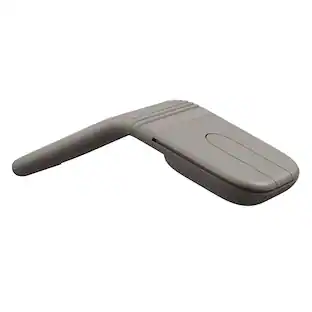
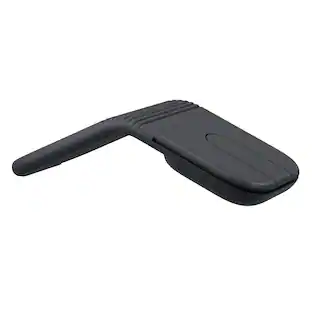
Logitech Design Mouse Limited Edition Wireless Optical 3-button Mouse with Broad Compatibility
$18.99The price was $22.99Urban Factory ONLEE Color Mouse - Optical - Wireless - Bluetooth - 1600 dpi - 6 Button(s) - Symmetrical
$30.14The price was $31.65








Explore tech essentials Sponsored
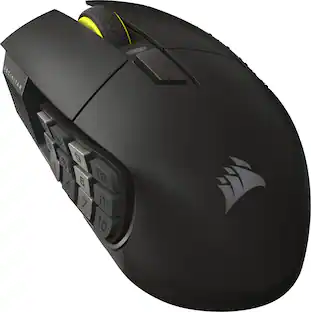
CORSAIR Scimitar Elite Wireless SE MOBA/MMO Optical Gaming Mouse with 16 Programmable Buttons
Holiday Deal$99.99The price was $139.99CORSAIR DARK CORE RGB PRO Wireless FPS/MOBA/MMO Optical Gaming Mouse with Slipstream Technology
$71.99The price was $99.99