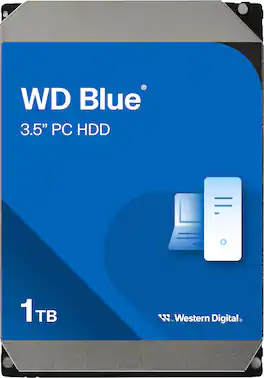
WD - Blue 1TB PC Internal Hard Drive for Desktops
About this product
With a Serial ATA interface, this WD Blue WD10EZEXSP internal hard drive easily connects to your PC or Mac. The 1TB capacity offers ample space to house important files, such as pictures, videos and music.
Storage Capacity
1000GB1TB capacity
Provides plenty of room for pictures, videos, music, documents and other important files.
Serial ATA interface
Makes it easy to connect to your desktop.
Data transfer rates up to 6 Gbps
For quick response when updating files.
7200 rpm speed
Promotes fast performance.
Intelliseek
Plus ShockGuard, S.M.A.R.T. and no-touch ramp load for versatility.
Cool, quiet design
Helps reduce heat while producing minimal noise.
Compatible with Mac and PC
For flexible installation options.
Manual, software, cables and mounting screws are not included.
- Storage Capacity1000 gigabytesStorage Drive TypeHDDRotational Speed7200 revolutions per minuteForm Factor3.5 in.Interface(s)SATA
Reviews
Rating 4.7 out of 5 stars with 5008 reviews
Top Mentions
- Overall Performance (2690)
- Installation Ease (765)
- Storage Capacity (540)
- Drive Speed (493)
- Noise Level (253)
- Included Accessories (5)
Customer Images
The vast majority of our reviews come from verified purchases. Reviews from customers may include My Best Buy members, employees, and Tech Insider Network members (as tagged). Select reviewers may receive discounted products, promotional considerations or entries into drawings for honest, helpful reviews.
Compare similar products
With a Serial ATA interface, this WD Blue WD10EZEXSP internal hard drive easily connects to your PC or Mac. The 1TB capacity offers ample space to house important files, such as pictures, videos and music.
WD Blue internal hard drives deliver solid reliability for office and web applications and are perfect for extra storage for desktop PCs and in-office applications.
The WD Blue everyday internal SATA hard drive delivers reliability for office and applications. The drive is designed for use with select PC and Mac desktops for storing a wealth of games, movies, music, pictures and more. Data transfer rates up to 6 Gbps ensure efficient performance.

WD Blue internal hard drives deliver solid reliability for office and web applications and are perfect for extra storage for desktop PCs and in-office applications.
| Pros for WD - Blue 1TB PC Internal Hard Drive for Desktops | |||
|---|---|---|---|
| Overall Performance, Installation Ease, Storage Capacity, Noise Level, Drive Speed | There were no pros for this product— | Storage Capacity, Speed, Noise Level, Performance, Hard Drive | Overall Performance, Installation Ease, Speed, Storage |
| Cons for WD - Blue 1TB PC Internal Hard Drive for Desktops | |||
| Included Accessories | There were no cons for this product— | There were no cons for this product— | There were no cons for this product— |
Specs
More to consider
 $504.68The price was $535.66
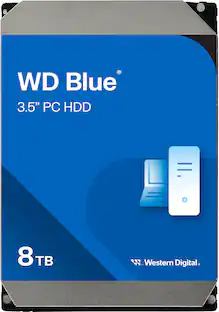

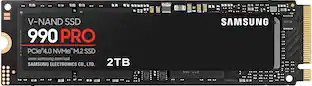
Explore tech essentials Sponsored
 $269.99The price was $299.99

Discover related products
 $12.99The price was $13.99
 $24.99The price was $27.99













Keep exploring
 $99.99The price was $129.99
 $479.99The price was $518.49
 $229.99The price was $233.23
 $449.99The price was $518.15