Windows 10 Tutorial
Reviews coming soon
About this product
Provides professional personal training with a Geek Squad Agent on Windows 10.
Features
As Part Of This Service, An Agent Will:
Assess your needs by asking lifestyle questions.
Give you the opportunity to choose up to 30 minutes worth of targeted training, which includes approximately 4 of the 12 available lesson plans:
Feel familiar — desktop, taskbar, start menu, live tiles
Better than ever — snap, virtual desktops, action center
Cortana — digital assistant, reminders, Cortana's notebook
Natural experience — voice, pen, gesture, OneNote
Continuum — apps that scale, adapting layout to the device
Mail and Calendar — mail and calendar apps
Office Mobile — Word, Excel, PowerPoint apps
Gaming and Xbox — Xbox app
Photos — Photos app
Music and Video — Music and Video apps
Microsoft Edge — Web Notes, Reading mode, sharing
Windows Store — apps, games, music, movies, TV and more
Ensure that services purchased meet client needs and expectations.
Make recommendations on additional solutions based on client needs and expectations.
Leave behind document with tips and tricks of Windows 10.
Provide you with a receipt and notes via e-mail or printed copy.
Educate you on how to engage Geek Squad for future support and provide Agent contact information.
Service Does Not Include:
Training on virus or spyware removal.
PC setup and installation.
Upgrading computer to Windows 10 from a previous version.
Troubleshooting problems with a computer.
Specifications
- Service LocationRemote
Reviews
This product doesn't have any reviews yet.
Compare similar products

Provides professional personal training with a Geek Squad Agent on Windows 10.
A Geek Squad Agent will remotely find and remove unnecessary software, optimize your web browser, perform any operating system updates and/or upgrades (cost for any OS upgrades not included), install one security software application (cost of software not included), and make sure your operating system is running at peak performance.*

Moving into or out of a home with smart home technology? We can reset up to 10 devices of all types (TVs, smart thermostats, monitoring systems, etc.), so you don't have to worry about a different owner being able to get access. Do you just need a fresh start with some of your devices? We can get them back to square one, even if you didn't purchase them at Best Buy.

Have your new 4-channel amplifier installed neatly, reliably and professionally by a Geek Squad Autotech. Additional materials fees apply; see below for more details.*
| Pros for Windows 10 Tutorial | |||
|---|---|---|---|
| There were no pros for this product— | Overall Performance, Ease of use, Speed, Laptop Performance | Ease of use, Overall Performance, Service, Professionalism, Knowledge | Installation Quality, Wiring, Power, Placement, Size |
| Cons for Windows 10 Tutorial | |||
| There were no cons for this product— | Issue Resolution | Battery Life, Camera, Sound Bar | Speaker Performance, Functionality |
Specs
Questions & Answers
I would like to install Windows 10 on my Asus notebook
Answered by GeekSquadSupportThanks for reaching out! We'd love to look into this for you and see what options are available. For support with this, please call us at (800) GEEK-SQUAD or (800) 433-5778.

Is this training conducted remotely?
Yes, this training is conducted remotely.
This question and answer was generated by AI based on customer and product data.What does this Windows 10 tutorial provide?
This provides professional training on Windows 10 with a Geek Squad® Agent, along with 30 minutes of targeted training and a tips and tricks document.
This question and answer was generated by AI based on customer and product data.Does the training include any additional materials?
Yes, the training includes a tips and tricks document.
This question and answer was generated by AI based on customer and product data.How long is the training session with the Geek Squad agent?
The training session with the Geek Squad agent is 30 minutes long.
This question and answer was generated by AI based on customer and product data.
Customers often buy these together
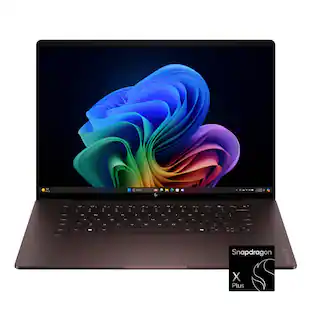
HP OmniBook X - 16" 2K OLED Touchscreen Laptop - Snapdragon X Plus (2024) - 16GB Memory - 512GB SSD - Copilot+ PC
$884.00The price was $1,199.99