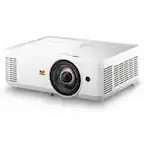
Epson - LS800 4K PRO-UHD Ultra Short Throw 3-Chip 3LCD Laser Projector, 4000 Lumens, HDR, up to150", Android TV, Yamaha Speakers - White
Epson - LS800 4K PRO-UHD Ultra Short Throw 3-Chip 3LCD Laser Projector, 4000 Lumens, HDR, up to150", Android TV, Yamaha Speakers - White
Color
White- AWOL Vision - ALR-F220C 120" Motorized Floor Rising ALR Ultra Short Throw Projector Screen, 4K/8K 3D - Black$1,869.00The price was $2,099.00

More Buying Options
Specifications
- Product Weight27.55 poundsLight SourceLaserResolution4K (2160p)Color Brightness (IDMS)4000 lumensWhite Brightness (ISO)4000 lumensContrast Ratio2,500,000:1
- Key Specs
- Product Weight: 27.55 pounds (The out of box weight of the item.)
- Light Source: Laser
- Resolution: 4K (2160p) (Refers to the number of pixels, both horizontally and vertically, used to capture video/images. The higher the resolution the finer the detail that can be seen.)
- Color Brightness (IDMS): 4000 lumens (Measurement of the device's color light output measured accordance with standards established by the Information Display Measurements Standard (IDMS). The more lumens, the brighter the output. In large and/or well-lit environments, such as auditoriums or rooms with plenty of natural light, a higher brightness improves the color quality of the projected image.)
- White Brightness (ISO): 4000 lumens (Measurement of the device's white light output measured in accordance with standards established by the International Organization for Standardization (ISO). The more lumens, the brighter the output. In large and/or well-lit environments, such as auditoriums or rooms with plenty of natural light, a higher brightness improves the quality of the projected image.)
- Contrast Ratio: 2,500,000:1 (Measured difference between a displayed image's brightest whites and darkest blacks. The larger the first number, the more detail and color that can be displayed.)
- Projector Use: Home Theater, Gaming
- Projector Throw Type: Ultra Short Throw (The distance from the screen that the projector can be placed to project images. Standard throw projectors typically need to be at least 6 feet away while short throw and ultra short throw projectors can be placed closer to the screen for use in smaller rooms.)
- Portability: Fixed (Fixed projectors are ideal when creating an authentic theater atmosphere in your home. Often designed to stay in one place they may require significant recalibration if moved. Portable projectors, weighing around 5 pounds, are easy to move, but will still require set-up calibration and often have technology to reduce the complexity. Ultra-portable projectors are very light, often battery-powered, and ideal for on-the-go use.)
- Smart Capable: true (Smart, or smart-capable devices are able to connect directly to your home network in order to stream content from the Internet, run Internet-based apps, or connect to other smart devices.)
- Smart Platform: Android TV (Just like a computer, a smart TV needs an operating system (also called a smart platform) in order to access the Internet, connect with entertainment apps, and play streaming content. Some common TV smart platforms are; Roku TV, Android TV, and Chromecast.)
- Wireless Connectivity: Bluetooth (The manner in which a device sends data to another device over a short distance without the use of wires or cables.)
- Display Connector(s): 3 x HDMI 2.0 (The number and type of connectors used to connect to an external display.)
- Works With: Google Home (Compatible with or able to be connected to other smart devices or applications.)
- Power Source: Plug-in
- General
- Brand: Epson
- Model Number: V11HA90020
- Product Name: LS800 4K PRO-UHD Ultra Short Throw 3-Chip 3LCD Laser Projector, 4000 Lumens, HDR, up to150", Android TV, Yamaha Speakers
- Color: White
- Projector Mount Pattern: Universal (Universal mounts can be adjusted to support a variety of devices. Dedicated mounts are designed to fit a specific device.)
- Dimensions
- Product Height: 6.14 inches (The out of box height of the item. Height is measured as the vertical distance from the bottom of the item to the top as it would be primarily used or placed.)
- Product Width: 27.36 inches (The out of box width of the item. Width is measured as the horizontal distance from one side of the item to the other as it would be primarily used or placed.)
- Product Depth: 13.42 inches (The out of box depth of the item. Depth is measured as the distance from the front of the item to the back as it would be primarily used or placed.)
- Product Weight: 27.55 pounds (The out of box weight of the item.)
- Display
- Light Source: Laser
- Display Technology: 3LCD (Denotes the product’s visual process, sometimes manufacturer specific, used to display an image.)
- Resolution: 4K (2160p) (Refers to the number of pixels, both horizontally and vertically, used to capture video/images. The higher the resolution the finer the detail that can be seen.)
- Resolution (Native): 3840 x 2160 (4K) (Native resolution of a screen refers to its single, fixed resolution. Sometimes screens must scale an image up or down in order to fit the native resolution. This can cause a loss of resolution or detail.)
- 3-Chip Technology: true (Projectors with this technology are able to display images with optimal brightness, color, and detail. Because of their high-performance design, these projectors are primarily used in large venues and digital cinemas.)
- Color Brightness (IDMS): 4000 lumens (Measurement of the device's color light output measured accordance with standards established by the Information Display Measurements Standard (IDMS). The more lumens, the brighter the output. In large and/or well-lit environments, such as auditoriums or rooms with plenty of natural light, a higher brightness improves the color quality of the projected image.)
- White Brightness (ISO): 4000 lumens (Measurement of the device's white light output measured in accordance with standards established by the International Organization for Standardization (ISO). The more lumens, the brighter the output. In large and/or well-lit environments, such as auditoriums or rooms with plenty of natural light, a higher brightness improves the quality of the projected image.)
- High Dynamic Range (HDR): true (An HDR-compatible 4K TV or other HDR-compatible product displays HDR video content when it's available from sources like 4K Ultra HD Blu-ray Discs and 4K streaming services.)
- High Dynamic Range Format: HDR 10 (There are a few HDR formats that tell the TV or other HDR-compatible product how to best utilize its capabilities to display HDR content. HDR technology can support one or multiple formats, each with various benefits to picture quality.)
- Light Source Life (Economy Mode): 20000 hours (The light source's estimated length of operating time when economy mode is enabled.)
- Light Source Life (Normal Mode): 20000 hours (The light source's estimated length of operating time when normal operating mode is enabled.)
- Contrast Ratio: 2,500,000:1 (Measured difference between a displayed image's brightest whites and darkest blacks. The larger the first number, the more detail and color that can be displayed.)
- Aspect Ratio: 16:9 (The measurement of the width of a screen compared to the height of a screen, expressed as a ratio.)
- Throw Ratio Range: 0.16(Zoom Wide) and 0.40(Zoom Tele) (This measurement indicates what size of projected image can be produced from a certain distance. The smaller the ratio, the closer the projector can be to the screen while still producing a large image.)
- Digital Keystone Correction: false ("Keystone effect" refers to the distortion of an image when it is projected on an angled surface or when the projector is positioned too high or too low from the center of the display. Projectors with a digital keystone correction feature are able to scale the image as needed before it is projected, resulting in the correct image orientation no matter where it is displayed.)
- 3D Technology: false
- Viewing
- Screen Included: false
- Minimum Projector Distance: 0.075 feet (Minimum distance that the projector can be placed from the screen to produce a display with acceptable visual performance.)
- Maximum Projector Distance: 0.93 feet (Maximum distance that the projector can be placed from the screen to produce a display with acceptable visual performance.)
- Minimum Viewable Screen Size: 80 inches
- Maximum Viewable Screen Size: 150 inches
- Features
- Projector Use: Home Theater, Gaming
- Projector Throw Type: Ultra Short Throw (The distance from the screen that the projector can be placed to project images. Standard throw projectors typically need to be at least 6 feet away while short throw and ultra short throw projectors can be placed closer to the screen for use in smaller rooms.)
- Portability: Fixed (Fixed projectors are ideal when creating an authentic theater atmosphere in your home. Often designed to stay in one place they may require significant recalibration if moved. Portable projectors, weighing around 5 pounds, are easy to move, but will still require set-up calibration and often have technology to reduce the complexity. Ultra-portable projectors are very light, often battery-powered, and ideal for on-the-go use.)
- Smart Capable: true (Smart, or smart-capable devices are able to connect directly to your home network in order to stream content from the Internet, run Internet-based apps, or connect to other smart devices.)
- Smart Platform: Android TV (Just like a computer, a smart TV needs an operating system (also called a smart platform) in order to access the Internet, connect with entertainment apps, and play streaming content. Some common TV smart platforms are; Roku TV, Android TV, and Chromecast.)
- Remote Control Included: true
- TV Tuner: false
- Featured Streaming Services: Prime Video, Hulu, Disney+, HBO Max, YouTube TV, YouTube (Streaming services and other programs are available on this device. Keep in mind, there may be more services supported than just those shown here.)
- Screen Mirroring: Mobile to screen (Casts the screen of one device onto another wirelessly, using a common protocol (typically Bluetooth).)
- Minimum Noise Level: 32 decibels
- Exposure Control
- Focus Adjustment: Manual (The method used to focus the device in order to view or display a sharper image.)
- Optical Zoom: None (The optical zoom uses a combination of lenses that magnify the image prior to it being registered at high resolution by the imaging sensor.)
- Digital Zoom Capability: true (Projectors with this feature allow for digital adjustment to the projected image size without changing the location of the projector.)
- Connectivity
- Number of HDMI Inputs (Total): 3
- Wireless Connectivity: Bluetooth (The manner in which a device sends data to another device over a short distance without the use of wires or cables.)
- Bluetooth Version: 5.0 (The Bluetooth specification formalized by the Bluetooth Special Interest Group. All versions of the Bluetooth standard are backwards compatible with previous versions.)
- Display Connector(s): 3 x HDMI 2.0 (The number and type of connectors used to connect to an external display.)
- Network Connector(s): No network connectors
- Audio Only Outputs: 1 x Optical digital audio
- HDMI Audio Return Channel (ARC): ARC
- Number of USB Port(s): 1
- Audio
- Sound Mode: Stereo
- Integrated Speaker(s): true
- Speaker(s) Included: true
- Compatibility
- Works With: Google Home (Compatible with or able to be connected to other smart devices or applications.)
- Voice Assistant Built-in: Google Assistant (A digital assistant built into the device that uses voice commands to answer questions and control smart devices.)
- Operating System Compatibility: Android, Apple iOS, Apple iPadOS, Mac, Windows
- Certifications Listings & Approvals
- ENERGY STAR Certified: false (Devices carrying the ENERGY STAR service mark, such as computer products and peripherals, kitchen appliances, and other products, generally use 20% to 30% less energy than required by federal standards.)
- Power
- Power Source: Plug-in
- Voltage: 100 volts (Amount of power needed to support an electrical current.)
- Warranty
- Warranty - Parts: Two-Year or 12,000-hour Use Limited Warranty Terms and Condition
- Warranty - Labor: Two-Year or 12,000-hour Use Limited Warranty Terms and Condition
- Other
- UPC: 010343972452
Go Epic with a Courtside View! The best way to watch sports, the Epson EpiqVision Ultra LS800 3-Chip 3LCD Smart Streaming Laser Projector produces a larger-than-life picture up to 150" for an astounding 4K HDR1 experience. Equipped with proprietary 4K PRO-UHD2, 3-chip 3LCD technology and an incredible 4,000 lumens of color and white brightness3, the LS800 Laser Projector combines an advanced ultra short-throw lens with a laser-array light source—along with an optional Epson SilverFlex high-resolution ambient light rejecting screen4—to produce vivid colors and deep blacks for an exceptionally bright, colorful and sharp picture in virtually any viewing environment—even in brightly lit rooms. Featuring a sleek, modern design, the LS800 Laser Projector seamlessly fits within a variety of décor styles and complements the full range of audio/video furniture to create an amazing-looking system. Plus, with its unique ultra short-throw lens, the LS800 Laser Projector can be placed mere inches from the wall for easy, obstruction-free viewing. Whether you’re watching a live sporting event, streaming your favorite series, gaming on the latest generation of consoles or watching a blockbuster movie, the Epson EpiqVision Ultra LS800 Smart Streaming Laser Projector will simply amaze you.
- Screen Size up to 150": Get closer to courtside for sports and gaming, or center stage for your favorite movies, with an immersive big picture; unlike regular-throw projectors, it offers hassle-free placement, projecting images up to 150" from just a few inches away
- 4K PRO-UHD: A new type of 4K experience, utilizing advanced processing for resolution enhancement, color and image processing
- Ideal for Bright Rooms: True 3-chip 3LCD technology displays a full 4,000 lumens3 of color and white brightness for every frame, allowing for outstanding color accuracy while maintaining excellent color brightness without any distracting “rainbowing” or “color brightness” issues seen
- Modern Ultra Short-Throw Laser Design: Sleek ultra short-throw laser design seamlessly complements a variety of décor styles and audio/video furniture; features multi-point picture adjustment and individually adaptable feet for quick and easy setup
- Supports Streaming, Gaming and Cable Boxes: Take maximum advantage of your favorite gaming consoles and streaming devices with three HDMI ports; supports 4K HDR1 content at a full 60 Hz; ideal for gaming content, one HDMI port is dedicated for gaming and supports 1080p/120 Hz signals
- Auto Contrast Enhancement: The ambient light sensor automatically optimizes the picture brightness according to the amount of environmental light, resulting in more contrast and a better sense of depth in the image
- Epson SilverFlex Ambient Light Rejecting Screen: Available and sold separately in two sizes, 100" and 120", these screens are engineered to absorb up to 90% of the ambient light to increase contrast and produce an astonishingly crisp picture
- Amazing Built-in Sound from Yamaha: Built-in 2.1ch virtual surround system designed by Yamaha exclusively for Epson creates immersive sound performance with presets for TV, Sports Movies and Music; connect your smartphone via Bluetooth to use as standalone speaker
- Smart Streaming Capability: Latest Android TV5 interface with a simple-to-use remote—including voice search with built-in Google Assistant; watch all your favorite streaming channels including Amazon Prime, Hulu, Disney+, HBO Max, YouTube and more; even stream live TV with apps like YouTube TV6
- Outstanding Warranty & Service: 2-year limited warranty; two-business-day replacement with free shipping
- Screen Size up to 150": Get closer to courtside for sports and gaming, or center stage for your favorite movies, with an immersive big picture; unlike regular-throw projectors, it offers hassle-free placement, projecting images up to 150" from just a few inches away
- 4K PRO-UHD: A new type of 4K experience, utilizing advanced processing for resolution enhancement, color and image processing
- Ideal for Bright Rooms: True 3-chip 3LCD technology displays a full 4,000 lumens3 of color and white brightness for every frame, allowing for outstanding color accuracy while maintaining excellent color brightness without any distracting “rainbowing” or “color brightness” issues seen
- Modern Ultra Short-Throw Laser Design: Sleek ultra short-throw laser design seamlessly complements a variety of décor styles and audio/video furniture; features multi-point picture adjustment and individually adaptable feet for quick and easy setup
- Supports Streaming, Gaming and Cable Boxes: Take maximum advantage of your favorite gaming consoles and streaming devices with three HDMI ports; supports 4K HDR1 content at a full 60 Hz; ideal for gaming content, one HDMI port is dedicated for gaming and supports 1080p/120 Hz signals
- Auto Contrast Enhancement: The ambient light sensor automatically optimizes the picture brightness according to the amount of environmental light, resulting in more contrast and a better sense of depth in the image
- Epson SilverFlex Ambient Light Rejecting Screen: Available and sold separately in two sizes, 100" and 120", these screens are engineered to absorb up to 90% of the ambient light to increase contrast and produce an astonishingly crisp picture
- Amazing Built-in Sound from Yamaha: Built-in 2.1ch virtual surround system designed by Yamaha exclusively for Epson creates immersive sound performance with presets for TV, Sports Movies and Music; connect your smartphone via Bluetooth to use as standalone speaker
- Smart Streaming Capability: Latest Android TV5 interface with a simple-to-use remote—including voice search with built-in Google Assistant; watch all your favorite streaming channels including Amazon Prime, Hulu, Disney+, HBO Max, YouTube and more; even stream live TV with apps like YouTube TV6
- Outstanding Warranty & Service: 2-year limited warranty; two-business-day replacement with free shipping
- Screen Size up to 150": Get closer to courtside for sports and gaming, or center stage for your favorite movies, with an immersive big picture; unlike regular-throw projectors, it offers hassle-free placement, projecting images up to 150" from just a few inches away
- 4K PRO-UHD: A new type of 4K experience, utilizing advanced processing for resolution enhancement, color and image processing
- Ideal for Bright Rooms: True 3-chip 3LCD technology displays a full 4,000 lumens3 of color and white brightness for every frame, allowing for outstanding color accuracy while maintaining excellent color brightness without any distracting “rainbowing” or “color brightness” issues seen
- Modern Ultra Short-Throw Laser Design: Sleek ultra short-throw laser design seamlessly complements a variety of décor styles and audio/video furniture; features multi-point picture adjustment and individually adaptable feet for quick and easy setup
- Supports Streaming, Gaming and Cable Boxes: Take maximum advantage of your favorite gaming consoles and streaming devices with three HDMI ports; supports 4K HDR1 content at a full 60 Hz; ideal for gaming content, one HDMI port is dedicated for gaming and supports 1080p/120 Hz signals
- Auto Contrast Enhancement: The ambient light sensor automatically optimizes the picture brightness according to the amount of environmental light, resulting in more contrast and a better sense of depth in the image
- Epson SilverFlex Ambient Light Rejecting Screen: Available and sold separately in two sizes, 100" and 120", these screens are engineered to absorb up to 90% of the ambient light to increase contrast and produce an astonishingly crisp picture
- Amazing Built-in Sound from Yamaha: Built-in 2.1ch virtual surround system designed by Yamaha exclusively for Epson creates immersive sound performance with presets for TV, Sports Movies and Music; connect your smartphone via Bluetooth to use as standalone speaker
- Smart Streaming Capability: Latest Android TV5 interface with a simple-to-use remote—including voice search with built-in Google Assistant; watch all your favorite streaming channels including Amazon Prime, Hulu, Disney+, HBO Max, YouTube and more; even stream live TV with apps like YouTube TV6
- Outstanding Warranty & Service: 2-year limited warranty; two-business-day replacement with free shipping
Whats Included
- Epson EpiqVision Ultra LS800 Smart Laser Projector
- Power Cord
- Quick Setup Guide
- Remote Control
- Epson EpiqVision Ultra LS800 Smart Laser Projector
- Power Cord
- Quick Setup Guide
- Remote Control
- Epson EpiqVision Ultra LS800 Smart Laser Projector
- Power Cord
- Quick Setup Guide
- Remote Control
A: I don't think BestBuy knows the correct answer.. However I think Epson pushes quite hard on sales rep to include the very expensive Epson ALR screen with the projector. Since It is NOT a requiremnet for any other "under screen" Short throw årojector to even use an directional ALR screen you cpuld ceiling mount LS800 and even use a blank wall or white cheap screen or ANY brand of ALR screens. The problem though is that an ALR screen is made to pickup light better from below than above, meaning you can have a ceiling light on with less impact on the viewing experience... The effect when using an ALR screen upside down or a normal throw screen will be that you get bleeding light down to the floor instead of up in the ceiling which I would prefer! It's easier having black or matte tv furniture than it is having a black ceiling...
A: Hello Cat. No App is required. You can complete setup and alignments directly from the LS800 Projector menu. Regards, Kevin - The Epson Team.
Q: Can I use a regular white screen?
A: Absolutely. We first started with just the wall, but the texture on the wall made it difficult to watch. Then, we used one of those "portable" screens which are basically glorified white bedsheets. That worked better, but still not great. We finally installed a white projector screen and the difference is incredible. To be honest, I was starting to question the great reviews about picture quality and brightness, but once the screen was installed, I was impressed. Brightness and clarity are fantastic. And it works fine with ambient light as well. A light rejecting screen might be even better, but we're very happy with our white projector screen,
A: It's quite bad on the wall. You need a screen
A: Hello Rahul. We recommend using a screen that has ALR (Ambient Light Rejecting) technology. If you plan to use a 120 inch screen, we suggest placing the projector 6.8 inches away from the display. For more details, please see the "Projector Placement" section in the User's Guide available on our official Epson Support page. Regards, Kevin - The Epson Team.
A: Hello VisitDallas. Yes, the LS800 will work with a 130-inch screen. However, keep in mind the projector is best used for watching movies, sports, or gaming. For an office boardroom setting, where you will be watching presentations and videos, we recommend looking at projectors like the EX7280 and EX11000. If you have any additional questions or want to go over the recommendations, please feel free to contact our support team by phone. Regards, Kevin - The Epson Team.
Q: Is the screen included with this projector?
A: No, but I got 50% off on screen when purchasing with the projector.
Compare similar products

Go Epic with a Courtside View! The best way to watch sports, the Epson EpiqVision Ultra LS800 3-Chip 3LCD Smart Streaming Laser Projector produces a larger-than-life picture up to 150" for an astounding 4K HDR1 experience. Equipped with proprietary 4K PRO-UHD2, 3-chip 3LCD technology and an incredible 4,000 lumens of color and white brightness3, the LS800 Laser Projector combines an advanced ultra short-throw lens with a laser-array light source—along with an optional Epson SilverFlex high-resolution ambient light rejecting screen4—to produce vivid colors and deep blacks for an exceptionally bright, colorful and sharp picture in virtually any viewing environment—even in brightly lit rooms. Featuring a sleek, modern design, the LS800 Laser Projector seamlessly fits within a variety of décor styles and complements the full range of audio/video furniture to create an amazing-looking system. Plus, with its unique ultra short-throw lens, the LS800 Laser Projector can be placed mere inches from the wall for easy, obstruction-free viewing. Whether you’re watching a live sporting event, streaming your favorite series, gaming on the latest generation of consoles or watching a blockbuster movie, the Epson EpiqVision Ultra LS800 Smart Streaming Laser Projector will simply amaze you.
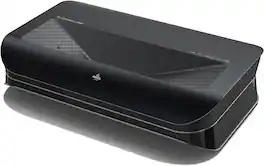
The AWOL Vision LTV-3000 Pro is a 4K 3D RBG Ultra Short Throw Laser Projector. Powered with stunning 2000 Lumens (ISO), it presents remarkable clarity in most lighting conditions day or night. With Triple Laser (without Color Wheel) Technology, 4K UHD with Dolby Vision, HDR10+ and 3D Available, Smart Room Ready, LTV-3000 Pro presents an unmatched sharp and colorful image. Coupled with exceptional audio immersion technology with Dolby Atmos, LTV-3000 Pro brings you an immersive 80"-150" home theater experience for the whole day.
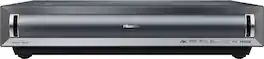
The world's first UST projector designed for Xbox, PX3-PRO Laser Cinema, brings the silver screen home with advanced TriChroma triple-laser projection technology. With an expansive 80-150" screen size range, 110% of the BT.2020 color gamut, and a Delta-E score of 0.9 color accuracy, the PX3-PRO delivers vivid, lifelike images and exceptional color, making every scene a masterpiece of depth and subtlety. Embrace the future of home cinema with a viewing experience that captures the magic of big-screen storytelling, all within the comfort of your home.

Transform any room into your home cinema with our super bright, 4K ultra short throw triple laser projector. Even lower resolution content looks great with 4K AI Upscaling. The Premiere projects a larger than life screen and sound, all from a sleek, compact design that sits inches from t he wall.
| Pros for Epson - LS800 4K PRO-UHD Ultra Short Throw 3-Chip 3LCD Laser Projector, 4000 Lumens, HDR, up to150", Android TV, Yamaha Speakers - White | |||
|---|---|---|---|
| There were no pros for this product— | Picture Quality, Brightness, 3D Performance, Setup Ease, Dolby Atmos Performance | Picture Quality, Brightness, Setup, Keystone Correction | There were no pros for this product— |
| Cons for Epson - LS800 4K PRO-UHD Ultra Short Throw 3-Chip 3LCD Laser Projector, 4000 Lumens, HDR, up to150", Android TV, Yamaha Speakers - White | |||
| There were no cons for this product— | There were no cons for this product— | Black Levels | There were no cons for this product— |
Specs

- Hisense - 55" Class U6 Series MiniLED QLED UHD 4K HDR Smart Fire TV (2025)$399.99The price was $799.99
- Hisense - 65" Class U7 Series MiniLED QLED UHD 4K HDR Smart Google TV (2025)$699.99The price was $1,499.99
- Hisense - 85" Class U6 Series MiniLED QLED UHD 4K HDR Smart Fire TV (2025)$847.99The price was $1,999.99
- Hisense - 100" Class U8 Series MiniLED QLED UHD 4K HDR Smart Google TV (2025)$2,979.99The price was $6,999.99



Reviews
Customer Images
The vast majority of our reviews come from verified purchases. Reviews from customers may include My Best Buy members, employees, and Tech Insider Network members (as tagged). Select reviewers may receive discounted products, promotional considerations or entries into drawings for honest, helpful reviews.
- Rated 5 out of 5 stars
Epson - LS800 Short Throw Projector
I upgraded from the overhead Epson projector to this short throw projector. Incredible picture & sound. Easy set up using the app. So surprising how it configured by taking 2 pictures with my phone and it formatted the picture perfectly to my existing screen. Best Buy team was very helpful and knowledgeable in my deicions making. I love it!
This review is from Epson - LS800 4K PRO-UHD Ultra Short Throw 3-Chip 3LCD Laser Projector, 4000 Lumens, HDR, up to150", Android TV, Yamaha Speakers - Black
DanI Posted
- Rated 4 out of 5 stars
Truly ultra short throw and very bright projector
The Epson LS 800 is an excellent UST 4k projector and truly shines in high ambient light situations. Pros: 1) This is a truly "ultra" short throw projector. I am projecting a 120 inch screen from about 7 inches from the wall. Makes the setup very clean and compact. Could fit on some tv stands if deep enough. 2) This projector is bright. I typically don't watch movies and sports with very dim lights, I like to have some reasonable amount of light. The projector shines in this use case. It is bright enough to project a colorful and contrasty picture even with light in the room. The attached picture is with my 4 ceiling lights on. 3) Love the colors in Cinema picture mode. I have always liked the Cinema mode on Epson projectors, they seem very natural and cinematic. However, their is a caveat ( See cons below) The truly "ultra" short throw and bright picture make this an ideal candidate to replace living/family room TVs. I also casually game and found the projector very responsive without any noticeable lag, I am not an expert but it was plenty good for me. The Audio also was very good out of the box although I do use an external soundbar. I have owned Epson projectors before and I like their out of the box color settings in general, however here I had to tweak a few things which leads to the cons below. Cons: 1) The projector's color is most pleasing to me in the Cinema picture mode. However, the projector is significantly less bright than it's Max capability in this mode. The projector is it's brightest in the Dynamic picture mode. However, I found the colors to be too saturated and unnatural in this mode. So, what to do? Ultimately I had to play with the wall color temperature settings along with the color temperature settings as well as saturation/color settings in the Dynamic picture mode to get it as close to the Cinema mode as possible....which leads to.. 2) Epson has removed a lot of the color correction capability it has on its projectors usually on this model. Don't get me wrong, it still has adjustment capabilities but not to the extent on its other projectors. This made it very difficult to adjust the picture color to my liking. Usually I don't tinker with the settings as Epson's Cinema mode is very good. However, here I had to since the Dynamic mode is the one you want to be using for brightness as well as better HDR. I got it to eventually where I was satisfied but it was not easy. Hope, Epson can add a color correction option with a future firmware release that is similar to their other projectors. Conclusion: Despite the cons above I highly recommend the projector. It's truly ultra short throw nature and bright picture in Dynamic picture mode make this a viable tv replacement in situations with ambient light. I have always liked Epson's color in their Cinema mode settings ( feel they are similar to Sony in terms of accurate and natural colors). I just had to work the settings here to get the dynamic picture mode( best brightness and HDR) to look like the Cinema mode.
This review is from Epson - LS800 4K PRO-UHD Ultra Short Throw 3-Chip 3LCD Laser Projector, 4000 Lumens, HDR, up to150", Android TV, Yamaha Speakers - Black
EpsonFan Posted
- Rated 5 out of 5 stars
My first projector TV!
Upgraded from an 82 inch TV and glad I did! Paired it with the Epson silverflex 120 inch screen and results are phenomenal!! Between Formovie, Hisense, Samsung and LG, I chose Epson because of the package deal at best buy, plus I really needed one that performs in bright lid room. Live it, sharp, bright, and low fan noise! Also paired it eith Samsung Q990B soundbar that cones with 2 HDMI input since Epson LS800 doesn’t have eArc, wished they had that for more seamless CEC integration! Tricky part is to find a media table that’s low for this purpose and I ended up with a coffee table that’s 16.5 inch tall, 14 inch table height maybe more ideal!
This review is from Epson - LS800 4K PRO-UHD Ultra Short Throw 3-Chip 3LCD Laser Projector, 4000 Lumens, HDR, up to150", Android TV, Yamaha Speakers - White
AudioGeek Posted