Skip to contentGo to Product Search
Main Content

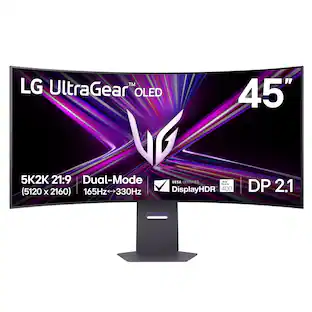
LG - UltraGear evo 45" 5K2K OLED 165Hz 0.03ms G-SYNC FreeSync Premium Pro Gaming Monitor with DisplayHDR400 TRUE - Black

Model: 45GX950B-B
SKU: 6670045
Sold byBest Buy

Customers are saying

Customers are enthusiastic about the OLED quality of this product. Users frequently highlight that the display provides a perfect image for their viewing experience.

Generated by AI based on customer reviews.
See it in-store: Roseville has a demo model on display.

Highlights

Features

  • 45 Inch 5K2K OLED Gaming with AI Upscaling

    The UltraGear evo, 45-inch 5K2K curved OLED gaming monitor delivers the screen size, speed and picture quality gamers crave. The 21:9 ultrawide curved display with 5k2K AI upscaling, 125 PPI provides sharp visuals across a wide workspace, while Dual-Mode refresh rates up to 330Hz and 0.03ms response time keep gameplay smooth and responsive.²

  • A Huge 45" 5K2K OLED Gaming Monitor⁴

    This 45-inch 5K2K (5120×2160) UltraGear evo displays over 8 million pixels, in UHD with lightning fast speed. The wide 21:9 aspect ratio and 800R curve expand your field of view, while the high PPI delivers crisp detail across every scene in the games you love.

  • AI Upscaling to 5K2K—No GPU Upgrade Required

    UltraGear evo’s built-in processor uses AI upscaling¹ to enhance content toward the display’s 5K2K resolution. It analyzes the source signal to improve detail and clarity—helping games and video look sharper without requiring a GPU upgrade.

  • Brighter OLED powered by MLA+

    Micro Lens Array+ (MLA+) technology helps reduce light loss and elevate brightness, revealing richer color and vibrant image performance.

  • Size Matters in OLED Gaming: Go Wide. Not Short.

    The 45” 21:9 UltraGear evo OLED unlocks expansive ultra-wide screen space for gaming—delivering more usable area than a 49” 32:9 display. See more of the action at once and stay fully dialed in with a wider, more commanding view of every moment.

  • 800R Curve: Wrap Yourself in the Action

    With its dramatic 800R curve, the screen extends further into your peripheral vision to create a more enveloping gaming experience. The result is a heightened sense of scale, focus, and intensity as the action unfolds around you.

  • Deeper Detail with VESA DisplayHDR True Black 400

    VESA DisplayHDR True Black 400 reveals rich blacks and nuanced shadow detail—even in dark scenes. Combined with a 1.5M:1 contrast ratio, up to 98.5% (typical) DCI-P3 color, and Delta E≤2 accuracy, visuals appear vivid, precise, and true to the creator’s intent.

  • High 125 PPI for Sharp, Detailed Visuals

    With a sharp 125 PPI pixel density, in-game text, HUD elements, and fine visual details appear crisp and easy to read. The added clarity also improves everyday tasks like writing, web browsing, and working with text-heavy documents.

  • More Room to Create with 5K2K UltraWide

    The expansive 21:9 5K2K display with 125 PPI delivers sharp detail across a wide creative workspace. Edit video, retouch photos, and manage timelines on one seamless screen—while keeping documents, research, and multiple windows visible at the same time.

  • Dual Mode: 5K2K 165Hz for Detail or WFHD 330Hz for Speed

    Switch between 5K2K resolution at 165Hz for cinematic AAA titles and Wide Full HD at 330Hz² for ultra-responsive competitive gaming. VESA Certified Dual-Mode lets you optimize resolution and refresh rate to match the way you play.

  • Near-Instant 0.03ms (GtG) Response Time

    With a near-instant 0.03ms (GtG) response time, pixels transition incredibly fast—helping reduce ghosting and keep fast-moving gameplay clear and responsive.

  • NVIDIA G-SYNC Compatible & AMD FreeSync Premium Pro

    Minimize screen tearing and stuttering with NVIDIA G-SYNC compatibility³ and AMD FreeSync Premium Pro. These adaptive sync technologies help keep gameplay smooth and responsive by matching the monitor’s refresh rate to your GPU—so fast action stays clear with reduced blur and ghosting.

  • Future-Ready Connectivity for High-Performance Gaming

    DisplayPort 2.1² (UHBR20), USB Type-C with 90W power delivery, and HDMI 2.1 provide the connectivity modern gaming setups demand. DP 2.1 delivers the ultra-high bandwidth needed for high-resolution, high-refresh-rate gameplay, while USB-C supports display, data, and charging through a single cable. HDMI 2.1 ensures stable connections with consoles and other devices.

  • AI Sound Enhances Voices and Key Audio Cues

    The AI Sound setting analyzes on-screen action and separates voices, sound effects, and background audio. AI Sound helps keep team comms clear while highlighting important gameplay cues—like approaching footsteps or nearby action—through speakers or connected headphones.

  • AI Scene Optimization Adapts to Your Content

    The AI Scene Optimization setting detects what’s on screen and automatically adjusts picture settings like color temperature and sharpness. It helps optimize the display across preset modes such as Office, Animation, Movie, Game, and Sports.

  • OLED Care Helps Maintain Your Display

    OLED Care helps maintain your OLED display’s long-term performance. Built-in maintenance features, including Pixel Cleaning, help keep the OLED panel operating at its best for consistent image quality over time.

  • OLED Protection: 2-Year Limited Warranty & Panel Care Tools

    Rest easy knowing your OLED monitor is built to last. The 2-year limited warranty covers key components, including the OLED panel. And OLED Care tools such as pixel cleaning keep your display sharp, for reliable top-tier performance. Please see Warranty Information on this page for all warranty details.

Specifications

  • Refresh Rate
    165Hz
    Maximum Resolution
    5120 x 2160
    Response Time
    0.03 milliseconds
    Synchronization Technology
    FreeSync Premium Pro (AMD Adaptive Sync), G-SYNC Compatible (NVIDIA Adaptive Sync)
    Screen Size
    44.5 inches
Sponsored

Reviews

Rating 4.5 out of 5 stars with 8 reviews

5 star rating. 7 reviews1 star rating. 1 review
88% would recommend to a friend
Customers are sayingCustomers are enthusiastic about the OLED quality of this product. Users frequently highlight that the display provides a perfect image for their viewing experience.
This summary was generated by AI based on customer reviews.
  • OLED Quality (5)

Customer Images

The vast majority of our reviews come from verified purchases. Reviews from customers may include My Best Buy members, employees, and Tech Insider Network members (as tagged). Select reviewers may receive discounted products, promotional considerations or entries into drawings for honest, helpful reviews.


  • Rated 5 out of 5 stars

    Love the extra resolution

    I have an LG 49” ultrawide OLED I use at work as my second monitor. Even at home I had a 34” 240Hz ultrawide I used for gaming with my new Alienware desktop. But while I love the ultrawide for gaming, it falls short a bit with the literal short horizontal resolution, 1440… THIS having the full 2160 is going to be a real treat on my Nvidia 5080… My gaming crosses a lot of genres, first and third person shooters like Halo, Destiny, the Horizon games, Elder Scrolls, Fallout, etc. Then there’s various RPG games, and even things like the Lego games. Unboxing was simple. The stand was on the top level of Styrofoam, so I assembled that, lifted out the monitor itself to get the protective wrap off, snapped the stand in place, and had a good way to maneuver it. But I was really surprised at the AMOUNT of curve here. Not at all like any of my other curved screens. This one wraps around at a serious angle I haven’t seen before, as they advertise for a peripheral vision view. My setup won’t let me sit that close, so I won’t have quite that experience. I had already removed my 34” and was able to get this in the same location that was. The only reason it fit was due to that excessive curve. They include a little instruction booklet with it, which I very much approve of, I really dislike when companies just have a QR code and you have to go dig everything up online. But I laughed at one of the drawings they had on it, and am including it in my photos. In the image, they have what looks like a tiny little USB power plug for this – when in reality it’s a huge power brick. And that was a bit of a disappointment. The previous monitor I had here didn’t require an external brick, just a standard computer power plug going into it. Now I have to figure out where to bury this big brick out of the way on my gaming / music desk. I initially had an HDMI cable running here, so I just used that for now to see how things worked. Powered it on, booted up my Alienware, and it came right in with the correct resolution and the max 165Hz refresh rate. Gsync enabled without issue. It brags about AI sound enhancing voices and key audio cues – but maybe my games I was playing didn’t support it, since Destiny 2, Ghosts of Tsushima, Horizon, none of them really sounded good at all. The sound was so flat and tinny and was more of a distraction, so I went back to my soundbar with my subwoofer. Changed to the Display Port 2.1 from the HDMI I had been using since I’ve always had better consistency with Display Ports for gaming compared to HDMI, and it worked just fine. With my Nvidia 5080 in this Alienware gaming system, everything at high still keeps the framerates hanging on the highest end for the most part. And even when it drops some it hasn’t dropped enough to actually impact anything. I also capped my framerates a few FPS below the max here. Screen is great at subduing reflections. AI Scene Optimization – supposed to detect content and adjust picture automatically. I did see proof of this even while gaming, and it is distracting and horrible. Game mode does NOT change anything for that as I had hoped. I’d think Game mode would set things so there’s none of this kind of randomness happening – keep the view consistent. Nope. So after a few days of dealing with the annoying AI trying to “compensate” all over the place, I disabled it. Got fed up with the color changes while I’m in the middle of a game. And without that AI bit running, it’s SO much better. I was enjoying Destiny 2 for a few days, but that one is annoying as it randomly shifts back to 3440x1440 of the Alienware 34” this replaced. So a few times I’ve had to redo the game settings to get it running at native resolutions again for some reason. I started launching other games, forcing the resolution change for them as well. Horizon Forbidden West was amazing, highest settings and looked great, smooth movement. Same with Assassins Creed Origins. Assassins Creed Odyssey was totally unplayable though – just horrible. All settings were the same as worked wonderfully for Origins, but nothing I’ve tried so far has made Odyssey playable although plugging in my Alienware 35" again it played well. But I can’t duplicate it on any other game. But since this is one of the games I just replay every few years, I’m not wasting time yet trying to get to the bottom of it. The color on here is amazing. I just LOVE game moments with a lot of bright colors and black around, because the black on here is every bit as good as anything should be with an OLED. And even with it only at half brightness (I always avoid torch mode on OLEDs) it still looks amazing. While the games scale things a bit so it’s not quite as noticeable with the 2160 vs the 1440, but when just running windows, it’s a HUGE difference, and I absolutely LOVE it for that. I love all that extra real estate for my programs. Especially for spreadsheets and RDP. The toggle button on the bottom rear works consistently. No failed presses or no instances of it doing something other than what I intended, as I’ve experienced on some other monitors. And there are plenty of options here between the AI things, the gaming options, and the screen setup options that you should be able to customize things as you like. You even have different user slots for settings. I miss having the USB uplink and several USB ports on the old monitor I had, simply for convenience. But since I had to redo my whole gaming / music room setup to fit this well, I simply rearranged things so they could go to the PC instead. With the adjustments for tilting each way as well as height, it's easy to get this just where I wanted it. I'm not a fan of overlays so I haven't done much with the ones on here, but there are many options here in the built in menu for people who want the information. I have nothing to really take advantage of it, but the option to drop it to full HD and go to 330Hz may make this an even easier choice for some people. I'm also a fan of the options for built in OLED care. I've changed this to NOT be on my main switch that I control via Alexa to turn on my gaming / music system, just so that when I'm done and I turn it off, the pixel refresh and such can go as it wants, when it wants. When I'd power it off with everything else, I'd often see messages when turning back on that the OLED maintenance was interrupted. And again, just in windows, not gaming - still a gamechanger. I've spent several years with my 49" 5120x1440 and LOVED the wide resolution but always felt limited by the 1440. So, in every respect, no matter if I'm pulling up various things for editing music, or doing things for work with RDP sessions, office documents, this is SUCH a huge noticeable difference. I can't find anything to complain about here. In every respect, it's the best monitor I've ever used.

    Posted by JDThird

  • Rated 5 out of 5 stars

    Immersive Canvas for work or play

    Highlights: * Native resolution of 5120 x 2160 (5k2k) * AI upscaling for lower resolutions * Good built-in speakers * Nice on-screen menus with easy navigation * Can display 2 inputs at same time side-by-side or PiP * Beautiful OLED HDR colors and contrast * Wide curve adds immersion to everything * Built in 2-device USB-A hub * Includes USB/Thunderbolt, DisplayPort and HDMI input cables Considerations: * Heavy and awkward to adjust due to curve * No built-in camera * On-screen menu doesn’t include model or serial number * HUGE 360W power brick to find room for * Parabolic effect makes your voice echo weird This HUGE 45” ultra wide curved monitor adds a level of immersion to everything you do for work or play. I remember when 40” TVs were considered large and 30” monitors were a luxury. Whether you’re gaming, watching media or just trying to get stuff done on your computer, this LG UltraGear monitor will be the beautiful window into everything your computer offers. Let’s start with the basics. At 45” diagonal (39” edge to edge) wide, this monitor takes up a significant amount of desk space whether on its substantial included stand or a VESA mount on a heavy-duty monitor arm. Its native 5k2k resolution is the same number of pixels tall as a 4k monitor/tv and nearly 2,000 pixels wider than UHD/4k. That huge canvas allows for more multitasking, larger windows or a more fully-immersive full-screen video or game. The curve is really tight which serves several purposes. The bend keeps the stuff on the edges about the same distance from your face as the part in the middle so everything is in clear and easy focus. The curve also adds to the immersion making you feel like you’re enveloped in the screen. And lastly, the curve prevents most glare from being reflected to your eyes. The OLED panel has bright and clear colors and deep blacks with HDR enabled. Blacks are absolute and the refresh rate keeps high-speed games fast and fluid. The built-in AI engine will also do a good job at upscaling lower-resolution content to the panel’s native resolution for cleaner visuals of everything you throw at it. Same can be said about the audio if you choose to use the panel’s built-in speakers although I still prefer separate speakers or a good set of headphones. While this monitor is not optimized for work productivity, it will definitely help you keep more windows open or allow for much larger windows while you work. There is no built-in webcam or microphone, but you can show two separate inputs on the screen at the same time either side-by-side or picture-in-picture. I primarily use this monitor for work and media consumption. For work, I appreciate not having to constantly overlap windows or work in smaller workspaces with tons of scrolling. With a 45” 5k2k canvas, I can keep nearly everything I need open to the size I want without overlap. For gaming or media consumption like watching streaming content, the screen fills my entire field of view and makes everything look like I’m at an IMAX theater. Separate inputs are available for USB/Thunderbolt, DisplayPort and HDMI with cables included for all 3. If you connect to your computer via USB/Thunderbolt, you can have a wired keyboard and mouse plugged in to the monitor and switch all 3 with the single input cable and an external KVM switch. It took me a few minutes to get used to the sheer size and curve of the screen, but now I just turn my neck to pan across this ultra wide panel. I have it connected to my latest-model Mac mini which drives it at full native resolution. If you’re able to mount it where you can also see the back, there are colorful backlit accent elements to add to the visual appeal even from the rear. The accent light settings are controlled in the on-screen menus and allow you to choose the color, have it cycle colors or just disable it. A few things to consider with this monitor…. Firstly, it’s HUGE so be prepared for the desk space you’ll need. The included 350W power brick is also huge and you’ll need to find a spot for it on the desk or the floor nearby. Given the considerable curve of the screen, it’s a bit cumbersome to life or move - just be careful not to flex it too far. My only real complaint/suggestion is regarding the really nice animated on-screen menus. They are controlled by a 5-way joystick on the back just behind the bottom middle of the screen. They are really colorful and easy to navigate, but unless I missed it, there is no listing in the menus of the monitor’s model number or serial number for easy reference without having to pivot the screen around to look at the sticker. As a side note, the extreme curve of this monitor makes your voice echo with a parabolic effect. If you are talking during a gaming session or speaking to someone nearby in-person, your voice will bounce off the curve back to you differently than it would with a flat monitor. Nothing wrong, but just be aware that this is going to happen. There are also tons of customization settings to get the most of your games or whatever else you have plugged in. Overall, this fantastic monitor will pull you into the screen and make everything you do on your computer feel like you’re right there. It completely occupies your entire field of view with bright clear images in HDR with perfect OLED colors. It’ll look best if your computer can handle its native resolution, but the monitor will also upscale nearly anything lower and still look amazing. Fast gaming, movies, multiple windows for productivity - it can handle them all without breaking a sweat.

    Posted by gadgeTT

  • Rated 1 out of 5 stars

    Low quality dissaoointing monitor

    Absolute garbage for this price. I am just gonna completely forget LG exists. This is second time I was trying LG monitors. Do you a favor and get an asus gaming monitor or Dell for work or productivity.

    Posted by Bestana

  • Rated 5 out of 5 stars

    An amazing screen to both work & play from!

    A coworker of mine runs an LG OLED 5k2k and during a Zoom session he shared his desktop and dwarfed my Samsung G9’s puny 1440p vertical resolution. At that point, I knew that I was in for a new screen. Here are some quick points & a more thorough review following … Good: 4k @ 160Hz HD / 1080p @ 330Hz Resolution (5120x2160) Weight (no stand) Hefty Stand (if you aren’t using a mount) USB-C can power MacBook Air M4 LED Lighting on Rear OLED Care Quick press buttons (customizations) Bad: Nothing Meh: Rear cover Sound Wake up time In the past month or so, I’ve found myself with a few items of new tech that rate an unapologetic 5 Stars; here’s another one – with the understanding that this review is based on usage in the first two weeks. Unboxing was easy given you leave it face down while it’s being assembled. In my case, I used an existing monitor arm that was holding up my (much heavier) Samsung Odyssey G9 49in Widescreen. Taking my time, I adjusted the arm location and then mounted the monitor to the desk portion with little effort and as it was lighter, there was no issue. I went through the menu options to see what it had going on & found a bunch of AI Boost menu items related to upscaling, scene optimization and sound. Skipping ahead a bit but to me, the sound just isn’t great. Then again, if you’re using your monitor for sound while gaming - I can’t say you’re any more of a serious gamer than I am; I prefer IEMs these days (the Sony Inzone E9s are pretty solid). At first, I had an issue with USB-C and 4k with my Mac Mini M4 Pro - and Googling recommended HDMI - which, since it has an HDMI port, I elected to go with and 2160p was selected without issue. After a week or two, I tried my MacBook Air M4 via USB-C and had no issue at all with 2160p so who knows - a fluke. 2160p / 4k vertical is an amazing height; UHD/2k/1440p is fine, but to multi-task gaming & work … 2160p is the best vertical, in my not-so-humble-opinion. I started off using the display for primarily work, mapping my window positioning keys and realizing how much more room I have over 1440p. In no time, I moved onto gaming and brought the Asus TUF gaming laptop over & connected over USB-C, pressed the under-the-screen button that flipped it to gaming mode (HD @ 330Hz), which made me realize that I needed MOAR FPS as 180 wasn’t even scratching the surface of what this monitor had to offer. But, I’m all out of extra FPS. Playing primarily E-Sports these days, Forza 5 & 6 were in the mix during the initial usage times. I found that setting everything to 1080p wouldn’t let me use the entire screen; maybe I missed a setting but I was more interested in getting this thing going and ended up sticking with it and perhaps I’ll look into if it’s even possible to use an aspect ratio that lets me use the entire screen. Snappy screen responses to camera changes, no tearing - this monitor gave an amazing gaming experience. But again, I’m no pro – for me, this is a super enjoyable screen. In my first few weeks, there were no issues gaming, no issues using it for work; no issues whatsoever. My only observation for something not my favorite, is the wake-up from sleep mode causes it to come on, drop out, then come on again - I wonder if this will be some kind of firmware update in the future. Man, do I really dig this screen. If you can (it’s not a cheap screen) - go get one!

    Posted by nhtechie

  • Rated 5 out of 5 stars

    Best monitor I have used so far

    Used this on a Mac mini and it works great!! Refresh rate is amazing and the OLED provides perfect image. I would highly recommend this monitor. Make sure you have the proper cables to connect to Mac as not all cables can handle the high refresh rate.

    Posted by APPLESRGOOD

  • Customer reviews from lg.com

    Syndicated rating, 4.265306 out of 5 stars with 49 reviews on lg.com.

    See all lg.com reviews
    lg.com
  • Customer reviews from bestbuy-ca

    Syndicated rating, 2 out of 5 stars with 1 review on bestbuy-ca.

    See all bestbuy-ca reviews

Compare similar products

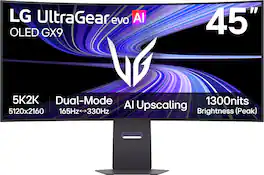
LG - UltraGear evo 45" 5K2K OLED 165Hz 0.03ms G-SYNC FreeSync Premium Pro Gaming Monitor with DisplayHDR400 TRUE - Black
4.5(8)

The LG UltraGear evo 45" 5K2K curved OLED gaming monitor delivers the size, speed, and picture quality serious gamers demand. The ultra-wide 21:9 , WUHD (5120×2160) screen with 125 PPI creates a sharp, expansive view, while AI Upscaling¹ enhances lower-resolution content for improved UHD clarity. Dual-Mode refresh rates up to 330Hz and a near-instant 0.03ms (GtG) response time keep gameplay fast, smooth, and responsive. The steep and dramatic 800R curve expands your field of view for a more commanding perspective, while the 45" 21:9 format delivers more usable screen space than a 49" 32:9 display. OLED with Micro Lens Array+ (MLA+) boosts brightness and reveals richer color. VESA DisplayHDR True Black 400, a 1.5M:1 contrast ratio, and up to 98.5% DCI-P3 bring deep blacks, vivid highlights, and impeccable detail to every scene. With Dual Mode, switch between 5K2K at 165Hz speed for cinematic gameplay and Wide Full HD at up to 330Hz² for competitive speed. NVIDIA G-SYNC compatibility³ and AMD FreeSync Premium Pro help reduce tearing and stutter. DisplayPort 2.1 (UHBR20), HDMI 2.1, and USB Type-C with 90W power delivery support modern setups. AI Picture and AI Sound optimize visuals and audio in real time, while OLED Care helps maintain long-term performance.
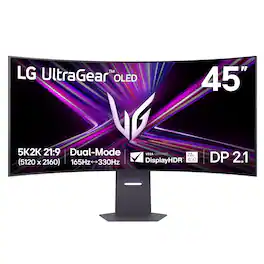
LG - UltraGear 45" OLED Dual Mode (5K2K WUHD 165Hz, WFHD 330Hz) 0.03ms G-Sync/FreeSync Premium Pro Gaming Monitor - Black

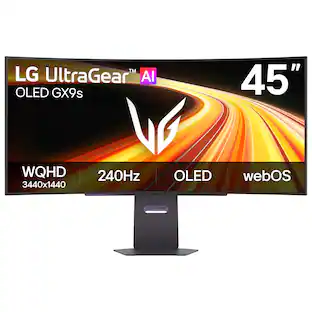
Unleash unparalleled gaming prowess with the world's first 5K2K WUHD (5120 x 2160) resolution OLED gaming monitor¹. This 45" curved UltraGear monitor elevates your gameplay experience with Dual Mode technology. Dual Mode lets a player switch between breathtaking UHD visuals at up to 165Hz, or Full HD at a blistering 330Hz for ultra-responsive gameplay in FPS, MOBA, or racing titles²—all at the touch of a hotkey. Immerse yourself in up to 1300 nits brightness in UltraGear OLED brilliance, boasting up to 98.5% DCI-P3 color coverage, a staggering 1.5M:1 contrast ratio, and DisplayHDR True Black 400. The dramatic 800R curve and 21:9 aspect ratio offer more vertical screen space than a 49” 32:9 display, pulling you deeper into the action like never before. A sleek, slim design offers adjustable height, tilt, and swivel controls for your perfect view, complemented by RGB backlighting to set the mood for your battlestation. Equipped with DisplayPort 2.1, HDMI 2.1 ports, and USB Type-C with 65W power delivery, plus NVIDIA G-SYNC Compatible and AMD FreeSync Premium Pro support, you’ll enjoy smooth, tear-free gaming at high refresh rates. UltraGear's 2-year limited warranty and OLED Care tools, give you OLED gaming peace of mind as well.
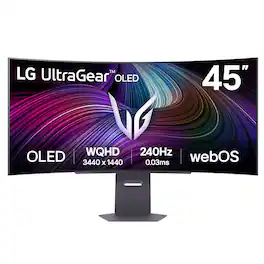
LG - UltraGear 45" OLED QHD 240Hz 0.03ms G-Sync/FreeSync Premium Pro Smart Gaming Monitor with DisplayHDR 400 TRUE - Black

Experience lightning-quick speed with up to a 240Hz refresh rate¹ and 0.03ms response time on a huge 45" WQHD curved OLED monitor. UltraGear Fact: The 45-inch 21:9 45” UltraGear OLED monitor delivers more screen area than a 49-inch 32:9 aspect ratio screen. The sweeping, steep 800R curve surrounds you in the action. And with the 240Hz refresh rate, and 0.03ms response time, the action is fast, the play seamless and precise. Dive into UltraGear OLED’s immaculate visuals with up to 98.5% of DCI-P3 color coverage and a 1,500,000:1 contrast ratio for stunning blacks and vibrant colors. LG's game-changing webOS streaming platform adds ease and versatility, letting you enjoy your favorite entertainment streaming platforms as well as cloud gaming services from one, simple to access home screen. Adaptive sync technologies FreeSync Premium Pro and NVIDIA G-SYNC compatibility ensure tear-free, stutter-free performance, whether you're on PC or next-gen consoles. Plus, the UltraGear's 2-year OLED limited warranty and OLED Care features give you peace of mind, keeping your UltraGear monitor in top shape. Designed for gamers, the virtually borderless design complements any gaming setup, with height, tilt, and pivot adjustments for optimal comfort. The RBG backlighting creates the mood that’ll upgrade any battlestation.
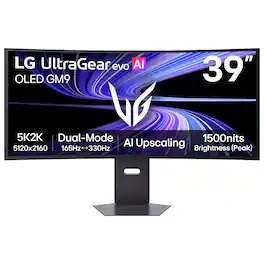
LG - UltraGear evo GX9 39" 5K2K OLED 165Hz 0.03ms G-SYNC FreeSync Premium Pro Gaming Monitor with DisplayHDR TRUE 500 - Black
4.7(42)

With UltraGear evo, experience the sweet spot of ultrawide OLED gaming with this 39-inch 5K2K (5120×2160) curved display. Designed in a wide 21:9 format with a 1500R curve, it expands your field of view while delivering crisp detail across a dense 143 PPI pixel canvas—more than 30% more pixels than a 32-inch 4K screen. 4th Gen Primary RGB Tandem OLED technology reaches up to 335 nits typical brightness and enhances contrast, color precision, and visual depth, supported by VESA DisplayHDR True Black 500 and UL-verified Perfect Black¹, Perfect Color, and Perfect Reproduction certifications. With Dual-Mode, switch between 5K2K at 165Hz for cinematic AAA gameplay or Wide Full HD at 330Hz² for ultra-responsive competitive play. A near-instant 0.03ms (GtG) response time with NVIDIA G-SYNC compatibility³ and AMD FreeSync Premium Pro keeps motion smooth and clear. UltraGear evo’s built-in processor powers AI Upscaling⁴ to enhance content toward the display’s 5K2K resolution—helping games and video look sharper without requiring a GPU upgrade. Modern connectivity—including DisplayPort 2.1⁵ (UHBR20), USB-C with 90W power delivery, and HDMI 2.1—supports high-bandwidth gaming setups and next-gen consoles, making this curved OLED gaming monitor the ideal intersection of size, speed, and visual precision.

Pros for LG - UltraGear evo 45" 5K2K OLED 165Hz 0.03ms G-SYNC FreeSync Premium Pro Gaming Monitor with DisplayHDR400 TRUE - Black
OLED QualityOverall Performance, Screen Size, OLED Quality, Resolution, Refresh RateOverall Performance, Screen Size, OLED Quality, Refresh Rate, ResolutionOLED Quality, Build Quality, Connectivity, Text Clarity
Cons for LG - UltraGear evo 45" 5K2K OLED 165Hz 0.03ms G-SYNC FreeSync Premium Pro Gaming Monitor with DisplayHDR400 TRUE - Black
There were no cons for this product—ConnectivityConnectivity, Text Clarity, SoftwareThere were no cons for this product—

Specs

Questions & Answers

  • Is this using a Tandem OLED display?

    Hello there, Shroud! Thank you for sharing your question to us about the LG Monitor (45GX950B‑B). The 45GX950B‑B does not use a Tandem OLED panel. Instead, it features a 3rd‑generation MLA+ WOLED panel. You may access this link related to your concern: https://www.bestbuy.com/product/lg-ultragear-evo-45-5k2k-oled-165hz-0-03ms-g-sync-freesync-premium-pro-gaming-monitor-with-displayhdr400-true-black/JJ8VPZZSP4. If you’d like help comparing Tandem OLED models or exploring alternatives, feel free to email us at lgdigitalcare@lg.sprinklrsupport.com and our team will gladly assist further. - Avril

    Answered by LG Digital Customer Care
    LG Digital Customer Care response
No content

Customers often buy these together

Sponsored