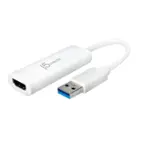
Insignia™ - USB-C-to-VGA Adapter - White
FREE shipping to
More Buying Options
Related Item

About This Item
- Key Specs
- Connector Type (End 1): USB-C
- Gender (End 1): Male
- Connector Type (End 2): VGA
- Gender (End 2): Female
- General
- Brand: Insignia™
- Model Number: NS-PA2CVW23
- Product Name: USB-C-to-VGA Adapter
- Color: White
- Quantity: 1
- Compatibility: VGA-enabled TV, monitor or projector.
- Connectivity
- Cable Type: USB, VGA
- Product Type: Adapter
- Gauge: 34
- Connector Type (End 1): USB-C
- Gender (End 1): Male
- Connector Type (End 2): VGA
- Gender (End 2): Female
- Environmental
- Indoor Or Outdoor Use: Indoor (Indicates the appropriate environment product was designed to be used in.)
- Certifications Listings & Approvals
- Certifications and Standards: Certified USB
- Warranty
- Warranty - Parts: 1 year limited
- Warranty - Labor: 1 year limited
- Other
- UPC: 600603315381
This USB-C to VGA adapter converts a USB-C output to a VGA input, letting you connect your computer to a VGA-enabled TV, monitor or projector. Resolutions up to 60Hz deliver outstanding presentations or movie showings with crystal clear video quality. Plus, the compact design makes it effortless to carry.
- Male USB-C to female VGA conversion: Connects your USB-C device output to the VGA input of a monitor, projector or TV.
- Mirror or extend your screen: Lets you connect to an extra monitor to optimize your setup.
- Supports video resolutions up to 1080P at 60Hz or 1920 x 1200 at 60Hz: Offers crisp and clear video resolution.
- System requirements: Compatible with Windows 11, Window 10, Mac OS and Chrome OS.
- 3 shielding layers: Tinned copper protects and delivers long-lasting durability.
- Plug-and-play design: Requires no additional setup.
- Compact build: Easy to carry and store.
- Brought to you by Best Buy: Insignia brings you affordable, dependable products with all the features you need.
Whats Included
- Insignia USB-C-to-VGA Adapter
Product Manuals
Q: How durable is this USB-C to VGA adapter?
A: The Insignia USB-C to VGA adapter is built with three shielding layers and tinned copper to ensure long-lasting durability.
Q: Does this adapter require any special software or drivers to use?
A: No, this adapter has a plug-and-play design, so it requires no additional setup.
Q: What is the maximum video resolution supported by this adapter?
A: This USB-C to VGA adapter supports video resolutions up to 1080P at 60Hz or 1920 x 1200 at 60Hz.
Q: Which operating systems is this adapter compatible with?
A: This adapter is compatible with Windows 11, Window 10, Mac OS and Chrome OS.
Q: Can I use this adapter to connect my computer to a projector?
A: Yes, you can use this adapter to connect your computer's USB-C output to the VGA input of a monitor, projector, or TV.
Q: Will this allow me to connect an M2 Macbook Air to a VGA projector?
A: Thank you for your inquiry! Yes, the Insignia™ USB-C-to-VGA Adapter will allow you to connect your M2 MacBook Air to a VGA projector. This adapter is designed to convert the USB-C output from your MacBook Air to a VGA input, making it compatible with older projectors and displays that use VGA connections. Keith | Insignia Support https://www.bestbuy.com/site/insignia-usb-c-to-vga-adapter-white/6519770.p?skuId=6519770
Q: Will this work with apple ipad?
A: Yes, the Insignia™ USB-C-to-VGA Adapter should work with an Apple iPad, as long as your iPad has a USB-C port. Patricia | Insignia Support
Q: What cords go where? How to connect cords to device and phone 🙏
A: I had bought this for my new computer because the monitor would not turn on. I plugged the USB-C into computer and the vga end into my monitor but it still wouldn't work.
Reviews
Customers are saying
Customers regard the USB-C-to-VGA Adapter highly for its broad compatibility and ease of use. Users appreciate its reliable performance and the continued usability of VGA monitors. Some customers also find its design elegant, and its compact size convenient for portability.
Customer Images
The vast majority of our reviews come from verified purchases. Reviews from customers may include My Best Buy members, employees, and Tech Insider Network members (as tagged). Select reviewers may receive discounted products, promotional considerations or entries into drawings for honest, helpful reviews.
Compare similar products

This USB-C to VGA adapter converts a USB-C output to a VGA input, letting you connect your computer to a VGA-enabled TV, monitor or projector. Resolutions up to 60Hz deliver outstanding presentations or movie showings with crystal clear video quality. Plus, the compact design makes it effortless to carry.

The Best Buy essentials 6’ HDMI-to-DVI-D Monitor Cable mirrors or extends your computer’s desktop. Simply connect the cable from your computer’s single-link DVI-I or DVI-D port to a HDMI-enabled display. Compatible with monitors, TVs, projectors and more, resolutions from your computer’s single-link DVI-I or DVI-D port up to 1920 × 1200 grant you optimal high-quality images that leave everyone impressed. Nickle-plated connectors with PVC molding make this cable corrosion resistant and give it long-lasting use. Providing flexible placement options, a 6 ft. cable gives you the ideal length to reach your devices. And the cable is backed by Best Buy, so you can have confidence in your computer’s setup.

The Insignia USB-C to DisplayPort Adapter mirrors the display from one computer to any DisplayPort-enabled monitor. Or extend your existing display to a second monitor, making it easier to organize programs and windows for day-to-day use at work or while browsing. USB-C gives you dazzling 4K (3840 × 2160) resolution at 60 Hz for high-quality video and audio. Its hassle-free setup requires no additional software.

The Apple USB-C VGA Multiport Adapter lets you connect your Apple MacBook with USB-C port to a VGA display, while also connecting a USB device and a USB-C charging cable. Mirror your MacBook display to your VGA-enabled TV or other display in up to 1080p.
| Pros for Insignia™ - USB-C-to-VGA Adapter - White | |||
|---|---|---|---|
| Compatibility, Ease of use, Performance, VGA, Resolution | Compatibility, Price, Ease of use, Overall Performance, HDMI | Compatibility, Performance, Ease of use, Price, DisplayPort | There were no pros for this product— |
| Cons for Insignia™ - USB-C-to-VGA Adapter - White | |||
| There were no cons for this product— | Lag, Resolution | Connection | There were no cons for this product— |