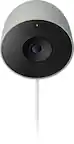
Google - Nest Cam 3 Pack Indoor/Outdoor Wire Free Security Cameras - Snow
Number Of Cameras Included
3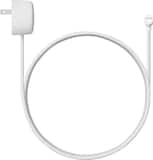 Google - Nest Camera 10M Cable - Snow$39.99
More Buying Options
Related Item

Highlights
- Key Specs
- Video Camera Resolution: Full HD (1080p) (Refers to the number of pixels, both horizontally and vertically, used to capture video/images. The higher the resolution the finer the detail that can be seen.)
- Number Of Cameras Included: 3
- Camera Power Source: Battery-powered, Cable with AC Adapter/Plug-in
- Works With: Nest (Compatible with or able to be connected to other smart devices or applications.)
- Wireless Connectivity: Bluetooth, Wi-Fi (The manner in which a device sends data to another device over a short distance without the use of wires or cables.)
- Storage Type: Cloud
- General
- Brand: Google
- Model Number: GA02077-US
- Product Name: Nest Cam 3 Pack Indoor/Outdoor Wire Free Security Cameras
- Color: Snow
- Camera
- Video Camera Resolution: Full HD (1080p) (Refers to the number of pixels, both horizontally and vertically, used to capture video/images. The higher the resolution the finer the detail that can be seen.)
- Camera Resolution: 1920 x 1080 (Refers to the number of pixels, both horizontally and vertically, used to capture video/images. The higher the resolution the finer the detail that can be seen.)
- Number Of Cameras Included: 3
- Power
- Camera Power Source: Battery-powered, Cable with AC Adapter/Plug-in
- Rechargeable Battery: true
- Battery Chemistry: Lithium-ion
- Compatibility
- App Compatible: true (The product can be connected to a program or software application on a mobile device, which then receives collected data from the product.)
- Compatibility: Works with Hey Google, Amazon Alexa
- Works With: Nest (Compatible with or able to be connected to other smart devices or applications.)
- Connectivity
- Camera Connectivity: Wireless (Security system cameras can be set up in several ways. Wired cameras require cables for power and footage transmission, while wire-free cameras don't need cables for either. Wireless cameras still require cables for receiving power but are able to transmit footage via a wireless network.)
- Wireless Connectivity: Bluetooth, Wi-Fi (The manner in which a device sends data to another device over a short distance without the use of wires or cables.)
- Storage
- Storage Type: Cloud
- Dimensions
- Product Height: 3.26 inches (The out of box height of the item. Height is measured as the vertical distance from the bottom of the item to the top as it would be primarily used or placed.)
- Product Width: 3.26 inches (The out of box width of the item. Width is measured as the horizontal distance from one side of the item to the other as it would be primarily used or placed.)
- Product Depth: 3.26 inches (The out of box depth of the item. Depth is measured as the distance from the front of the item to the back as it would be primarily used or placed.)
- Product Weight: 0.87 pounds (The out of box weight of the item.)
- Warranty
- Warranty - Parts: 1 year
- Warranty - Labor: 1 year
- Other
- UPC: 193575008349
Who’s in the garden? Are the kids doing their homework yet? Nest Cam is wire-free, so it goes almost anywhere, outside or in. It knows the difference between people, animals, and vehicles, so you can get the alerts that are important to you. Listen and speak through the camera right from the Google Home app. Check in anytime with 24/7 live view.* If you miss a notification, you can always go back and see what happened with 3 hours of free event video history.* And it’s easy to install yourself – no outlet or wires required. Nest Camera Battery requires the Google Home app and a Google Account – it’s not compatible with the Nest app or the home.nest.com site. *** Stand and cable sold separately
- Control with the Google Home app.: View live HD video, replay video recordings, talk to visitors, and more – all from the Google Home app. The Nest Cam (battery) requires a free Google Account and is not compatible with the Nest app or the Nest site.
- Talk to who’s there, even when you're not.: If something happens, it alerts you, so you can decide to take action right from the Google Home app.* Talk and listen through the camera, and if you need some help, you can call your local emergency service directly from the app.*
- Talk and Listen. Talk to who’s there, from anywhere.: Talk and listen to people through the built-in speaker and mic.* Tell your kids to stop running in the house, or say hello to your dog, just for fun.
- Get alerts that matter to you.: Nest Cam shows you what’s happening at home, and alerts you when it spots a person, animal, or vehicle.* It can even recognize familiar faces and tell you who’s coming and going.**
- See clearly in any light.: See key details in all kinds of light. HDR helps with bright, high-contrast sunlight, and night vision gives you a clear image even in low light and darkness.
Whats Included
- 3 Nest Cams
- 3 magnetic plates
- 3 wall plates
- 6 wall anchors
- 6 wall screws
Product Manuals
Q: Can I talk to someone through this camera?
A: Yes, you can talk and listen through the built-in speaker and mic.
Q: Does this camera work with a specific application?
A: Yes, this camera requires the Google Home app.
Q: Does this camera have night vision?
A: Yes, this camera has night vision for clear images in low light.
Q: Is the battery in this camera rechargeable?
A: Yes, the battery in this camera is rechargeable.
Q: Does this camera use cloud storage?
A: Yes, this camera uses cloud storage.
Q: Is it possible to view live video from this camera?
A: Yes, you can view live HD video from the Google Home app.
Q: Does this security camera require wires for power?
A: No, this security camera is wire-free for indoor or outdoor use.
A: Battery life will depend on factors including activity, temperature, and camera settings that you select. You can extend the battery life of your camera by adjusting video quality, length of video clips, time between recorded events, and using activity zones to monitor specific areas. Here are some typical scenarios: Busy: About 1.5 months battery life (about 20 - 25 recorded events per day) Typical: About 3 months battery life (about 9 - 12 recorded events per day) Quiet: About 7 months battery life (about 2 - 4 recorded events per day) Also, Nest Cam only takes around 4-5 hours to fully charge the battery.
Compare similar products

Who’s in the garden? Are the kids doing their homework yet? Nest Cam is wire-free, so it goes almost anywhere, outside or in. It knows the difference between people, animals, and vehicles, so you can get the alerts that are important to you. Listen and speak through the camera right from the Google Home app. Check in anytime with 24/7 live view.* If you miss a notification, you can always go back and see what happened with 3 hours of free event video history.* And it’s easy to install yourself – no outlet or wires required. Nest Camera Battery requires the Google Home app and a Google Account – it’s not compatible with the Nest app or the home.nest.com site. *** Stand and cable sold separately

Nest Cam with floodlight has built-in intelligence that can tell the difference between a person, a vehicle, and an animal. It alerts you when there’s important activity,* and lights up automatically so you can see what’s happening. With 24/7 live view and free event video history, you never miss a thing, day or night. Swap out your existing basic floodlight and use the same wires for power. Nest Cam with floodlight requires the Google Home app and a Google Account – it’s not compatible with the Nest app or the home.nest.com site.
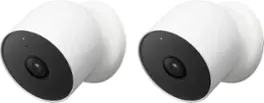
Who’s in the garden? Are the kids doing their homework yet? Nest Cam is wire-free, so it goes almost anywhere, outside or in. It knows the difference between people, animals, and vehicles, so you can get the alerts that are important to you. Listen and speak through the camera right from the Google Home app. Check in anytime with 24/7 live view.* If you miss a notification, you can always go back and see what happened with 3 hours of free event video history.* And it’s easy to install yourself – no outlet or wires required. Nest Camera Battery requires the Google Home app and a Google Account – it’s not compatible with the Nest app or the home.nest.com site. *** Stand and cable sold separately
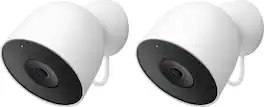
Meet the smarter, sharper wired Nest Cam Outdoor with 2K video and Gemini. Get more peace of mind about the things that matter with the intelligence of Google Home. It provides more details, summarizes what happened, and lets you search video history simply by asking for something.¹,²,³
| Pros for Google - Nest Cam 3 Pack Indoor/Outdoor Wire Free Security Cameras - Snow | |||
|---|---|---|---|
| Camera Quality, Ease of use, Overall Performance, Installation, Night Vision | Camera Quality, Ease of use, Installation, Light Brightness, Motion Detection | Camera Quality, Ease of use, Overall Performance, Installation, Night Vision | Video Quality, Setup Ease, Field of View, Resolution, Connectivity |
| Cons for Google - Nest Cam 3 Pack Indoor/Outdoor Wire Free Security Cameras - Snow | |||
| Battery Life, App Compatibility, Motion Detection, Connectivity, Compatibility | App Compatibility, Battery Life, Compatibility, Price, Field of View | Battery Life, App Compatibility, Motion Detection, Connectivity, Compatibility | There were no cons for this product— |
Specs



Reviews
Customers are saying
Customers are impressed with the Nest Cam's camera quality and ease of use, finding installation straightforward and night vision capabilities satisfactory. However, concerns exist regarding battery life and the consistency of motion detection. Some users also noted challenges with app compatibility and the product's price point.
Customer Images
The vast majority of our reviews come from verified purchases. Reviews from customers may include My Best Buy members, employees, and Tech Insider Network members (as tagged). Select reviewers may receive discounted products, promotional considerations or entries into drawings for honest, helpful reviews.
- Rated 4 out of 5 stars
Good camera. Google Home app is getting better.
I had two of these already, and I bought one for my sister and brother-in-law for Christmas because they wanted a camera. I also bought the long power cord for them in case they wanted to wire it. They have since let me know a few times they really like having the camera. As for me, I like how easy they are to install, since they're wireless. I even have one that is sitting in the yard on a metal bird feeder pole pointing toward the house. The magnetic base sticks to the pole, and there's no wiring needed. It's not far from the room where my wireless router is, so it connects fine. After I bought the long wire for my sister's camera, I got one for myself, and attached that to the wireless camera on my house so I don't have to worry about charging it and could see continuous past video like I can on my doorbell and on a wired Nest camera I have. But I haven't figured out yet why I still am only seeing even recordings where the camera captures an event, like a person or animal. I will need to contact Google support on that. One issue I have had, and have seen others report in reviews, is getting the camera to charge. I think if it completely drains, it takes a while for charging to start. You plug it in, and nothing happens. I've cleaned the contacts to make sure there was a good connection with the pins in the plug and the camera. I think you just have to wait if it's drained. It eventually starts charging. The long cord to make it a wired camera is the same as the charging cord. Just really long. I got the 10 meter one. The Google Home app is okay. The Nest app for my doorbell and wired camera is better. I think they are slowly improving the Home app, which is where I see my battery powered cameras. They do not appear in the Nest App.
This review is from Google - Nest Cam Indoor/Outdoor Wire Free Security Camera - Snow
Posted by Rick
- Rated 4 out of 5 stars
As expected
I purchased this nest camera battery to replace another battery brand camera on the side of my house. I went into this knowing the new nest cam wouldn’t work with the Nest app and would have to use Google Home app to view it but having all cameras under one app is the end goal for myself. The camera itself so far seems to be great. I’m already subscribed to the nest subscription so it’s great not needing onboard storage and everything is uploaded to the cloud. My nest cam is roughly 9’ above ground whereas google recommends approx 6.5’ but it’s had no issues picking up people in the zone I’ve created. So far the battery has dropped 3% in just 24 hours but I blame the excessive motion it picked up yesterday. I found adding a zone for alerts only and setting the motion sensitivity to medium works best. I’m also using full resolution video so that will also deplete battery faster. I can see Google claims of battery life being accurate - pretty standard amongst other battery operated cameras, possibly a bit worse but this camera has much more onboard intelligence whereas my legacy nest cameras use the cloud for their processing. The big winner here will be when Google Nest releases their solar panel so it doesn’t need to be recharged every couple of months. The deduction of the star is simply due to Google’s inability to create at least one app that does everything. The Google Home app allows you to scrub events (battery) in the app or scrub video 24/7 if your battery cam is connected to a power source. Have an existing Nest doorbell or other older Nest cameras? Can’t scrub video - you’ll need to go back to the Nest app to do this on your other cameras where you’ll not find your new Nest Cam battery because it’s only in the home app! I’m sure (not really) google will introduce all these functions into the Home app, but why not now? Makes zero sense to me. Here are photos comparing the two cameras. The Nest cam has the much larger FOV.
This review is from Google - Nest Cam Indoor/Outdoor Wire Free Security Camera - Snow
Posted by Brianwm
- Rated 4 out of 5 stars
Great Camera
Solid camera. Easy installation and setup - perfect for wireless cameras. Great video/photo quality, better video quality - especially night vision - than the Blink cameras I own. Would like to see more features in the app to give it more customization when it comes to all of the features, but still a wonderful product.
This review is from Google - Nest Cam Indoor/Outdoor Wire Free Security Camera - Snow
Posted by NG0307