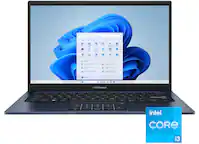
ASUS - ProArt PX13 13" 3K OLED Touch Screen Laptop - Copilot+ PC - AMD Ryzen AI 9 HX 370 - 32GB Memory - RTX 4050 - 1TB SSD - Nano Black
- Microsoft - Office 365 Personal (1 Person) (12-Month Subscription) - Activation Required - Windows, Mac OS, Apple iOS, Android [Digital]$99.99
![Microsoft - Office 365 Personal (1 Person) (12-Month Subscription) - Activation Required - Windows, Mac OS, Apple iOS, Android [Digital]](https://pisces.bbystatic.com/image2/BestBuy_US/images/products/fa90dd84-caf2-4bbe-86e9-18b037ea6563.jpg;maxHeight=160;maxWidth=166)

More Buying Options
Related Item

Highlights
Compare similar products

Meet ProArt PX13 – your go-to 13-inch convertible laptop, designed to effortlessly switch between forms, ready to fuel your creative passion whenever inspiration strikes. Its OLED touchscreen ensures precise color accuracy for flawless proofing, while versatile I/O ports seamlessly connect all your peripherals. This NVIDIA Studio-validated laptop packs GeForce RTX 4050 Laptop GPU and up to a 50 TOPS AMD Ryzen AI 9 HX 370 processor, a pairing that will supercharge all your creative endeavors. With AI-enhanced creative features, military-grade toughness, and a long-lasting battery, ProArt PX13 transforms any setting into your studio.
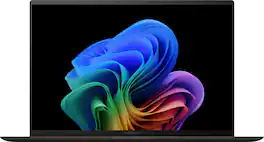
The new Zenbook S 14 harmoniously blends craftsmanship and performance, featuring an impossibly thin 0.47-inch profile made from Ceraluminum. Immerse your senses in a breathtaking 14-inch 3K OLED Lumina touchscreen and experience multi-dimensional, high-fidelity sound from a four speakers tuned by Harman/Kardon. Optimized for productivity, the S 14 is powered by an all-new, supercharged Intel Core Ultra 7 Series 2 processor with an Intel AI Boost NPU up to 47 TOPS that speeds up local AI processes, while a quick-access Copilot AI Assistant key streamlines your workflow. Powerful yet light, keep it portable with an all-day 72Wh battery.
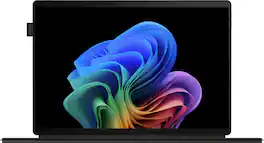
Meet ProArt PZ13 – your ultimate 2-in-1 creative companion for the studio and on the move. Its OLED touchscreen ensures precise color accuracy for flawless proofing, while versatile I/O ports seamlessly connect all your peripherals. This next-gen AI laptop packs a Snapdragon X Plus 8-core processor with 45 TOPs NPU and Qualcomm X Elite Adreno graphics, a pairing that will supercharge all your creative endeavors. With AI-enhanced creative features and a long-lasting battery, ProArt PZ13 transforms any setting into your studio

Meet ProArt P16 – your ultimate creative companion for the studio and on the move. Its 3K OLED touchscreen ensures precise color accuracy for flawless proofing, while versatile I/O ports seamlessly connect all your peripherals. This NVIDIA® Studio-validated laptop packs GeForce RTX™ 5070 graphics and AMD Ryzen™ AI 9 HX 370 processor with up to 50 TOPS NPU, a pairing that will supercharge all your creative endeavors. With AI-enhanced creative features and up to 17 hours of battery life2, ProArt P16 transforms any setting into your studio.
| Pros for ASUS - ProArt PX13 13" 3K OLED Touch Screen Laptop - Copilot+ PC - AMD Ryzen AI 9 HX 370 - 32GB Memory - RTX 4050 - 1TB SSD - Nano Black | |||
|---|---|---|---|
| Portability, Processor Speed, Overall Performance, Screen Quality, RAM | Build Quality, Portability, Processor Speed, Battery Life, Weight | There were no pros for this product— | Build Quality, Performance |
| Cons for ASUS - ProArt PX13 13" 3K OLED Touch Screen Laptop - Copilot+ PC - AMD Ryzen AI 9 HX 370 - 32GB Memory - RTX 4050 - 1TB SSD - Nano Black | |||
| Fan Noise, Heat Dissipation, Battery Life, Refresh Rate | Heat Dissipation, Fan Noise | There were no cons for this product— | There were no cons for this product— |
Specs



Reviews
Customers are saying
Customers express satisfaction with the ProArt PX13 laptop's overall performance, brilliant screen quality, and portability. The processor speed and ample RAM also contribute to a positive user experience. However, some customers have concerns regarding the short battery life, the refresh rate, fan noise, and heat dissipation.
- Overall Performance (113)
- Screen Quality (91)
- Portability (69)
- Battery Life (48)
- Refresh Rate (24)
- Fan Noise (14)
Customer Images
The vast majority of our reviews come from verified purchases. Reviews from customers may include My Best Buy members, employees, and Tech Insider Network members (as tagged). Select reviewers may receive discounted products, promotional considerations or entries into drawings for honest, helpful reviews.
- Rated 5 out of 5 stars
Portable, Loveable, Powerful - The heavy hitter
The Specs - CPU - AMD Ryzen Ai 9 Hx 370 Processor (50 TOPs of NPU), A Graphics - AMD Radeon 890M & NVIDIA GeForce RTX 4050 RAM - 32GB LPDDR5X running at 7500 MHz Display - 13” 3K (2880x1800) Oled Touch display with a 16:10, 500 nits peak brightness, 60hz panel Storage - 1TB M.2 NVMe PCIe 4.0 SSD (Single slot) Network Communications - WiFi 7(802.11be) (Triple band) 2*2 + Bluetooth 5.4 Battery - 73WHrs, 4S1P, 4-cell Li-ion Ports - Right Side - Power button, microsd card reader, USB-A (10gbs), and a USB-C (40gbs) port. Left Side - 3.5mm headphone jack, USB-C (40gbs), hdmi 2.1, and the specialized port for power. Overall port selection for this computer is great. You have options. The only thing I don’t love is the fact that you have to utilize the power cord on the left side of the laptop. A very cool option is that in a pinch, you can use USB-C to charge the unit while you use it if you don't do gaming or heavy workloads. Weight and Power brick - The unit comes in at approximately 3.1lbs (3.094lbs) and once you add the power brick, total weight is approximately 4.3lbs (4.322lbs). The power brick itself looks and feels like quality materials were used and gives you approximately 9ft. The cords are a little stiff but feel very durable. Unboxing Experience - From the unboxing, in which packing material was rocking the black theme, to the presentation of the laptop inside its box and ultimately the unwrapping, the initial unveiling retained the natural excitement of receiving a new laptop and wanting to use it. The unit itself was surprisingly light and felt well built. Opening the laptop was surprisingly easy and definitely fulfills the windows user dream for one handed opening. First impressions - The unit itself feels great. Picking it up feels good in the hand and has hardly any flex on the unit (screen, body, keyboard) and its lightness is appreciated especially with one handed adventures. The screen looks awesome. Colors and images are sharp and vivid. The screen sports a glossy finish which inherently does produce glares from other light sources, but glossy is the norm now. The panel is 60hz which may bum some people out but honestly, unless you love scrolling up and down websites like a madman or are a competitive first-person shooter gamer, this really isn’t a huge deal. Another plus to the screen is that it’s a touch panel and can actually fold back on itself, making it a tablet-like device. A thoughtful addition from Asus is that the screen sports raised edges around the screen that works in tandem with little bumpers on the keyboard base to keep the screen from touching the keyboard when you close it. The keyboard and trackpad are good and unless you are directly comparing it to another manufacturer, you probably wouldn’t complain. The keys, to me, are a little mushy. They offer no real resistance, and you can mush your way into a blissful, quiet typing experience. The trackpad is responsive but at times, depending on how you are using the laptop, can interfere with typing as your palms can come to rest on the trackpad. The clicking aspect is okay and overall, I’d label it as just average. System responsiveness is excellent. There are no complaints as the laptop is smooth as butter on a hot piece of toast. During everyday tasks such as opening and using office documents, surfing zillow for a home, checking in on facebook, and opening a ton of tabs in a web browser for comparison shopping, the laptop is a pleasure to use. Fans rarely kick in but the system does get slightly warm. It's not too bothersome but you probably might notice the warmth. Fans and heat can be a problem if you do use the laptop for anything such as gaming or more intensive productivity tasks. The fans definitely become much more noticeable. Like it's embarrassing in more quiet environments or around macbook users but passable in noisy environments or if you're alone. Heat wise, you are looking at mid 80F around the keyboard while doing most tasks with approximately 33 decibels. In games or more taxing productivity tasks, those temps will hit around 105F or more with fans hitting around up to 53 decibels. The highest heat comes from the center of the unit (like the t,y,g,h keys) While oddly the keys seem usable, you definitely will notice the heat coming from the keyboard. I tried disabling the NVIDIA 4050 and just using the AMD 890M but there was no real advantage in regards to quieting the laptop under more strenuous tasks or games. I did find that the noise can be easily solved by just setting the laptop to use the whisper mode. You still can play games like Diablo IV, Horizons - Zero Dawn with near native resolutions and high quality, especially if you toggle the DLSS options. This is a fantastic option as you can game without being embarrassed by the noise. The web camera quality is sufficient I’d say. You’ll have to work with light, angle, and settings to produce a quality image. The audio quality is surprisingly good for such a small unit. There was battery drain during sleep mode. I’d close the computer lid in the evening and come back in the morning and noticed about a 6%-8% loss. I ran basemark web 3.0 (full screen brightness for an hour then dropped it to 70% brightness, using the balanced plan and not altering any other system settings) to get a feel about how long this machine could last in more demanding situations. From 92%, I got approximately 2hrs 36mins. This is obviously a much more draining task than doing light web browsing, listening to music and some productivity tasks. The Asus software I think is very good. The creator hub has a lot of useful options and information that you can see and change. I think Asus gives you a refined experience and things such as screen dimming when you're not looking at the screen works very well. Asus does not seem to pack in a lot of excessive useless software, which I like. In conclusion - This laptop is great. It has a lot of things going for it and if you are looking for a small, powerful workhorse that can do anything you throw at it, this is, as long as you’re not ashamed when it gets a little noisy to cool itself. If you don't need all that power, toggle the whisper mode and you won't have any noise problems. Price wise if you get this for around $1400-1500 or cheaper, there is little that rivals it in terms of power, quality, and versatility. You just have to ask yourself if you want a quieter unit with less heat at the sacrifice of power or are you okay with the little noise and heat to do more intensive tasks?
zreview Posted
- Rated 5 out of 5 stars
My Daily Driver – Powerful, Portable, and Worth It
This ProArt PX13 has quickly become the most-used and best electronic I own. The OLED display is stunning and since I use this for work and studies the 60 Hz refresh rate never bothered me, performance is snappy, and the build feels premium. I originally had my eye on the 4070 version, but even the 4060 model was priced higher than I could justify. That said, the 4050 variant still delivers more than enough power for my workflow—whether it's creative tasks, multitasking, or light gaming. Battery life is solid, and the compact form factor makes it perfect for travel or working on the go. If you're looking for a high-end ultraportable with serious capabilities, this one punches above its weight.
MHaque Posted
- Rated 3 out of 5 stars
ASUS ProArt PX13 - fast, with some flaws
This is a great machine if you need high performance in a small, highly portable package. Coming from a 4+ year old laptop, the speed boost is really impressive. I have yet to really push it hard using memory-hungry applications, but have run benchmarks and achieved comparable performance to YouTube reviewers out there. There are a few things to be aware of though. Display - it looks great, but ASUS warns of potential burn-in issues. For example, they recommend auto-hiding the Windows Taskbar, which takes a bit of getting used to. By default, they turn off the display if you look away for a few moments, which gets old fast. Fortunately, that can be disabled. Keyboard - it has a great feel and is a pleasure to type on. But WHY did ASUS steal the right Ctrl (Control) key for the almost-useless M$ CoPilot key? It's maddening - I frequently use Ctrl-Enter (Send; newline), Ctrl-O (Open), Ctrl-P (Print), Ctrl-; (insert date) & others. the (expletive deleted) CoPilot app keeps popping up. Microsoft already has it on the Taskbar and Start menu, and is sprinkling CoPilot buttons all over their apps, so there's no justification for stealing a prime key placement. Fortunately, PowerToys has a workaround to re-map the CoPilot key sequence back to Ctrl, otherwise this laptop would have been returned. I'm right-handed; it must be even more annoying for lefties that use a left-hand mouse. Another keyboard annoyance is that the 'Shift' character symbols are quite small, and aren't illuminated properly by the backlight. Storage: There's only a single M.2 slot, so no chance of internal expansion. And, given that it's a good platform for storage-hungry video and photo editing, the included 1TB SSD is barely enough. It REALLY needs a second M.2 slot. Battery, Standby and Hibernate: Standby flat-out did not work out of the box, even with all ASUS & Microsoft updates applied. It crashes the OS in random ways - at one time, it even took out our wired LAN by saturating it with broadcast traffic! It took a visit to the Geek Squad to get it working reliably. Until they fixed it, I had to disable standby. But, Standby consumes significant power still - the keyboard is noticeably warm even after extended periods. And if you pop it in a backpack (no ventilation), the machine will get hot. Of course, that means the standby battery drain is high, lasting maybe 5-6 hours before it's exhausted. When that happens, it doesn't hibernate - instead, it's a full shutdown, so any work you forgot to save is lost. Actually, Hibernate doesn't even work. The Geek Squad tech said ASUS has issues with it, and had to disable Hibernate altogether. So, you can't even use it instead of Standby when you're away from AC power for a significant time. Not acceptable for frequent travelers. Power sources: High performance means high power, so I get that the included 200W power brick is needed when maxing it out. Although it can use USB-C Power Delivery as an alternative, it can only support half-power (100W, i.e., 20V at 5A). USB-C Power Delivery has 180W and 240W options - such a potent machine really should be able to fully use those higher-power modes. For example, I tried a neat, compact Insignia 180W adapter (NS-PW3X4C1W25), but the laptop would only take 100W from it. All in all, it's a very good machine let down by some unfortunate design issues. It's possible ASUS will fix the standby power drain and hibernate issues with an update, which would bump it up to 4 stars.
Jeffb Posted