Black Friday in JulyEnds Sunday. Limited quantities. No rainchecks.Shop now

Skip to contentGo to Product Search
Main Content

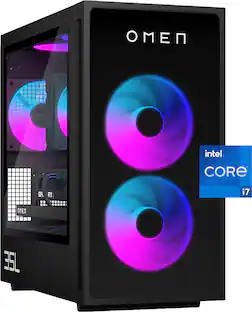
HP OMEN - 35L Gaming Desktop - Intel Core i7-14700F - 16GB DDR5 Memory - NVIDIA GeForce RTX 5070 - 1TB SSD - Shadow Black

Model: GT16-0074
SKU: 6667953
Sold byBest Buy

Customers are saying

Customers regard the product positively for several key features. Its graphics performance is described as clean, modern, and not overly flashy, while the noise level is notably low, with fans operating quietly. Users also appreciate the ample RAM capacity, which includes additional slots for expansion, and the appealing LED lighting on the fans and RAM.

Generated by AI based on customer reviews.

Highlights

Features
  • Intel Core i7-14700F processor

    Intel’s performance hybrid architecture optimizes your gaming, content creation, and productivity.

  • Kingston FURY 16GB DDR5-6000 MT/s EXPO RGB Heatsink RAM

    With its high performance, everything from multi-tasking to playing games gets a boost.

  • AI-enhanced graphics and performance

    NVIDIA GeForce RTX 5070, powered by the NVIDIA Blackwell architecture, enables game-changing AI capabilities in the latest games and apps.

  • 1TB Solid State Drive (SSD) storage

    Experience fast speeds and efficient storage with high-speed data transfer.

  • Windows 11 Home operating system

    All the best elements of Windows 10, with added features to make it easier to log in to start working, gaming, or creating.

  • Wi-Fi 6 (2x2) and Bluetooth 5.3 wireless card

    Expect faster speeds and improved performance for connecting multiple devices in your household.

  • Wireless and wired network connectivity

    Built-in high-speed wireless LAN connects to your network on the most common Wi-Fi standards. Gigabit Ethernet LAN port plugs into wired networks.

  • Multidisplay capability

    Add additional displays for a more immersive and productive computing experience. (Monitors sold separately.)

  • DTS: X Ultra technology

    By producing authentic, spatially accurate 3D sound, this technology gives games a level of depth and immersion.

  • OMEN Components

    Play with OMEN Components which have been designed, engineered and tested to upgrade your machine.

  • OMEN Gaming Hub

    From software enhancements to hardware control, and live services, OGH elevates play in easy and simple way.

  • Otter.ai

    With Otter.ai, an AI assistant can record audio, write notes, automatically capture slides, record, transcribe, and generate meeting summaries so that you can save time and stay organized.

  • Ports

    Headphone/microphone combo, 2 USB 2.0 Type-A (HP Sleep and Charge), 1 USB Type-C 5Gbps signaling rate (HP Sleep and Charge), 2 USB Type-A 5Gbps signaling rate, 2 USB Type-A 10Gbps signaling rate, 1 USB Type-C 5Gbps signaling rate, 1 USB Type-C 10Gbps signaling rate, 2 USB 2.0 Type-A, 3 3.5mm Audio Jack (Line-in/Line-out/Microphone), 1 RJ-45, HDMI, 3 DisplayPort

  • Microsoft Copilot

    Bring more productivity and efficiency to your day, unleash your creativity, and communicate with maximum clarity with Copilot. No matter what you set out to do, Copilot is always ready to help you.

  • Try PC Game Pass for free

    Play hundreds of high-quality PC games on your new HP device with 2 free months of PC Game Pass.

See all features
Specifications
  • Processor Model
    Intel Core i7 14th Generation
    Storage Type
    SSD
    Total Storage Capacity
    1024 gigabytes
    System Memory (RAM)
    16 gigabytes
    Graphics Type
    Dedicated
Sponsored

Reviews

Rating 4.6 out of 5 stars with 10 reviews

5 star rating. 7 reviews4 star rating. 2 reviews3 star rating. 1 review
90% would recommend to a friend
Customers are sayingCustomers regard the product positively for several key features. Its graphics performance is described as clean, modern, and not overly flashy, while the noise level is notably low, with fans operating quietly. Users also appreciate the ample RAM capacity, which includes additional slots for expansion, and the appealing LED lighting on the fans and RAM.
This summary was generated by AI based on customer reviews.
  • Graphics Performance (8)
  • Noise Level (4)
  • LED Lighting (3)
  • RAM Capacity (3)

Customer Images

The vast majority of our reviews come from verified purchases. Reviews from customers may include My Best Buy members, employees, and Tech Insider Network members (as tagged). Select reviewers may receive discounted products, promotional considerations or entries into drawings for honest, helpful reviews.

  • Rated 5 out of 5 stars

    Truly Excellent Pre-Built Gaming PC

    PROS + Solid gaming performance from mid-range hardware with excellent software acceleration from Nvidia + Clean, aesthetic case without looking overly gamey + Nice RGB accents on fans and RAM without being gaudy + Solid selection of I/O available + Quiet and keeps components from getting too hot with default fan & power configuration + Very upgradeable despite being a pre-built + Compact enough to just work as a home theater gaming PC + Very quiet fans even under load CONS - Comes loaded with some bloatware - Windows 11 is still a pain to set-up, update, & manage - HP Omen app comes with ads - Seriously, Windows is such a pain OTHER OF NOTE: * 16GB of RAM was enough for all of my gaming needs so far, but be careful of background app usage taking up memory (you can easily add more RAM if you wish) * Adding a couple more case fans to the top will help a lot with heat management * PSU does fine, but I would have preferred 750W or higher for a bit more future proofing. * You will likely want to add more storage pretty soon, as that 1TB fills up fast. THE LONG AND SHORT OF IT I have owned many gaming PCs and laptops in my life, and generally have not been a fan of pre-built PCs, mostly due to the fact that upgradeability & repairability are often limited with proprietary components. This HP Omen 35L actually breaks this trend in a lot of ways that I am quite happy with. It is a mid-range gaming PC that comes equipped with a surprisingly capable RTX 5070 (more on that below) and an Intel i7-14700F. You get a 600W PSU, 16GB of Kingston Fury GDDR5 RAM, and 1TB of SSD storage. All of these components are upgradeable, and that also means replaceable in case of part failure, which is a HUGE plus for me if I am buying an expensive gaming PC. Not only that, but HP has gone and actually used quality components among these. The 5070 GPU, for example, is quite large, with plenty of exhaust fans that help keep it cool with its lower ~250W power profile. This meant the GPU frequently stayed at or a bit below 70 celsius in most of my testing, only pushing it after some extended gaming sessions, and once I added a couple of case fans to the top of the case as additional exhaust, it rarely even hit that. The PC also comes with a really nice bracket for the GPU, which will help keep it from sagging. Likewise, CPU temps stayed reasonable for me, with the CPU fan keeping cores relatively cool using the balanced power profile. I never found myself needing to crank things higher, as I prefer to use this PC in my home theater, which means balancing performance with noise levels. At no point in any of my gaming sessions did I ever hear the PC from a normal seating distance of about 6 feet, it was nearly silent, and I often found myself going over to it to confirm it was actually running at full fan speed when gaming, because of how little I heard it. Previously, I had used a gaming laptop set-up on a laptop cooler in my home theater, and it sounded like a jet engine taking off anytime I would start to game at any reasonable load, which I do not miss even a little bit. In terms of set-up the PC is about as easy to set-up as any Windows 11 PC, which is to say, it's still incredibly annoying, but that isn’t HP’s fault. You have to go through an obligatory 45-60 minutes of updates before getting into the PC, followed by pages and pages of Microsoft throwing every chance they can at you to sign-up for their services. Once signed-in, if you are like me and prefer to use non-Microsoft browsers and apps, you will need to spend additional time ripping out the Microsoft bloatware, installing your own preferred apps, and doing many more updates (seriously, so many Windows updates). After the huge annoyance of setting-up and debloating the PC, I was up and running though, and from there,it was largely smooth sailing. There is a fair amount of HP bloatware that also comes on the PC (I counted 8-9 dedicated HP apps already installed, plus McAfee), but most can be removed without issue, only keeping a few for customer support reasons. The Omen app which is used for performance tuning, fan controls, RGB controls, etc., is pretty basic but does the job, except it also has embedded ads, which I have never seen before in simple PC tuning software. Annoying, but not the end of the world for something I rarely go into, and can be removed and replaced with other software to do the same thing, if you know what you are doing. Once I had everything set-up, signed-in, drivers updates, Windows updated, and games installed, I was finally ready to go, and this is where the PC absolutely blew past my expectations for its size and components. Like I alluded to above, it was surprisingly quiet and cool, even with the default fan profiles, while hitting well above its weight in performance. To get the most out of it, you will want to be playing modern games which support DLSS and other Nvidia features, but when you are, wow is it unreal. I had an RTX 4070 in my previous PC, and the 5070 in the Omen 35L was more of a step-up than I was expecting, driven by DLSS. I recommend going into the Nvidia app and adjusting the global DLSS override settings to “Recommended”, so that when you are playing supported games, it automatically uses the newest and best models for each mode. When doing this, I couldn’t believe how capable the PC was for still being a “mid-range” PC. Playing intensive games like Cyberpunk 2077 (which I have over 300 hours in), I was able to play in path tracing, in DLSS Ultra Performance mode, at 4K, with frame-gen X2, and was getting close to 120fps with no noticeable hit to latency using path tracing and ultra settings. I was previously a snob about both upscaling and frame-gen, but this made me a believer. With the latest models, and playing on a controller on a 77” OLED TV, it felt much more responsive than my PS5, while also offering significantly better visuals. There were no motion artifacts, and the upscaling from 720p to 4K was way better than I was expecting. The story was the same with Alan Wake II, which again I used a combination of medium settings with path tracing, DLSS ultra performance, and frame gen, to get close to 144fps while it still felt more than reasonable to play on a controller, and much better than my console while looking night and day better. I noticed absolutely zero motion artifacts from frame gen, and DLSS ultra performance mode looked better than playing on my PS5 Pro. For less intensive games, like Spider-Man, Resident Evil 2, The Wolf Among Us, DBZ Kakarot, and more, I was able to crank settings up higher, and again, had no issue getting the PC close to the 144hz max refresh of my TV, while staying cool and quiet under the load, all at 4K resolution. I never hit any memory or CPU limits that I found, and all games ran nearly flawlessly with just some minor tweaking. Older games will not take advantage of the newer Nvidia features as well, so your gains from the 50 series GPU will lessen, but so will the demand on that GPU generally, meaning you can still often game at 4K without issue. We really are living in an age where a GPU and CPU combo like this is more than enough for a very strong 4K gaming experience at reasonably high refresh rates. I never had to push frame gen past X3, but if you do have higher refresh monitors, you could crank things even higher up to X6, although your mileage may vary on latency, especially if using a mouse and keyboard. In my use case, as a home theater gaming PC, it absolutely kills it. My only complaint (other than Windows 11 being a huge pain), is that I wish the PC came with just a slightly larger PSU. 600W is good, and enough for the components in the PC, but if you want to upgrade the GPU to anything more powerful, you may find yourself needing to upgrade the PSU too, as it is already getting near the edge of the recommended PSU for the current GPU. But, it's a minor nitpick in the grand scheme of things. As I said at the start, I am generally not a fan of pre-builts, and haven’t used one in a long time, in favor of building my own PCs. The HP Omen 35L has convinced me, especially in the age of soaring memory prices, that not only is there still a market for pre-builts, but that have gotten a lot better too. If only Microsoft could improve Windows this much, PC gaming might finally be back to the glory days I grew-up with. In the interim, this is a very good step in the right direction. I highly recommend this PC.

    Posted by Jacbo14

  • Rated 5 out of 5 stars

    Fantastic desktop, power, silence & great design!

    The HP OMEN desktop I received comes equipped with an Intel Core i7 14700F, 16GB of DDR5 RAM, an Nvidia GeForce RTX 5070, and a 1TB SSD. While I personally prefer 32GB of RAM, this configuration is still a strong, well balanced build and more than enough power for the games I typically play. With three open memory slots, upgrading later will be easy. The OMEN arrived very securely packaged, yet it was simple to unpack and set up. It doesn’t include a keyboard or mouse, which makes sense as most gamers prefer choosing their own peripherals. Setup & Design The design of the OMEN is exactly what I like: clean, modern, and not overly flashy. The glass side panel shows off the neat internal layout and the LED lighting on the fans and RAM. I’m not a fan of the aggressive, over the top styling you see on some gaming desktops, so this look is perfect for me. Setup was straightforward—just follow the Windows prompts. One small annoyance: I wasn’t able to complete setup without signing into a Microsoft account. That’s a Windows issue, not an OMEN issue. Connectivity is excellent. You get 1 HDMI port, 3 DisplayPorts, and 11 USB ports (including 3 USB C). I especially like the top mounted headphone jack, USB C, and USB A ports—they’re very convenient. Ventilation is also impressive, with airflow openings on the top, back, front, and bottom of the case. One of the standout features is how quiet this PC is. Even sitting right next to it, I can’t hear the fans at all. Coming from a gaming laptop that sounded like a jet engine, the silence is incredible. Performance & Gameplay Gameplay has been excellent—smooth performance, sharp graphics, and no issues so far. Even under load, the fans remain practically silent. The games I play most often (Titanfall, Call of Duty, and others) aren’t the most demanding, but it’s great knowing I have the power to try more intensive titles like flight simulators. Beyond gaming, I plan to use this PC for photo editing, and my son will use it for video editing. I also run the Think or Swim trading platform, so having multiple DisplayPorts is a big plus. The OMEN should handle all of these tasks easily. Overall I’m extremely happy with this gaming desktop—it checks every box on my list. I would absolutely recommend the HP OMEN to anyone looking for a powerful, well designed, and quiet gaming PC.

    Posted by Gizmo

  • Rated 5 out of 5 stars

    HP OMEN 35 L Gaming Desktop

    The mid tower showcase is beautiful with the glass side panel and the glass false front covering the fans. The LED lights really set it off and they are fully adjustable in the Omen Hub for color and pattern. What comes in the box is the tower and power cable so you can pick your peripherals that you like. I connected it to my existing monitor and fired it up. I’m replacing an existing Win10 Area 51 gaming tower and this Omen with Win11 is able to take full advantage of my 48” ultra wide monitor. The picture quality is SO much better! I used an external HDD that I had on hand to transfer my files, photos, and some programs from the old PC to the new, that took a few hours. When I was doing research before I selected this tower I was concerned about the 16Gb of RAM. The Kingston website said that the Fury Beast DDR5 will auto-overclock itself to the highest speed allowed by the system BIOS which, as delivered on this machine, is 4400 MT/s. The Omen Gaming Hub will allow you to put the machine into Performance mode and run at the RAM’s highest speed of 6000 MT/s but only after you change the settings in BIOS which triggers a warning that your change may run afoul of the warranty. The extra voltage and heat may cause damage they said. I chose to leave mine set at the default and see how it performed. Before I got it I had plugged the specs of my old PC and this one into an online benchmark site and it estimated about a 114% boost so I didn’t feel I needed too much more power since the old PC did ok, it just didn’t support my ultra wide monitor worth a darn. I’ve been playing DCS World lately. I can run the graphics on the highest setting just fine which I definitely appreciate. I understand there’s some maps in DCS that can make use of 32Gb of RAM but I don’t have them unlocked yet. If I find that I need more RAM then there’s three additional slots to use. I’d probably just buy another matching 16Gb Fury and install that but I don’t want to spend the money, memory is so expensive right now! I see there is an empty slot for a second M.2 NVMe SSD with a cover attached and a bay for a SATA drive so there’s room to expand the storage. It’s a beautiful machine with room to upgrade should you choose to do so down the road.

    Posted by Stephen H

  • Rated 5 out of 5 stars

    Solid hardware and speed with a great look

    This is a really nice space saving gaming desktop that looks fantastic and comes with LED accents that are fully customizeable, and great hardware specs right out of the box. Those who choose to, can easily upgrade or add components as they see fit thanks to the removable glass side panel Starting with the case, the model I have is all black. This case and hardware can be fully customized on the hp website, or you can pick a solid starter system like this one and add any components you like at a later time. I really like that the black finish is matte, it helps to make the name badge on the front panel pop. It also highlights the internal lighting. All the LEDs can be individually customized by choosing color and intensity. This is all set up through the hp Omen Gaming Hub app (conveniently located as an icon in the taskbar, so you don't have to hunt around for it). The Gaming Hub is also where you can control the fan and cooling profile. You won't be short on I/O with this machine. It comes with a wide variety of USB ports (both on the rear and on top). There's the standard green, blue, pink audio jacks on the back and a headset jack on top. I set my green/blue/pink audio jacks up for 5.1 which you can do by loading the Realtek Audio Console. There's an RJ-45 standard Ethernet jack and the Nvidia RTX 5070 comes with three DisplayPort jacks and an HDMI jack. This case is the 35L size (liters?), and is a pretty good Goldilocks size. It can fit either under or on top of your desk or even out in the common areas of your home and still look good. As I've mentioned, hp has a lot of different Omen styles to choose from on their website, and they make both a 45L size and a 25L size so you can pretty much get any size that fits your environment, and customize until your hearts' content. Out of the box, this machine functions very well with intense games. You get an Intel Core i7 CPU with 16GB of DDR5 RAM, a 1TB M.2 SSD, and an Nvidia RTX 5070 graphics card. While these components are all on the higher mid level, they will certainly perform well for the vast majority of gamers. This machine is quite fast as it is, and will do very well in most cases. Those that play a lot of high speed first person shooters won't be disappointed, and playing Doom: The Dark Ages was smooth and beautiful. In trying to set up the graphics card in the Doom settings, I was getting very mixed results with trying different settings. I eventually looked up the best settings for this game with the hardware it came with and was pleasantly surprised with how fast and detailed the video quality was. I do think the machine would benefit from an additional 16GB of memory and maybe an additional M.2 SSD (which I do plan to upgrade), but if you're a “casual” gamer, I still say you won't be disappointed. The max memory you can install is 64GB (4x16GB sticks). There are two M.2 slots for SSDs. One is already populated with the 1TB drive. The additional slot is unfortunately under the graphics card, so it looks like that will need to come out in order to install an additional drive. But the option to do so is there. Also, even though there is no “hard drive” included, it does have a bay to put one in. I would encourage anyone interested in upgrading parts to download the hp Omen User Guide. Lots of good information in there. As for the Power Mode and thermal control settings, I found that if I left the Power Mode setting on “balanced”, playing Doom really heated the machine up. The Thermal Control I left on the “Auto” setting. I'm still playing around with the different settings but you can choose a “performance” mode for Power and also set the Thermal control to manual, thereby forcing a higher level of cooling. Leaving the Thermal Control on Auto, I never really heard the fan speed kick up and the machine remained quite warn (hot even). Switching to Manual kept the machine a lot cooler, so just something to be aware of. I've had similar experiences with other machines as well. There's also an Extreme power mode setting that you'll need to go into the bios to enable. For power gamers, there are overclocking features in the bios if you care to play around with them. I personally don't alter these settings at all. My machine just has air cooling (via a CPU fan). No CPU water cooling unfortunately. I think the fans that are included are adequate however, especially if you play with the speed settings in the Omen Gaming Hub. All in all this is a beautiful machine out of the box that lets you add and customize as you need. The only thing I thought was a little on the skimpy side was the amount of memory. 32GB would have been very welcome. Games seem to be real hogs lately and having the extra memory would mean you wouldn't have to worry about how well the machine would run no matter what game you threw at it. But I'm certainly not complaining, even with 16GB the machine performed very well. The RTX 5070 card is nothing short of a monster, and looks fantastic on the games I played. The Core i7 processor has become pretty standard on gaming machines and it ran very smoothly. The Omen 35L is a really strong foundation for building a fast gaming system. I'm really enjoying it.

    Posted by enem156

  • Rated 5 out of 5 stars

    4K Gaming Rig For Your New 4K Monitor

    If you’re looking for a 4k gaming desktop, this HP OMEN 35L has you covered. The key ingredient here is the NVIDIA RTX 5070 GPU, of course. It’s one of the better graphics cards on the market and with 12GB of VRAM it has just enough to activate some of those fancy graphic settings. In this particular setup, it’s paired with an Intel i7-14700F CPU, 16GB of DDR5 RGB RAM, and a 1TB NVME SSD. Good enough to play Cyberpunk in 4K ultrawide with ray tracing at over 60 fps - without any frame generation! And it does it quietly at that. If the fans weren’t RGB I might forget they were there because they’re so quiet. The midsize desktop case feels solid with a clear glass side and front panel to display the goods. At first I honestly thought the case looked a little plain, but after setting it up I actually appreciate how clean it looks on my desk. I also never really got the big deal about RGB on RAM chips, but after seeing it I get it now. Sure it’s cosmetic, but it also looks sweet. And that’s ironically where I’ll bring up my first negative about this computer. 16GB of RAM is quickly becoming a minimum spec for new games now and while it doesn’t really hold this rig back, I’m partially surprised a setup with these components didn’t come with 32 GB. But with how ridiculous RAM has gotten lately, it’s understandable. Fortunately, it’s an easy upgrade with 3 extra slots available. I can’t say the same for adding another PCI board though. I could be wrong, but looking through the case window there doesn’t seem to be much room to add another card, if there’s even an available port. There should be an extra m.2 slot to add another NVME SSD though. Gaming wise, I went through hours of playing Forza Motorsport, Cyberpunk, Hades II, and ARC Raiders in glorious 40” ultrawide 5120x2160 HDR and the OMEN 35L handled it with ease. It’s also great for graphic design, photo/video editing, and I guess AI programming to an extent. All things considered, it’s a high performance machine with a stud GPU and super quiet fans. I’m really excited to see how well it handles Forza Horizon 6 in 4K HDR in the next few days. If you’re looking for an easy 4K gaming upgrade, the HP OMEN 35L with the RTX 5070 is an excellent choice. PROS - 4K gaming - Great for gaming, graphic design, or video editing - Go ultra graphics with 1080p or high graphics with 4k. - Cyberpunk in 4k ultrawide with ray tracing @ 62 fps - Fast CPU and GPU combo - NVIDIA RTX5070 GPU - 12GB VRAM - Quiet fans - Upgradable RAM - Well built Midsize desktop case - Transparent glass window - Clean build inside - RGB lights look nice - FURY RGB RAM CONS - Would like more ports - No keyboard or mouse - Only 16GB RAM

    Posted by BIGASN

  • Customer reviews from hp.com

    Syndicated rating, 4.4225354 out of 5 stars with 71 reviews on hp.com.

    See all hp.com reviews
    hp.com
  • Customer reviews from hp.com

    Syndicated rating, 4.8 out of 5 stars with 5 reviews on hp.com.

    See all hp.com reviews

From the manufacturer

Compare similar products
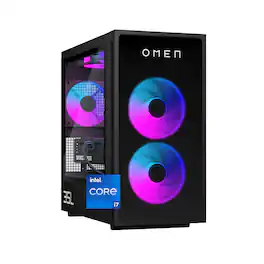
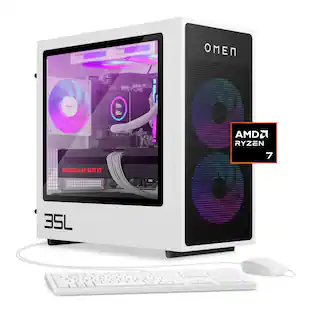
HP OMEN - 35L Gaming Desktop - Intel Core i7-14700F - 16GB DDR5 Memory - NVIDIA GeForce RTX 5070 - 1TB SSD - Shadow Black
4.6(10)

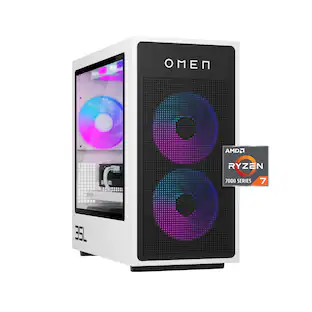
Rev up with OMEN Components. Get game-changing performance with an Intel Core i7-14700F processor and NVIDIA GeForce RTX 5070 graphics. Experience faster gameplay with AI-enhanced features, including AI-powered DLSS, real-time ray tracing, and ultra-responsive gameplay. Stand out with full aRGB control and more inside OMEN Gaming Hub, and choose from various aesthetic options to add your personal flair. Plus, with DTS: X Ultra technology, experience authentic, spatially accurate 3D sound to enjoy the best entertainment experience. Make your choice with OMEN Components inside, and when it comes time to upgrade, it's easy with an industry-standard form factor and toolless access.
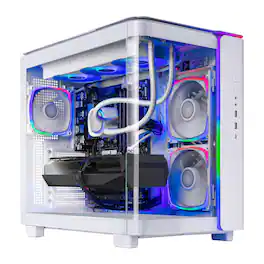
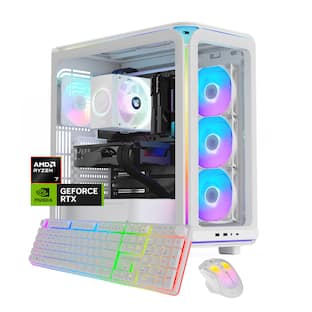
Skytech Gaming - KING95 Gaming Desktop PC - AMD Ryzen 7 9700X (2024) - 16GB Memory - NVIDIA GeForce RTX 5060 Ti 16GB - 1TB NVMe Storage - White

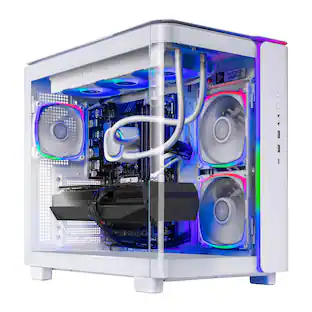
Embark on your gaming adventures with the latest from SkyTech Gaming—the remarkable gaming desktop PC. Harness the sheer power of an AMD Ryzen 7 9700X processor paired with 16GB of high-speed DDR5 6000MHz RGB memory for unparalleled performance. The 1 TB NVMe storage offers ultra-fast game load times, ensuring you spend more time playing and less time waiting. And with the NVIDIA GeForce RTX 5060 Ti 16G graphics card at its core, the produces breathtakingly detailed visuals for a truly enveloping gaming experience.
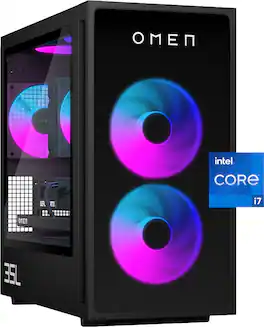
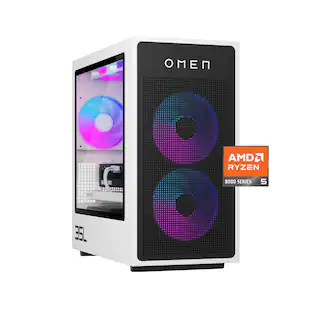
HP OMEN - 35L Gaming Desktop - Intel Core i7-14700F - 16GB DDR5 Memory - NVIDIA GeForce RTX 5060 - 1TB SSD - Shadow Black
4.7(11)

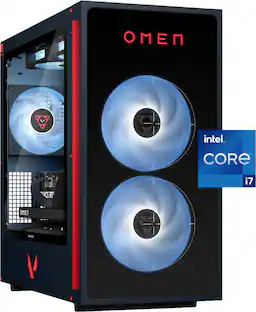
Rev up with OMEN Components. Get game-changing performance with an Intel Core i7-14700F processor and NVIDIA GeForce RTX 5060 graphics. Experience faster gameplay with AI-enhanced features, including AI-powered DLSS, real-time ray tracing, and ultra-responsive gameplay. Stand out with full aRGB control and more inside OMEN Gaming Hub, and choose from various aesthetic options to add your personal flair. Plus, with DTS: X Ultra technology, experience authentic, spatially accurate 3D sound to enjoy the best entertainment experience. Make your choice with OMEN Components inside, and when it comes time to upgrade, it's easy with an industry-standard form factor and toolless access.
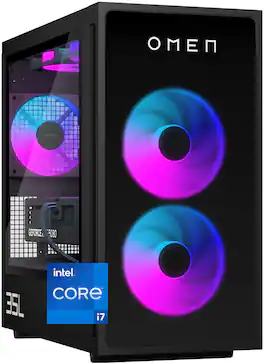
HP OMEN - 35L Gaming Desktop - Intel Core i7-14700F - 32GB DDR5 Memory - NVIDIA GeForce RTX 5060 Ti - 1TB SSD - Shadow Black

Rev up with OMEN Components. Get game-changing performance with an Intel Core i7-14700F processor and NVIDIA GeForce RTX 5060 Ti graphics. Experience faster gameplay with AI-enhanced features, including AI-powered DLSS, real-time ray tracing, and ultra-responsive gameplay. Stand out with full aRGB control and more inside OMEN Gaming Hub, and choose from various aesthetic options to add your personal flair. Plus, with DTS: X Ultra technology, experience authentic, spatially accurate 3D sound to enjoy the best entertainment experience. Make your choice with OMEN Components inside, and when it comes time to upgrade, it's easy with an industry-standard form factor and toolless access.

Pros for HP OMEN - 35L Gaming Desktop - Intel Core i7-14700F - 16GB DDR5 Memory - NVIDIA GeForce RTX 5070 - 1TB SSD - Shadow Black
Graphics Performance, Noise Level, LED Lighting, RAM CapacityNoise Level, Overall Performance, Speed, Ease of Use, Cooling SystemNoise Level, Graphics Performance, Build Quality, UpgradabilityThere were no pros for this product
Cons for HP OMEN - 35L Gaming Desktop - Intel Core i7-14700F - 16GB DDR5 Memory - NVIDIA GeForce RTX 5070 - 1TB SSD - Shadow Black
There were no cons for this productMemory CapacityThere were no cons for this productThere were no cons for this product

Specs

Questions & Answers
  • Can I trust this to work properly for a long long time and expect no issues

    Yes, it's designed to be a reliable, high-performance gaming desktop. This system is built for long-term performance and durability.

    Answered by HP Team
    HP Team response
No content

Customers often buy these together

Sponsored

Similar products from outside of Best Buy

sponsored
Ask BlueAI

Finance Options

My Best Buy® Credit Card
Choose a benefit:Or
Lease to own

Special Offers

Top Offers
Included with Purchase

Finance Options

My Best Buy® Credit Card
Choose a benefit:Or
Lease to own

Special Offers

Top Offers
Included with Purchase