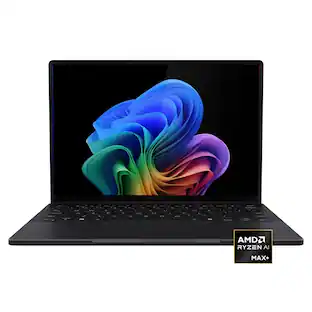
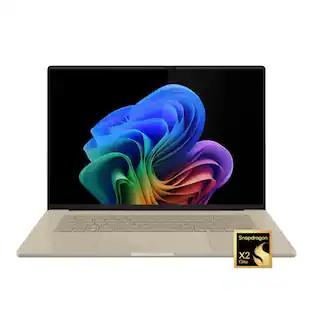
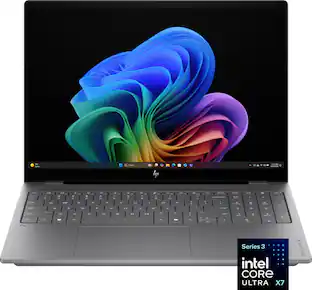
Appreciation EventEnds Sunday. Limited quantities. No rainchecks.Shop now

Skip to contentGo to Product Search
Main Content

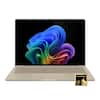
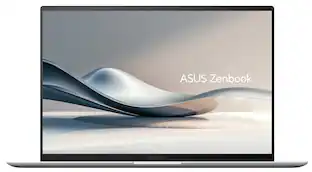
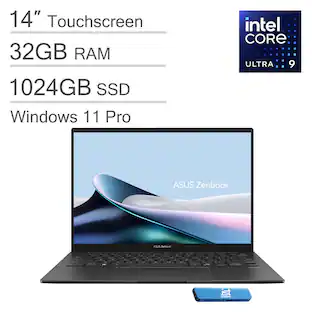
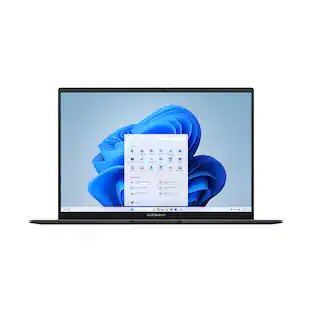
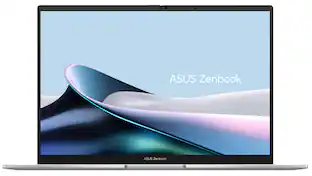
ASUS - Zenbook S14 14" OLED 3K Touchscreen - Intel Core Ultra 9 Processor 2026 - 32GB RAM - 1TB SSD - Copilot+ PC - Scandinavian White

Model: UX5406AA-ZB/S14_90
SKU: 6671015
Sold byBest Buy

Customers are saying

Customers love the product's high-end build quality, impressive battery life, and flawless, fast processor speed. They also highly praise its gorgeous OLED screen, impossibly lightweight design, and excellent portability for travel, noting its lag-free performance and useful facial recognition. However, some customers have expressed disappointment with the feel of the keyboard keys, describing them as cheap.

Generated by AI based on customer reviews.
See it in-store: Roseville has a demo model on display.

Highlights

Features
  • Copilot+ PC on Windows 11 Home

    Copilot+ PC on Windows 11 Home brings you smarter search, quick summaries, and seamless task assistance—right when you need it.

  • Brilliance You Can See

    Experience brilliant visuals on a 14-inch OLED WQXGA+ 16:10 touch screen with vibrant color, deep contrast, and up to 1100‑nit HDR brightness.

  • Effortless Performance, Elevated

    Powered by the Intel Core Ultra 9 processor with up to 50 TOPS, performance stays smooth and responsive through every task.

  • Smooth, Reliable Graphics

    Intel Graphics delivers smooth visuals and responsive performance for everyday work, play, and creative tasks.

  • Fast Memory for Smooth Multitasking

    With 32GB of high speed LPDDR5X RAM, apps stay smooth and responsive, letting you switch tasks, edit content, and work across multiple windows without slowdowns.

  • Spacious Storage for Everyday Files

    A spacious 1TB PCIe 4.0 SSD ensures quick boot times, fast file access, and ample room for large projects, keeping heavy workloads feeling smooth and effortless.

  • Slim. Light. Effortlessly Luxurious.

    Remarkably slim at just 0.51″ and weighing only 2.65 lbs, Zenbook S14 delivers effortless elegance in every moment. Designed for true mobility, it’s the perfect balance of sleek sophistication and everyday portability.

  • Bright, Comfortable Typing

    Enjoy comfortable, precise typing with a sleek chiclet-style keyboard that stays clear and easy to use—even in low‑light environments, thanks to its built‑in backlighting.

  • See Clearly. Sign In Instantly

    The FHD front camera with IR support delivers crisp video quality and enables fast, secure Windows Hello facial login, making every call and sign‑in smooth and effortless.

  • Hear Every Detail

    Smart Amp speakers and an array microphone deliver rich, detailed sound and clear voice pickup, creating a more immersive audio experience whether you’re on calls, watching content, or working on the go.

  • Strength for Every Day

    US MIL‑STD 810H certification means it withstands rigorous durability testing, giving you confidence and reliability through commutes, travels, and everyday moments.

  • Connected with Ease

    Enjoy versatile connectivity with USB‑A, dual Thunderbolt 4, HDMI 2.1, and a 3.5 mm audio jack—ready for your displays, accessories, and everyday convenience.

  • Premium Performance PC

    Premium Performance PCs are built for all-day performance, so you can move from work to play with the speed, battery life, and flexibility to keep up without slowing down.

See all features
Specifications
  • Screen Size
    14 inches
    Screen Resolution
    2880 x 1800
    Touch Screen
    Yes
    Refresh Rate
    120Hz
    Brightness
    1100 nits
Sponsored

Reviews

Rating 4.7 out of 5 stars with 36 reviews

94% would recommend to a friend
Customers are sayingCustomers love the product's high-end build quality, impressive battery life, and flawless, fast processor speed. They also highly praise its gorgeous OLED screen, impossibly lightweight design, and excellent portability for travel, noting its lag-free performance and useful facial recognition. However, some customers have expressed disappointment with the feel of the keyboard keys, describing them as cheap.
This summary was generated by AI based on customer reviews.
  • Build Quality (20)
  • Portability (18)
  • Battery Life (14)
  • Processor Speed (14)
  • OLED Quality (12)
  • Keyboard Backlighting (4)

Customer Images

The vast majority of our reviews come from verified purchases. Reviews from customers may include My Best Buy members, employees, and Tech Insider Network members (as tagged). Select reviewers may receive discounted products, promotional considerations or entries into drawings for honest, helpful reviews.

  • Rated 3 out of 5 stars

    A fine product, but not worth 2000$

    I’ve been using this laptop for a few weeks now, and I think it’s time to share some pros and cons. Let’s start with the positives. It’s incredibly light, has a 120Hz display, can run very quietly, and features a nice-looking backlit keyboard. Honestly, that’s about all I can think of. Unfortunately, the list of drawbacks is much longer: 1. The screen is way too reflective. At low brightness levels or during dark scenes, you can practically see yourself in the display. 2. The performance is weak. Even Minecraft can struggle to run smoothly at times. 3. In Performance Mode, the fan noise isn’t much quieter than a gaming laptop, yet the performance is nowhere near gaming-laptop level. 4. My unit has a very noticeable air bubble under the display surface. Maybe it’s intentional, maybe I received a defective product, but either way it looks terrible. 5. The battery life is nowhere close to what was advertised. 32 hours? I’m getting around 8 hours at best with medium brightness and light productivity tasks. That’s all I have to say for now. I wouldn’t recommend this laptop to the average person. If you’re an extremely wealthy guy who thinks none of these issues matter, then by all means, go ahead and buy it.

    Posted by JACK

  • Rated 5 out of 5 stars

    Great, powerful little laptop

    I've had Asus laptops before and this one feels the same way, quality made and has lot's of powerful specs. I've had Lenovo Yogas in between my asus, but this one seems much better. My lenovo has a snapdragon processor that couldn't handle a bunch of tabs open in browsers, but this one has no problem.

    Posted by JEREMYA

  • Rated 5 out of 5 stars

    ASUS Zenbook S14: The Ultimate Work Companion

    ASUS has done something genuinely impressive with the Zenbook S14. Instead of just trying to make the fastest laptop possible, they clearly focused on making a machine where the battery actually lasts all day and the laptop doesn't turn into a loud, hot fan on your lap. Packed with 32GB of memory, this sleek model makes a compelling case for a premium daily driver, but it comes with a few design and performance trade-offs that any everyday power user should consider before buying. For my workflow, these specific design choices mean it doesn't have to do absolutely everything. It fits perfectly into my dual-laptop setup as a dedicated work and productivity machine, allowing me to leave the heavy lifting and modern AAA gaming to my separate gaming laptop. Since the Zenbook handles almost every task outside of heavy video rendering with absolute ease, leaning into its strengths as a pure productivity tool is a no-brainer. Right out of the box, the first thing you notice is the lid. ASUS uses a unique ceramic-aluminum blend they call "Ceraluminum." Instead of the familiar smooth metal feel found on most laptops, it offers a distinct, matte, stone-like texture that feels incredibly durable and stays completely free of smudges throughout the day. At just half an inch thick and weighing a featherlight 2.65 lbs, the entire frame feels remarkably solid and premium when you pick it up. In fact, it is actually lighter than my previous daily driver, the 13-inch Microsoft Surface Pro, which tipped the scales at 2.72 lbs with its keyboard attached. While the Zenbook can't double as a tablet like the Surface, walking away with a larger display and even better battery life in an overall lighter package is a fantastic trade-off. Much like the Surface, the Zenbook's ultra-slim profile means the keys don't travel very deep when pressed. However, because it is a rigid, traditional clamshell base rather than a detachable fabric keyboard, the deck has absolutely zero flex. The tactile response feels crisp and incredibly stable, making it an easy adjustment if you are used to typing on a thin, highly portable device. The centerpiece of this machine is the 14-inch 3K touchscreen. Because it uses OLED technology, the colors are incredibly vibrant, the contrast is perfect, and blacks are genuinely black. It also uses a taller screen shape, which gives you extra vertical workspace, which is perfect for reading long documents, managing large spreadsheets, or keeping multiple windows open side-by-side. What is genuinely surprising is the audio. For a laptop this thin, the speakers deliver a full, rich sound with an unexpected amount of bass, easily beating out most standard Windows laptops. For day-to-day work, the laptop handles heavy multitasking, dozens of browser tabs, and photo editing with absolute ease. However, because of the way this computer is engineered to save power, there are several performance quirks to keep in mind. First, the 32GB of memory is permanently attached inside for maximum efficiency, meaning it cannot be upgraded later. Buying this specific version is the smartest move to ensure the laptop stays fast for years to come. Second, while it is lightning-fast for normal tasks, it will slow down compared to rival chips if you push it with sustained, heavy-duty workloads like rendering complex 4K video projects. The massive benefit to this internal design is the battery life. In real-world use like web browsing and streaming video, it easily lasts between 11 and 15 hours on a single charge while staying virtually silent and cool on your lap. Finally, while it handles casual games smoothly, it lacks the horsepower to run the latest blockbuster gaming titles, though that is a non-issue if you already have a secondary machine handling your gaming needs. Unlike many modern ultra-thin laptops that force you to carry around an annoying adapter just to plug things in, ASUS deserves credit for keeping a highly functional physical layout. The chassis manages to include a standard HDMI port to plug into a TV or projector, a traditional USB port for older accessories, two modern USB-C ports, and a headphone jack. Ultimately, the ASUS Zenbook S14 is a beautifully made, premium laptop that finally gives Windows users the luxury build quality and all-day battery life usually reserved for a MacBook Air. Realistically, you can't serious game on a MacBook Air either, and that is precisely the point. When you treat this machine as the ultimate thin and light companion for heavy office productivity, web work, media streaming, and light creative projects, the lack of gaming muscle completely fades away. It stands out as a phenomenal, highly portable package that easily gets you through a full workday without a charger, leaving the gaming to the hardware actually built for it.

    Posted by hahanson

  • Rated 4 out of 5 stars

    5 stars over-all /very fast lite laptop

    5 Stars for ASUS solid metal build and cooling improvements and lite travel use for functionality. 5 stars for a well-built ultra lite travel laptop. 5 stars for looks. 5 stars for speed. 3 stars for one M.2 slot and a unknown drive. ASUS - Zenbook S14 14" OLED 3K Touchscreen - Intel Core Ultra 9 Processor 2026 - 32GB RAM - 1TB SSD - Copilot+ PC - Scandinavian White Model: UX5406AA-ZB/S14_90 SKU: 6671015 This unit has significant improvements over most laptops. Examples are; very lite, extremely fast, compact, cooling, keyboard layout, and basic well designed laptop for functionality. Someone at ASUS has been good about pushing the quality up. Very nice! One drive is a definite downgrade. 1. Very sturdy all Aluminum white body! 2. Worked on first boot / no issues in updates 3. Twelve months parts and labor warranty 4. Complete printed manual with extended warranty options online and also in the MY ASUS APP 5. Side cooling/grip slots for back cover for removal (be sure you have all the 10 T4 screws removed/ one stays in but loose) See note below! Also, they have gone back to size T4 screws. Be sure to magnetize a bit in advance. 6. No heat shield for the M.2 4.0 drive. If you swap out/clone drives, be sure to turn off drive encryption in the settings. 7. Internal drive is fine the way it is! No upgrade needed but only one M.2 slot with no heat shield. Use the clone software that works for you. I could not get any software to recognize this drive. Samsung Magician could not recognize this drive even though it is a Samsung product (MIC). This is the second time I have had a M.2 4X4 drive that was not properly recognized. If you forget to turn off drive encryption before you start you will be in for a bad day at best. I discovered, by accident, that Acronis can wipe a drive if you select a data only un-encrypted drive to clone and stop it after 20 minutes. Also, there is a free software online (on initial use) that you can wipe the drive. 8. Small USB charger works great and fast 9. Never use additional security software with Microsoft built in complete security system 10. Keep MY ASUS (important FW update needed) and set up your account online/register for service. After warranty runs out consider delete if needed for space! Run the complete update in this APP! 11. Go into Microsoft settings and turn off everything you can live without. On initial setup say no to everything in life as you can always say yes later (exception security log ins). 12. Fully install XBOX and try to claim the 3-month pass. Having severe issues with 3- month free pass as it is broken as of today. If you are already a member this will not work. 13. Perfect business travel laptop 14. One USB A and 2 USB C make mouse, keyboard, and USB stick options easy 15. HDMI is a nice option but your 2 USB C (type 4) connections are a one place stop for everything. Full 3K external video with the ARK Intel video chip! 16. Installed 4 small stick-on furniture pads on the bottom for additional ventilation space! Be careful not to cover and vents. 17. WF 7 BE connections were perfect as I have a full WIFI 7 BE mesh network 18. Checked the WIFI 7 and it displays all my options and not just locked into one connection type. Extremely fast connection speeds. 19. Ten T4 screws and the clips are nicely weak. Don’t do this unless you have to. M.2 drive Philips screw in tight! 20. Cloning could not be done as the drive is not recognized as Samsung product. I had to remove the drive from the unit and do an external clone on another machine. Be careful! Turn off encryption! 21. The ASUS APP is a very nice product to keep you unit updated. 22. Sound is fine. 23. Battery life is phenomenal 24. Windows Hello is quick and accurate. 21. Most parts made in China. Installed XBOX Ultimate and played several games (Fight Simulator 2024, Minecraft Bedrock, Warcraft 3, etc). Fans were on the highest speed in auto mode for the high-end games. Cooling is sufficient. When completely finished setting the unit up, I updated the BIOS FW in the ASUS APP. Critical update for this unit. Windows update should catch all the rest. The 10 T4 head screws for back access panel were easy to find. If you are not an experienced hardware technician, you may want to skip this step. Fans came on at the right temperatures. Also, the keyboard FN keys allow you have multiple functionalities. Cloning software failed. XBOX-X controller is the best bet for games. The i9 CPU showed its strength in gaming mode as I was surprised how quick it was. The external mouse and keyboard were ok for some gaming with the lighted keys. I use an external XBOX controller for most games. For additional cooling, I bought an elevated laptop stand and can place a fan under it for extremely intense games (decided it was easier to place 4 furniture pads under the raised feet of the laptop). Not needed for 99% of the games. Read the manual on how to use the FN keys. The manual is your friend. Also, the keys are clearly tagged as to functions. No separate number key pad area (no issue). The sound worked perfectly on startup with no adjustments needed. The screen will open to 140 degrees. I could not find a function to turn on dedicated WASD key lighting Final thoughts! This a compact robust laptop. Fast and portable. Not being able to clone the drive without removing the 4X4 M.2 Stick was a significant setback. Wound up removing the drive and doing a very painful external clone on my desktop. Features! • Copilot+ PC on Windows 11 Home Copilot+ PC on Windows 11 Home brings you smarter search, quick summaries, and seamless task assistance—right when you need it. • Brilliance You Can See Experience brilliant visuals on a 14-inch OLED WQXGA+ 16:10 touch screen with vibrant color, deep contrast, and up to 1100 nit HDR brightness. • Effortless Performance, Elevated Powered by the Intel Core Ultra 9 processor with up to 50 TOPS, performance stays smooth and responsive through every task. • Smooth, Reliable Graphics Intel Graphics delivers smooth visuals and responsive performance for everyday work, play, and creative tasks. • Fast Memory for Smooth Multitasking With 32GB of high speed LPDDR5X RAM, apps stay smooth and responsive, letting you switch tasks, edit content, and work across multiple windows without slowdowns. • Spacious Storage for Everyday Files A spacious 1TB PCIe 4.0 SSD ensures quick boot times, fast file access, and ample room for large projects, keeping heavy workloads feeling smooth and effortless. • Slim. Light. Effortlessly Luxurious. Remarkably slim at just 0.51″ and weighing only 2.65 lbs, Zenbook S14 delivers effortless elegance in every moment. Designed for true mobility, it’s the perfect balance of sleek sophistication and everyday portability. • Bright, Comfortable Typing Enjoy comfortable, precise typing with a sleek chiclet-style keyboard that stays clear and easy to use—even in low light environments, thanks to its built in backlighting. • See Clearly. Sign In Instantly The FHD front camera with IR support delivers crisp video quality and enables fast, secure Windows Hello facial login, making every call and sign in smooth and effortless. • Hear Every Detail Smart Amp speakers and an array microphone deliver rich, detailed sound and clear voice pickup, creating a more immersive audio experience whether you’re on calls, watching content, or working on the go. • Strength for Every Day US MIL STD 810H certification means it withstands rigorous durability testing, giving you confidence and reliability through commutes, travels, and everyday moments. • Connected with Ease Enjoy versatile connectivity with USB A, dual Thunderbolt 4, HDMI 2.1, and a 3.5 mm audio jack—ready for your displays, accessories, and everyday convenience. What's Included Zenbook S 14 14" 3K OLED Touch Screen Laptop - Copilot+ PC - Intel Core Ultra 9 - 32GB Memory - 1TB SSD, Power Cord, Power Adapter Specifications • Key Specs Screen Size 14 inches Screen Resolution 2880 x 1800 Touch Screen Yes Refresh Rate 120Hz Brightness 1100 nits Processor Model Intel Core Ultra 9 Series 3 CPU Base Clock Frequency 2.1 gigahertz Storage Type SSD Total Storage Capacity 1000 gigabytes System Memory (RAM) 32 gigabytes Graphics Intel Graphics Display Connector(s) 1 x HDMI 2.1, 2 x Thunderbolt 4 Battery Chemistry Lithium-ion Backlit Keyboard Yes • General Brand ASUS Model Number UX5406AA-ZB/S14_90 Product Name Zenbook S14 14" OLED 3K Touchscreen - Intel Core Ultra 9 Processor 2026 - 32GB RAM - 1TB SSD - Copilot+ PC Color Scandinavian White Year of Release 2026 • • Display Display Type OLED Screen Size 14 inches Screen Resolution 2880 x 1800 Touch Screen Yes Refresh Rate 120Hz Brightness 1100 nits • • Processor Processor Brand Intel Processor Model Intel Core Ultra 9 Series 3 Processor Model Number Ultra 9 386H CPU Base Clock Frequency 2.1 gigahertz CPU Boost Clock Frequency 4.9 gigahertz Number of CPU Cores 16-core Number of CPU Threads 16 Neural Processing Unit (NPU) Yes Maximum NPU Performance 50 trillions operations per second • • Storage Storage Type SSD Total Storage Capacity 1000 gigabytes Solid State Drive Capacity 1000 gigabytes Solid State Drive Interface PCIe 4.0 • • Memory System Memory (RAM) 32 gigabytes Type of Memory (RAM) LPDDR5X System Memory RAM Speed 8533 megahertz • • Graphics Graphics Type Integrated GPU Brand Intel Graphics Intel Graphics • • Compatibility Operating System Windows 11 Home • • Connectivity Display Connector(s) 1 x HDMI 2.1, 2 x Thunderbolt 4 Number of HDMI Outputs (Total) 1 Number of Thunderbolt Ports (Total) 2 USB Ports 1 x USB-A 3.2, 2 x USB-C 4 Number of USB Ports (Total) 3 Number of USB-A Charging Ports 1 Number of USB-C Charging Ports 2 Headphone Jack Yes Microphone Input Yes Wireless Connectivity Wi-Fi, Bluetooth Wireless Standard BE Wireless Networking Standard Wi-Fi 7 • • Cooling C

    Posted by ETP1

  • Rated 5 out of 5 stars

    Ultra-Portable Performance Beast

    The ASUS Zenbook S14 continues ASUS’s delivery of premium ultraportable AI laptops, lightweight, sleek in design, with strong everyday performance, and one of the best displays I’ve ever seen. As someone who has used ASUS products for years, (my last 3 laptops were from Asus), I was especially excited to see how the smaller 14-inch version of the Zenbook family would balance portability, power, and premium features. Guess what, it’s another success from Asus. The very first thing that stood out was just how thin and lightweight the Zenbook S14 feels. The laptop is incredibly easy to carry, making it ideal for commuting, travel, school, or working remotely throughout the day. ASUS continues using its durable Ceraluminum chassis design with military-grade durability standards, giving the laptop a premium feel while still being sturdy, even though it is only 1.1cm thick. I do like the matte finish on the S14 even though it is prone to smudges. The 14” 3K OLED touchscreen display is absolutely stunning. No matter what I did on it, streaming videos, browsing the web, or working on docs, colors were vibrant, and the image quality was razor sharp. The high refresh rate also makes scrolling and navigation feel exceptionally smooth and responsive. The touchscreen functionality is responsive and useful without feeling gimmicky, and the webcam performs very well for video calls and online meetings while supporting facial recognition login for added convenience and security. Another impressive thing about the S14 is its stellar performance. It’s powered by the Intel Core Ultra 9 Processor, 32GB of RAM, and a fast 1TB SSD, which all work harmoniously to handle multitasking effortlessly. As someone who typically runs multiple programs at once including, having a tonne of tabs opened in Chrome(iykyk), it’s a pleasure using this laptop. Everything on it moves instantaneously, applications launch quickly, and the system stays responsive under pressure. Additionally, I want to point out that even though this is not designed as a gaming pc, it can handle some light gaming. Battery life is excellent on the S14 even with a high-resolution OLED display, easily lasting through most of a workday under typical productivity use. Also, it’s pretty convenient how fast it charges with you needing only a few minutes to get atleast 1-2 hours if needed in a quick pinch. No complaints with the keyboard or touchpad, both felt comfortable and were very responsive. Also, the speakers were impressive for such a compact device. Overall, I really like the Zenbook S14. It’s a polished, premium ultraportable laptop that excels at everyday tasks. It has a stunning OLED touchscreen, strong performance, and a great build quality, what’s not to like? It’s one of the best laptops I’ve ever owned.

    Posted by Jaydozrock

From the manufacturer

Compare similar products
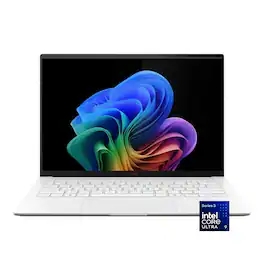
ASUS - Zenbook S14 14" OLED 3K Touchscreen - Intel Core Ultra 9 Processor 2026 - 32GB RAM - 1TB SSD - Copilot+ PC - Scandinavian White
4.7(36)

ASUS Zenbook S14 brings luxury to mobility with its ultra‑thin, ultra‑light Ceraluminum design that feels as refined as it looks. As a Copilot+ PC powered by the latest Intel Core Ultra processors, it delivers intelligent performance wrapped in effortless elegance. Its stunning 14" OLED WQXGA+ 16:10 display elevates every detail with vivid brilliance, while the long‑lasting 77 Wh battery keeps you going in style wherever the day leads.
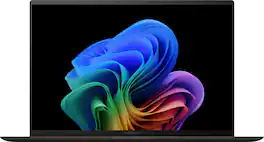
ASUS - Zenbook S 14 14" 3K OLED Touch Screen Laptop - Copilot+ PC - Intel Core Ultra 7 - 32GB RAM - 1TB SSD - Zumaia Gray

The new Zenbook S 14 harmoniously blends craftsmanship and performance, featuring an impossibly thin 0.47-inch profile made from Ceraluminum. Immerse your senses in a breathtaking 14-inch 3K OLED Lumina touchscreen and experience multi-dimensional, high-fidelity sound from a four speakers tuned by Harman/Kardon. Optimized for productivity, the S 14 is powered by an all-new, supercharged Intel Core Ultra 7 Series 2 processor with an Intel AI Boost NPU up to 47 TOPS that speeds up local AI processes, while a quick-access Copilot AI Assistant key streamlines your workflow. Powerful yet light, keep it portable with an all-day 72Wh battery.
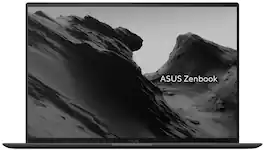
ASUS - Zenbook S14 14" OLED Touch Laptop - Intel Core Ultra 7 356H - 32GB Memory - 1TB SSD - Copilot+ PC - Antrim Gray

ASUS Zenbook S14 brings luxury to mobility with its ultra‑thin, ultra‑light Ceraluminum™ design that feels as refined as it looks. As a Copilot+ PC powered by the Intel® Core™ Ultra 7 356H processor with up to 50 TOPS of AI performance, it delivers intelligent power wrapped in effortless elegance. Its stunning 14‑inch OLED WQXGA+ 16:10 touch display elevates every detail with vivid brilliance, while Windows 11 Pro and the long‑lasting 77 Wh battery keep you going in style wherever the day leads.
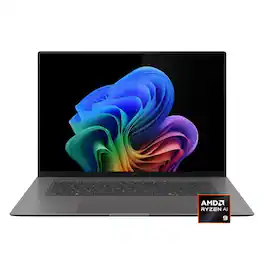
ASUS - Zenbook S16 16" 3K OLED Touchscreen Laptop - AMD Ryzen AI 9 465 2026 - 32GB Memory - 1TB Storage - Copilot+ PC - Antrim Gray
4.7(45)

The Zenbook S16 harmoniously blends beauty and performance. Featuring an impossibly thin 0.51-inch profile crafted from premium Ceraluminum, the Zenbook S16 exudes elegance through meticulous craftsmanship. Immerse your senses in its breathtaking 16-inch 3K 120Hz OLED ASUS Lumina display and experience rich, high-fidelity audio from a powerful six-speaker system. Optimized for productivity, the Zenbook S16 is powered by an AMD Ryzen AI 9 465 processor with up to 50 TOPS to accelerate local AI workloads, while a dedicated Copilot AI Assistant key streamlines your workflow. Despite its compact form and powerful performance, the Zenbook S16 delivers exceptional battery life with its high-capacity 83Wh battery.

Pros for ASUS - Zenbook S14 14" OLED 3K Touchscreen - Intel Core Ultra 9 Processor 2026 - 32GB RAM - 1TB SSD - Copilot+ PC - Scandinavian White
Build Quality, Portability, Battery Life, Processor Speed, OLED QualityBuild Quality, Portability, Battery Life, Processor Speed, WeightThere were no pros for this productBuild Quality, Battery Life, Portability, OLED Quality, Performance
Cons for ASUS - Zenbook S14 14" OLED 3K Touchscreen - Intel Core Ultra 9 Processor 2026 - 32GB RAM - 1TB SSD - Copilot+ PC - Scandinavian White
Keyboard BacklightingHeat Dissipation, Fan NoiseThere were no cons for this productHeat Dissipation, Keyboard Layout

Specs

Questions & Answers
  • What is the camera configuration of this laptop?

    The camera configuration of this laptop is FHD( 1920 x 1080) resolution. It enables secure, fast facial recognition login using Windows Hello, provides AI-powered features such as background blurring, automatic framing, and eye-tracking using ASUS AiSense and has an IR sensor that supports ASUS Adaptive Lock, which detects your presence and locks the laptop when you step away.

    Answered by ASUS Answers
    ASUS Answers response
  • Is Windows 11 Pro not an option? Love the tech specs, but I need Windows Pro!

    You can purchase a Pro license key really inexpensively.

    Answered by DavidLL
  • What are the specs for video board

    all on i9 chip

    Answered by DavidLL
  • For this laptop, with the upgraded Ultra 9 386H, is the onboard / dedicated graphics the Arc B390?

    not ARC

    Answered by DavidLL
  • This model specifies "Intel Graphics" while your advertised ASUS - Zenbook S 14 14" 3K OLED Touch Screen Laptop - Copilot+ PC - Intel Core Ultra 7 - 32GB -1 TB model specifies "Intel Arc Graphics". What's the difference?

    big diff for gaming or 3D. The graphics silicon very small on this one

    Answered by DavidLL
Ask a question
No content

Customers often buy these together

Sponsored

Similar products from outside of Best Buy

sponsored
Ask BlueAI

Finance Options

My Best Buy® Credit Card
Choose a benefit:Or
Lease to own

Special Offers

Included with Purchase

Finance Options

My Best Buy® Credit Card
Choose a benefit:Or
Lease to own

Special Offers

Included with Purchase