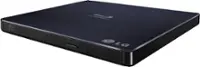
AGPtek - 8 in 1 External CD/DVD Drive for Laptop, Portable CD Burner with 4 USB Ports - Black
Related Item

Specifications
- Optical Media SupportedCD, DVDMaximum Read Speeds24Maximum Write Speeds24
- Key Specs
- Optical Media Supported: CD, DVD
- Maximum Read Speeds: 24 (The greatest speed(s) at which the device can read information from a disc. Speeds are often written as nX, with n indicating the multiple of the original speed. For example, a drive reading at 8X is twice as fast a drive reading at 4X.)
- Maximum Write Speeds: 24 (The greatest speed(s) at which the device can write information to a disc. Speeds are often written as nX, with n indicating the multiple of the original speed. For example, a drive writing at 8X is twice as fast a drive reading at 4X.)
- General
- Brand: AGPtek
- Model Number: MRAGPPC000380
- Product Name: 8 in 1 External CD/DVD Drive for Laptop, Portable CD Burner with 4 USB Ports
- Color: Black
- Compatibility
- Drive Location: External
- Drive Type: DVD Player
- Optical Media Supported: CD, DVD
- Operating System Compatibility: Linux, Mac, Windows
- Connectivity
- Interface(s): USB 3.0 (Refers to the types of connections that devices use to interact and communicate with each other.)
- Performance
- Maximum Read Speeds: 24 (The greatest speed(s) at which the device can read information from a disc. Speeds are often written as nX, with n indicating the multiple of the original speed. For example, a drive reading at 8X is twice as fast a drive reading at 4X.)
- Maximum Write Speeds: 24 (The greatest speed(s) at which the device can write information to a disc. Speeds are often written as nX, with n indicating the multiple of the original speed. For example, a drive writing at 8X is twice as fast a drive reading at 4X.)
- Dimensions
- Product Height: 0.7 inches (The out of box height of the item. Height is measured as the vertical distance from the bottom of the item to the top as it would be primarily used or placed.)
- Product Width: 6.02 inches (The out of box width of the item. Width is measured as the horizontal distance from one side of the item to the other as it would be primarily used or placed.)
- Product Length: 5.63 inches (The out of box length of the item. Length is measured as the longest dimension of the item.)
- Product Weight: 0.7 pounds (The out of box weight of the item.)
- Warranty
- Warranty - Parts: 1 year
- Warranty - Labor: 1 year
- Other
- UPC: 640711912720
AGPTEK External CD/DVD Drive for Laptops - Many modern laptops no longer have built-in CD/DVD drives, making it impossible to insert CDs or DVDs to play music, watch movies, back up data or install systems. The AGPTEK external drive is the perfect solution, plug and play with no additional drivers required. Ensure the drive is recognized: Insert the external optical drive into the computer. After the Windows system recognizes the optical drive, the "DVD RW Drive" icon will be displayed. The Mac OS computer will not display the device icon until the disc is placed in the optical drive and the disc is read successfully. If the computer fails to recognize the optical drive, it may be that the computer's driver is missing or the output current is insufficient. About data cable & power cord: 1.The USB data cable is built into the bottom of the drive.(Note: The total length of the data cable is only about 10.24 inches / 26 cm.) 2.The charging cord is a separate USB cord that comes with the package. The charging cord cannot be used as a data cable alone, it must be used together with the USB data cable built into the back of the drive. 3.It's better to use the 5V charger/power bank to increase the power if your computer don't have enough power to support the external drive. (Note: For the Apple computers, you need to connect the external CD/DVD drive to the mac/macbook/imac through the USB A/C data cable first, and then connect the 5V charger/power bank to the external CD/DVD drive through the charging cord, otherwise the Apple computer will not recognize the external CD/DVD drive.) WINDOWS 11 Requirements: WINDOWS 11 needs a media player (such as VLC ) and a network connection. Reading and writing speed: 1.This CD/DVD drive supports USB 3.0 and can provide data transfer speeds of up to 5Gbps. Although it has up to 8x DVD read/write speed and 24x CD read/write speed, the drive reads and writes CD/DVD discs at speeds that increase from the inner circle to the outer circle, and the starting speed is usually lower, reaching the maximum speed when reaching the outermost circle. 2.Recommended speeds (CD: Reading Speed: 24x or lower/Writing Speed: 8x to 16x; DVD: Reading Speed: 8x or lower/Writing Speed: 4x to 8x). For DVDs, slower writing speeds like 4x or 8x are often ideal to ensure data integrity, particularly for high-capacity or dual-layer discs. These speeds allow for more precise data encoding, reducing the risk of read errors in the future.
- Supports CD & DVD Burning: This optical drive supports reading and writing of CD±R/RW, CD-ROM, DVD±R/RW, DVD-RAM, VCD, and SVCD. Whether you're backing up data or watching videos, this drive covers all your needs.
- USB 3.0 high-speed data transfer: Equipped with USB 3.0 technology, it offers a data transfer rate of up to 5 Gigabits/S (625MB/S) for faster and more stable data transfer. It is also backward compatible with USB 2.0 and 1.1. The cd drive offers Max 8x DVDR Read Speed and Max 24x CD Write/Read speed.
- High compatibility: This external drive is compatible with a wide range of devices, including Macbooks, iMacs, Windows laptops, desktops and more. It supports Windows 11/10/8/7/XP, Vista, Linux and Mac OS 10.6 or higher. Not compatible with in-car systems, TVs, tablets, smartphones, projectors or Blu-ray discs. Windows 11 requires media player and network.
- Ultra-thin and portable design: This external drive is lightweight and compact for easy portability. The embedded data cable eliminates cable clutter, making it easy to organise and use. Perfect for placing in your laptop bag.
- Note: If your Windows 10/11 laptop does not recognise the CD/DVD drive, please connect the extra power cable to resolve the unrecognised problem caused by insufficient power.
A: undefined
Compare similar products

AGPTEK External CD/DVD Drive for Laptops - Many modern laptops no longer have built-in CD/DVD drives, making it impossible to insert CDs or DVDs to play music, watch movies, back up data or install systems. The AGPTEK external drive is the perfect solution, plug and play with no additional drivers required. Ensure the drive is recognized: Insert the external optical drive into the computer. After the Windows system recognizes the optical drive, the "DVD RW Drive" icon will be displayed. The Mac OS computer will not display the device icon until the disc is placed in the optical drive and the disc is read successfully. If the computer fails to recognize the optical drive, it may be that the computer's driver is missing or the output current is insufficient. About data cable & power cord: 1.The USB data cable is built into the bottom of the drive.(Note: The total length of the data cable is only about 10.24 inches / 26 cm.) 2.The charging cord is a separate USB cord that comes with the package. The charging cord cannot be used as a data cable alone, it must be used together with the USB data cable built into the back of the drive. 3.It's better to use the 5V charger/power bank to increase the power if your computer don't have enough power to support the external drive. (Note: For the Apple computers, you need to connect the external CD/DVD drive to the mac/macbook/imac through the USB A/C data cable first, and then connect the 5V charger/power bank to the external CD/DVD drive through the charging cord, otherwise the Apple computer will not recognize the external CD/DVD drive.) WINDOWS 11 Requirements: WINDOWS 11 needs a media player (such as VLC ) and a network connection. Reading and writing speed: 1.This CD/DVD drive supports USB 3.0 and can provide data transfer speeds of up to 5Gbps. Although it has up to 8x DVD read/write speed and 24x CD read/write speed, the drive reads and writes CD/DVD discs at speeds that increase from the inner circle to the outer circle, and the starting speed is usually lower, reaching the maximum speed when reaching the outermost circle. 2.Recommended speeds (CD: Reading Speed: 24x or lower/Writing Speed: 8x to 16x; DVD: Reading Speed: 8x or lower/Writing Speed: 4x to 8x). For DVDs, slower writing speeds like 4x or 8x are often ideal to ensure data integrity, particularly for high-capacity or dual-layer discs. These speeds allow for more precise data encoding, reducing the risk of read errors in the future.

Burn DVDs and CDs with this Dell USB DVD/RW drive. Plug it into your computer's USB port to play and burn discs or to load new software onto the hard drive. This slim Dell USB DVD/RW drive fits into a tote bag, and it draws power directly from the computer's USB port for hassle-free operation.

Upgrade your laptop or desktop with the 8-in-1 USB 3.0 Ultra-Thin External CD/DVD Drive — a high-speed, multifunctional device that combines powerful media performance with versatile connectivity. More than just a DVD reader and writer, this smart drive integrates USB 3.0, USB 2.0 ports, SD/TF card slots, and a Type-C interface, making it the ultimate portable data and media hub. Perfect for reading, burning, or backing up CDs and DVDs while expanding your USB connectivity. Compatible with Windows, macOS, and Linux, it’s an ideal solution for laptops without built-in optical drives.

Store and play files on disk with this portable LG external DVD writer. Its 8x DVD and 24x CD write speeds let you produce optical copies efficiently, and its silent play technology optimizes read speed while reducing noise. This slim LG external DVD writer supports M-DISC formats for high-quality data storage.
| Pros for AGPtek - 8 in 1 External CD/DVD Drive for Laptop, Portable CD Burner with 4 USB Ports - Black | |||
|---|---|---|---|
| There were no pros for this product— | Ease of use, USB, Size, Price, Overall Performance | There were no pros for this product— | Ease of use, Price, USB, Size, Performance |
| Cons for AGPtek - 8 in 1 External CD/DVD Drive for Laptop, Portable CD Burner with 4 USB Ports - Black | |||
| There were no cons for this product— | Software, Noise | There were no cons for this product— | Software |
Specs
Reviews
This product doesn't have any reviews yet.