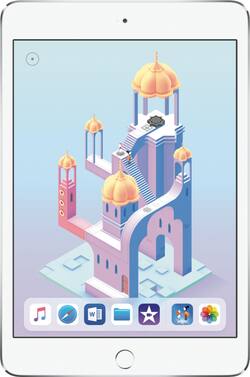
Apple - iPad mini 4 Wi-Fi 128GB - Silver
- Key Specs
- Screen Size: 7.9 inches (Size of the screen, measured diagonally from corner to corner.)
- Screen Resolution: 2048 x 1536 (Screens come in a range of resolutions (measured in pixels, horizontal x vertical). The higher the resolution, the greater the picture quality.)
- Processor Model: A8 (Your computer's processor is like its brain. Working in combination with system memory, the power of the processor determines the complexity of software you can run, how many programs you can have open at the same time, and how fast those programs will run. Most computers feature an AMD, Intel or Snapdragon processor.)
- Total Storage Capacity: 128 gigabytes
- Operating System: Apple iOS 12 (The operating system manages all software and hardware, including files, memory and connected devices. Most importantly, it lets you interact with your device and your programs in a visual way; otherwise, you'd be typing computer code to get anything done.)
- Voice Assistant Built-in: Siri (A digital assistant built into the device that uses voice commands to answer questions and control smart devices.)
- Works With: Apple HomeKit (Compatible with or able to be connected to other smart devices or applications.)
- Wireless Connectivity: Bluetooth, Wi-Fi (The manner in which a device sends data to another device over a short distance without the use of wires or cables.)
- 2-in-1 Design: false (A laptop and a tablet combined in one lightweight, portable device. Sometimes referred to as "convertible" or "hybrid" laptops, these devices deliver the processing power and keyboard of a laptop. When you're ready to play, either detach the screen or fold your 2-in-1 into tablet mode to comfortably watch movies, play games, read an e-book and more.)
- Security Features: Fingerprint reader, Password Protection
- General
- Product Name: iPad mini 4 Wi-Fi 128GB
- Brand: Apple
- Model Number: MK9P2LL/A
- Model Family: Apple iPad mini 4
- Year of Release: 2015
- Color: Silver
- Display
- Display Type: LED
- Screen Type: Retina Display
- Screen Size: 7.9 inches (Size of the screen, measured diagonally from corner to corner.)
- Screen Resolution: 2048 x 1536 (Screens come in a range of resolutions (measured in pixels, horizontal x vertical). The higher the resolution, the greater the picture quality.)
- Processor
- Processor Brand: Apple
- Processor Model: A8 (Your computer's processor is like its brain. Working in combination with system memory, the power of the processor determines the complexity of software you can run, how many programs you can have open at the same time, and how fast those programs will run. Most computers feature an AMD, Intel or Snapdragon processor.)
- Storage
- Total Storage Capacity: 128 gigabytes
- Memory
- System Memory (RAM): 2 gigabytes (Random-access memory (RAM) is a computing device's short-term data storage, which allows active information to be accessed quickly. The size and type of RAM determines how efficiently the device can handle large amounts of information at one time. For example, gaming or video editing requires more RAM for optimal performance.)
- Expandable Memory Compatibility: None
- Compatibility
- Operating System: Apple iOS 12 (The operating system manages all software and hardware, including files, memory and connected devices. Most importantly, it lets you interact with your device and your programs in a visual way; otherwise, you'd be typing computer code to get anything done.)
- Operating System Compatibility: Apple iOS
- Voice Assistant Built-in: Siri (A digital assistant built into the device that uses voice commands to answer questions and control smart devices.)
- Works With: Apple HomeKit (Compatible with or able to be connected to other smart devices or applications.)
- Connectivity
- Wireless Connectivity: Bluetooth, Wi-Fi (The manner in which a device sends data to another device over a short distance without the use of wires or cables.)
- Compatible Wireless Standard(s): Wireless-A, Wireless-AC, Wireless-B, Wireless-G, Wireless-N (The wireless networking standard(s) the device is backwards compatible with. This includes networking protocols based on the IEEE 802.11 standard (alphabetically ascending) and the Wi-Fi Alliance standard (numerically ascending), both of which provide high-throughput wireless local area networks (WLANs). Devices designed to work with specific standard(s) will be backwards compatible with previous versions but may not run at optimal performance when using earlier iterations.)
- Headphone Jack: true (The device features an interface that allows for the connection of headphones.)
- GPS Enabled: true
- Data Plan Required: true
- Power
- Charging Interface(s): Lightning (The connection for transmitting power to charge the device.)
- Battery Life (up to): 10 hours (Battery life will vary depending on the product configuration, product model, applications loaded on the product, power management setting of the product and the product features used by the customer. As with all batteries, the maximum capacity of this battery will decrease with time and usage.)
- Battery Capacity: 5124 milliampere hours (The amount of energy stored in the battery.)
- Camera
- Front-Facing Camera: true
- Front Facing Camera Megapixels: 1.2 megapixels (The more megapixels, the more detail that the camera facing the user can capture.)
- Front Facing Camera Video Resolution: 720p (Refers to the number of pixels, both horizontally and vertically, used by the camera facing the user to capture video. The higher the resolution the finer the video detail that can be seen.)
- Rear-Facing Camera: true
- Rear Facing Camera Megapixels: 8 megapixels (The more megapixels, the more detail that the camera facing away from the user can capture.)
- Rear Facing Camera Video Resolution: 1080p (Refers to the number of pixels, both horizontally and vertically, used by the camera facing away from the user to capture video. The higher the resolution the finer the video detail that can be seen.)
- Features
- 2-in-1 Design: false (A laptop and a tablet combined in one lightweight, portable device. Sometimes referred to as "convertible" or "hybrid" laptops, these devices deliver the processing power and keyboard of a laptop. When you're ready to play, either detach the screen or fold your 2-in-1 into tablet mode to comfortably watch movies, play games, read an e-book and more.)
- Keyboard Included: false
- Security Features: Fingerprint reader, Password Protection
- Stylus Dock: None
- Wake Word: Hey Siri (The term or phrase used to activate a device.)
- Certifications Listings & Approvals
- ENERGY STAR Certified: true (Devices carrying the ENERGY STAR service mark, such as computer products and peripherals, kitchen appliances, and other products, generally use 20% to 30% less energy than required by federal standards.)
- Included
- Included Software: true
- Stylus Included: false
- Other
- UPC: 888462368964
iPad mini 4 has a gorgeous 7.9-inch Retina display, yet it's only 6.1mm thin and weighs just 0.65 pounds, making it small enough to hold in one hand. It has a powerful A8 chip with 64-bit desktop-class architecture, advanced iSight and FaceTime HD cameras, Wi-Fi and LTE connectivity, iCloud, the breakthrough Touch ID fingerprint sensor, and up to 10 hours of battery life. It also includes great apps for productivity and creativity, and powerful new features in iOS 9 like multitasking. And there are even more incredible apps available in the App Store.
Whats Included
- iPad mini 4
- Lightning to USB Cable
- USB Power Adapter
A: WiFi means you can connect the iPad to any Wi-Fi access point like your home or a coffee shop. When you add “unlocked” to that, it means the iPad is also equipped with a cellular data modem that can be used on cellular data networks provided by cellular carriers (like a smart phone, but only data...no “voice” plan), but the iPad is not “locked” to a specific carrier when you buy it. You can choose a carrier and change carriers as you see fit. When a carrier is specified in the description, the iPad cellular modem is locked to that carrier and can only be moved to a different carrier after being unlocked by the original carrier. Usually this means the original carrier subsidized the price to some extent in order to get you to sign up for a wireless plan with a one or two year commitment. Unlocking the iPad would likely require that you pay the original carrier a fee for letting you out of the time commitment, if you terminate early. If you satisfy your service contract time commitment, you will still need to have the original carrier “unlock” the iPad from their network, if you want to change carriers at a future date. Even with “WiFi only”, you can make voice and video “calls” over data using various “apps” (like FaceTime and Skype) as long as you are connected to a WiFi network. However, there is no phone app on the iPad, so you can’t make regular phone calls on the iPad even if you have the version that includes cellular data capability. Just like a laptop, it isn’t a “phone”.
Q: What does “WiFi + unlocked” exactly mean? And what’s the difference between just “WiFi”?
A: WiFi means it will get a internet signal from your home internet or a hotel, restaurant signal. Unlocked is so you can get a signal from your phone company.
A: The answer is yes, but it's not necessarily automatic. All of the data that you've chosen to save in your iCloud account will transfer when you log in using the same credentials. If you are referring to your photos and apps then you would need to specifically allow those items to be stored in your iCloud first so that when you log in to the new device those items will will be available. You can also use iTunes to do this. Here is a link explaining the different ways you can transfer your data: https://www.imore.com/how-transfer-data-your-old-ipad-to-your-new-ipad?amp Hope this was helpful!
A: Price is the difference!
Q: Can an iPad communicate via text with another iPad even if you don't have an iPhone?
A: Yes, if you have a WiFi connection.
A: This one is the latest one
A: Open Box is an item that was returned to Best Buy after it was opened. They can't legally sell it as "new" since it was opened, even if it was never used. Refurbished items were returned due to an issue, and then fixed by the manufacturer. If you want to use an iPad on a cellular network, you need to buy one that cellular capable. An iPad that's listed as WiFi will not work. You need to spend a little more and get a WiFi/Cellular model. Best Buy allows 14 days for electronics returns, and you can take an online purchase in to your local store for return, with receipt.
A: I don’t even think you need to create a “hot spot”; you just use the data that you have on your plan using the SIM card. It works great!




















