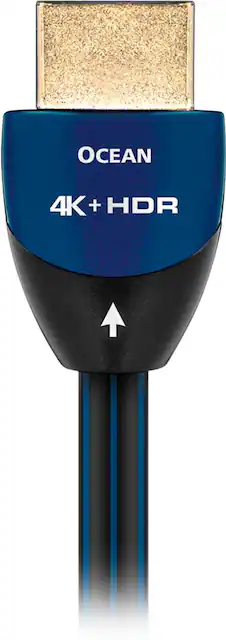
AudioQuest - Ocean 8' 4K Ultra HD In-Wall HDMI Cable - Black with blue accents
- Key Specs
- Cable Length: 8 feet
- Connector Type (End 1): HDMI Type A
- Gender (End 1): Male
- Connector Type (End 2): HDMI Type A
- Gender (End 2): Male
- In-Wall Rated: true
- Jacket Material: PVC
- General
- Product Name: Ocean 8' 4K Ultra HD In-Wall HDMI Cable
- Brand: AudioQuest
- Quantity: 1
- Model Number: HDMOCEAN8FT
- Connectivity
- Cable Type: HDMI
- Cable Length: 8 feet
- Product Type: Cable
- Connector Type (End 1): HDMI Type A
- Gender (End 1): Male
- Connector Type (End 2): HDMI Type A
- Gender (End 2): Male
- Environmental
- In-Wall Rated: true
- Indoor Or Outdoor Use: Indoor (Indicates the appropriate environment product was designed to be used in.)
- Material
- Jacket Material: PVC
- Other
- UPC: 092592014671
Only at Best Buy
Enhance your television and movie experiences with this AudioQuest Ocean HDMI cable. It supports 4K content for high-resolution imagery, and it's 8 feet long for versatile connections.
- Supports up to 4K UltraHD (4096 x 2160 pixels) resolution: To help get the best picture from your 4K source.
- High Dynamic Range (HDR) Pass-Through: To significantly increase the range of both color and contrast, which creates an even more vibrant and realistic picture.
- Solid core 0.25% silver-plated conductor: To eliminate electrical and magnetic strand interaction and reduce noise. Provides much of the benefit of solid silver, reducing distortion and digital timing errors.
- Triple Shielded Conductors/Solid Metal Connector Shell: Ensures signal integrity by protecting against EMI and RFI.
- Directionality: Fabricating metal conductors causes a directional grain structure. By controlling the resulting small impedance variation at Radio Interference frequencies, the cable can drain noise away from where it will cause distortion.
- Certified for in-wall installation: For flexible installation options.
- Lifetime limited warranty: Lifetime repair or replacement in cases of defect.
- Hard-cell foam (HCF) insulation: For long-lasting use.
Whats Included
- Audioquest Ocean 8' 4K Ultra HD In-Wall HDMI Cable
Q: I cannot seem to find the speed for this cable. What is it?
A: This HDMI cable can handle more than 18gbps, or more accurately, it's compatible with 4K/60, HDR and HDCP2.2 and can handle the highest possible current resolution.
Q: What makes this cable special? Isn't it just a standard HDMI 2.0?
A: You're right, the cable is fully compatible with the HDMI 2.0 spec.(it's the specification that's 2.0, not the cable). When it comes to choosing cables, there's no one "right" cable - it's a case of going with the best cable you can. This is because cables cannot improve the signal they carry, they can only make improvements by introducing less distortion into the system and doing less harm to the signal. The less distortion, the better. The best cable therefore is the one that introduces the least distortion and affects the signal as little as possible. And this is true for all cables. And the further up the line you go, the better it gets. Ocean, like all other AudioQuest HDMI cables uses very high quality solid conductors, high quality insulation materials, high quality connectors and pays attention to things that don't seem important, such as the twist rate of the four pairs of conductors that carry the picture and sound. What this means is that AudioQuest cables introduce significantly less distortion into a system than other brands of cables, and as a result you get better picture and sound quality. I hope this helps.
A: Cable should be fine with the equipment you have. On the TV, go to the settings and make sure your HDMI port is changed from standard to Enhanced for 4K viewing.
Q: Does this cable plug into wall coaxial cable?
A: No. Absolutely not.
A: I’m not sure what you mean by push 4K. If your television is a4K TV and you’re wondering will this cable send your 4K picture from a4K player or an Apple TV or a gaming system the answer is most definitely yes. To answer your statement about not getting the picture you saw at the store you can almost guarantee that the store was displaying items on a picture setting of VIVID. Almost every television manufacturer has them set it up like that to make them pop in the stores. If you like that unnatural look then by all means change your setting. But when you’re looking at those images may I suggest you ask yourself the question of is that natural. Does grass look like lime in the real world and the answer is no. Your television, if you like it that way, set it to what you want
A: No. The Rocketfish is as good as it gets.
A: Blackouts still happened even with this expensive cable. Ultimately had to run everything to TV and use arc for audio back to Denon. Definitely an issue with receiver. Exchanging as soon as Onkyo or Yamaha is back in stock.
Q: Do I need another hdmi cable for my new 4k ultra sony t v ?
A: No. This cable is going to be able to run anything and everything that you can throw at it. When you asked this question I’m assuming you already own this cable. This cable is capable of transmitting every possible video format that is out there, publicly, as of this post.
















