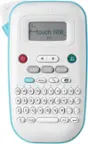
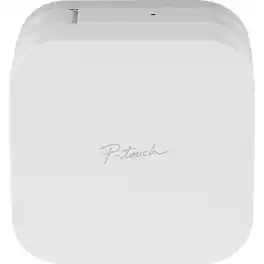
Brother - P-touch CUBE, Smartphone Dedicated Label Maker with Bluetooth Wireless Technology - White
Color
WhiteFREE shipping to
Related Item

About This Item
- General
- Brand: Brother
- Model Number: PTP-300BT
- Product Name: P-touch CUBE, Smartphone Dedicated Label Maker with Bluetooth Wireless Technology
- Color: White
- Warranty
- Warranty - Parts: 1 year
- Warranty - Labor: 1 year
- Other
- Product Width: 4.6 inches (The out of box width of the item. Width is measured as the horizontal distance from one side of the item to the other as it would be primarily used or placed.)
- Product Height: 2.5 inches (The out of box height of the item. Height is measured as the vertical distance from the bottom of the item to the top as it would be primarily used or placed.)
- Product Weight: 14.4 ounces (The out of box weight of the item.)
- Product Length: 4.6 inches (The out of box length of the item. Length is measured as the longest dimension of the item.)
- Compatible Label Size(s): ~9/64” (0.13"), ~1/4” (0.23"), ~3/8” (0.35"), ~1/2” (0.47"), Laminated Labels
- Handheld or Desktop: Desktop
- Labeling Tape Included: true
- Number Of Lines Per Label: 2
- Additional Label Types Printed: Laminated Labels
- Automatic Cutting Feature: false
- UPC: 012502643975
Conveniently design and print personalized labels from your smartphone or tablet when connected to a wireless network using the free, easy to use P-touch Design&Print2 app. Works with Apple and Android devices. Choose from a wide selection of home and home office label templates -- or easily design your own labels using 450 symbols, 60+ frames and a variety of fonts including most Google and Apple font libraries. Uses Brother P-touch TZe durable, laminated tapes up to 12mm (~½”) wide, in a variety of colors and types.
- Stylish label printer for use all around your home: Allows you to print personalized labels from your smartphone or tablet. Works with Apple iOS and Android devices including devices with iOS version 9 or above, Android version 4.1 or above.
- Personalized labels:: Design and print labels from a smartphone or tablet when connected to a wireless network using the free P-touch Design&Print2 App
- Multiple label templates:: Choose from a wide variety of pre designed templates or design labels from 450 symbols, 60 plus frames, and a variety of fonts
- Compatible: : The P-touch Design&Print2 app works with both Android and Apple devices and utilizes voice to text and spell check while designing labels
- Bluetooth wireless: : Connect using Bluetooth wireless technology to the P-touch label maker with a mobile device or tablet through the P-touch App
- P-touch laminated labels are tested to extremes:: Fridge, freezer and dishwasher-safe, these TZe labels are incredibly durable.
- Battery-operated design: Works on six AAA batteries (not included) for portable use around your home. Also you can use the included AC power adapter.
- Stylish label printer for use all around your home: Allows you to print personalized labels from your smartphone or tablet. Works with Apple iOS and Android devices including devices with iOS version 9 or above, Android version 4.1 or above.
- Personalized labels:: Design and print labels from a smartphone or tablet when connected to a wireless network using the free P-touch Design&Print2 App
- Multiple label templates:: Choose from a wide variety of pre designed templates or design labels from 450 symbols, 60 plus frames, and a variety of fonts
- Compatible: : The P-touch Design&Print2 app works with both Android and Apple devices and utilizes voice to text and spell check while designing labels
- Bluetooth wireless: : Connect using Bluetooth wireless technology to the P-touch label maker with a mobile device or tablet through the P-touch App
- P-touch laminated labels are tested to extremes:: Fridge, freezer and dishwasher-safe, these TZe labels are incredibly durable.
- Battery-operated design: Works on six AAA batteries (not included) for portable use around your home. Also you can use the included AC power adapter.
Whats Included
- Brother P-touch Cube Wireless Label Maker
- Black on white standard laminated TZe starter tape
- AC power adapter
- User's guide
- Brother P-touch Cube Wireless Label Maker
- Black on white standard laminated TZe starter tape
- AC power adapter
- User's guide
Product Manuals
Q: Is it compatible to print in different languages other than English?
A: The Brother PTP300BT machine is able to print in different languages since you create the labels using the Brother Iprint&Label app from your mobile.
Q: Can this print data passed from a website?
A: The Brother Ptouch Cube White will allow you to print data from a web site, however, your will need to enter data in a compatible app to use the printer, please contact Brother customer service for additional information at https://www.brother-usa.com/support
A: Yes, the Brother PTP300BT label machine is able to print barcodes.
Reviews
The vast majority of our reviews come from verified purchases. Reviews from customers may include My Best Buy members, employees, and Tech Insider Network members (as tagged). Select reviewers may receive discounted products, promotional considerations or entries into drawings for honest, helpful reviews.
Compare similar products
Conveniently design and print personalized labels from your smartphone or tablet when connected to a wireless network using the free, easy to use P-touch Design&Print2 app. Works with Apple and Android devices. Choose from a wide selection of home and home office label templates -- or easily design your own labels using 450 symbols, 60+ frames and a variety of fonts including most Google and Apple font libraries. Uses Brother P-touch TZe durable, laminated tapes up to 12mm (~½”) wide, in a variety of colors and types.

Label printing your way! The Brother P-touch CUBE Plus PT-P710BT lets you easily design and print labels up to 24mm (~1 inch) wide from your Apple or Android smartphone, tablet, laptop or desktop. Design and print unique labels with Bluetooth wireless technology using free P-touch Design&Print 2* or Brother iPrint & Label* apps. Use P-touch Editor software to access database information from your desktop to create and print labels using the USB cable provided. P-touch CUBE Plus lets you create the labels you need - from simple text for organizing and identifying, to unique labels with a variety of symbols, frames and fonts including most Google and Apple font libraries. Select from pre-designed templates plus new templates created for retail store and crafting businesses to help your products stand out. Enjoy smartphone features such as spell check and voice to text to simplify label creation. The sleek design makes a welcome addition in your craft business, retail store, home or office. The built-in Li-ion battery offers easy portability. The built-in automatic cutter provides clean full cuts, so you can create just the right size label. The P-touch CUBE Plus uses P-touch, laminated tapes up to 24mm (~ 1 inch) wide available in a variety of colors and types. P-touch CUBE Plus also works with Premium Glitter and Premium Matte tapes great for special events, gift wrapping and customized product identification. The P-touch CUBE Plus PTP-710BT comes with Black on White Starter Tape, Black on Premium Glitter Gold Starter Tape, built-in Li-ion battery and USB cable. *Wireless connection required.
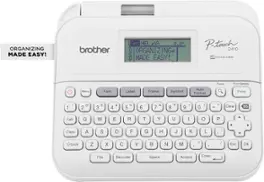
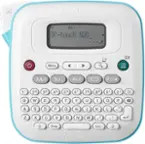
This is how to achieve next level home and office organization! Presenting the Brother P-touch PT-D410 Home / Office Advanced Label Maker. Simply connect it to a PC or Mac with the included USB cable to unlock the power of P-touch Editor Software(1). Designed to add even more flexibility to organization solutions, it provides access to a wide selection of pre-designed templates with 15 fonts, 13 font styles, 120 frames, and 700 symbols to choose from. Want to create custom labels instead? No worries! It’s simple to add symbols or barcodes using intuitive, built-in drawing tools. Plus, the P-touch Editor(1) makes ordering compatible Genuine Brother TZe label tapes as easy as a mouse click. Looking for a few ideas to put the Brother P-touch PT-D410 to work? We’ve got plenty! Personalize office equipment, label drawers to keep supplies in their proper place, add a little organizational zen to your workspace, identify vials to keep samples separate, arrange file boxes for easy retrieval, track inventory with bar codes, and so much more. And, if you find yourself repeatedly printing the same label, you’ll appreciate having the option to save up to 50 commonly used labels for quick access and reprinting. Featuring a built-in QWERTY keyboard with easy one-touch formatting keys, creating labels that help you organize and personalize items around any home and office space is sure to become your new favorite activity. With the ability to preview labels before they’re printed, the large 15-character, 2-line display screen promises the effortless ease of error-free confidence. Includes one 4m Black Print on White Sample Label Tape ~3/4” (18mm), AC Adapter and USB cable. Optional VP model includes carry case and 4m Black Print on Clear Sample Label Tape ~1/2” (12mm).

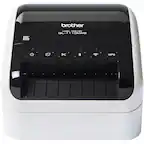
Brother P-touch PT-D610BTVP Business Professional Connected Label Maker is the complete organization solution for retail, business, and inventory tasks! Connect and create labels from a computer or mobile device via Bluetooth. Enjoy higher resolution and faster printing for increased efficiency on high-volume labeling jobs. Features full color, LCD display, 175 pre-set label templates for asset management, date, and time tracking. Store up to 90 labels for quick reprinting. Advanced connectivity allows multiple users to work with the same label maker from their own computer or smart device. Uses Brother Genuine TZe label tapes up to ~1.