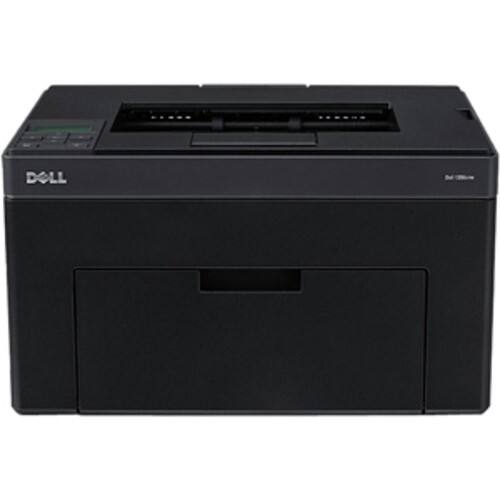
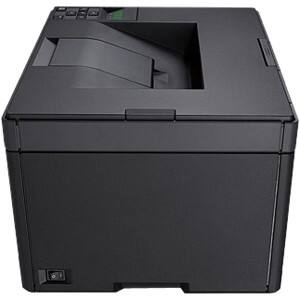
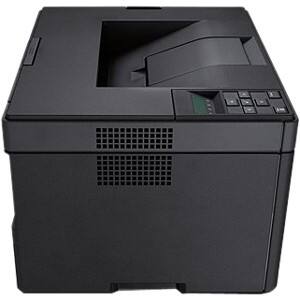
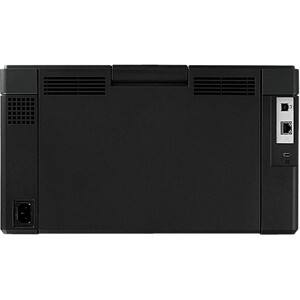
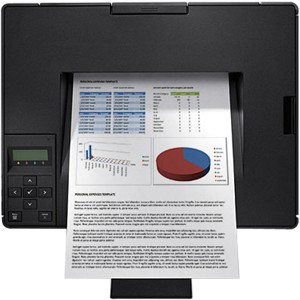
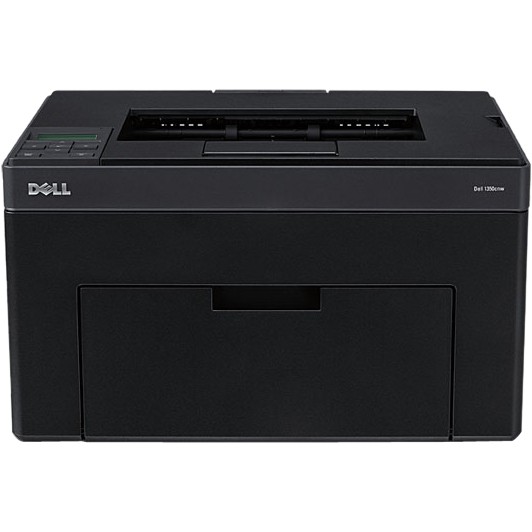
Dell - LED Printer - Color - 600 x 600 dpi Print - Plain Paper Print - Desktop
This item is no longer available in new condition.
See similar items below.
Description
Features
Recommended Use: Plain Paper Print
Print Color: Color
Maximum Mono Print Speed (ppm): 15
Maximum Color Print Speed (ppm): 12
Maximum Print Resolution: 600 x 600 dpi
Duplex Printing: Manual
Processor Speed: 384 MHz
Standard Memory: 128 MB
USB: Yes
Ethernet: Yes
Ethernet Technology: Fast Ethernet
Wi-Fi: Yes
Display Screen Type: LCD
Media Type: Coated Paper, Cover Stock, Envelope, Hagaki Card, Label, Plain Paper, Recycled Paper
Media Size: A4, Letter
Number of Input/Multipurpose Trays Installed: 2
Number of Input Trays Supported: 2
Standard Input Media Capacity: 160 sheets
Maximum Input Media Capacity: 160 sheets
Duty Cycle: 30000 pages per month
Form Factor: Desktop
Height: 8.9"
Width: 15.5"
Depth: 11.8"
Weight (Approximate): 24.30 lb
Platform Supported: Mac, PC
Green Compliant: Yes
Green Compliance Certificate/Authority: Energy Star, RoHS
Limited Warranty: 1 Year
What's Included
1350CNW LED Printer
1 x Black Toner Cartridge
1 x Cyan Toner Cartridge
1 x Magenta Toner Cartridge
1 x Yellow Toner Cartridge
Software & Drivers CD
Power Cord
Placement
USB Cable
Product Information Guide
Quick Reference Guide
Hardware Recycle Program Label & Instructions
Other
- Assembly RequiredNo
- Energy Star CompatibleYes
- <a href="javascript:winopengld('1087340571468','pcmcat38200050027','cat12080')">Print Speed (B&W)</a>Up to 15 ppm (Print speeds vary with use. See manufacturer for info on print speeds.)
- <a href="javascript:winopengld('1087340571541','pcmcat38200050027','cat12080')">Print Speed (Color)</a>12 ppm
- <a href="javascript:winopengld('1087340571577','pcmcat38200050027','cat12080')">Black Printer Resolution</a>Up to 600 x 600 dpi
- <a href="javascript:winopengld('1087340571658','pcmcat38200050027','cat12080')">Media Types</a>Coated Paper, Cover Stock, Envelope, Hagaki Card, Label, Plain Paper, Recycled Paper
- <a href="javascript:winopengld('1087340571708','pcmcat38200050027','cat12080')">Media Sizes</a>A4, Letter
- <a href="javascript:winopengld('1087340571743','pcmcat38200050027','cat12080')">Input Paper Capacity</a>Up to 150 sheets
- <a href="javascript:winopengld('1087340571817','pcmcat38200050027','cat12080')">Memory</a>128MB
- <a href="javascript:winopengld('1087340571851','pcmcat38200050027','cat12080')">Type of Interface</a>USB,
- <a href="javascript:winopengld('1087340572271','pcmcat38200050027','cat12080')">Print Quality</a>For documents
- <a href="javascript:winopengld('1087340809515','pcmcat38200050027','cat12080')">Networking Capabilities</a>Yes
- Wireless NetworkingWi-Fi,
- UPC884116047803
Customer reviews
Rating 5 out of 5 stars with 1 review
(1 customer review)to a friend
Rated 5 out of 5 stars
Great Color
Posted .This reviewer received promo considerations or sweepstakes entry for writing a review.I bought this printer so I could overlay pre-printed, tri-fold brochures with my own copy (Business name, address and phone). Results are very good. Colors are vibrant and matched the brochure colors I sampled from a scan into PhotoShop (no, this printer doesn't scan. I have another printer for that). Compared to the HP PhotoJet ink-jet printer and continuous-ink supply it replaced, the Dell's text print quality is actually better, crisper, and with no smudging afterwards. Unlike an ink jet, you do not have to wait for the copies to "dry." Also, the laser printer is far less "messy" than my ink jet. Photos on regular paper are acceptable, perhaps a bit dark, but I didn't buy this printer for photos. Printer's very compact "footprint" is appreciated since I don't have a lot of room in my office. I hope to be able to use third-party toner refills to keep media replacement costs down. Have not tried this yet.
I would recommend this to a friend
Q: QuestionHow do I scan and photocopy with this printer?I purchased this printer because it said in the information that it prints, scans and copies but I can't work out how to scan or photocopy. It's not in the written instructions and my disc drive is broken on the lap top so I set it up the printer without the disc. I have looked on line and some information seems to suggest it doesn't scan or photocopy. The reason I chose this one was because it said in the information that it performs all 3 functions. Thanks for your help.
Asked by juliejjulie.
- A:Answer Hello, Thank you for your purchase of the Dell 1350cnw LED printer. As it turns out, this printer is only designed to print in black & white and color. There are no multifunction (copy/scan) abilities with this printer. I apologize that you saw somewhere stating these erroneous features, but I do not see anywhere on this page where that is said. I recommend contacting the seller to discuss a return if that is how you wish to proceed. Hope this helps! JonathanNforDell
Answered by YourDellTeam

Q: QuestionDoes the main paper tray/slot close after you add paper?Hi: I just set up this printer, so far, colors look nice. I was wondering, I added paper to the main paper drawer/slot and it does not look like I can close the slot/drawer. In other words, the paper slot on the front of the printer, does it remain open all the time with the paper in it?
Asked by Anonymous.
- A:Answer Hello, Thank you for your purchase of the Dell 1350cnw color laser printer. It does look like the front door will be down whenever you have most types of media installed in it. Here is the manual for the printer, which shows you how different types of paper are loaded: (look in the "Printer Setup" section) http://bit.ly/11uEGoE Hope this helps! JonathanNforDell
Answered by YourDellTeam
Q: QuestionDo all the required cables come with this printer to hook up either for USB and/or Networking?
Asked by Jim.
- A:Answer Hello, Thank you for your interest in the Dell 1350cnw printer! Here is a listing of the contents of the printer box that you will receive: Dell 1350cnw Color Printer, Installation Software CD (Printer Driver & Dell Toner Management Software) Dell 1350cnw Ship-With Black Cartridge (700 page yield) Dell 1350cnw Ship-With Color Cartridges (700 page yield), Power Cord, USB cable, Placemat Product Information Guide It looks like you will need to provide your own standard Ethernet cable if you want to wire it up to your local network. Hope this helps! JonathanNforDell
Answered by YourDellTeam
Q: QuestionDid I miss something on description? I bought this, hooked it up and then found out that it doesn't work with Windows XP.Is this not compatible with Windows XP. Should it not have said that in the ad?
Asked by Anonymous.
- A:Answer Hello, Dell provides Windows XP drivers for the 1350cnw Laser Printer on its Support Home page. Choose your product from the site below and you can find the Windows XP drivers for download. http://www.dell.com/support/drivers/us/en/19 Hope this helps! JonathanNforDell
Answered by YourDellTeam
Q: QuestionHow much toner (pages worth) comes with the printer and how expensive are replacement toners
Asked by Anonymous.
- A:Answer Hello, This Dell laser printer, the 1350CNW, ships with both the standard sized toners for black and color (magenta, cyan and yellow). Each toner is rated for 700 pages of each (black and color). I can not speak about cost on this forum here but they are very comparable with others in the market and we also feature High-Capacity versions of each type of toner. The HC Black is rated for 2000 sheets and the HC Color toners are rated for 1400 sheets. Hope this helps! JonathanNforDell
Answered by YourDellTeam
Q: QuestionHow does the warranty work on this?
Asked by Anonymous.
- A:Answer Hello, This printer comes with a 1 Year Basic Limited Warranty and 1 Year Advanced Exchange Service. This means that a replacement system or replacement part will be dispatched, if necessary, following phone-based troubleshooting, in advance of receipt of returned defective part or system. Replacements may be refurbished. Defective unit must be returned. Make sure you register your printer with Dell first by filling out the form here: http://dell.to/oGXJDO Hope this helps! JonathanNforDell
Answered by YourDellTeam
Most viewed
- $299.00Your price for this item is $299.00$349.00The comparable value for this item is $349.00
- Year End Deal$799.00Your price for this item is $799.00
- $399.99Your price for this item is $399.99$499.99The comparable value for this item is $499.99
- $99.99Your price for this item is $99.99$129.99The comparable value for this item is $129.99
- $380.00Your price for this item is $380.00
- $531.68Your price for this item is $531.68
- $499.99Your price for this item is $499.99
- $929.99Your price for this item is $929.99$1,099.99The comparable value for this item is $1,099.99
- $249.00Your price for this item is $249.00$299.00The comparable value for this item is $299.00
- Year End Deal$249.99Your price for this item is $249.99
- $799.00Your price for this item is $799.00
- Year End Deal$329.99Your price for this item is $329.99
- $349.89Your price for this item is $349.89$469.89The comparable value for this item is $469.89
- Year End Deal$199.99Your price for this item is $199.99
- $599.99Your price for this item is $599.99$899.99The comparable value for this item is $899.99
- $679.99Your price for this item is $679.99$979.99The comparable value for this item is $979.99
- $199.99Your price for this item is $199.99
- $499.99Your price for this item is $499.99$849.99The comparable value for this item is $849.99
- Year End Deal$15.99Your price for this item is $15.99



















