Rating 4.7 out of 5 stars with 311 reviews
4.7- Performance (144)
- Cooling (50)
- FPS (28)
- Graphics Card (19)
- Ray Tracing (8)
- Price (46)
- Size (16)
- Power Consumption (5)
- Software (4)
- Coil Whine (3)
Customer Images
The vast majority of our reviews come from verified purchases. Reviews from customers may include My Best Buy members, employees, and Tech Insider Network members (as tagged). Select reviewers may receive discounted products, promotional considerations or entries into drawings for honest, helpful reviews.
- Rated 5 out of 5 stars
Despite the price, the performance is awesome!
I have a 3440 x 1440 ultra wide monitor and my 1080ti was struggling at times to maintain more than 60fps. In comes the 2080 Ti. Granted, the price point is really unacceptable. So I wouldn't blame anyone who took a step back prior to even thinking about purchasing a 2080 Ti. Only get this card if 1) You don't mind spending a LOT of money 2) Your monitor setup could benefit from it (buying this for 1080p is definitely overkill and a waste) 3) You want to future proof your PC setup Pros: -Performance for 2K and 4K is amazing -Probably the best powerful single GPU out there (aside from the X cards) -If your case's airflow is decent, the air coolers for this GPU is actually quite decent. My GPU rarely goes past 70C and is generally hovers around 55C-60C (you'll need to adjust the fan curve) Cons: -That price, oh.... that price -Card has a very thick radiator. Make sure your setup can fit this card inside -If your case doesn't have a decent air flow setup, this card will truly heat up everything inside your case -Precision X1 software has a learning curve -That price, oh.... that price. Yes, this is an EXPENSIVE card
Posted by VESPA5
- Rated 4 out of 5 stars
Fantastic card - 1440p 144hz max settings, no prob
This is a great graphics card, nearly all my games play comfortably at 1440p max settings with 100+FPS. The card stays fairly cool, mostly gaming temps are in the mid 70c range, I have only seen it hit 80c once. Even under heavy load the fans are very quiet. My only (admittedly minor) complaint is an audible coil whine when gaming. It’s not incredibly loud, but it’s akin to a buzzing mosquito in that once you hear it, it’s very persistent. This is the only reason I did not give this card 5 stars. I would still definitely recommend this card if you want the best gaming experience possible in 2020.
Posted by LeMMingSlayeR
- Rated 5 out of 5 stars
Worth it.
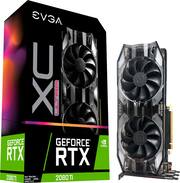
Love this card so far. Evga 2080 ti XC Ultra keeps the temps nice and low. It's definitely a bit bigger but it looks amazing in my fresh build performance is what counts with these cards anyway. If your in the market for some serious power and future proofing your setup for a while then the price is worth it. Don't cheat yourself.
Posted by Steve
- Rated 5 out of 5 stars
A beast of a card! Unleash the power!
This card has unbelievble power, twice as much as my previous 1080ti. Very generous overclocking headroom, runs 70c under load. Was able to get into the VRMark Hall Of Fame easily. Future proof for a while now. Extremely happy with this card. This particular one has Samsung VRam which OC's excellently. The heat sync is massive, 2.75 slot card, keeps it cool under pressure. The only other thing I would do to get more power would be running two of them in SLI, but not alot of support for SLI configs. Although this series card has Ray Tracing, enabling it causes a pretty hard hit to FPS. I would imagine once Nvidia gets the drivers better optimized that will change. 200+ FPS 1080, 150+ FPS 1440, 75+ FPS 4k.
Posted by kaptkrunch
- Rated 5 out of 5 stars
Thicc and fast
At the time of this review it was confusingly marked as a "dual slot" card, and the 2080 Super XC Ultra Gaming was marked as "single slot" even though they are both 2.75/3 slot. It is pretty beefy, and I did have slight sag so I ordered a sag bracket. And if covering other pcie expansion slots may be an issue, consider the non ultra version which takes up 2 slots Card has rgb lights that can be controlled with EVGA Precision software if you want to color match with the rest of your rig. Color neutral black backplate, and I like the see through grayish fan shroud. If you aren't planning to manually overclock this one is factory overclocked. It does also have a zero decibel mode, but the fans never actually turned off for me. They would stop for half a second then turn on again for a bit. So i went into Nvida Control panel and set it to favor performance and they just stayed on after that. To be fair my case isn't the best for thermals, and I haven't put any extra fans yet Case - Lian Li PC-011 Dynamic
Posted by rjthebarbarian