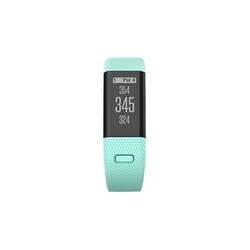
Garmin - Approach X40 GPS Watch - Midnight blue/Frost blue
- General
- Product Name: Approach X40 GPS Watch
- Brand: Garmin
- Model Number: 010-01513-02
- Warranty
- Manufacturer's Warranty - Parts: 1 year
- Manufacturer's Warranty - Labor: 1 year
- Other
- Backlit Display: true (Integrated lights allow for visibility of the display in low-light conditions.)
- Caliber: digital
- Dial Design: digital
- Case Shape: Other
- Clasp Type: Hook buckle
- Adjustable Band Length: true
- Product Weight: 0.1 pounds (The out of box weight of the item.)
- Display Type: Digital
- Batteries Included: true (Indicates whether the product comes with the required batteries for its operation.)
- Battery Life: 10 hours
- Band Material: Other
- Water Resistant: true (Resists some degree of water penetration.)
- Shock Resistant: false (Resists some degree of damage from impact.)
- Power Source: Battery-powered
- Battery Size: N/A (The battery size required for operation.)
- Number of Batteries Required: 1
- Alarm: false
- Stopwatch: false
- Watch Finish: Other
- Bezel: false (A ring on the top side of the case around the crystal.)
- World Clock: false
- Calendar Display: false
- Crystal Type: Mineral glass
- Display Style: LED
- Special Function(s): Day of week display
- Rechargeable: true
- UPC: 753759153533
Improve your golfing skills with this Garmin Approach band for golf and fitness tracking. It tracks heart rate and calories burned, and its slim, lightweight design ensures a comfortable fit. The vibrating smart notifications alert you to incoming calls and messages. Measure your shot distances with AutoShot tracking on this Garmin Approach band.
- Measures heart rate and calories burned: To help you monitor multiple fitness activities.
- Touch-screen LCD display: Delivers clear visual readouts.
- Delivers accurate, reliable location info: High-sensitivity GPS receiver.
- Waterproof design: Offers comfort and durability to support an active lifestyle.
- Built-in rechargeable lithium ion battery: Offers up to 10 hours of use on a full charge.
Whats Included
- Data/charging clip
- Garmin Approach X40 GPS Watch
Q: Does it even have a time display? Can it just be used for a watch when not on the course?
A: Yes it does have a time display, a little awkward displaying the two digit hour above the two digit minute. Once you get used to it, its fine. The only thing I do not like about it, is the wristband is kind of small. Wish Best Buy would sell the XL version with the larger wristband. I do not need all the graphics bling of some other golf watches and I did not want anything bulky and clunky on my wrist as I was playing. I have already recommended this to a couple of my friends
A: Here is a get started video: https://www.youtube.com/watch?v=uAOIBTp7iJE&feature=youtu.be For more information contact us at [email protected] or visit our Support Center, https://support.garmin.com/en-US/ Thanks Jenny
A: This device does have activity tracking. It is not compatible with live tracking, so it will not provide the GPS coordinates live. For more information contact us at [email protected] or visit our Support Center, https://support.garmin.com/en-US/ Thanks Jenny
A: Hi Lucky, You can change or view the units for distance on the device from the Main Menu, then selecting the Gear Icon, then System, then Units. This can also be found on page 6 of the Owner's Manual. http://static.garmin.com/pumac/Approach_X40_OM_EN.pdf
Q: I can’t even figure out how to get ENGLISH
A: Hello, Being in a different language can be challenging to get back into English. Could you please submit an email to our support group at [email protected].
Q: Does it vibrate or chime for incoming text or calls
A: Hi Geo, Yes, the Approach x40 will vibrate when you get incoming text or call. Thanks Chris



















