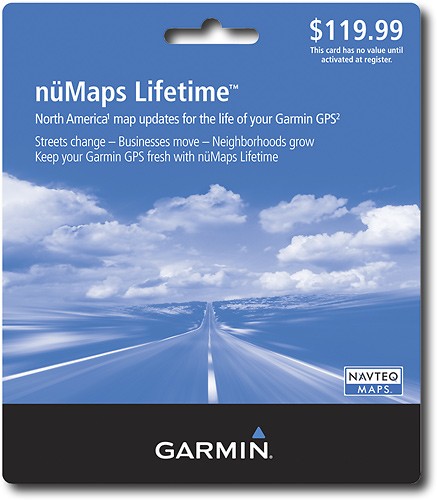
Garmin - nüMaps Lifetime Map Update
This item is no longer available in new condition.
See similar items below.
Description
Features
Designed for use with most Garmin GPS
So you can easily update your mapping system.
Built-in base maps of North America
With Navteq mapping software to get you ready to hit the open road.
6 million points of interest
Helps you find nearby hotels, gas stations, restaurants, attractions and more.
What's Included
Garmin nüMaps Lifetime Map Update
Owner's manual
Other
- Bluetooth Built-inNo
- <a href="javascript:winopengld('1087340505476','pcmcat38200050027','cat12080')">Built-In Base Maps</a>Yes
- Map ProviderNavteq
- UPC799366637639
Customer reviews
Rating 4.1 out of 5 stars with 19 reviews
(19 customer reviews)to a friend
Customers are saying
Customers commend the product's easy installation process, with one customer saying it took only 1.5 hours to download and install. Compatibility is another praised feature, with customers appreciating the recent updates. However, the lengthy download time is a major drawback, with one customer reporting a 15-hour wait.
This summary was generated by AI based on customer reviews.
- Pros mentioned:Map updatesCons mentioned:Download speed
Rated 5 out of 5 stars
Garmin NuMaps Lifetime Update
Posted .This reviewer received promo considerations or sweepstakes entry for writing a review.I've owned 3 Garmin GPS devices over the years. I used to buy the annual map updates for $70.00 or so. I purchased the NuMaps Lifetime update from AutoNavDirect for $89.00. I have already updated 3 times. I certainly have gotten my $$$$$ worth. The download process does take a while, but all the documentation clearly states that. Be sure to turn off your sleep, hibernate, and screen savers while the download and install are running. For those of you that have MapSource installed on your computers-----be sure to click the ADVANCED tab on the update screen to have the maps installed on your computer AND your GPS. This is new since the last update. I now have the 2011.10 update installed on my GPS and it is working fine. Once you click the "start download" you have nothing further to do. There will be a message on the screen that says (in effect) "no further action is required by you". I can't recall the EXACT message. You may opt to update your GPS, Your Computer, or Both. Good product. Good price. Worth the investment if you plan to keep your GPS for more than a year or two. What is the "lifetime" of a GPS? That remains to be seen. Each of mine have performed very well for several years. All 3 are still in service. (My sons got the older ones when I upgraded).
I would recommend this to a friend - Pros mentioned:Map updates
Rated 5 out of 5 stars
Extraction Takes a Long Time, System Works Well
Posted .This reviewer received promo considerations or sweepstakes entry for writing a review.SUMMARY: Yes, it takes a long time to download the master file – it’s big. Yes, the extraction process takes a long time. However, once done the maps work well and in the long run should be cheaper than updating at $60 to $80 per year (with only one update per year). DISCUSSION: If you don’t get anything more out of this review it is this: The file extraction process after you press LAUNCH may take a long time. Your computer is not going crazy. I like the concept of being able to pay once for continuous updates. However, it’s not surprising that there are some adverse reviews about the Garmin update system. I have about a three year old Garmin 2820 GPS. I have purchase map update DVD’s a couple times. Since these were $60 to $80 each, the new system should be a lot cheaper in the long run. If your GPS includes the “Mapsource” feature / program, it will also work with the new maps. Some people have complained about the fact that they can only use the maps for one GPS or that after they bought the map updates, it didn’t work with their unit. This information is clearly spelled out on the Garmin web site. If you download their communicator program and connect your GPS to the computer, it will automatically confirm if your unit is compatible with the lifetime map program. Others have complained about new maps not being up to date. The maps are supplied by NavTech. You can go to the NavTech web site and indicate where you think there is a problem. Depending on their data sources, it can take years before they know about certain features. I remember that it took years from the time my house was built until it showed on paper maps because it was “buried” in a subdivision. If you notify NavTech, it should speed the process. Now to the matter of how long it takes to download the maps. The current update download file is 2.06 GB. My economy cable internet supports a FILE TRANSFER speed averaging about 110 kb per second. Remember, the speed is not necessarily the speed your ISP advertises. It’s the FILE TRANSFER speed that counts. In my case, 110 kb per second is about 6.67 seconds per 1 meg or 309 minutes – a little over 5 hours – for 2.06 Gb. That’s about what it took me to download the file. If you have a faster file transfer speed, you’ll do it quicker. If it’s slower – well you get the picture. The best thing to do is make sure your computer won’t shut itself down and let the transfer happen while you’re asleep. Once the file is downloaded, you have to press LAUNCH to start the extraction process. This is where I ran into concerns. The process takes a long time (half hour to an hour) and the hard drive light is on almost continuously. When I thought something had gone wrong and tried to stop the process by shutting the computer down, I had to do a hard shutdown. When I left the program to run alone on a subsequent attempt, it finally ran successfully to conclusion. After that, you need to send the map file to the GPS unit. As advertised, this can take an hour or two. This is about the same length of time it takes to load from a DVD. It’s just normal. Once loaded to the GPS, the system worked well. I have already completed one trip without problem.
I would recommend this to a friend - Pros mentioned:Map updates
Rated 5 out of 5 stars
Best offer as long as your device is alive!
Posted .This reviewer received promo considerations or sweepstakes entry for writing a review.I have this product for since April 2009 (as soon as Garming released map update 2010) and had no problem downloading and installing. It took only 4+ hrs on my cable interent (thanks comcast) and installation was so easy. I have no idea why people giving low rating and blaming garmin for their slow internet connection. This is a must to go product if you own a garmin device. Instead of shredding $70 every year, this is a one time fee and you can update maps as long as your device is in good condition. My Street Pilot is older than 4 years and so far there is no problem with it. I have a nuvi 880 that is almost a year old and hope that will do the best as my street pilot doing.
I would recommend this to a friend - Cons mentioned:Download speed
Rated 5 out of 5 stars
Best choice for keeping your Garmin up to date
Posted .This reviewer received promo considerations or sweepstakes entry for writing a review.This is the way to go if you are ever going to upgrade your Garmin GPS. After 2 single updates, you've made your money back. The download and update takes a while (some other reviews have mentioned this so I won't go into more detail rehashing their experiences--just be patient and let the update work it's way through). As mentioned, this purchase only works for one unit - it checks on your myGarmin account and keys the upgrade to that particular GPS. I spoke to Garmin about a multiple use license, they don't have that yet but if enough of us suggest it they might get the idea (I've got 3 of these units, I'd really like a group discount). For now, I just keep waiting for a sale...
I would recommend this to a friend Rated 4 out of 5 stars
Long time to load to PC and Device
Posted .This reviewer received promo considerations or sweepstakes entry for writing a review.Paience is a virtue when loading NuMaps Lifetime for the first time. It took almost 45 minutes to complete the transfer to my laptop and subsequently to my Garmin StreetPilot 2720. Work well though and I can appreciate the new streets in my local area already added to the update since my 2008 maps. Hopefully, the quarterly updates will be shorter.
I would recommend this to a friendRated 5 out of 5 stars
The lifetime is a great buy at that price of $99.
Posted .This reviewer received promo considerations or sweepstakes entry for writing a review.Unfortunately I had to return the product because it was not compatible with my 350. There should have been specific information about which Garmins, this product is compatible with. It would have saved me time and best buy. I have since purchased a Garmin 1250 and I do intend to purchase the lifetime update again. I will go to bestbuy and make sure it is compatible before I order it online.
I would recommend this to a friendRated 4 out of 5 stars
A good value
Posted .This reviewer received promo considerations or sweepstakes entry for writing a review.We thought this was a much better deal than a one year update. Be sure you have LOTS of free space on your c drive before trying to install. We had to delete some old programs and files so there was enough room. The program does give you an opportunity to do that and the "try again" It took about 2 1/2 hours to download after we cleared the space. It updated properly and works perfectly now.
I would recommend this to a friendRated 5 out of 5 stars
Life of unit
Posted .This reviewer received promo considerations or sweepstakes entry for writing a review.Only concern is the definition of life of the unit support. How long will Garmin support this unit? Is it 10 years or 2 years. Know that information would allow for a complete decision on costs over the life of the unit. Would recommend this as long as the life is over 7 years.
I would recommend this to a friend
Q: QuestionCan I share Garmin nuMap Lifetime Map Update card with my friends?
Asked by Anonymous.
- A:Answer The card cannot be shared, it is only valid for one user.
Answered by GarminProductExpert

Q: QuestioneTrex 20 updateWill this map update work with the eTrex 20?
Asked by Anonymous.
- A:Answer This map update is only for automotive units and will not work on the etrex device.
Answered by GarminProductExpert
Most viewed
- $299.00Your price for this item is $299.00$349.00The comparable value for this item is $349.00
- Year End Deal$799.00Your price for this item is $799.00
- $399.99Your price for this item is $399.99$499.99The comparable value for this item is $499.99
- $99.99Your price for this item is $99.99$129.99The comparable value for this item is $129.99
- $249.99Your price for this item is $249.99$389.99The comparable value for this item is $389.99
- $380.00Your price for this item is $380.00
- $929.99Your price for this item is $929.99$1,099.99The comparable value for this item is $1,099.99
- $499.99Your price for this item is $499.99
- $249.00Your price for this item is $249.00$299.00The comparable value for this item is $299.00
- Year End Deal$249.99Your price for this item is $249.99
- $799.00Your price for this item is $799.00
- Year End Deal$329.99Your price for this item is $329.99
- Year End Deal$199.99Your price for this item is $199.99
- $349.89Your price for this item is $349.89$469.89The comparable value for this item is $469.89
- $599.99Your price for this item is $599.99$899.99The comparable value for this item is $899.99
- $679.99Your price for this item is $679.99$979.99The comparable value for this item is $979.99
- $199.99Your price for this item is $199.99
- $499.99Your price for this item is $499.99$849.99The comparable value for this item is $849.99
- Year End Deal$15.99Your price for this item is $15.99



















