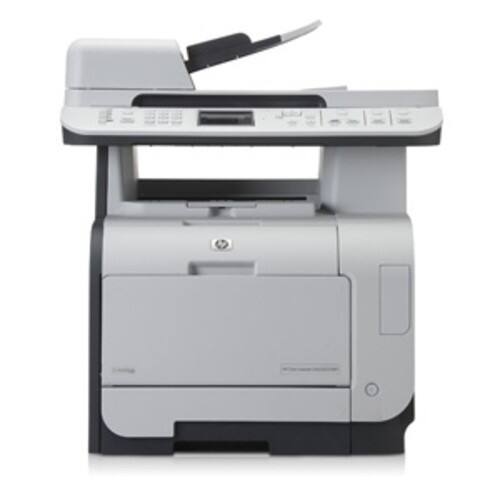
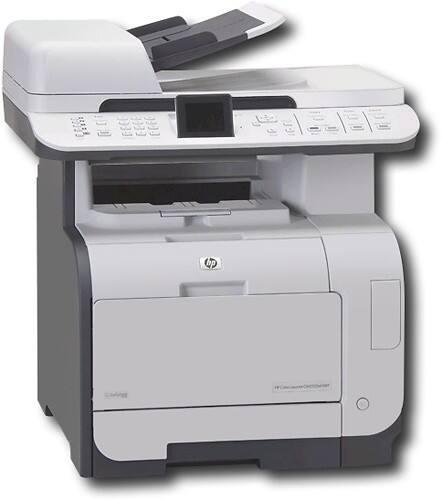


HP - 21 ppm - 600 x 600 dpi - Hi-Speed USB, Ethernet 10 Base-T/100 Base-TX/1000 Base-T
This item is no longer available in new condition.
See similar items below.
Description
Features
Multifunction Devices: Copier, Fax, Printer, Scanner
Recommended Use: Plain Paper Print
Print Color: Color
Maximum Mono Print Speed (ppm): 21
Maximum Color Print Speed (ppm): 21
Maximum Print Resolution: 600 x 600 dpi
Duplex Printing: Manual
Standard Memory: 160 MB
Memory Technology: DDR2 SDRAM
USB: Yes
Ethernet: Yes
Ethernet Technology: Fast Ethernet
Scanner Type: Flatbed
Scan Color: Color
Optical Resolution: 1200 dpi
Interpolated Resolution: 19200 dpi
Copier Type: Flatbed
Copy Color: Color
Maximum Mono Copy Speed (cpm): 21
Maximum Color Copy Speed (cpm): 21
Fax Color: Monochrome
Modem Speed: 33.60 Kbps
Media Type: Bond Paper, Brochure Paper, Color Paper, Envelope, Glossy Paper, Label, Letterhead, Photo Paper, Plain Paper, Pre-punched Paper, Preprinted Paper, Recycled Paper, Rough Paper, Transparency
Media Size: Custom Size, Envelope No. 10, Executive, Legal, Letter, Monarch Envelope
Number of Input/Multipurpose Trays Installed: 1
Standard Input Media Capacity: 250 sheets
Duty Cycle: 40000 pages per month
Form Factor: Desktop
Height: 21.7"
Width: 19.6"
Depth: 19.4"
Weight (Approximate): 59.30 lb
Platform Supported: Mac, PC
Green Compliant: Yes
Green Compliance Certificate/Authority: Energy Star
Limited Warranty: 1 Year
What's Included
LaserJet CM2320NF Multifunction Printer
4 x Cyan, Magenta, Black, and Yellow Print Cartridges
CDs containing device software and electronic User's Guide
Readiris PRO text recognition software
ReadIris registration card
Control panel faceplate
Getting Started Guide
ADF input support
Support flyer
Power cord(s)
IHM media Kit
Phone cord(s)
Other
- Assembly RequiredNo
- Energy Star CompatibleYes
- <a href="javascript:winopengld('1087340571468','pcmcat38200050027','cat12080')">Print Speed (B&W)</a>Up to 21 ppm (Print speeds vary with use. See manufacturer for info on print speeds.)
- <a href="javascript:winopengld('1087340571541','pcmcat38200050027','cat12080')">Print Speed (Color)</a>21 ppm
- <a href="javascript:winopengld('1087340571577','pcmcat38200050027','cat12080')">Black Printer Resolution</a>Up to 600 x 600 dpi
- <a href="javascript:winopengld('1087340571611','pcmcat38200050027','cat12080')">Color Printer Resolution</a>Up to 600 x 600 dpi
- <a href="javascript:winopengld('1087340571658','pcmcat38200050027','cat12080')">Media Types</a>Bond Paper, Brochure Paper, Color Paper, Envelope, Glossy Paper, Label, Letterhead, Photo Paper, Plain Paper, Pre-punched Paper, Preprinted Paper, Recycled Paper, Rough Paper, Transparency
- <a href="javascript:winopengld('1087340571708','pcmcat38200050027','cat12080')">Media Sizes</a>Custom Size, Envelope No. 10, Executive, Legal, Letter, Monarch Envelope
- <a href="javascript:winopengld('1087340571743','pcmcat38200050027','cat12080')">Input Paper Capacity</a>Up to 250 sheets
- <a href="javascript:winopengld('1087340571783','pcmcat38200050027','cat12080')">Output Paper Capacity</a>Up to 150 sheets
- <a href="javascript:winopengld('1087340571817','pcmcat38200050027','cat12080')">Memory</a>160MB
- <a href="javascript:winopengld('1087340571851','pcmcat38200050027','cat12080')">Type of Interface</a>Yes,
- <a href="javascript:winopengld('1087340572011','pcmcat38200050027','cat12080')">Fonts/Typefaces</a>80 TrueType internal scalable PCL 6 and PostScript
- <a href="javascript:winopengld('1087340572115','pcmcat38200050027','cat12080')">Total Ink Tanks/Cartridge</a>1 black, 1 cyan, 1 magenta, 1 yellow (included)
- <a href="javascript:winopengld('1087340572271','pcmcat38200050027','cat12080')">Print Quality</a>For documents
- PC-Free PrintingNo
- <a href="javascript:winopengld('1087340809469','pcmcat38200050027','cat12080')">Duty Cycle</a>Up to 40,000 pages/mo.
- <a href="javascript:winopengld('1087340809515','pcmcat38200050027','cat12080')">Networking Capabilities</a>Yes
- <a href="javascript:winopengld('1087340809619','pcmcat38200050027','cat12080')">Scanner Resolution (dpi)</a>1200 dpi
- <a href="javascript:winopengld('1087340809653','pcmcat38200050027','cat12080')">Bit Depth</a>42
- Scanner TypeFlatbed
- <a href="javascript:winopengld('1087340809696','pcmcat38200050027','cat12080')">Scan Method</a>Flatbed
- <a href="javascript:winopengld('1087340809730','pcmcat38200050027','cat12080')">Copier Resolution (dpi)</a>Up to 600 x 600 dpi
- <a href="javascript:winopengld('1087340809772','pcmcat38200050027','cat12080')">Copier Speed (B&W)</a>Up to 21 cpm (Copier speeds vary with use. See manufacturer for info on copier speeds.)
- <a href="javascript:winopengld('1087340809806','pcmcat38200050027','cat12080')">Copier Speed (Color)</a>Up to 21 cpm (Copier speeds vary with use. See manufacturer for info on copier speeds.)
- <a href="javascript:winopengld('1087340809851','pcmcat38200050027','cat12080')">Multiple Copies</a>Up to 99
- <a href="javascript:winopengld('1087340809918','pcmcat38200050027','cat12080')">Reduction/ Enlargement</a>25-400%
- <a href="javascript:winopengld('1087340809999','pcmcat38200050027','cat12080')">Automatic Document Feeder</a>Yes
- <a href="javascript:winopengld('1087340810077','pcmcat38200050027','cat12080')">Fax Transmission Speed</a>Approx. 3 sec./page
- <a href="javascript:winopengld('1087340810204','pcmcat38200050027','cat12080')">Number of Speed Dials</a>120
- Minimum System RequirementsPentium II processor or later; Windows, 2000, XP Home, XP Professional, XP Professional x64 or XP Tablet PC; Mac OS x v 10.3.9 or 10.4.x; Linux Red Hat 6.x or later or SuSE 6.x or later
- Wireless NetworkingNo
- UPC883585420315
Customer reviews
Rating 1.5 out of 5 stars with 2 reviews
(2 customer reviews)to a friend
Rated 2 out of 5 stars
READ THIS BEFORE YOU BUY!
Posted .This reviewer received promo considerations or sweepstakes entry for writing a review.This may have been the absolute WORST HP experience that I've ever had. This MFP promises the moon, but can't quite deliver (at least not without a boost). IF you are buying it because you will be able to scan to e-mail, unless you have control of your e-mail server and can disable authentication, maybe OK. If you are the likely SOHO user that has an e-mail host (which most-likely requires authentication to prevent SPAM), forget about it. Won't work. Maybe HP will do some research next time they upgrade the firmware and enable settings for e-mail authentication; until then you're out of luck. IF you are plannning to scan to computer folder locations that are on a Windows Server 2003, be prepared to jump through hoops. Support was miserable on this machine. ONE person at HP finally knew about this machine right off the bat without transferring me 5 or 100 times. Apparently, this is a "Commercial Model" and support is only available Monday-Friday. For a machine that advertises compatibility with Win Server 2k3, it really isn't. Features required to set a location on the server for scanning directly from the machine aren't installable (namely the HP Toolbox). It took me a lot of trying to get it going (see my workaround at http://www.myitgeeks.com/Windows_Server_2003_HP_CM2320.htm). If you just need a color copier, fax, scanner at a reasonable price that will work with XP, you're probably OK.
No, I would not recommend this to a friendRated 1 out of 5 stars
AVOID- specs and reality are not the same.
Posted .This reviewer received promo considerations or sweepstakes entry for writing a review.What a giant waste of time. The specs show: 1- you can scan from the machine itself to computers. 2 - you can scan from machine and send as email 3- The software supports both Mac and PC None of the above work fully. Scan to PC only works to PC- not Mac, and in addition you MUST select the "install additional software" or the option to add comp to machine is simply not there as described in the manual. HP support know this yet documentation does NOT say so. Scan to email is a JOKE. Supports SMTP server but NOT AUTHENTICATION! When was the last time you ever heard of an SMTP server that did not require auth? 1970 when?? When the fact that you cannot add Mac to machine HP says yes that is true but simply scan to email instead for Mac users. :/ Last- the printer would print doubles, skip pages, and also ran out of memory on simple text jobs. We bought additional RAM but never bothered to put it in as we had decided to cut our losses by the time it arrived. In any event- the only good thing about this whole giant waste of time was the return. BestBuy made it easy and did not hassle us at all about it.
No, I would not recommend this to a friend
Q: QuestionHow is this a Network ready printer with only a USB connection?
Asked by Anonymous.
- A:Answer This printer has one RJ-45 Ethernet connector for connecting to a network in addition to the included USB port. I apologize for any confusion.
Answered by HP Team

Q: QuestionDoes this printer have ePrint Capability?
Asked by Anonymous.
- A:Answer No, this printer does not have ePrint functionality.
Answered by HP Team
Q: QuestionCan you save a scan in a JPEG or TIFF file format?
Asked by Anonymous.
- A:Answer Yes this model will allow you to save a scan in TIFF or JPEG format.
Answered by HP Team
Q: QuestionDoes it automatically print double sided copiesWhen I feed a page in that I need both sides copied, are there features that allow this or do I have to take it out and turn the page over and print again?
Asked by Anonymous.
- A:Answer This printer does not support automatic duplexing.
Answered by HP Team
Q: QuestionMacBook Pro compatable?
Asked by Anonymous.
- A:Answer The HP Network-Ready CM2320NF Laserjet Multifunction Printer/ Copier/ Scanner/ Fax is compatible with Mac OS X 10.3.9, 10.4, 10.5, and 10.6. If your MacBook Pro is using one of these operating systems, it should be compatible.
Answered by HP Team
Q: Questiontype of injet catridgesI have hp laser jet printer and would like to replace it. It is hp2600 n are the toner cartridges the same or different on this newer model ? we just bought new ones and need to replace unit thanks hank
Asked by Anonymous.
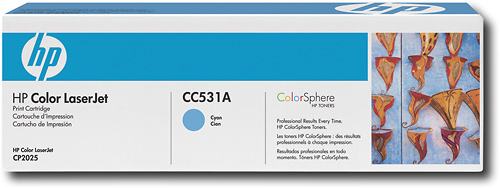
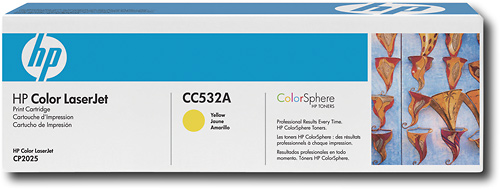
- A:Answer Unfortunately, Hewlett-Packard does not have a current printer model that uses the same toner cartridges as your HP Color LaserJet 2600n Printer. I apologize for the inconvenience. The HP Network-Ready Laserjet CM2320NF Multifunction Printer/ Copier/ Scanner/ Fax uses the Black (CC530A), Cyan (CC531A), Magenta (CC533A), and Yellow (CC532A) toner cartridges.
I would recommend:
Answered by HP Team
Q: QuestionCan you scan documents through the networkAre you able to scan to this printer from a computer connected to the printer through the network?
Asked by Anonymous.
- A:Answer The HP Color LaserJet CM2320nf Multifunction Printer/ Copier/ Scanner/ Fax features network scanning support that will allow the user to save a scanned file to a network folder.
Answered by HP Team
Q: QuestionCan this print and scan 11X17 documents?
Asked by Anonymous.
- A:Answer The HP Color LaserJet CM2320NF Multifunction Printer/ Copier/ Scanner/ Fax is only able to print and scan documents up to 8.5" x 14". This printer will not scan or print 11" x 17".
Answered by HP Team

Most viewed
- $299.00Your price for this item is $299.00$349.00The comparable value for this item is $349.00
- Year End Deal$799.00Your price for this item is $799.00
- $399.99Your price for this item is $399.99$499.99The comparable value for this item is $499.99
- $99.99Your price for this item is $99.99$129.99The comparable value for this item is $129.99
- $160.99Your price for this item is $160.99
- $499.99Your price for this item is $499.99
- $929.99Your price for this item is $929.99$1,099.99The comparable value for this item is $1,099.99
- $249.00Your price for this item is $249.00$299.00The comparable value for this item is $299.00
- $599.99Your price for this item is $599.99
- Year End Deal$249.99Your price for this item is $249.99
- $799.00Your price for this item is $799.00
- Year End Deal$199.99Your price for this item is $199.99
- Year End Deal$15.99Your price for this item is $15.99
- $199.99Your price for this item is $199.99
- $679.99Your price for this item is $679.99$979.99The comparable value for this item is $979.99
- $579.99Your price for this item is $579.99$849.99The comparable value for this item is $849.99
- $599.99Your price for this item is $599.99$899.99The comparable value for this item is $899.99
- $649.99Your price for this item is $649.99$1,049.99The comparable value for this item is $1,049.99
- $349.89Your price for this item is $349.89$469.89The comparable value for this item is $469.89



















