
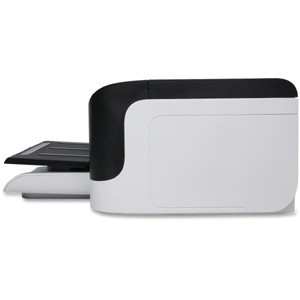

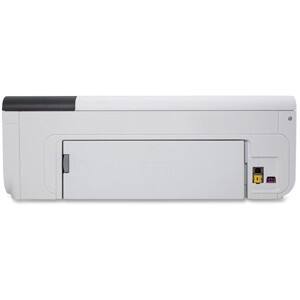

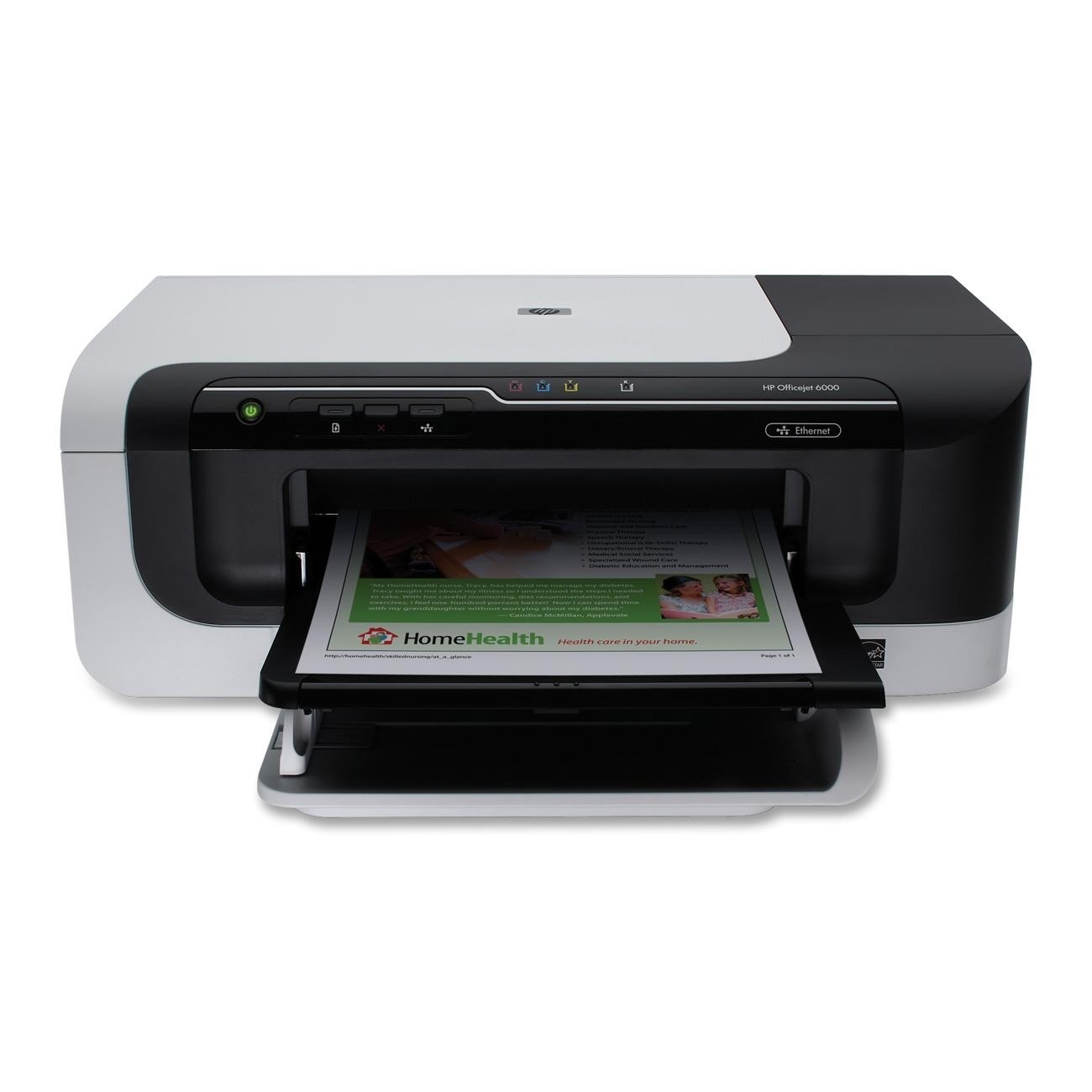
HP - Officejet Inkjet Printer - Color - 4800 x 1200 dpi Print - Plain Paper Print - Desktop
This item is no longer available in new condition.
See similar items below.
Description
Features
Recommended Use: Plain Paper Print
Print Color: Color
Maximum Mono Print Speed (ppm): 32
Maximum Color Print Speed (ppm): 31
Maximum Print Resolution: 4800 x 1200 dpi
Duplex Printing: Manual
Processor Speed: 192 MHz
Standard Memory: 32 MB
USB: Yes
Ethernet: Yes
Ethernet Technology: Ethernet
Media Type: Borderless Media, Brochure Paper, Envelope, Greeting Card, Index Card, Inkjet Paper, Label, Photo Paper, Plain Paper, Transparency
Media Size: 3" x 5", 4" x 10", 4" x 11", 4" x 12", 4" x 6", 5" x 7", 5" x 8", 8" x 10", 8.27" x 11.69", 8.50" x 11", Custom Size, DL Envelope, Envelope No. 10, Executive, Legal, Letter, Monarch Envelope, Statement
Number of Input/Multipurpose Trays Installed: 1
Number of Input Trays Supported: 1
Standard Input Media Capacity: 250 sheets
Maximum Input Media Capacity: 250 sheets
Duty Cycle: 7000 pages per month
Form Factor: Desktop
Height: 6.5"
Width: 18.0"
Depth: 15.3"
Weight (Approximate): 10.56 lb
Platform Supported: Mac, PC
Green Compliant: Yes
Green Compliance Certificate/Authority: Energy Star
Country of Origin: Malaysia
Limited Warranty: 1 Year
What's Included
Officejet 6000 E609A Printer
Print Head Assembly
1 x Black Officejet Ink Cartridge
1 x Cyan Officejet Ink Cartridge
1 x Magenta Officejet Ink Cartridge
1 x Yellow Officejet Ink Cartridge
Power Supply
Power Cord
Setup Poster
Firewall Booklet
Safety and Warranty Guide
Software on CD
Other
- Assembly RequiredNo
- Energy Star CompatibleYes
- <a href="javascript:winopengld('1087340571468','pcmcat38200050027','cat12080')">Print Speed (B&W)</a>Up to 32 ppm (Print speeds vary with use. See manufacturer for info on print speeds.)
- <a href="javascript:winopengld('1087340571541','pcmcat38200050027','cat12080')">Print Speed (Color)</a>31 ppm
- <a href="javascript:winopengld('1087340571577','pcmcat38200050027','cat12080')">Black Printer Resolution</a>Up to 4800 x 1200 dpi
- <a href="javascript:winopengld('1087340571611','pcmcat38200050027','cat12080')">Color Printer Resolution</a>Up to 4800 x 1200 dpi on premium photo paper
- <a href="javascript:winopengld('1087340571658','pcmcat38200050027','cat12080')">Media Types</a>Borderless Media, Brochure Paper, Envelope, Greeting Card, Index Card, Inkjet Paper, Label, Photo Paper, Plain Paper, Transparency
- <a href="javascript:winopengld('1087340571708','pcmcat38200050027','cat12080')">Media Sizes</a>3" x 5", 4" x 10", 4" x 11", 4" x 12", 4" x 6", 5" x 7", 5" x 8", 8" x 10", 8.27" x 11.69", 8.50" x 11", Custom Size, DL Envelope, Envelope No. 10, Executive, Legal, Letter, Monarch Envelope, Statement
- <a href="javascript:winopengld('1087340571743','pcmcat38200050027','cat12080')">Input Paper Capacity</a>Up to 250 sheets
- <a href="javascript:winopengld('1087340571783','pcmcat38200050027','cat12080')">Output Paper Capacity</a>Up to 50 sheets
- <a href="javascript:winopengld('1087340571817','pcmcat38200050027','cat12080')">Memory</a>32MB
- <a href="javascript:winopengld('1087340571851','pcmcat38200050027','cat12080')">Type of Interface</a>USB,
- <a href="javascript:winopengld('1087340572115','pcmcat38200050027','cat12080')">Total Ink Tanks/Cartridge</a>1 black, 1 cyan, 1 magenta, 1 yellow (included)
- <a href="javascript:winopengld('1087340572271','pcmcat38200050027','cat12080')">Print Quality</a>For documents
- PC-Free PrintingNo
- <a href="javascript:winopengld('1087340809469','pcmcat38200050027','cat12080')">Duty Cycle</a>Up to 7,000 pages/mo.
- <a href="javascript:winopengld('1087340809515','pcmcat38200050027','cat12080')">Networking Capabilities</a>Yes
- Minimum System RequirementsIntel® Pentium® II, Celeron®, Xeon®, AMD Athlon™ or Opteron™ processor (or equivalent); Windows 2000 (SP4), XP (SP1), Vista or Windows 64 (SP1); 128MB RAM; 200MB hard drive space
- Wireless NetworkingNo
- UPC884420680611
Customer reviews
Rating 2 out of 5 stars with 3 reviews
(3 customer reviews)to a friend
Rated 1 out of 5 stars
Does everything but print
Posted .This reviewer received promo considerations or sweepstakes entry for writing a review.This printer has been nothing but aggravating. It runs itself randomly throughout the day and night. HP constantly bombards me with software updates for it. It's the most needy machine I've ever owned. Yet, when I print a simple word document or a web page, it first does nothing, then rolls around a while, then after about 5-10 minutes, spits out a washed-out print. The printer itself is good-looking. I'll give it that, but who cares? I wouldn't recommend this to anyone.
No, I would not recommend this to a friendRated 1 out of 5 stars
OK printer, horrible tech support & cust. svc
Posted .This reviewer received promo considerations or sweepstakes entry for writing a review.I have had this printer for less than six months when the wifi light went out and none of my computers could get it to print. Called tech support - spent 2 hours with first guy who told me he couldn't help me, would talk to his supervisor and call me back (he didn't). Second call last 90 minutes when tech support person disconnected me after exhausting all efforts. Called back, was told I couldn't speak to him, no info in my file on previous calls so we had to start over again. This man had me on the phone for 90 minutes and said he needed me to buy a USB cable in order to help me - another tech support person called me back at 10 that night, had no info and we started over again. He didn't need the USB cable but by 12:45 AM, he had exhausted his knowledge. Said he would have someone call me at 11 AM to go over all troubleshooting. Two hours later, I was told it was the printer (DUH) and I had to talk with customer service. They offered me a gift card that I would get in at least two days to buy the printer and arrange for delivery but it wouldn't be able to be overnight delivery. Finally got someone in management who said she would have it sent directly to me. I gave her my cell number because I was going out of town. She called my home phone and told me she couldn't get the replacement out without my phone permission and she was leaving at six for the weekend. I got the email at 10. Called CS and was told no one could help me but that person and I would have to wait until Monday...DON'T BUY THIS PRODUCT!!!!
No, I would not recommend this to a friendRated 4 out of 5 stars
Great printer for school
Posted .This reviewer received promo considerations or sweepstakes entry for writing a review.I bought this printer on a whim not really sure what I wanted but ended up loving it. It does exactly what I need it to do (print my documents in a timely manner) without too many extra bells and whistles. If you are just looking for a good printer to print off your documents I would recommend this one. Changing the ink isn't a hassle, which I love. And it doesn't make those obnoxious printing nosies some printers make.
I would recommend this to a friend
Customer reviews from hp.com
See all hp.com reviewsUser rating, 2.8 out of 5 stars with 4 reviews on hp.com.
2.8(4 reviews)
Q: QuestionWill it print from iPad
Asked by bbonds.
- A:Answer This HP Officejet 6000 does not support iPad printing. HP iPRINT PHOTO 3.0 for iPad, iPhone, and iPod touch http://h41112.www4.hp.com/mobileapps/hp-iprint30-ios.html?jumpid=reg_R1002_USEN
Answered by HP Team

Q: QuestionDoes this printer come with a usb cable?
Asked by Ike.
- A:Answer The HP Officejet 6000 Network-Ready Printer does not include a USB cable in the box. You will need to purchase a USB printer cable or use a USB printer cable from a previous printer, if you have one.
Answered by HP Team
Q: QuestionDoes it print double-sided pages?
Asked by Anonymous.
- A:Answer The HP Officejet 6000 Printer (CB051A) features manual duplex (double-sided) printing. This feature will prompt the user to flip the page over and re-insert it back into the printer. The HP Officejet 6000 Wireless Printer (C9295A) features automatic duplex printing. Printers with this feature will automatically flip the page over and print on the other side before ejecting the paper.
I would recommend:
Answered by HP Team
Q: Questionabout the blue tooth fit this printer?ABOUT THE BLUE TOOTH FIT THIS PRINTER MAKE H.P.BT500 BLUE TOOTH USB 2.0 WIRELESS ADAPTER .
Asked by Anonymous.
- A:Answer The HP bt500 Bluetooth adapter is not compatible with this printer.
Answered by HP Team
Q: QuestionDoes th HP Officejet 6000 scan and copy?I think it does...but is not spelled out in the info for overview and specs. Thanks, Bob O
Asked by Bob O.
- A:Answer No, this printer does not have scan and copy functionality. It is only able to print.
Answered by HP Team
Q: QuestionCan this printer still print if one or more ink cartridges are out?
Asked by Anonymous.
- A:Answer No - Don't buy this printer unless you want to go through hell with support.
Answered by kaybe
Q: QuestionIs this product certified compatible with Microsoft Vista software?
Asked by Anonymous.
- A:Answer This model is fully compatible with Windows Vista (32 and 64-bit) operating systems.
Answered by HP Team
Q: QuestionIs this printer compatible with Windows XP
Asked by Anonymous.
- A:Answer Yes, this printer is compatible with Windows XP.
Answered by HP Team

Most viewed
- $299.00Your price for this item is $299.00$349.00The comparable value for this item is $349.00
- $599.99Your price for this item is $599.99
- $249.99Your price for this item is $249.99
- $399.99Your price for this item is $399.99$499.99The comparable value for this item is $499.99
- $799.00Your price for this item is $799.00$999.00The comparable value for this item is $999.00
- $160.99Your price for this item is $160.99
- $929.99Your price for this item is $929.99$1,099.99The comparable value for this item is $1,099.99
- $499.99Your price for this item is $499.99
- $249.00Your price for this item is $249.00$299.00The comparable value for this item is $299.00
- $799.00Your price for this item is $799.00
- Year End Deal$199.99Your price for this item is $199.99
- $249.99Your price for this item is $249.99$449.99The comparable value for this item is $449.99
- $384.99Your price for this item is $384.99$399.00The comparable value for this item is $399.00
- Year End Deal$15.99Your price for this item is $15.99
- $199.99Your price for this item is $199.99
- $679.99Your price for this item is $679.99$979.99The comparable value for this item is $979.99
- $1,599.99Your price for this item is $1,599.99$1,899.99The comparable value for this item is $1,899.99
- $199.00Your price for this item is $199.00
- $59.99Your price for this item is $59.99$199.99The comparable value for this item is $199.99



















